How-To · Print on Demand
How to Turn Product Mockups Into a Multi-Angle Catalog
A mockup is your logo on a blank garment. It doesn’t sell until it’s on a body. Here’s how to get the full on-model set from the mockup alone.
July 8, 2026 · 9 min read
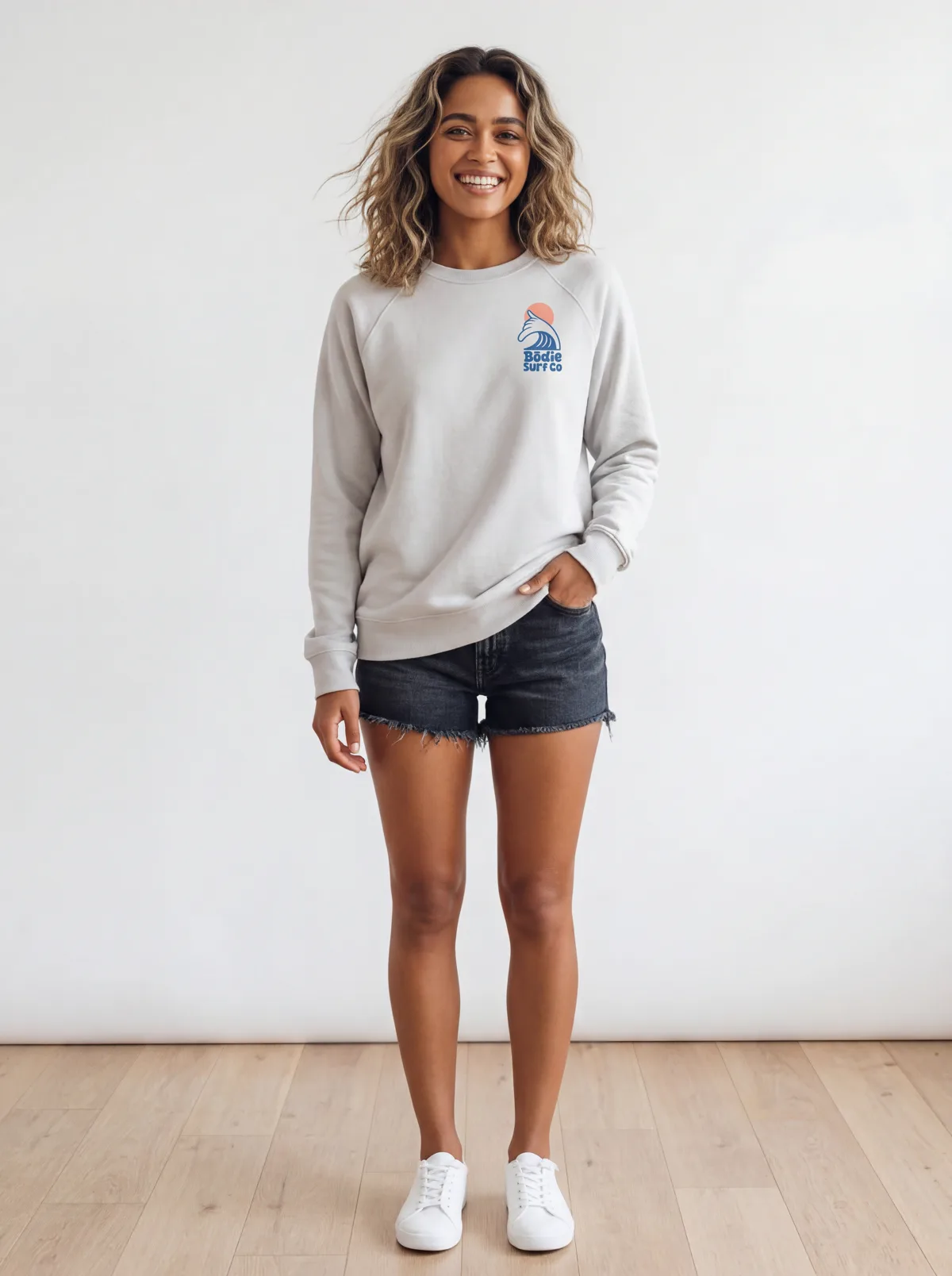
This started as a flat mockup: the Bōdie Surf Co logo overlaid on a blank grey crewneck. No sample was ordered. No studio was booked.
10
on-model catalog shots from a single mockup, front and back, plus a product video
~$1
per batch, versus $100 to $500 to sample and shoot one SKU the traditional way
2 min
from mockup to a Shopify-ready set, against four to six weeks for a sample-and-shoot
The Flat Mockup Problem
If you sell print-on-demand or print-on-product apparel, you live on mockups. You design a logo or a graphic, overlay it on a blank garment template in Canva, Photoshop, or a mockup generator, and list it. The mockup is clean and quick, and it costs nothing. It also looks like exactly what it is: a flat garment floating on white, with no one wearing it.
Shoppers want to see the piece on a body. The usual way to get there is slow and expensive: order a blank sample, wait for it to arrive, print or press your design, then book a model, a photographer, and a studio for the shoot. On-model product photography runs roughly $100 to $500 per SKU and four to six weeks of calendar. For a store adding designs every week, that math never closes, so most POD catalogs stay stuck on flat mockups.
MODA AI takes the mockup you already have and shoots it on a real model. A mockup tool overlays your print onto the garment; MODA carries that flat mockup into a full on-model catalog: ten angles, front and back, with the print, logo, and color held true, and one model across the whole set. No sample. No studio. The worked example below is a real Bōdie Surf Co print collection.
Step 1
Start With the Mockup You Already Have
Upload the front and back of your mockup. That’s the same file you would put on a product page today: the design overlaid on a blank garment. Here the Bōdie Surf Co wave logo sits small on the chest and large across the back of a heather-grey crewneck. No physical sample is involved; the mockup image is the input.
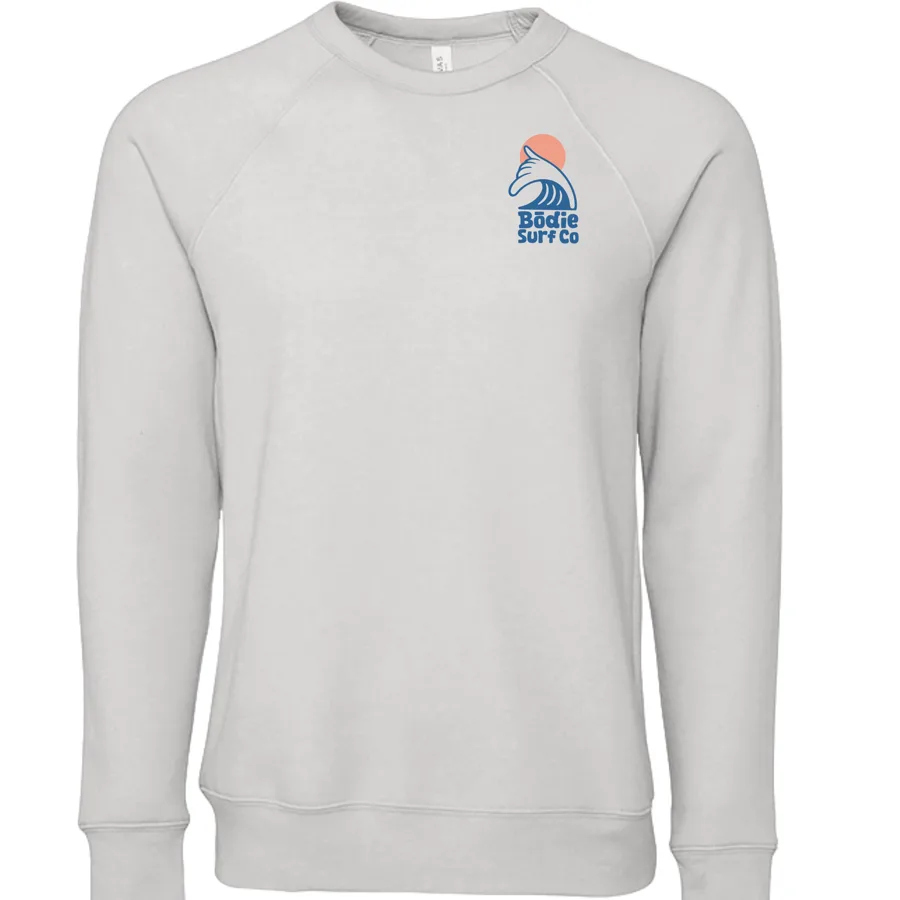
Mockup — front (chest logo)
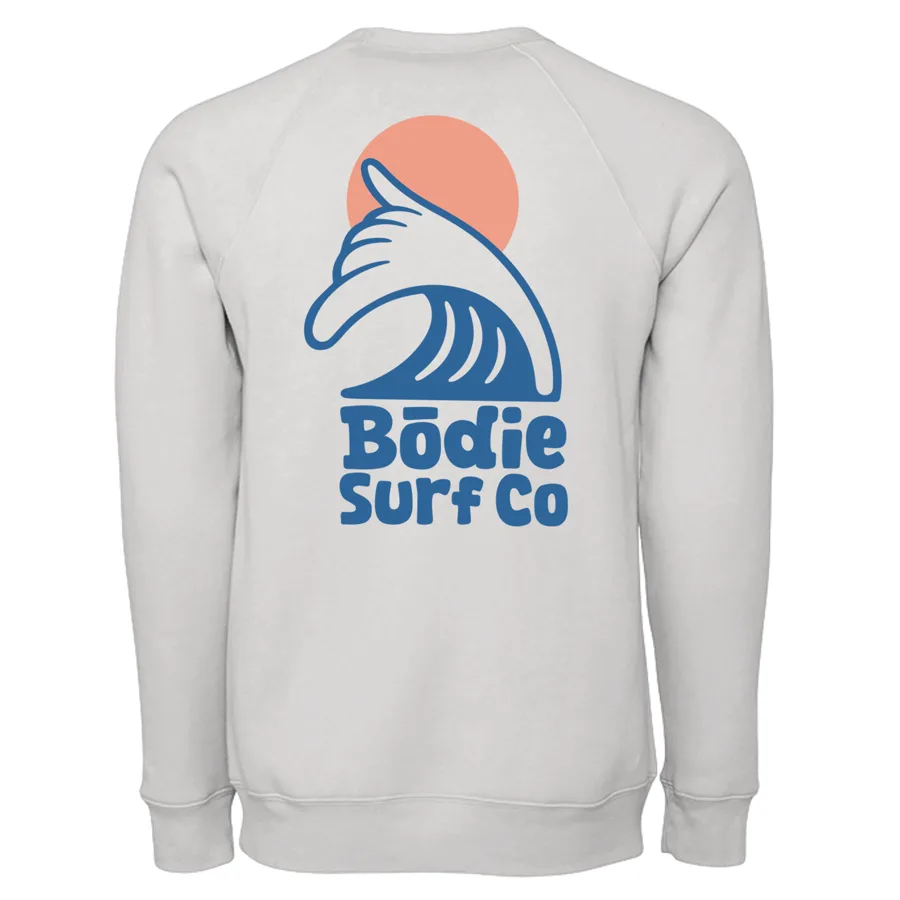
Mockup — back (full logo)
Two flat mockups go in. Below is what comes back on a model.
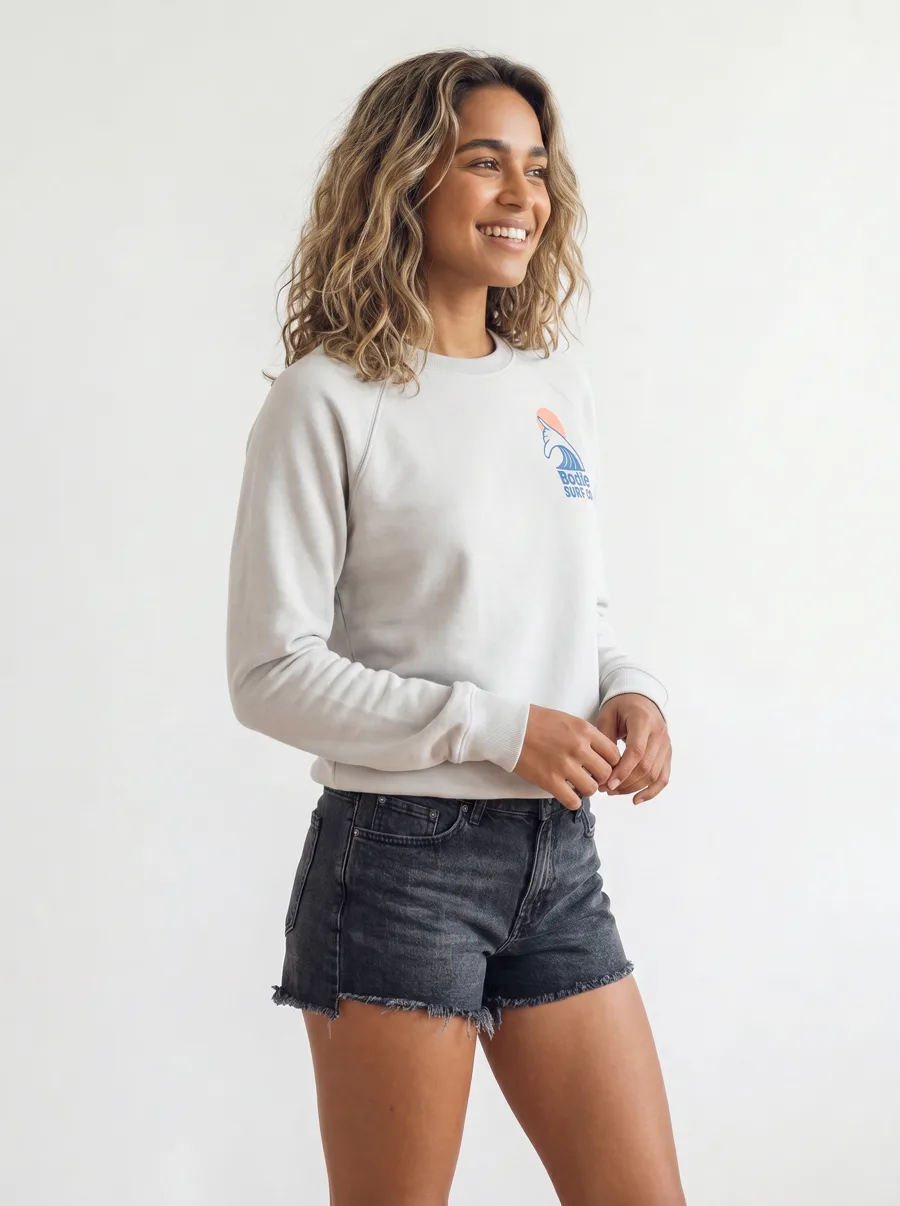
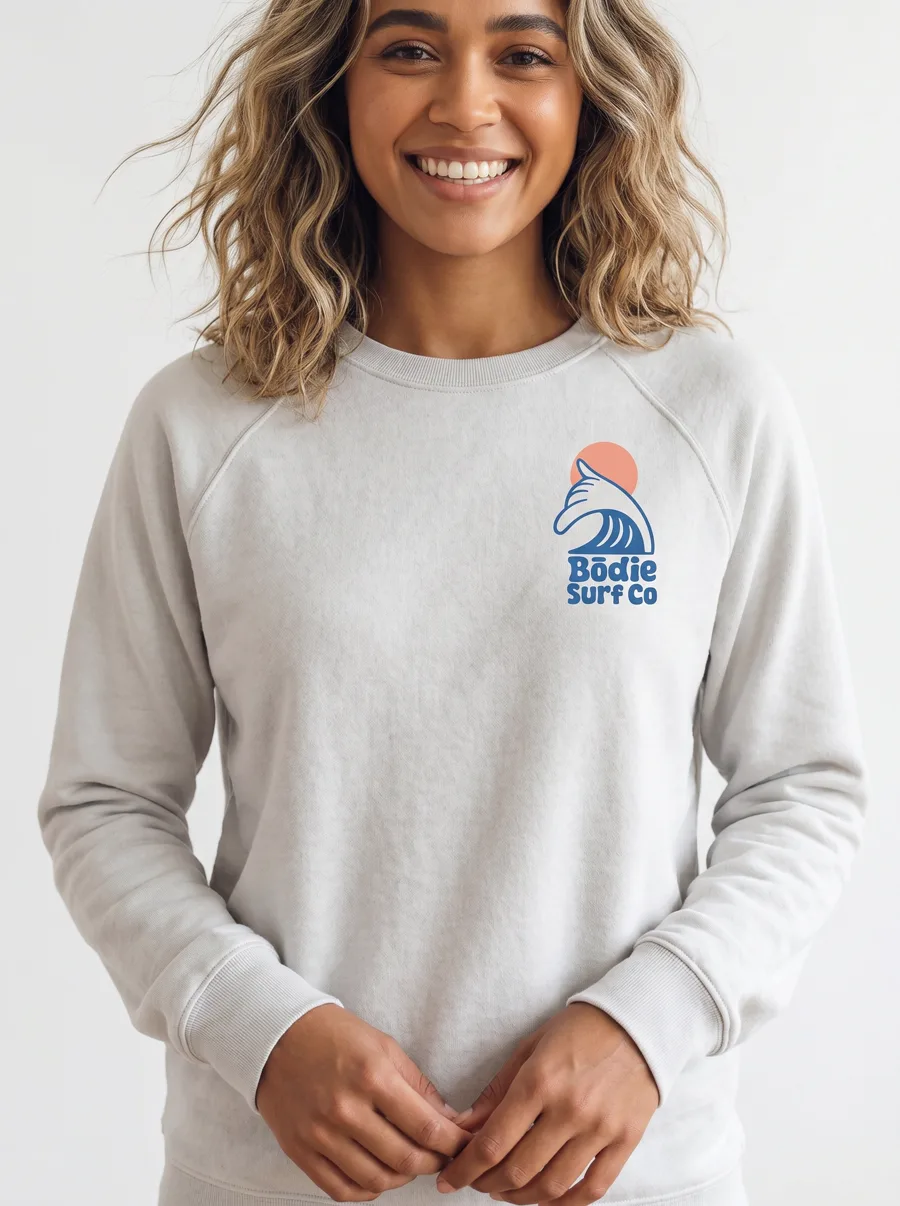
Front three-quarter
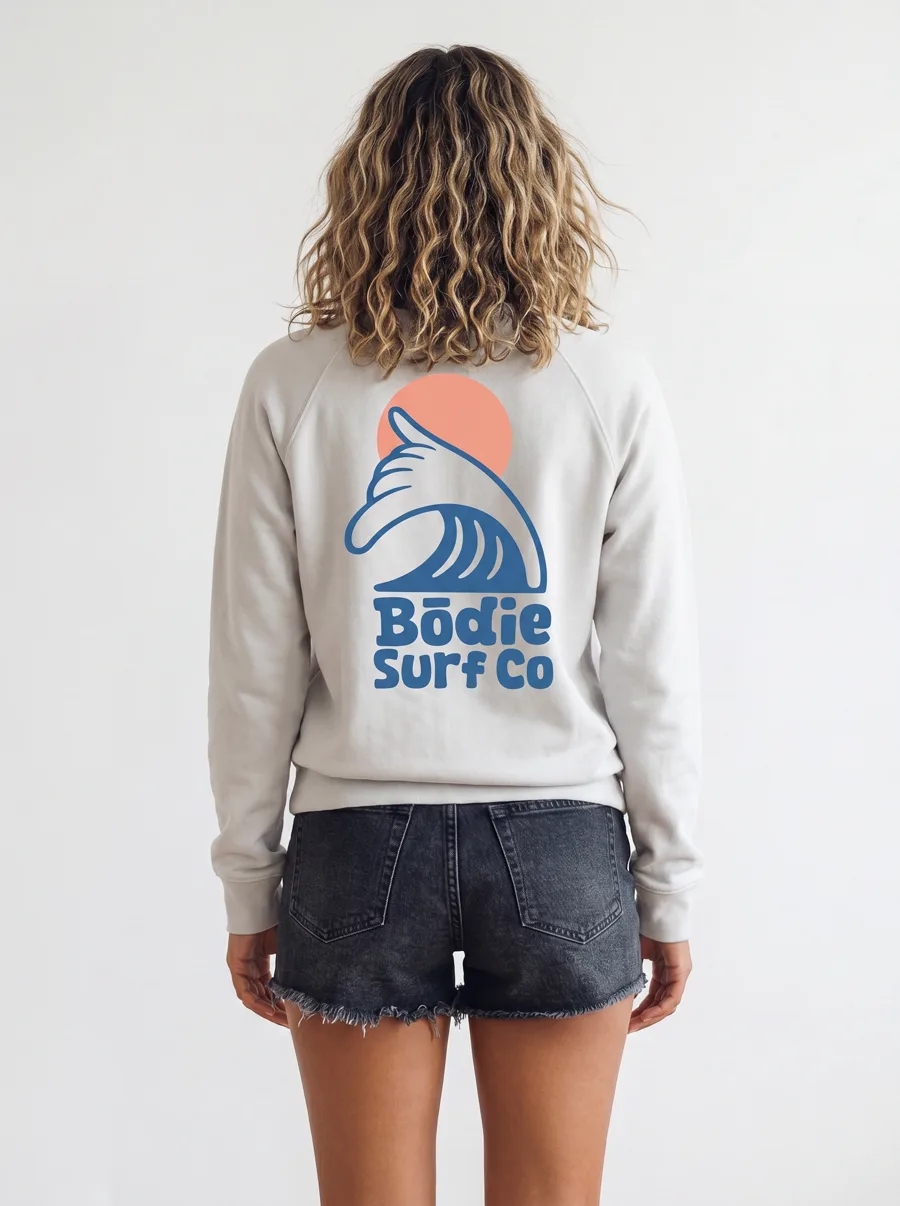
Back — the full logo
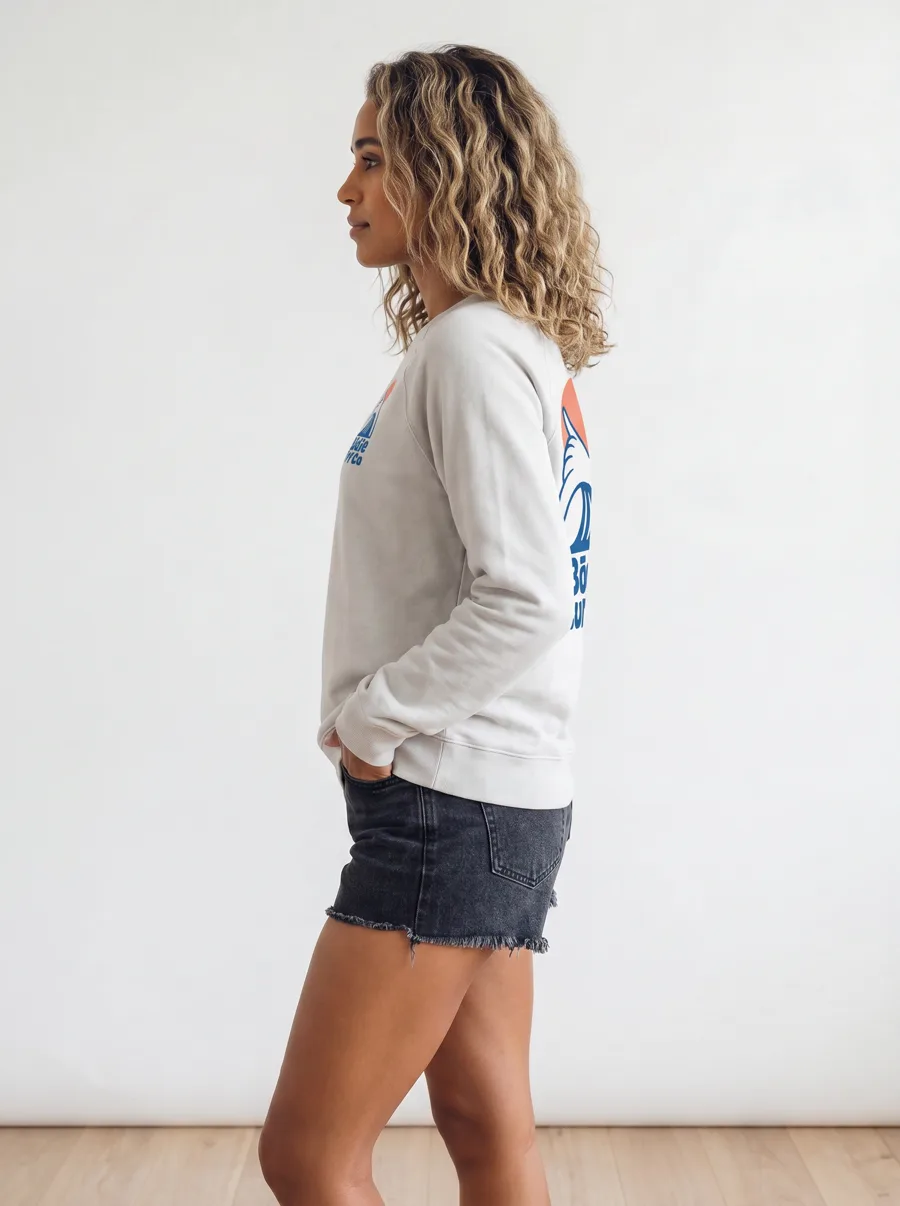
Side profile
Back, full length
The small chest logo and the large back logo both carry through, on the same model, at every angle.
Step 2
Get the 10-Shot Set and a Video
One upload returns ten catalog-ready images across 16+ pose angles: front, back, profile, three-quarter, detail, and lifestyle, plus a short product video for social. Below is a second garment from the same collection, a white hooded long-sleeve, generated from its mockup on one consistent model. Multi-angle model imagery matters here; SellHound’s analysis found it lifts add-to-cart up to 73% against flat lays alone.
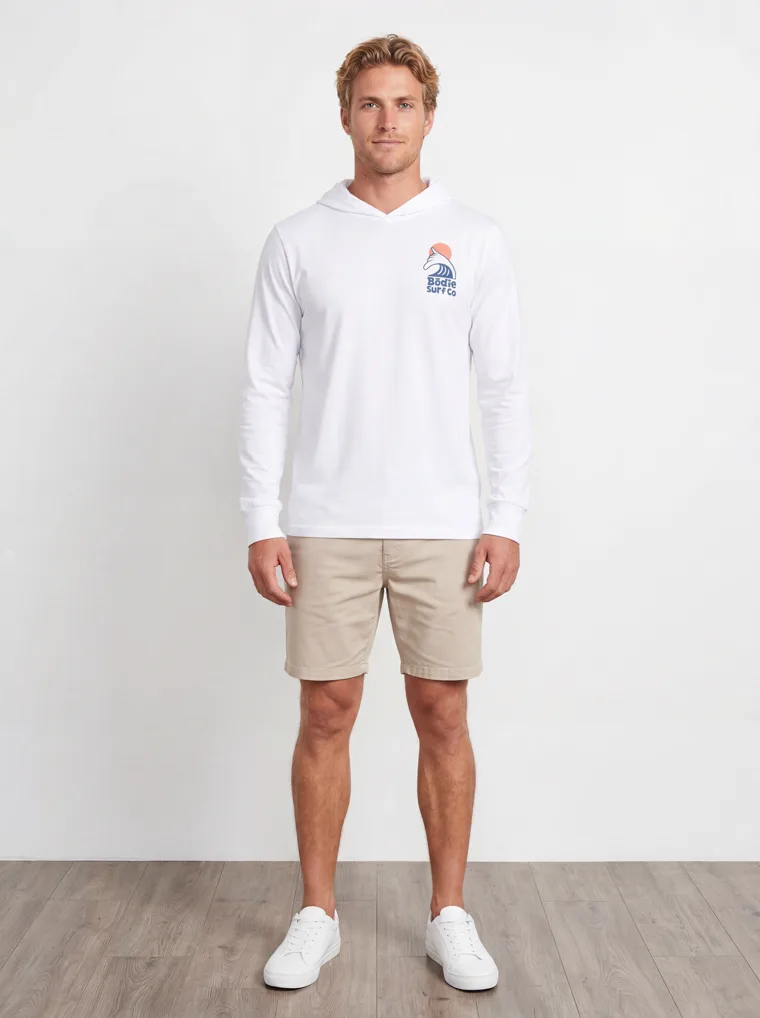
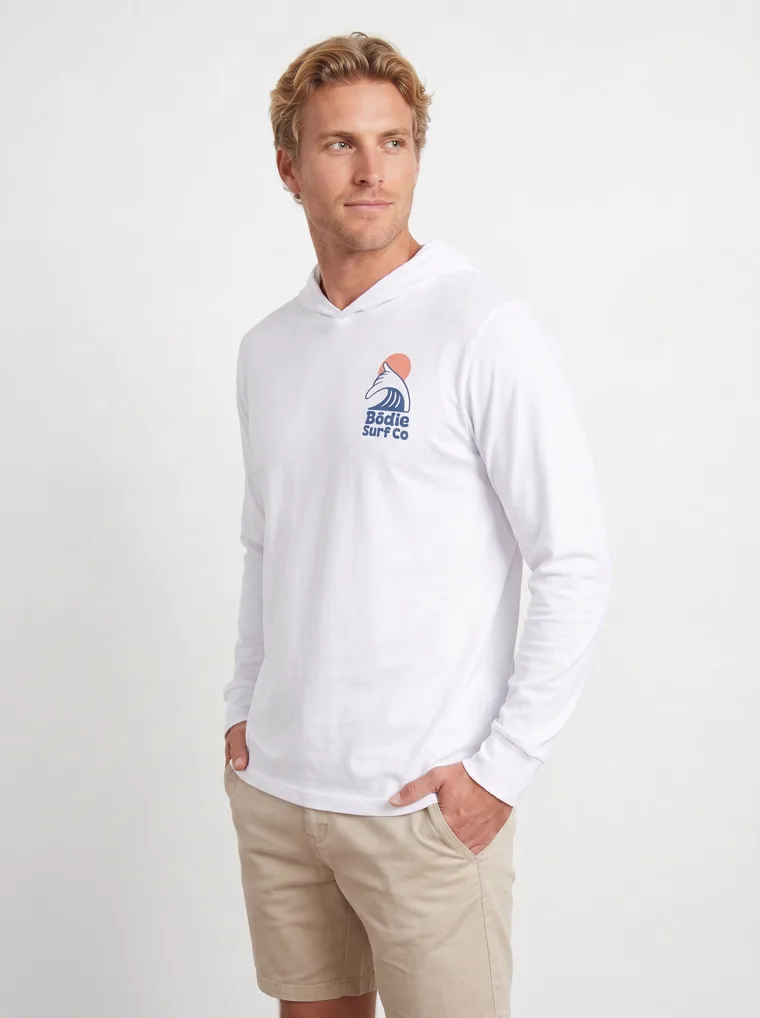
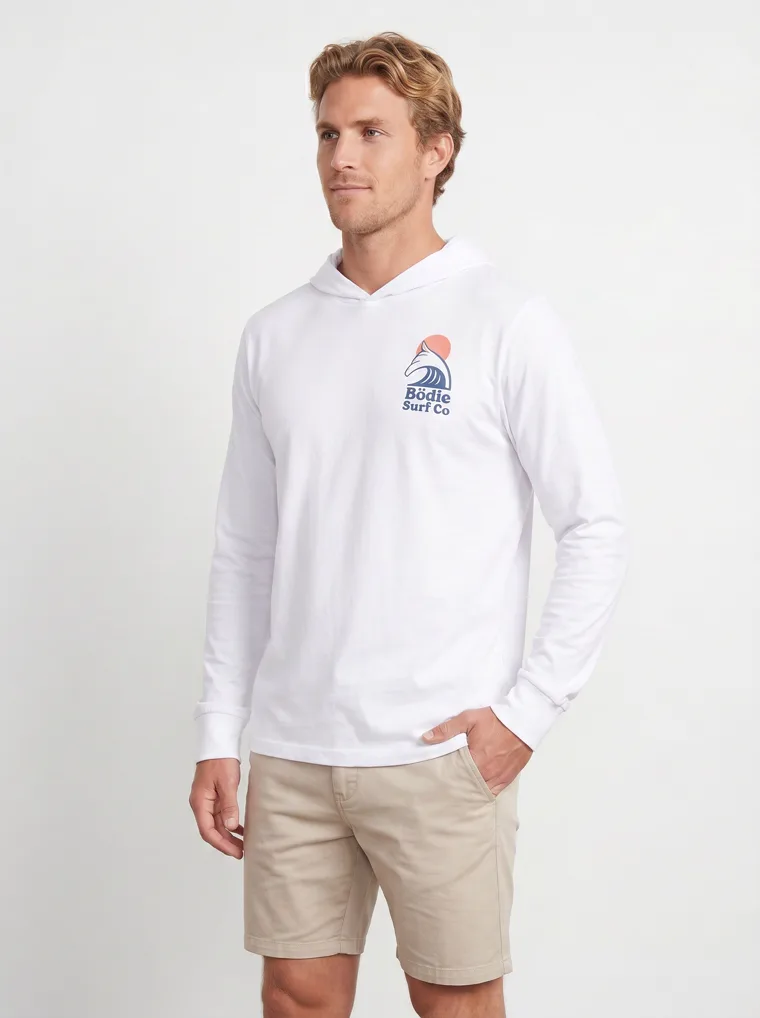
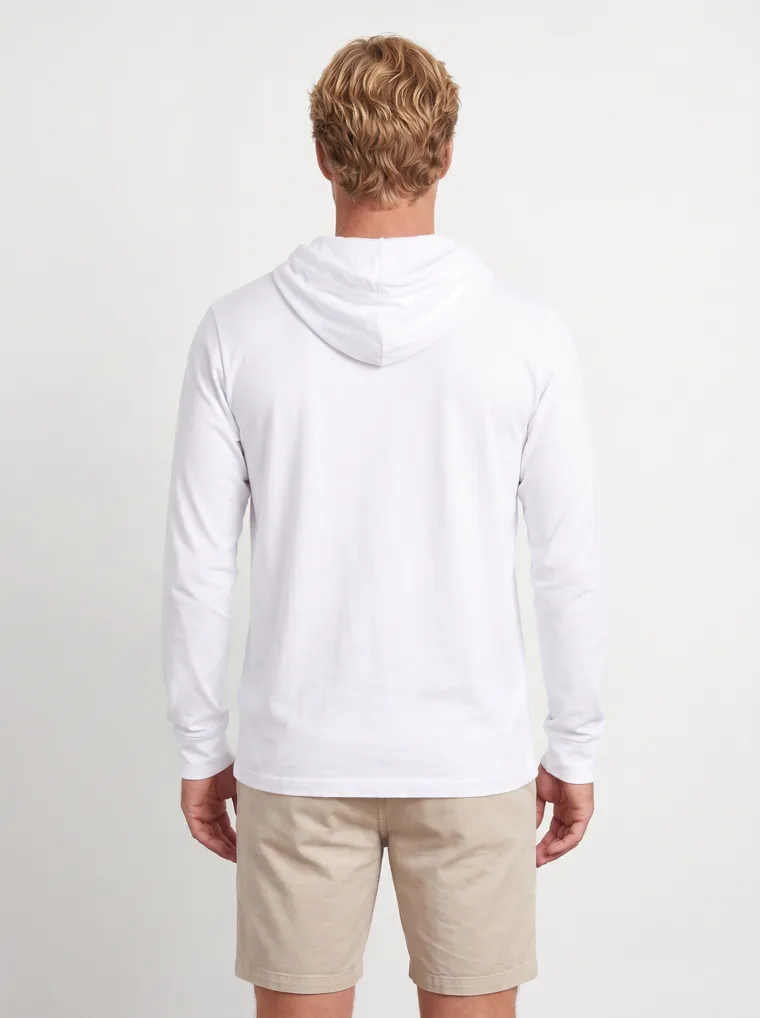
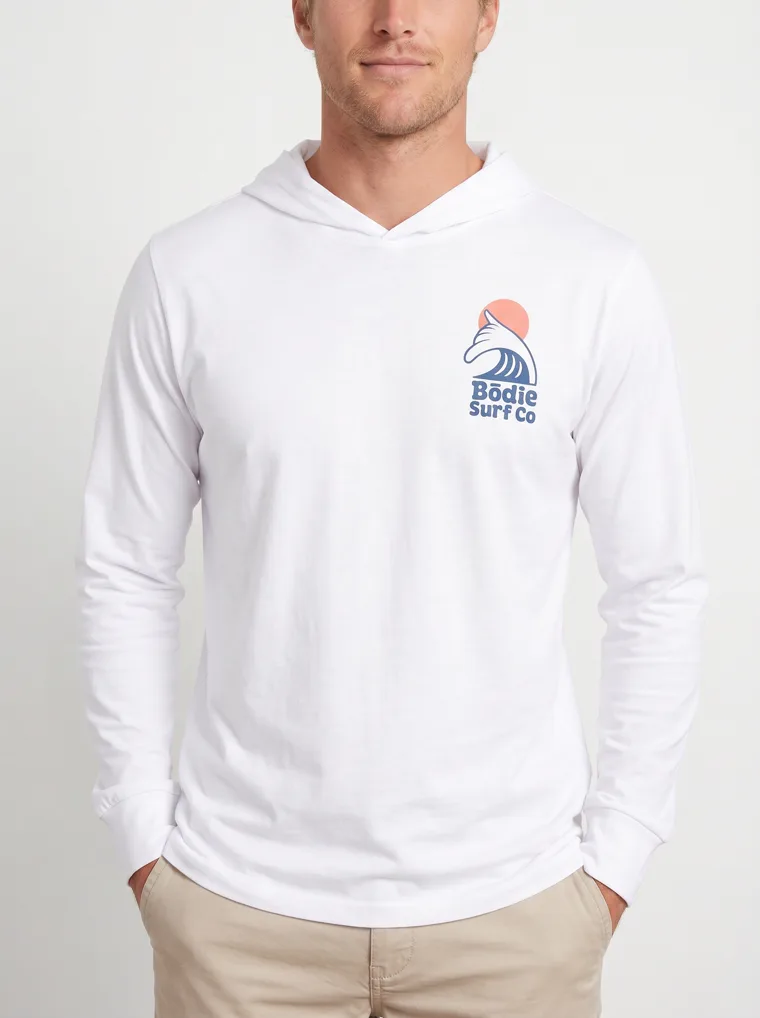
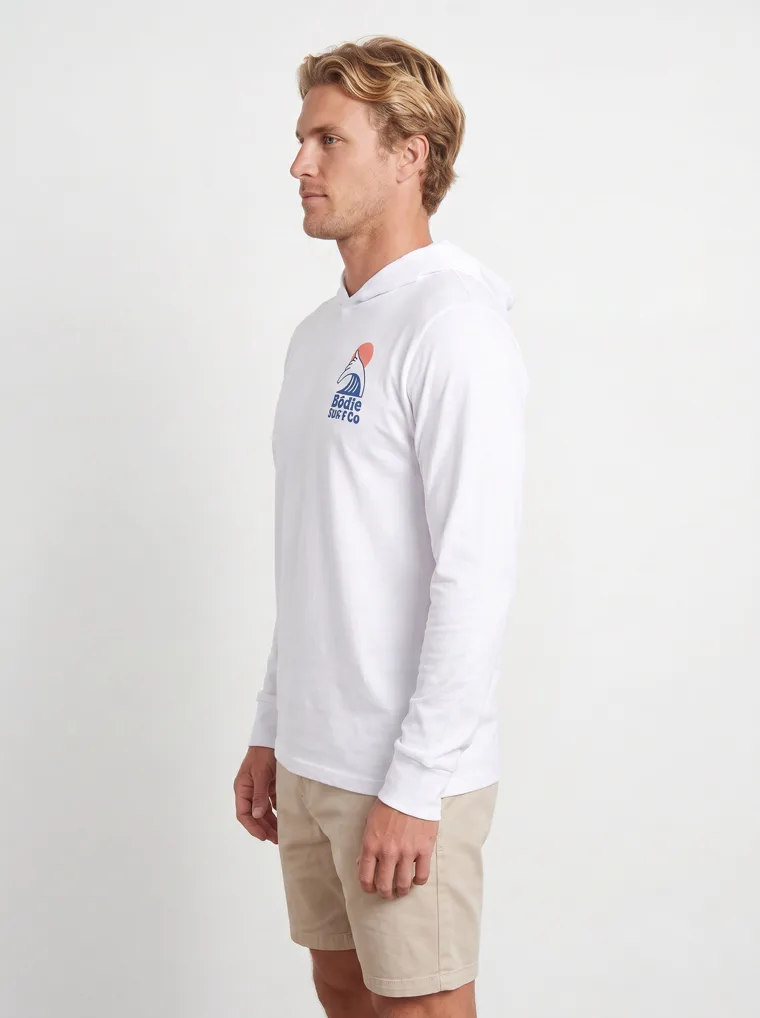
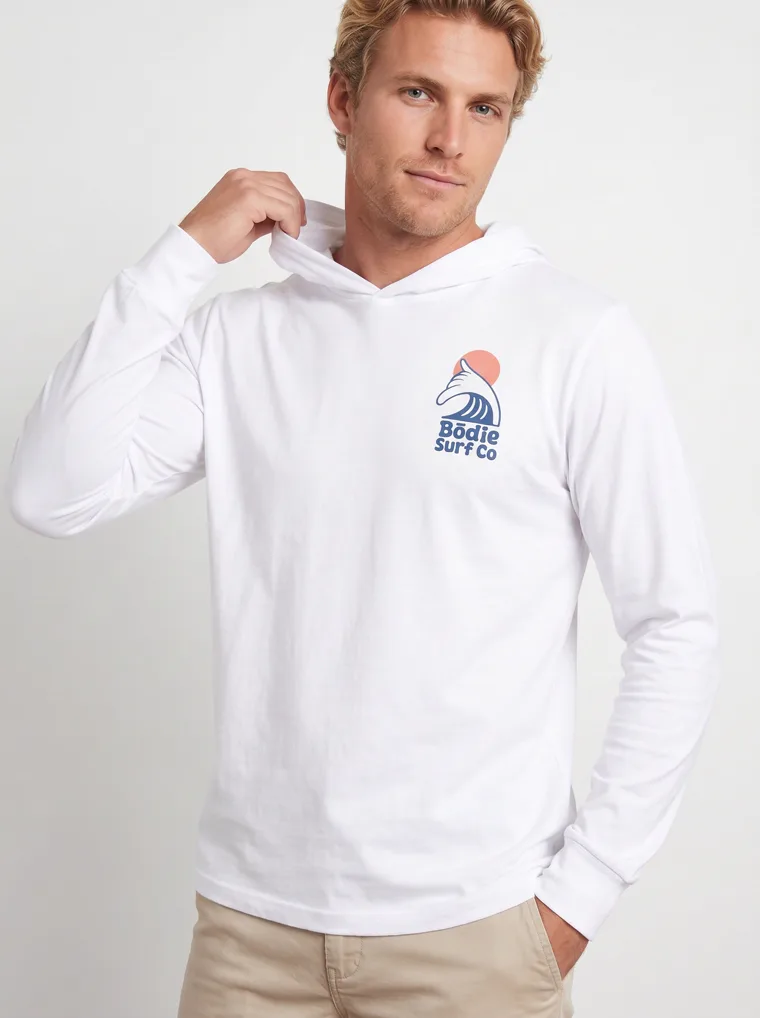
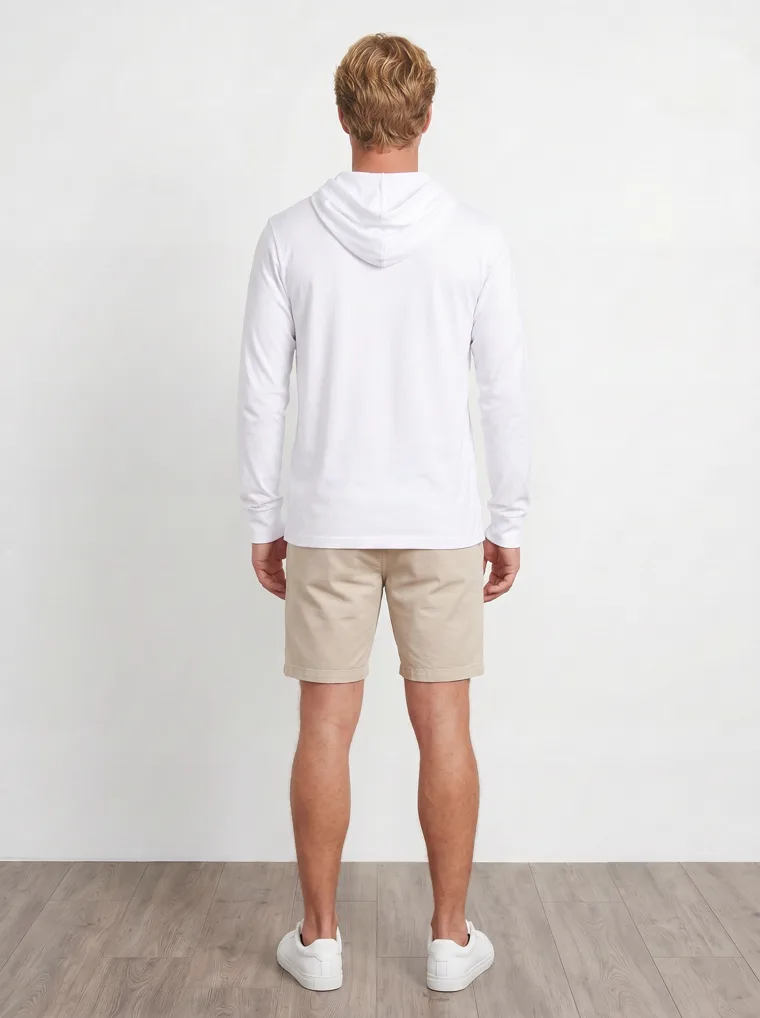
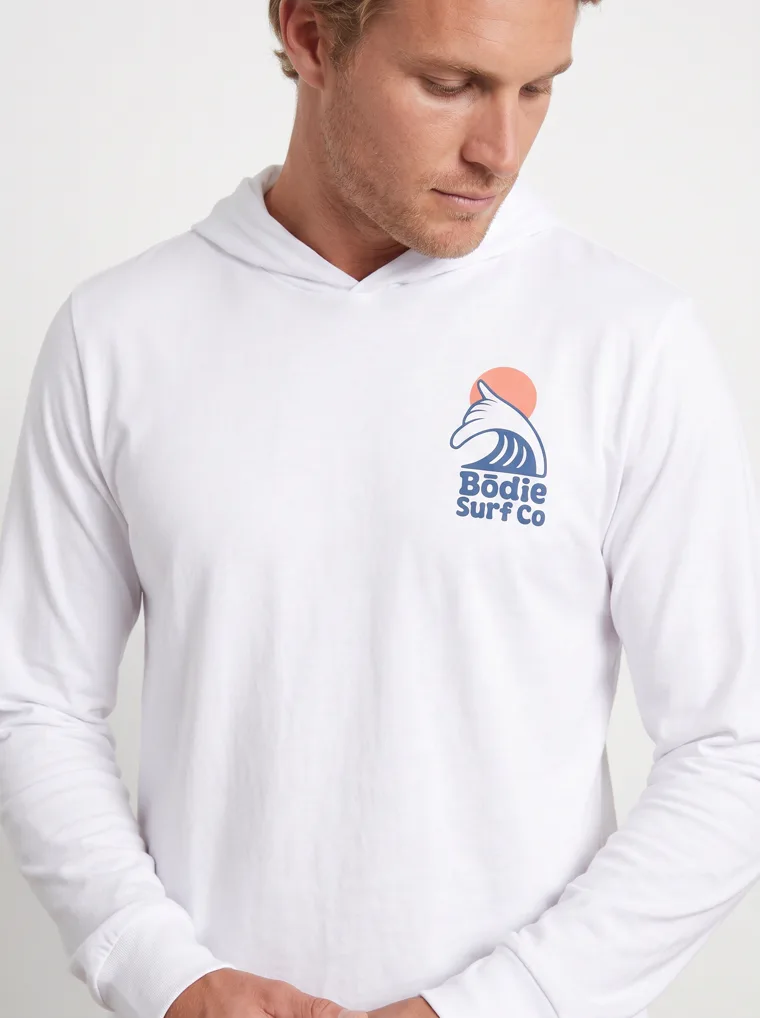
Ten frames from one mockup. One model, one studio, front through back, including the shot where the chest and back logos are both in view.
The product video, generated from the same mockup.
The video comes from the same run as the stills. You get a set to work with, not one frame: a hero shot for the product page, a detail crop, a back view, a side profile, and a clip for Reels or TikTok. A real shoot day hands you that range; so does one mockup upload here.
Step 3
Run One Print Across the Whole Collection
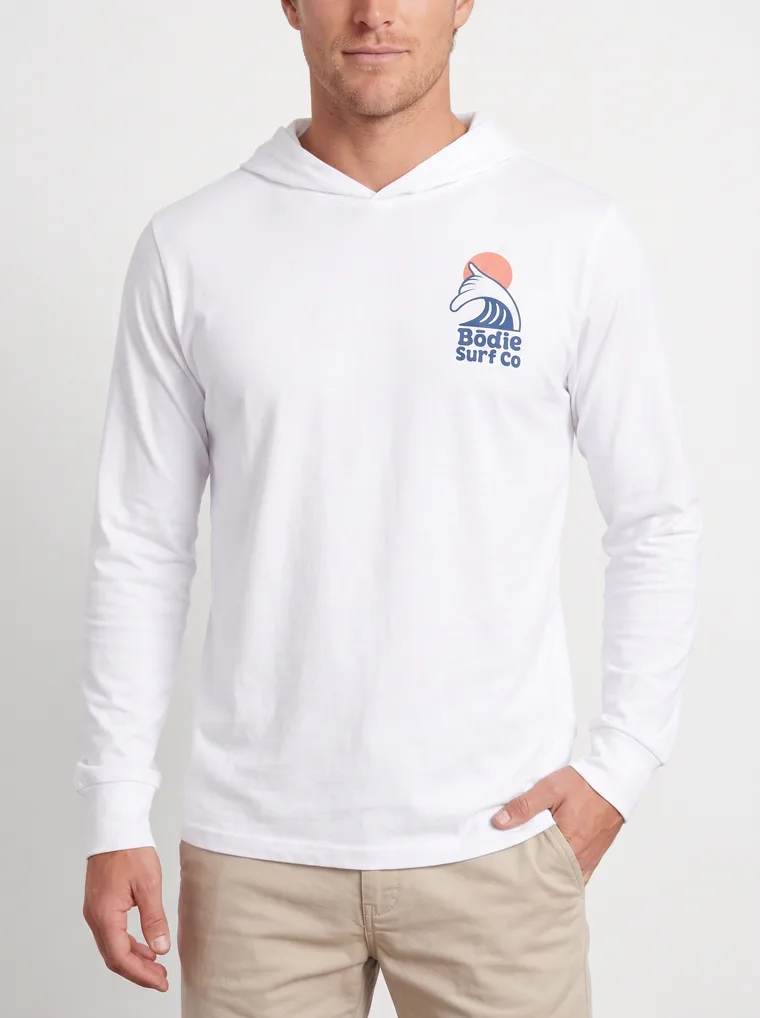
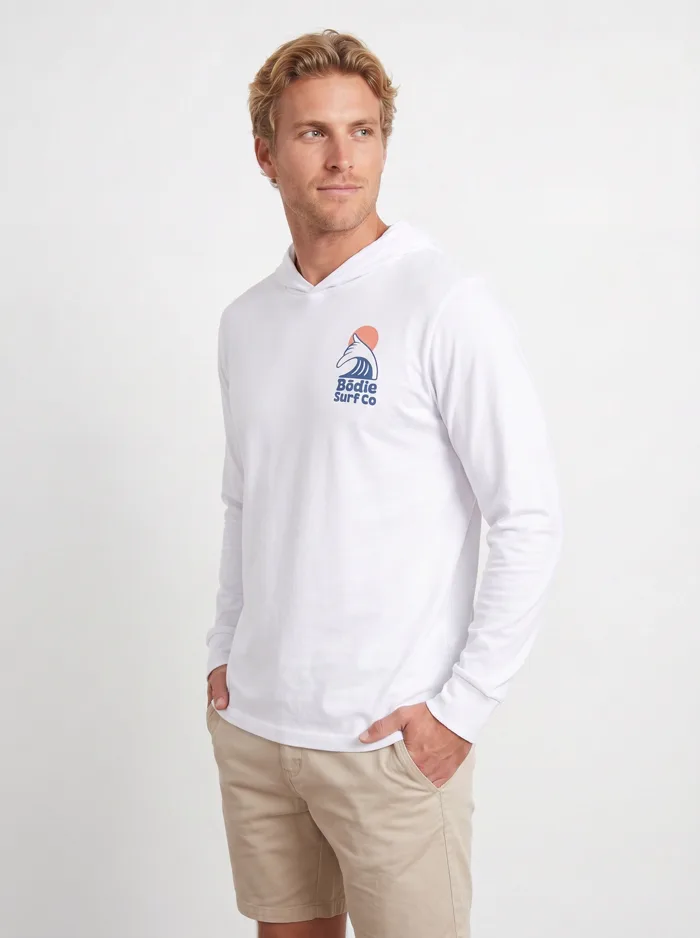
A print collection is one design across many garments. Send each mockup through the same workflow and the logo lands the same way every time, so the collection page reads as one shoot rather than six. Here is the Bōdie Surf Co logo across the full range: a crewneck, a pullover hoodie, two hooded long-sleeves, a cropped hoodie, and a ribbed tank, on men and women.
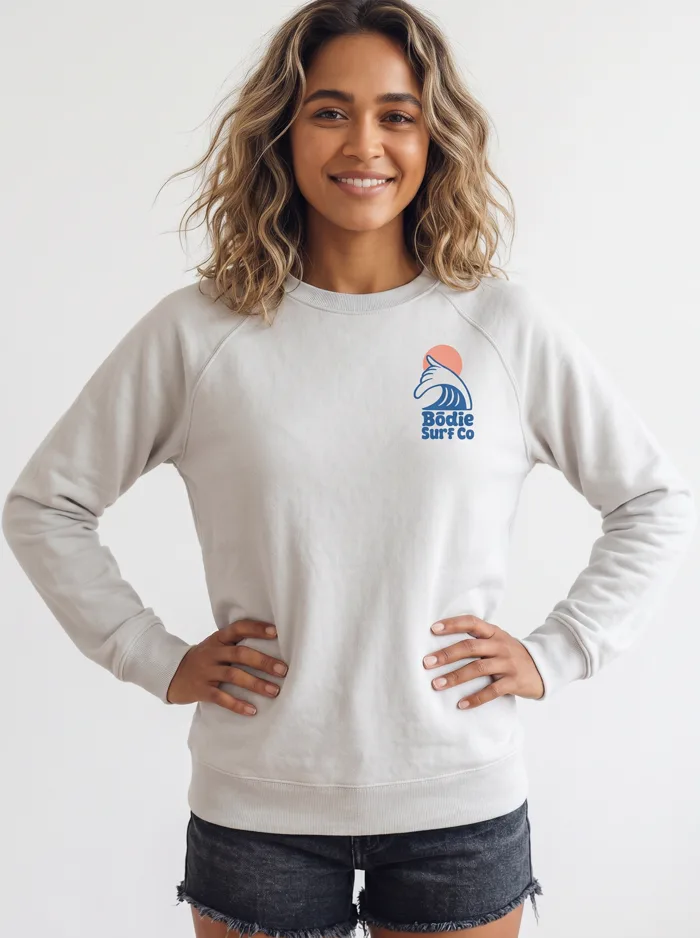
Crewneck sweatshirt
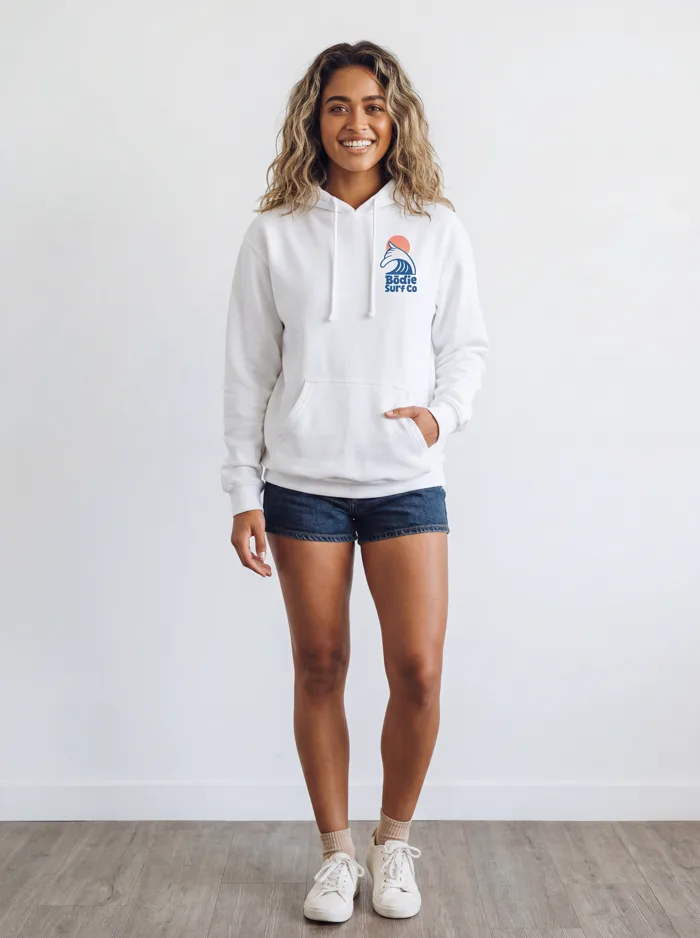
Pullover hoodie
Hooded long-sleeve
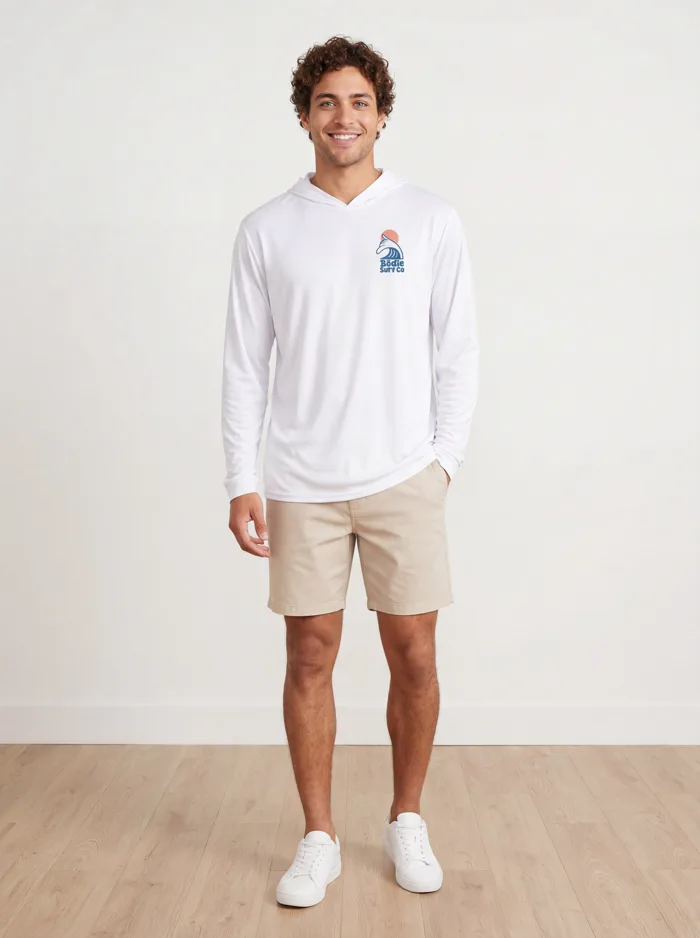
Hooded long-sleeve
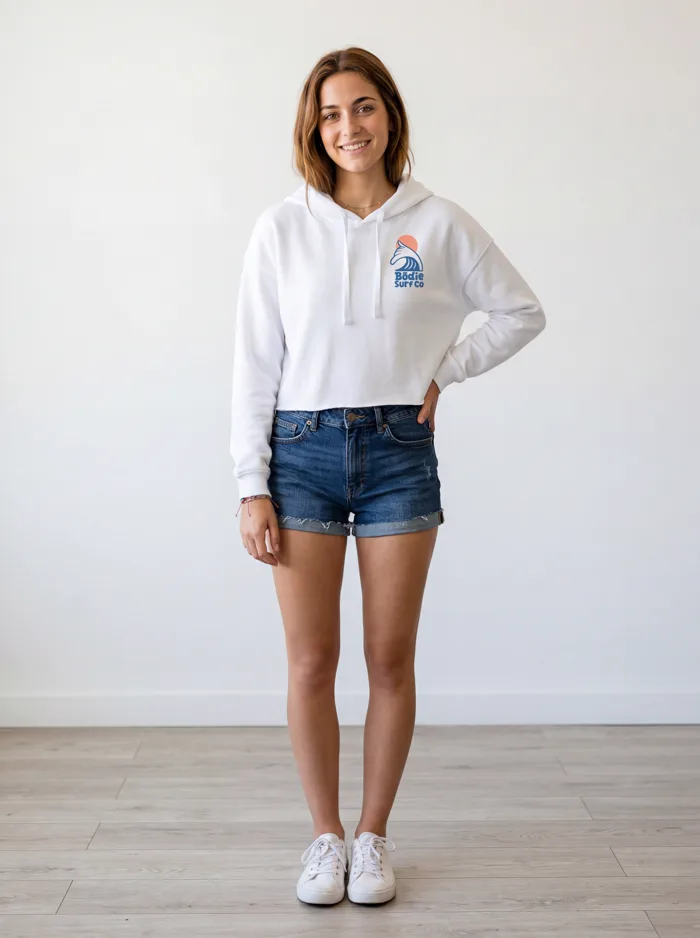
Cropped hoodie
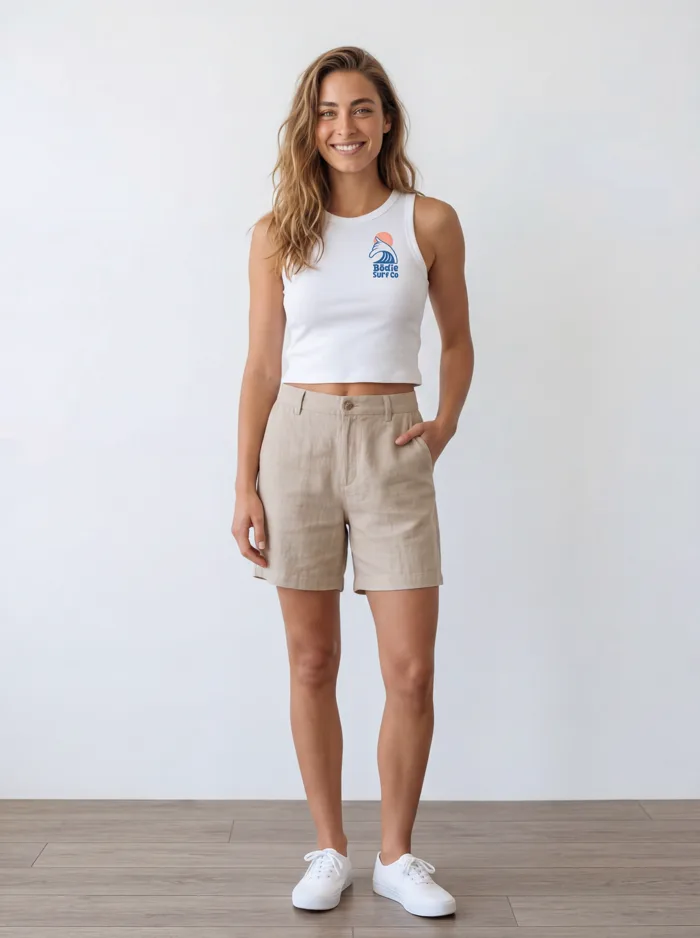
Ribbed tank
One logo, six garments, one visual language. Use a face reference to hold the same model wherever you want consistency.
Front and back, same logo
For branded apparel the logo is the product, so it has to survive every angle. The chest mark and the back print stay the same color, size, and position across the set. The reproduction detail is its own subject; the logo reproduction guide walks through where generic tools break and how MODA holds the line.
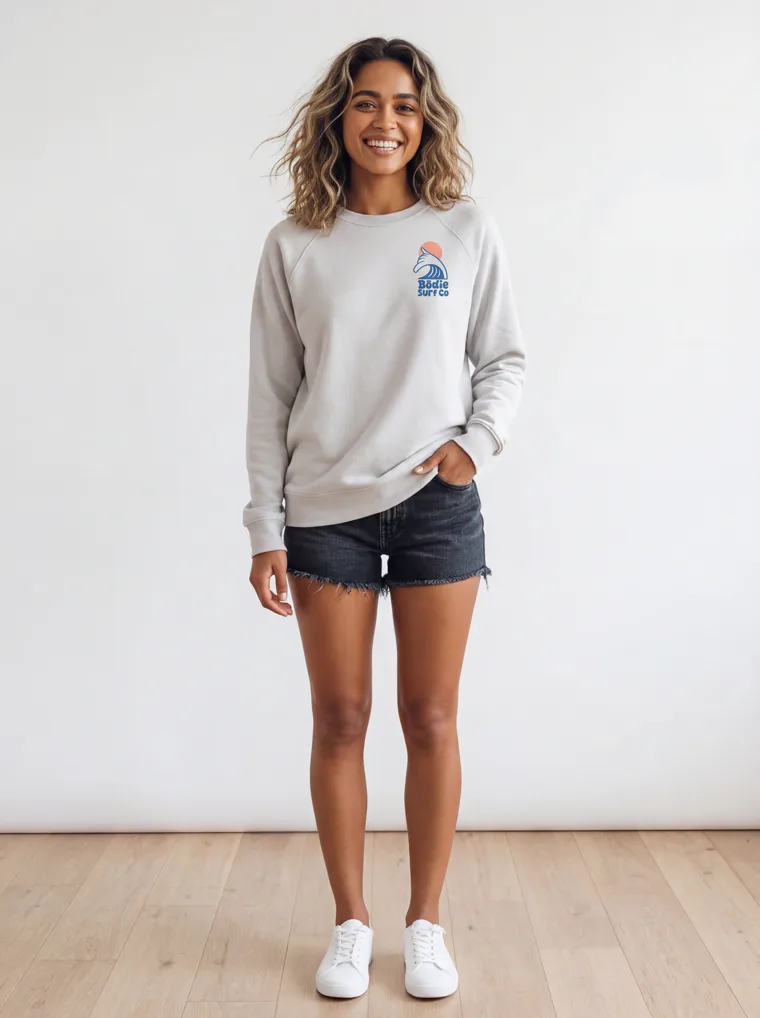
Front — chest logo
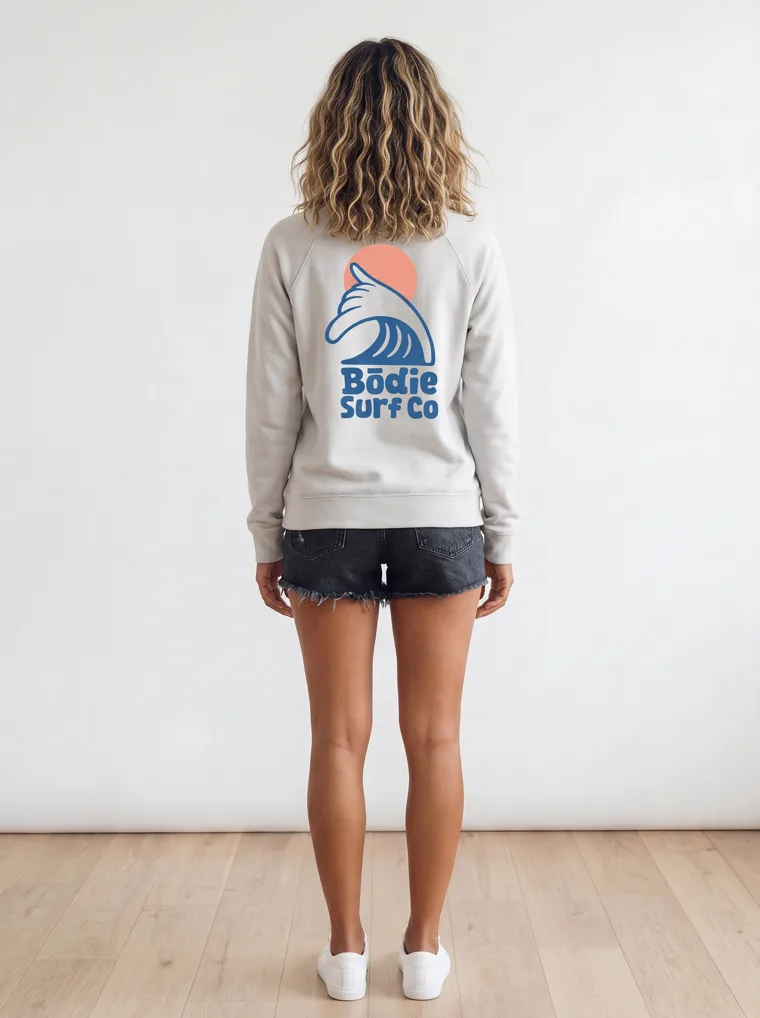
Back — full logo
Flat Mockup Alone vs. Mockup Through MODA AI
The mockup is still the starting point either way. The difference is what you can publish from it.
| Flat mockup only | Mockup through MODA AI | |
|---|---|---|
| Starting point | A design on a blank garment | The same mockup, no sample needed |
| On a real model | No; needs a sample and a shoot | Yes; 10 on-model angles |
| Front and back | Two flat images | Both prints carried through the set |
| Cost per SKU | $100 to $500 to shoot it | About $1 a batch |
| Turnaround | 4 to 6 weeks | Under 2 minutes |
| Deliverables | A flat image | 10 angles plus a product video |
Frequently Asked Questions
What is a product mockup, and can MODA AI use one?
A mockup is your design or logo digitally overlaid on a blank garment template, the kind you make in Canva, Photoshop, or a mockup generator. It's flat, with no model in it. MODA AI takes that mockup, front and back, and shoots it on a real model: ten catalog angles plus a video, with the print and logo held true. No physical sample needed.
Do I need to order a sample first?
No. That's the point of starting from the mockup. The traditional route is order a sample, wait, then book a shoot, at $100 to $500 per SKU over four to six weeks. MODA generates the on-model set straight from the mockup in about two minutes, for about a dollar a batch.
Will the logo and print stay accurate on the model?
Yes. MODA carries the print, logo, and color from your mockup into every angle, front and back. A small chest logo stays legible; a large back print stays in proportion and color across the front, three-quarter, side, and back. See the logo reproduction guide for the detail.
Can I keep the same look across a whole collection?
Yes. Run each garment through the same workflow, with a face reference to lock the model where you want consistency. The example here is a real Bodie Surf Co collection: one logo across a crewneck, pullover hoodie, hooded long-sleeves, a cropped hoodie, and a ribbed tank, all shot on-model.
What do I get from one mockup upload?
Ten on-model images across 16+ angles (front, back, profile, three-quarter, detail, lifestyle) plus a short product video. Both front and back prints carry through, and the model stays consistent across the set. It's a full product-page image set from one upload.
Turn your next mockup into a catalog.
Install MODA AI from the Shopify App Store. Two free credits, no card. Upload a front and back mockup; get ten on-model shots and a video back.
Get Started FreeOr read what Shopify merchants say — reviews on the Shopify App Store →