How-To Guide
From On-Body to Studio-Ready
How on-model and mannequin reference shots lock perfect fit, fall, and styling in your AI catalog. Four real production scenarios — from shop mannequin to web hero.
May 2, 2026 · 9 min read
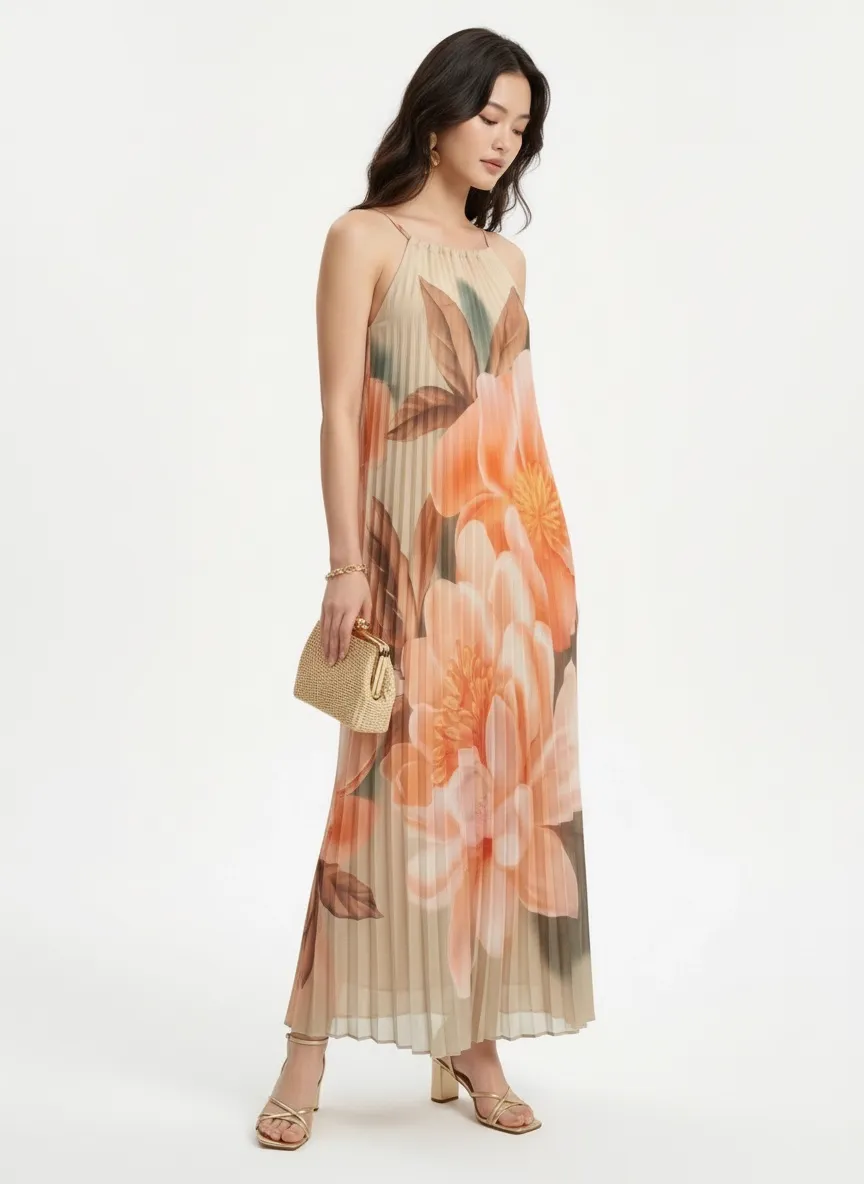
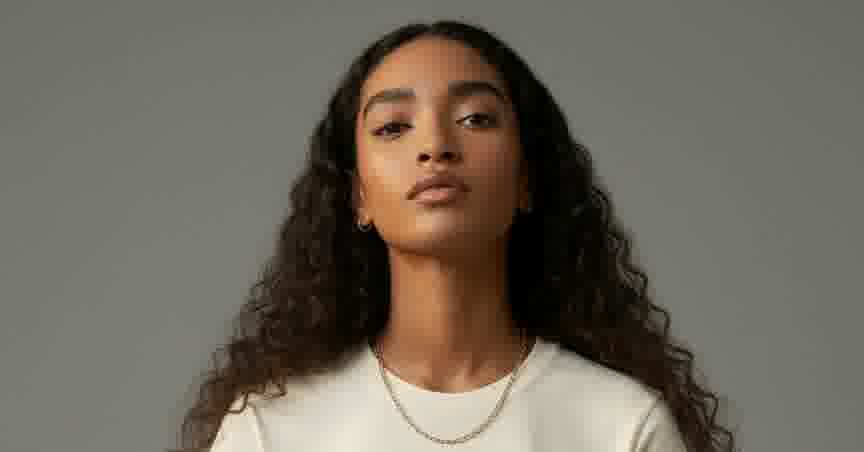
This frame started its life as a sideways phone snap of a shop mannequin under fluorescent lights.
30%
average conversion lift from product pages with rich lifestyle imagery vs. plain shots
eMarketer
78%
of shoppers say product images are very or extremely important when buying online
Salsify, 2024 Consumer Research
Fit Is the One Thing You Can’t Fake
Catalog teams know this in their bones: the buyer notices fit. They notice how a sundress hangs from the shoulder. They notice where a wrap top cinches. They notice if the hem skims the knee or hits at mid-thigh. None of that is in the garment specs — it’s in how the fabric meets a body.
That’s why a flat lay reference, while perfectly fine for clean studio outputs, leaves money on the table for any garment where fit is the selling point. The cut, the drape, the way the hem actually behaves — these only show up when fabric is on a body. A mannequin body. A real body. A torso crop from a quick phone shot. Any of them.
Below are four real catalog production scenarios from MODA AI users. Each starts with an on-body or mannequin reference. Each ends in a studio-ready frame with the cut, fall, and styling carried cleanly through.
Why Flat Lays Leave Money on the Table
A flat lay shows the garment’s color, print, and construction. It doesn’t show how the fabric falls. For tees and basic tops where silhouette is uniform, that’s usually fine. For anything with a tie, a wrap, a belt, a gather, a flowy hem, or a fabric weight that drives the look — the flat lay is leaving the most important visual decision to default behavior.
On-body and mannequin references close that gap. They give MODA AI ground truth on the exact behavior of your specific fabric, on a specific body, in a specific position. The polish — clean light, neutral background, professional model — comes back automatically.
Scenario 1
From Shop Mannequin to Web Hero
This is the scenario most stores never thought was possible. The reference is a phone snap of the dress on a shop mannequin — sideways orientation, fluorescent ceiling lights, other product piled around the base, a bag of merchandise in frame. Nobody would post this on a website.
But the dress is on a body. The fall is real. The pleating is doing what pleating does. The shoulder strap tension reads accurately. That’s all MODA AI needs.
Shop Mannequin Reference
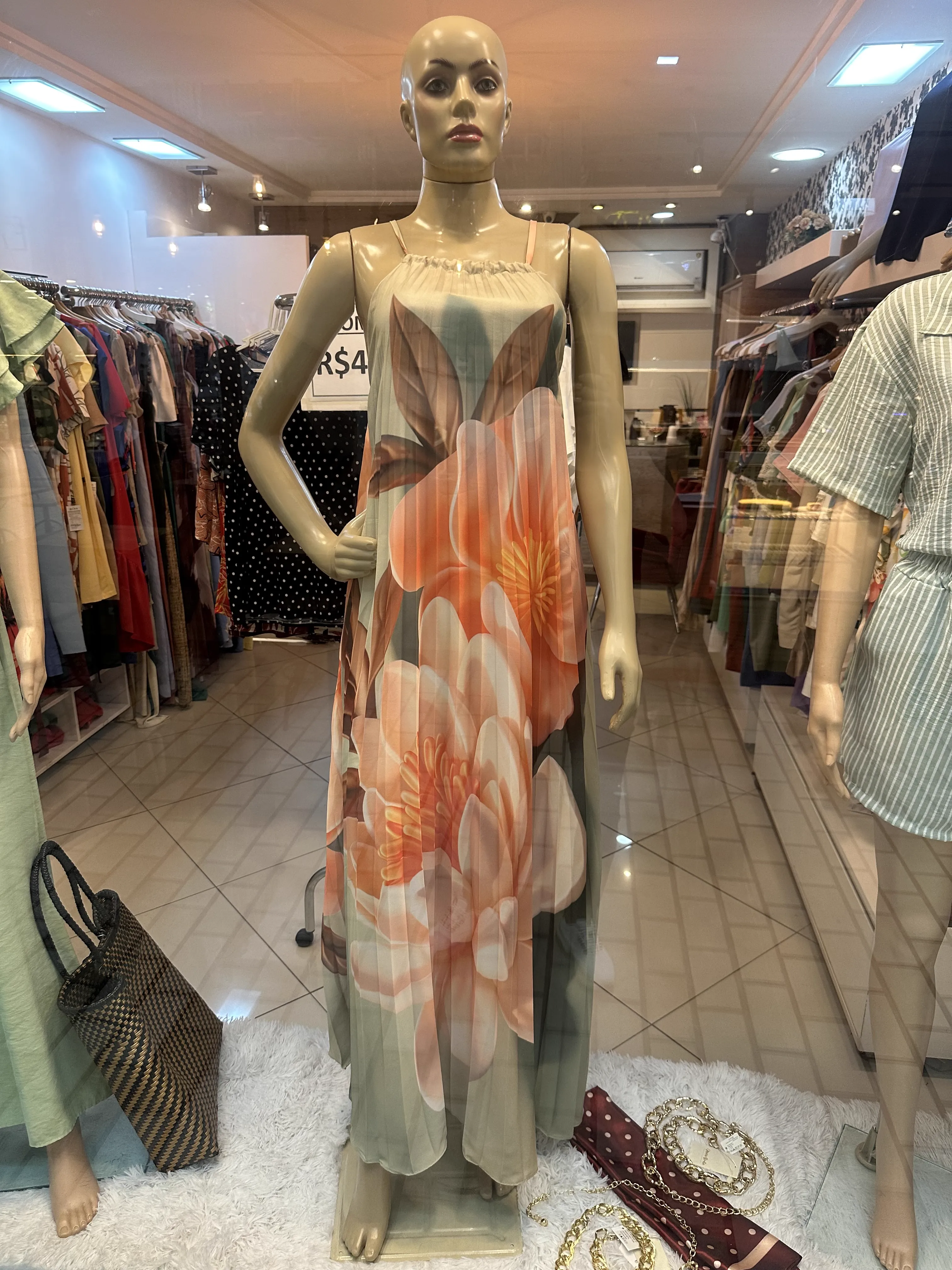
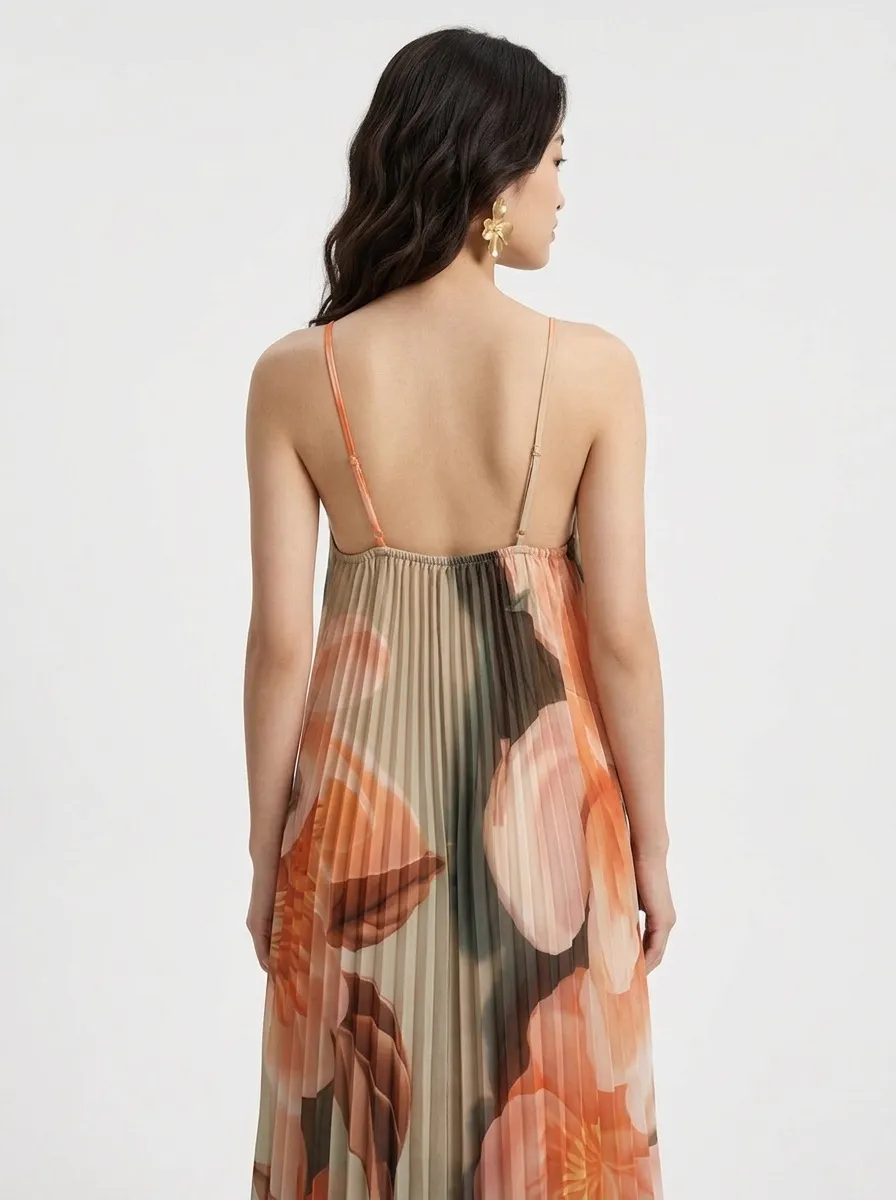
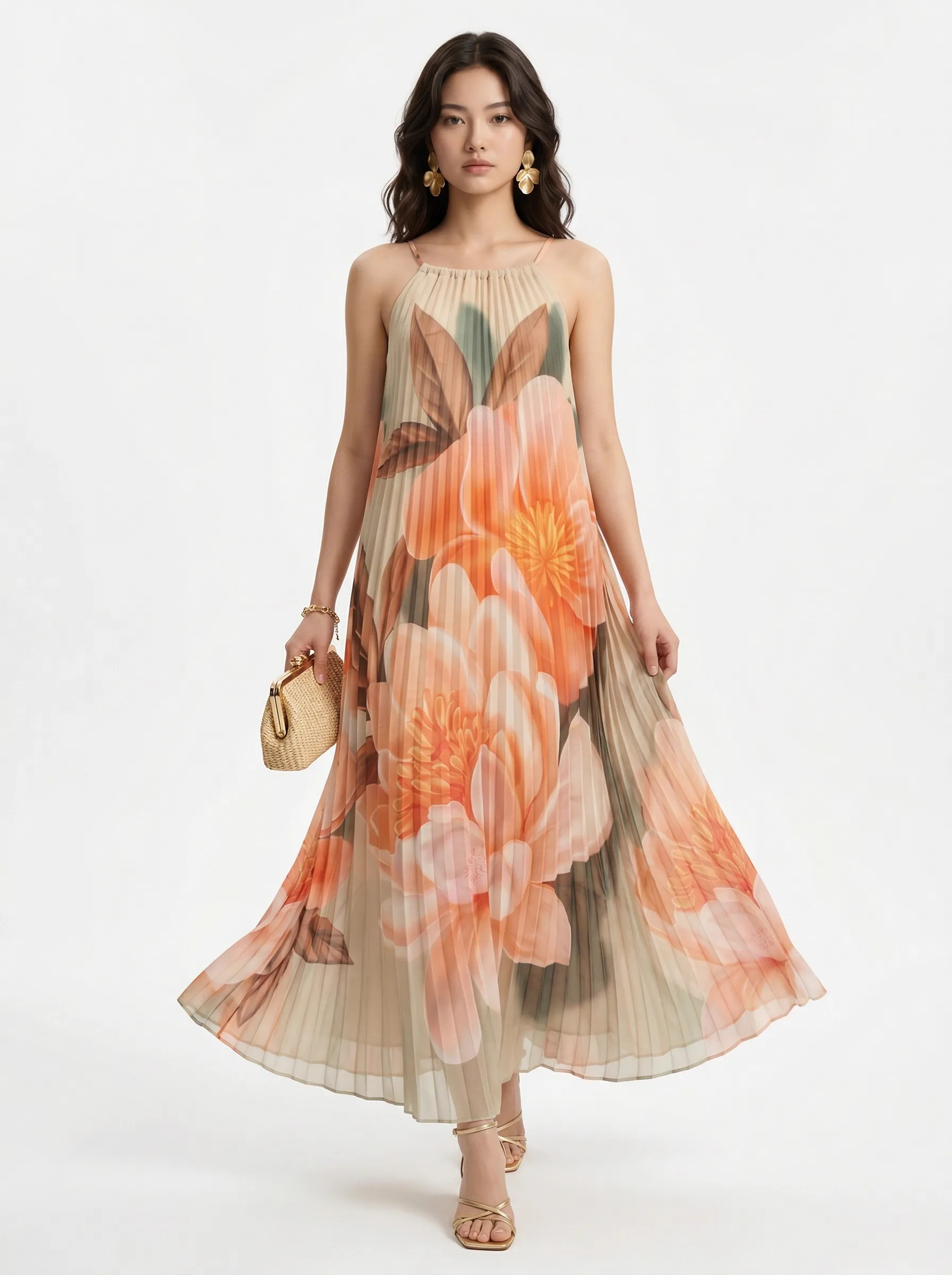
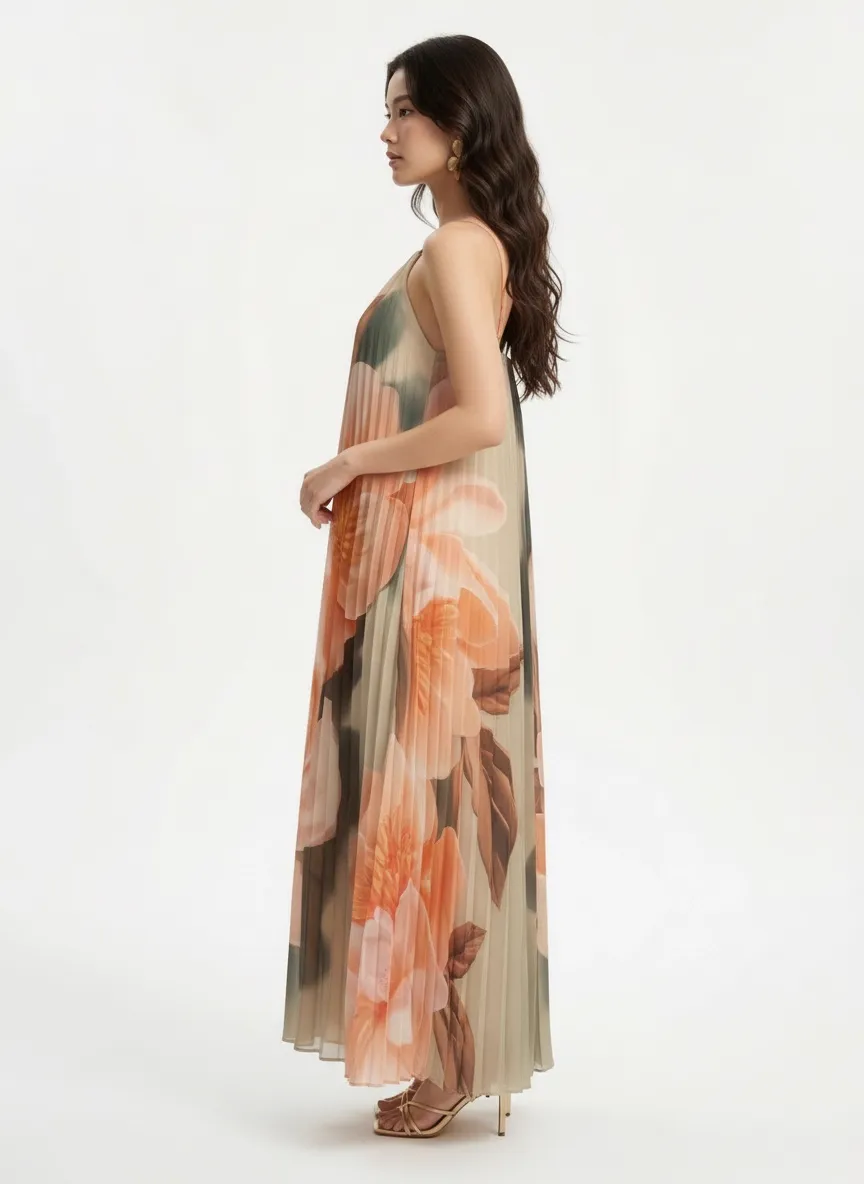
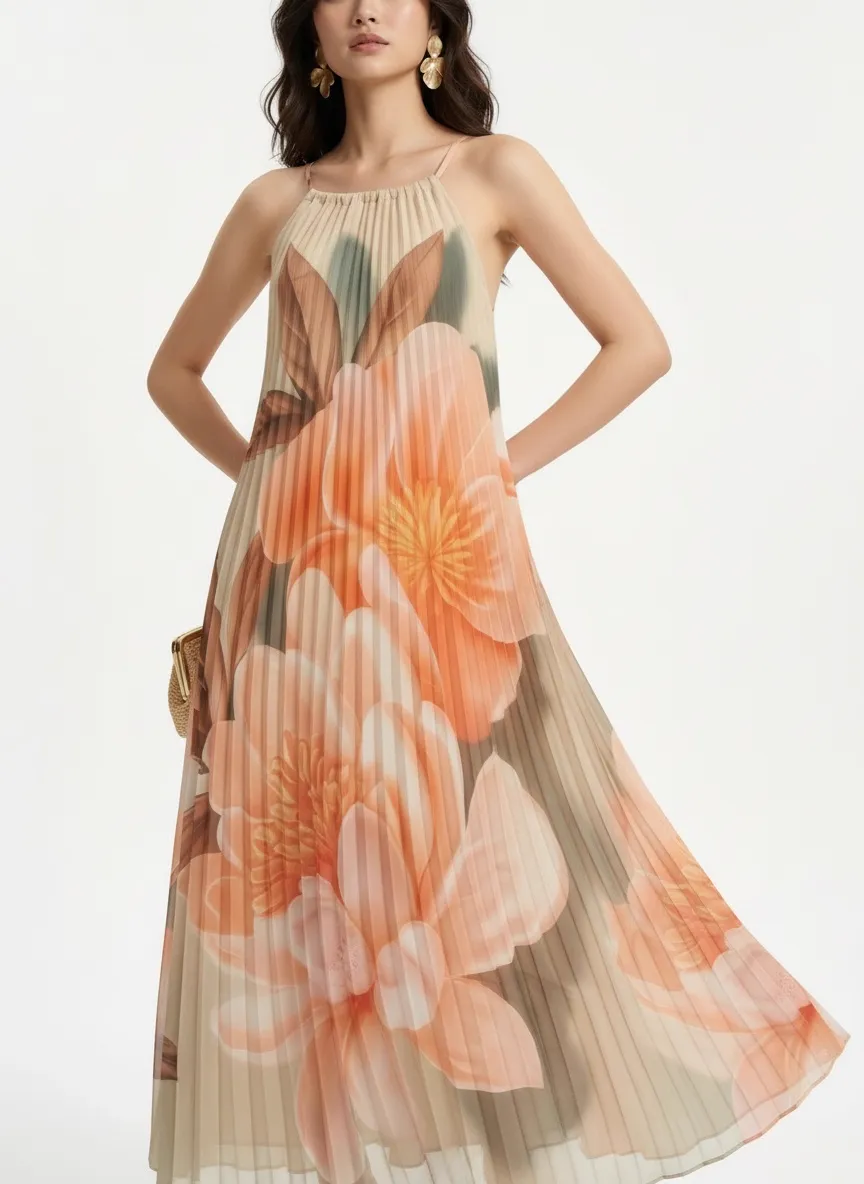
Same dress, different worlds. The pleating, the floral panel placement, the strap tension — all locked from the original.
Cataloger’s takeaway: if you can get the dress on any kind of body — mannequin, friend, partner — in any kind of light, and snap a photo, you can have web-hero imagery in minutes. This is how independent boutiques and small online stores produce catalog frames that previously required a $3,000 day-rate shoot.
Scenario 2
The Storefront Standardizer
Dropshippers and small stores often work from inconsistent product imagery — torso crops from one source, partial body shots from another, flat lays from a third. The storefront ends up looking stitched together from scraps.
Here’s a typical input for a color-block button-down: a torso crop, hands on hips, on a real body. No face, no full body, no styling. But the fit information is all there.
On-Body Reference
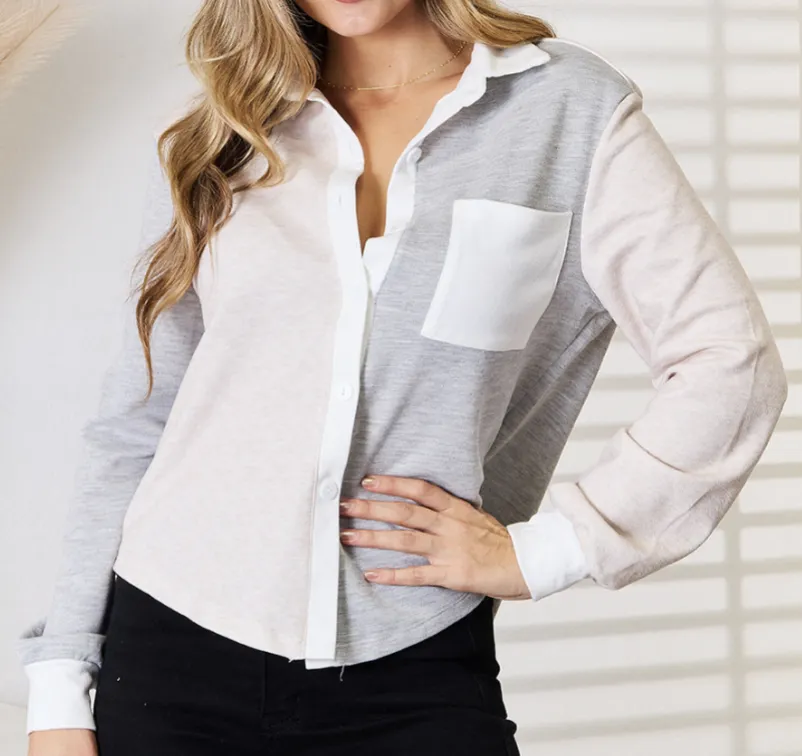
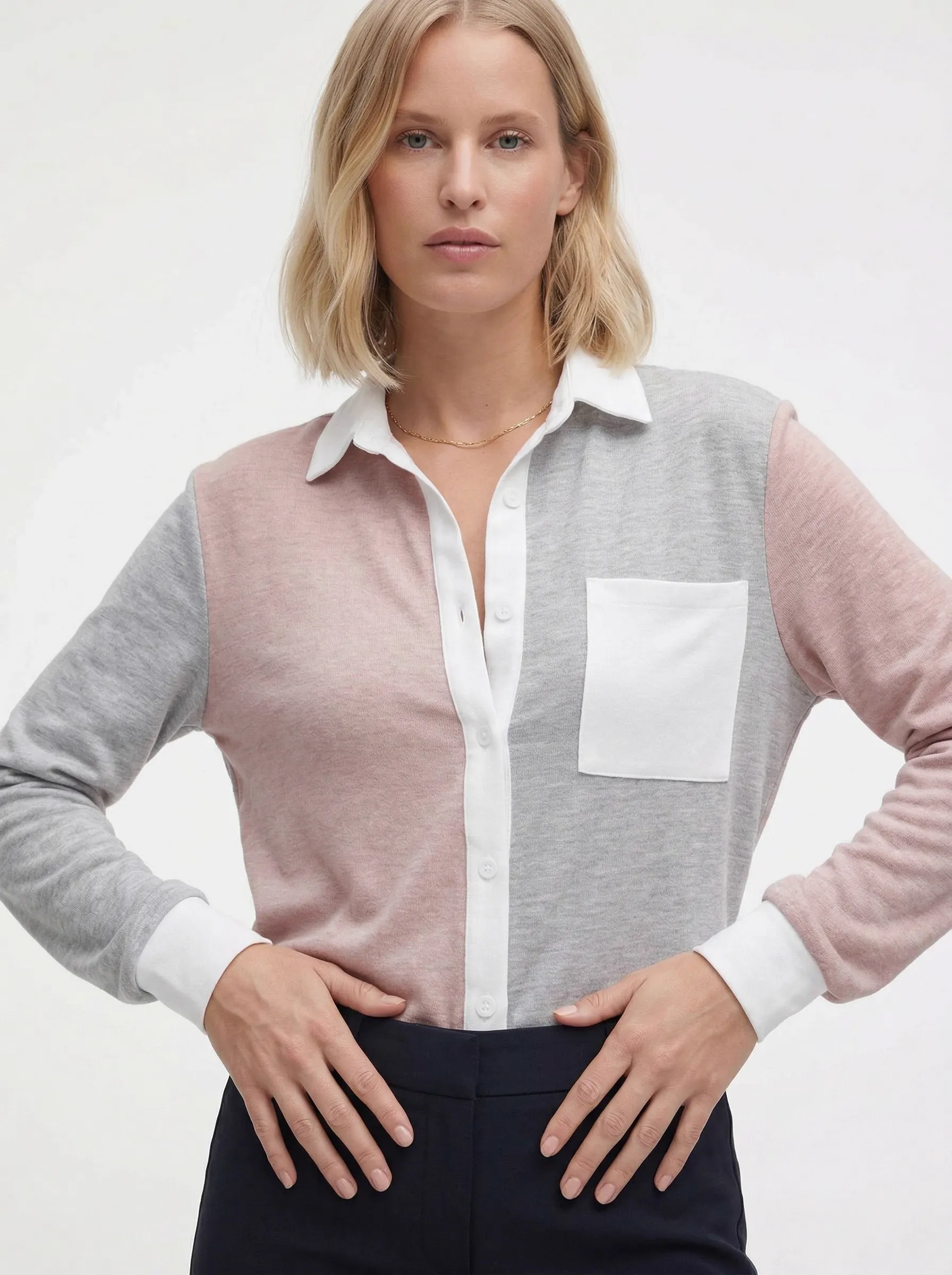
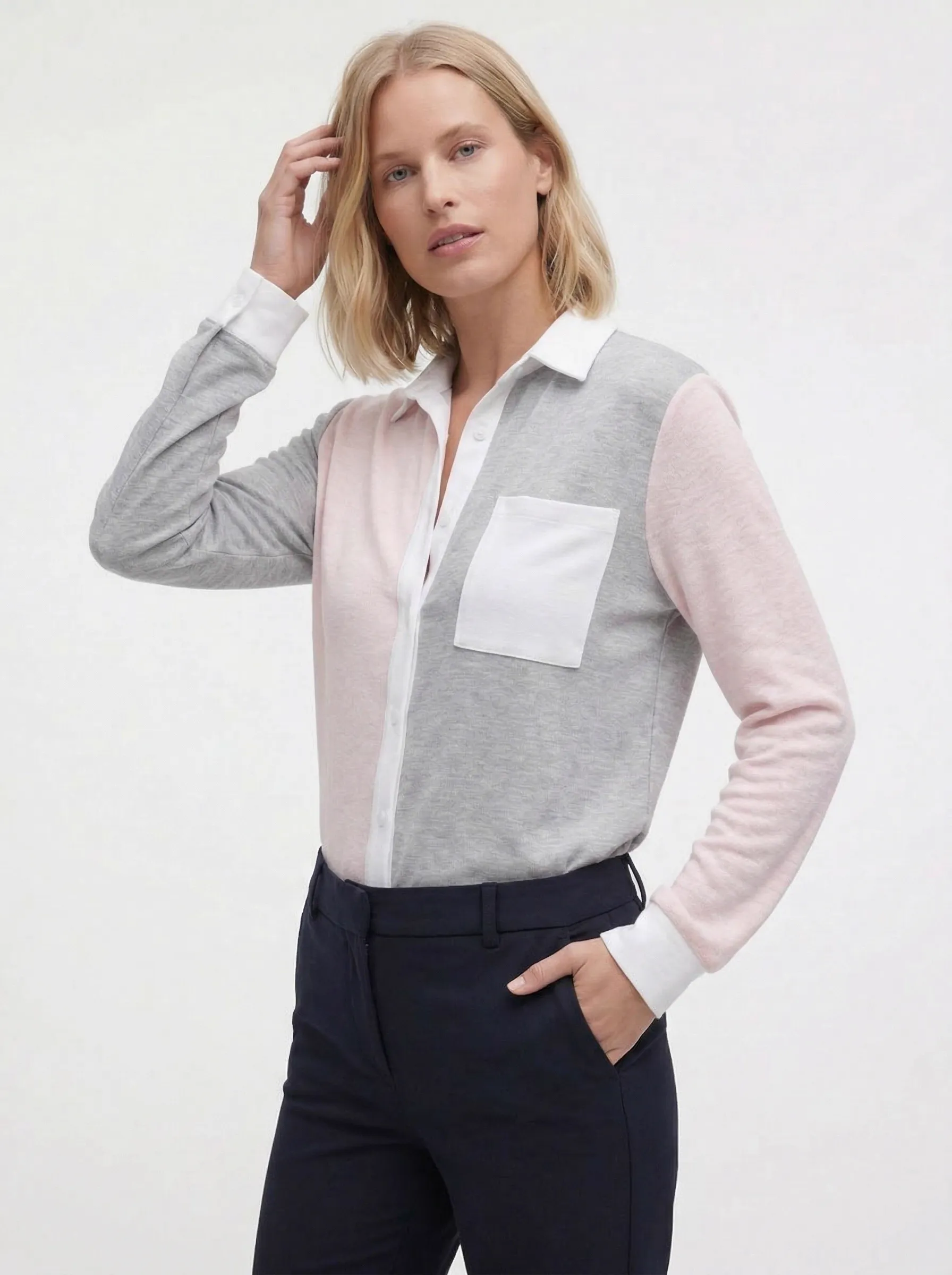
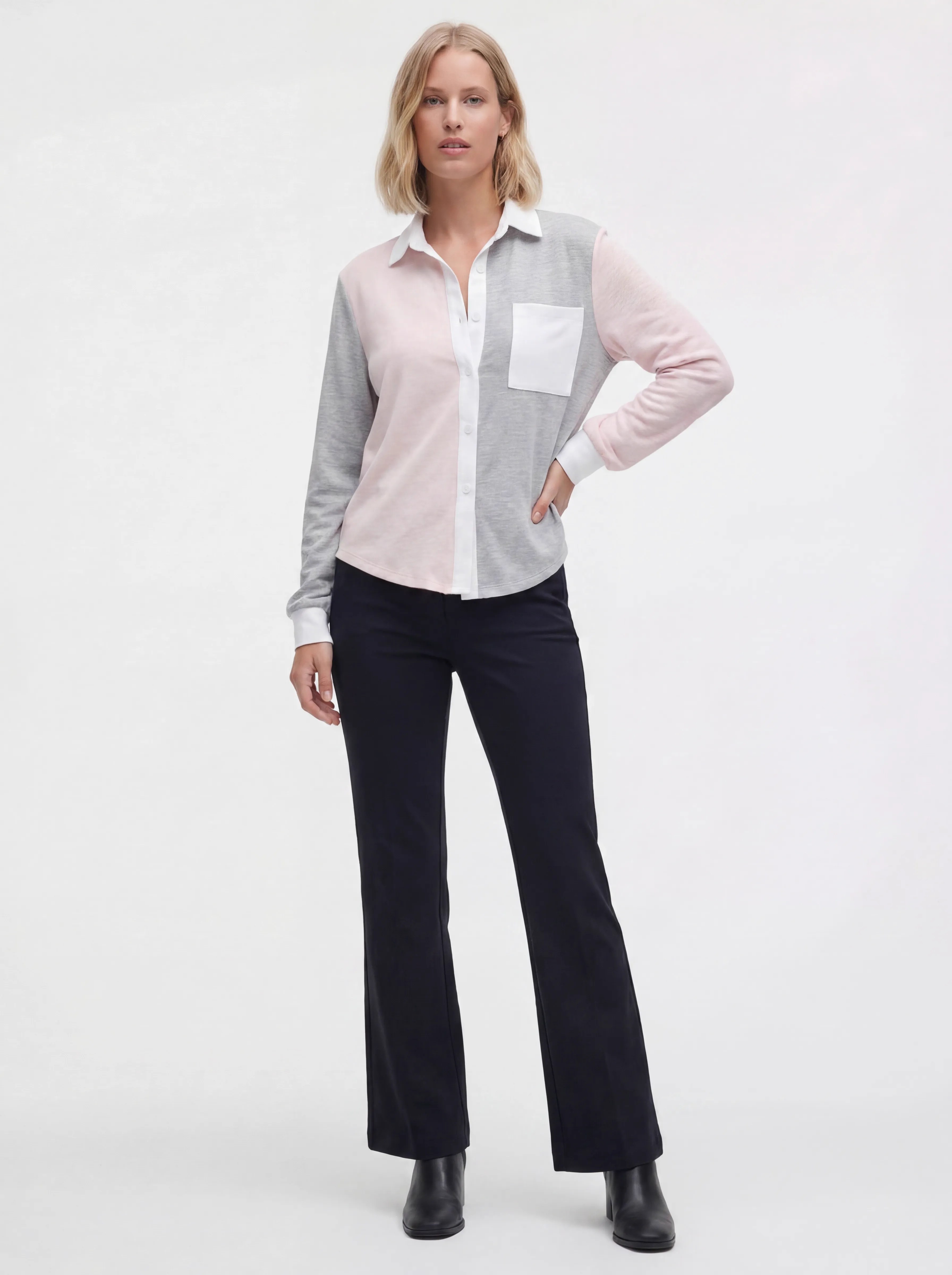
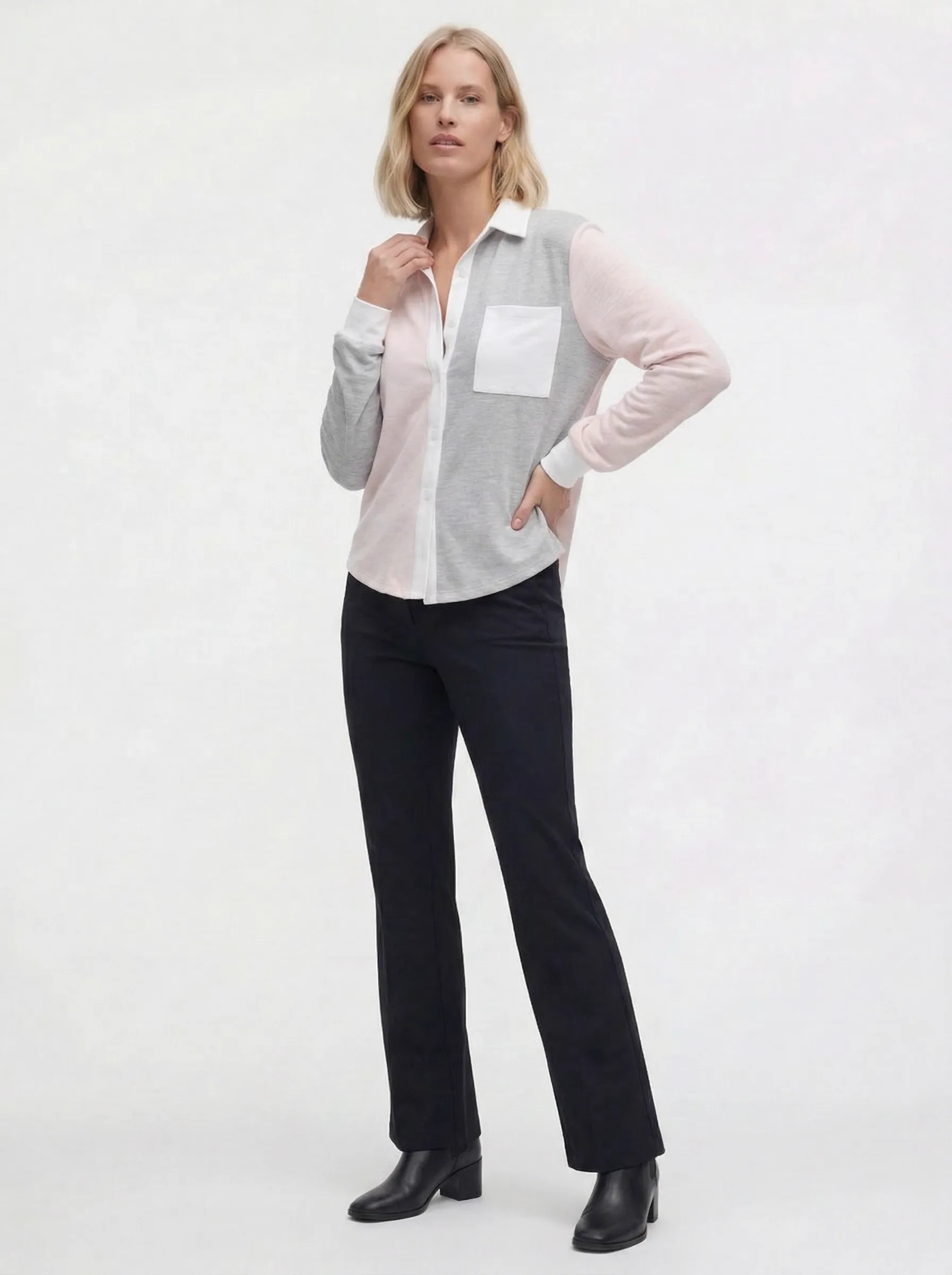
From a torso crop to a full studio model. Same color blocking, same pocket placement, same shirt fit.
Cataloger’s takeaway: when an input is just a torso crop, you don’t need to chase a reshoot. The fit and the print placement are already in the frame. MODA AI carries them into a clean storefront-standard frame so every product on your store reads from the same visual language.
Scenario 3
The Full-Body Upgrade
Sometimes the only on-body shot you have is a tight headshot showing the top half of the garment. You can see the print, the fit at the shoulder, the neckline behavior — but not how it falls below the waist or what it looks like full-length on a model.
On-Body Reference
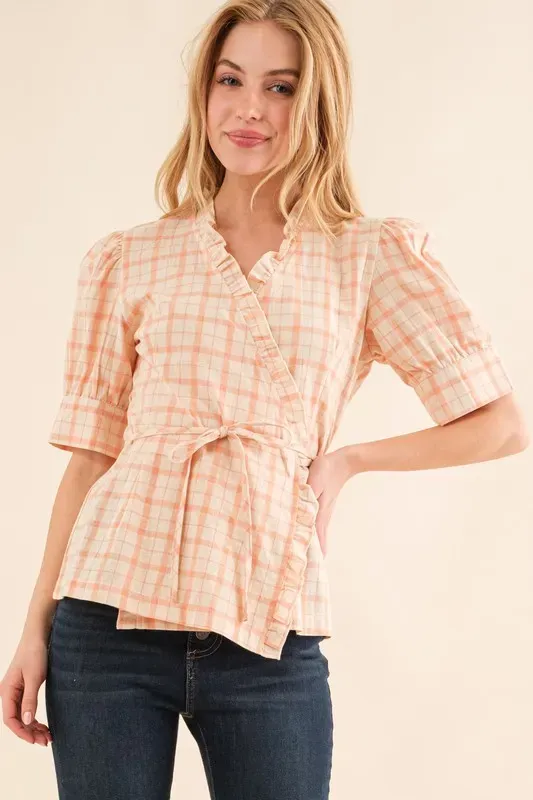
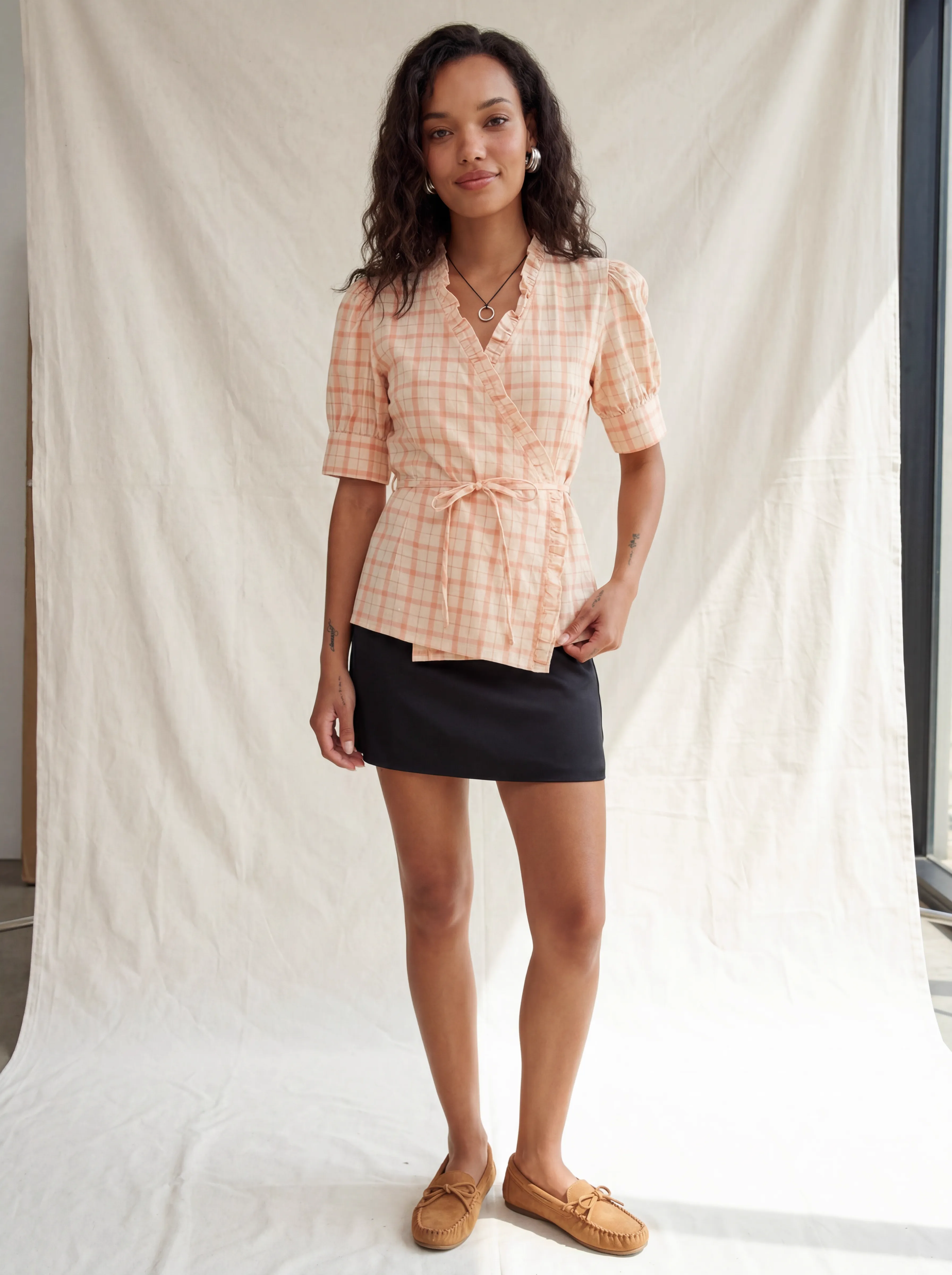
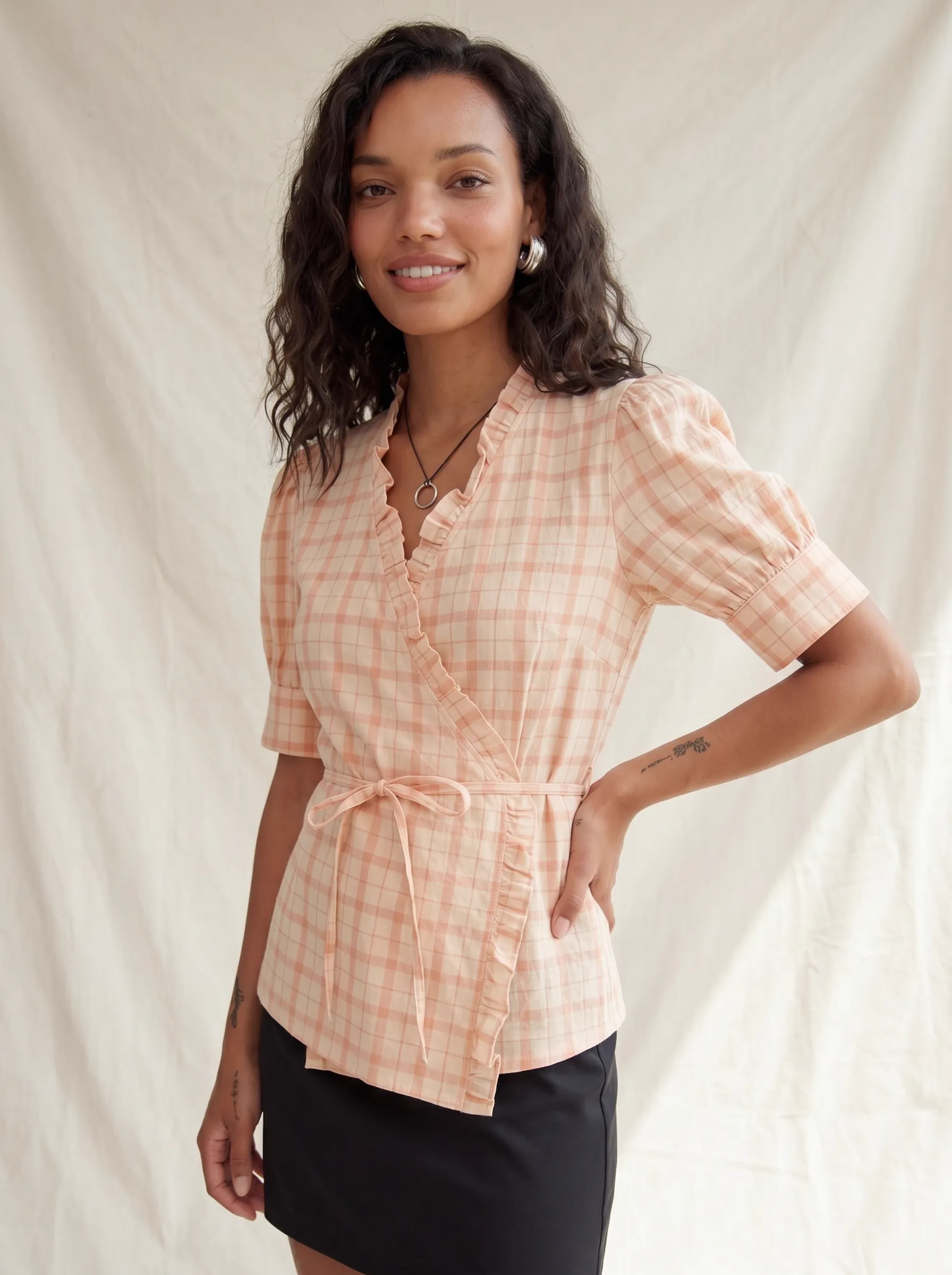
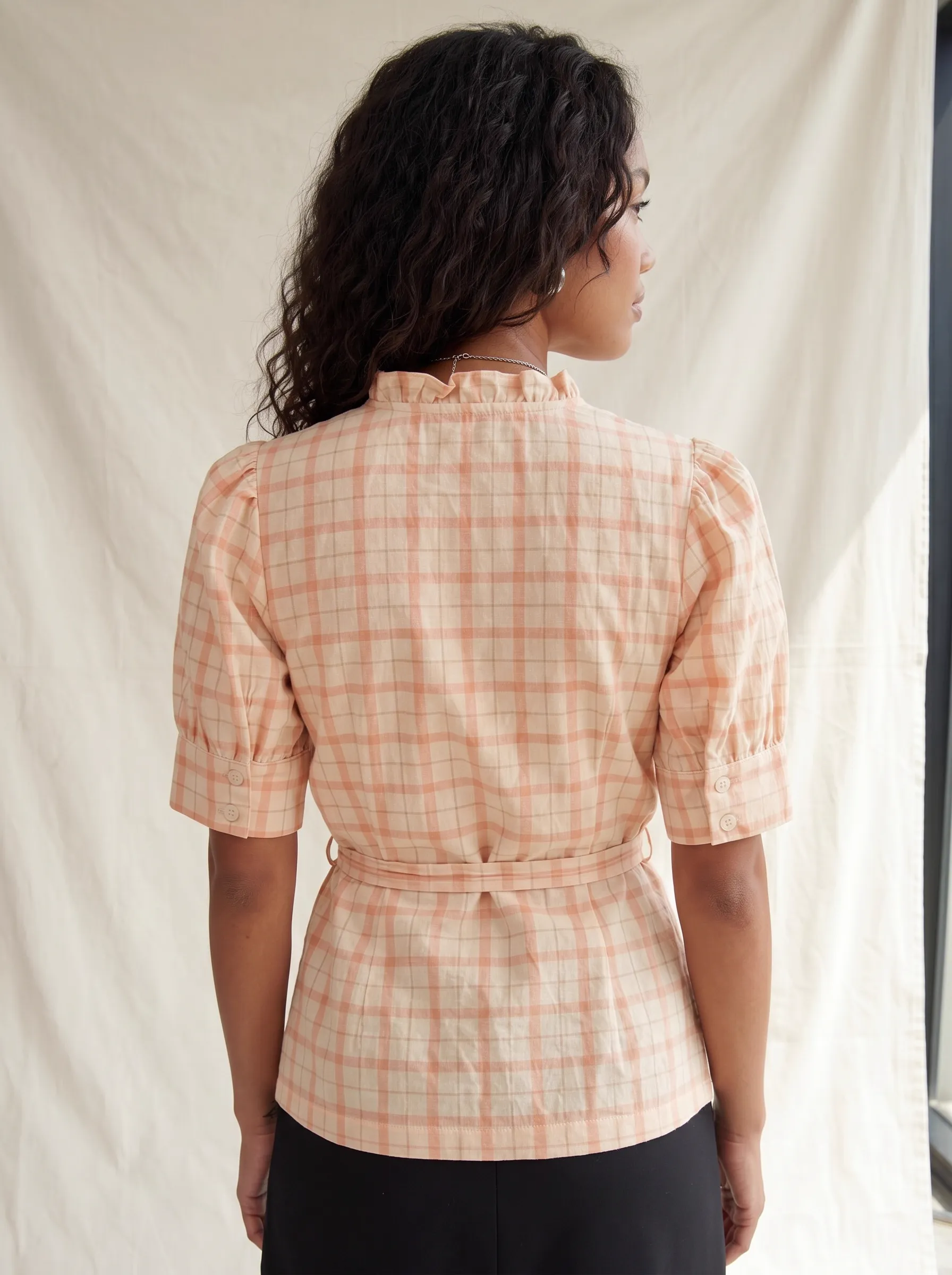
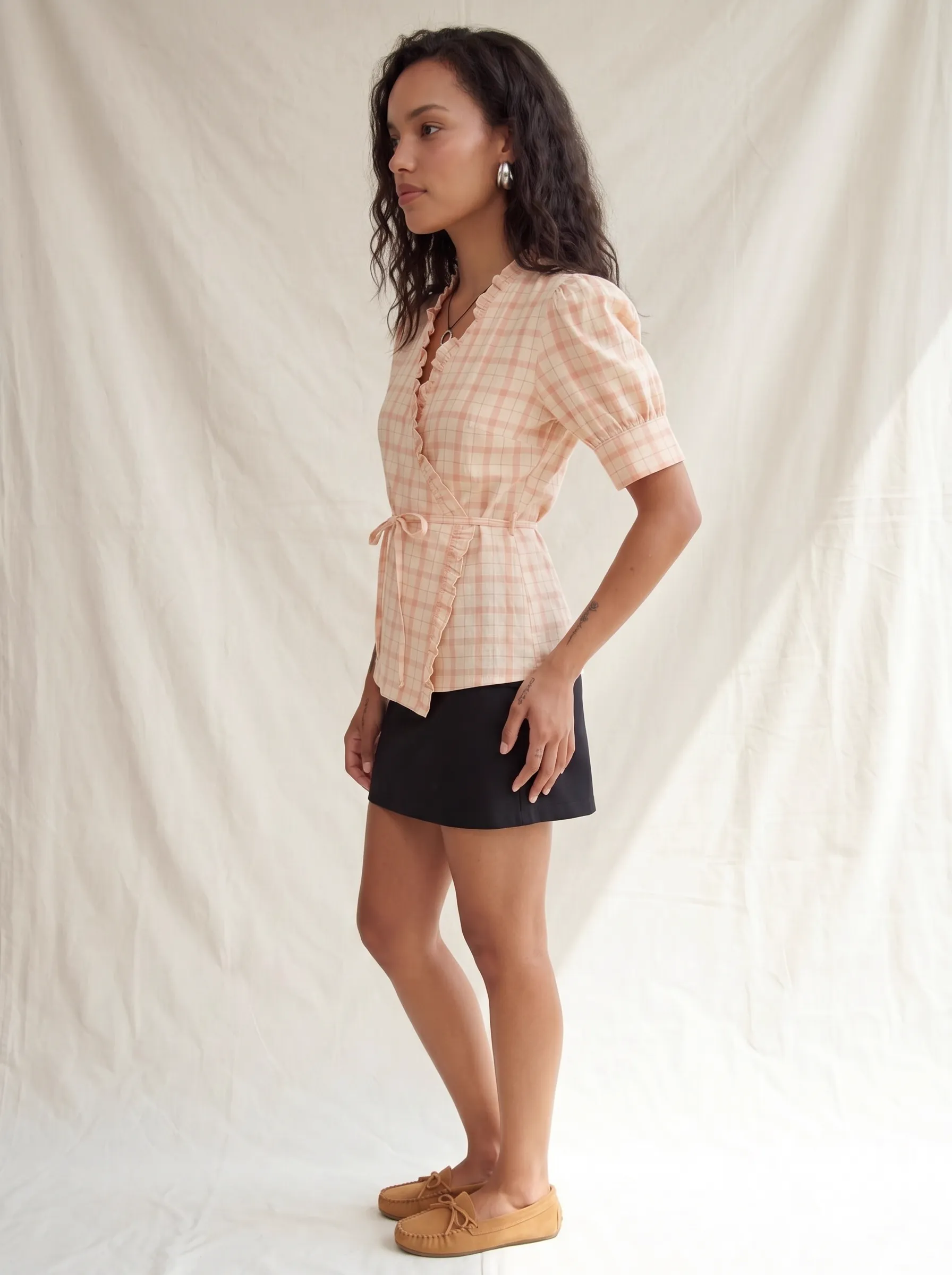
Headshot input becomes full-body studio. Belt placement, ruffle detail, peach plaid pattern — all carried through.
Cataloger’s takeaway: a half-garment input becomes a full-garment frame. MODA AI infers the fall and the hem from the cut visible at the top, then composes the full body around it. You go from a headshot reference to full PDP-ready imagery without a reshoot.
Scenario 4
The Catalog Team Model Swap
Larger catalog teams sometimes have model shots already — just not with the cast they want for the public storefront. A faceless or partial on-body shot exists from an internal sample shoot, but the brand wants the final imagery to feature their lookbook face.
Internal Sample Reference
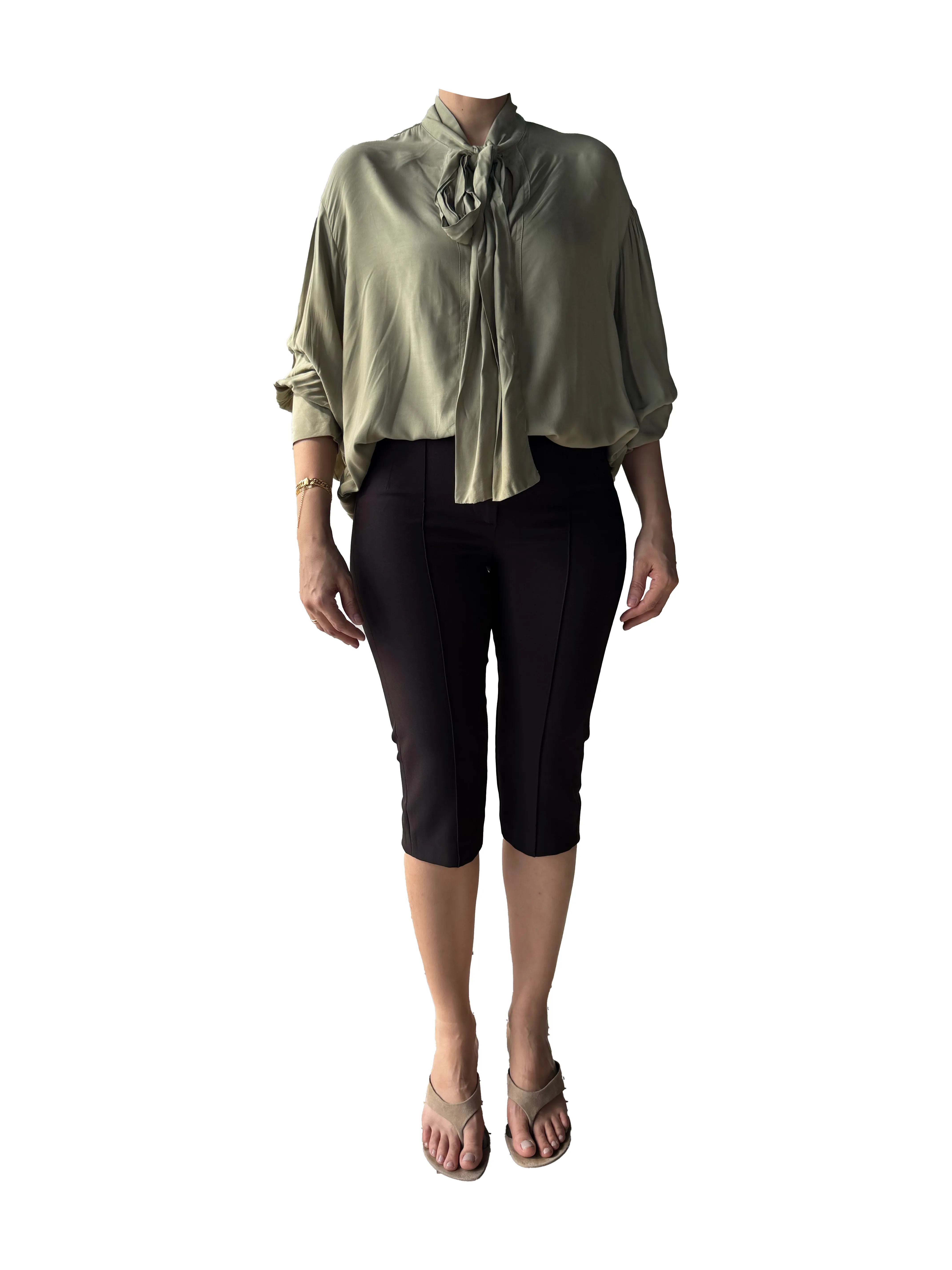
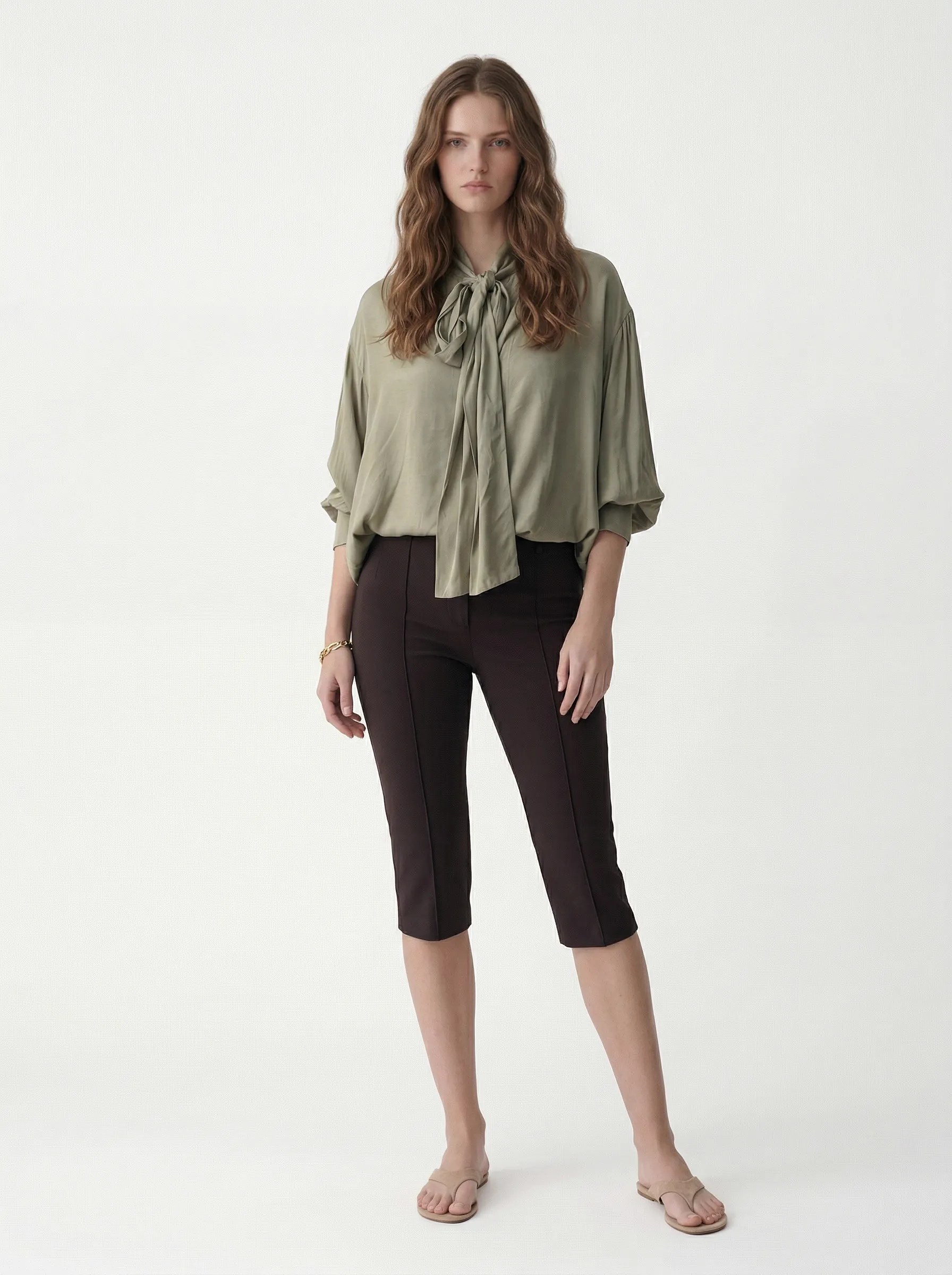
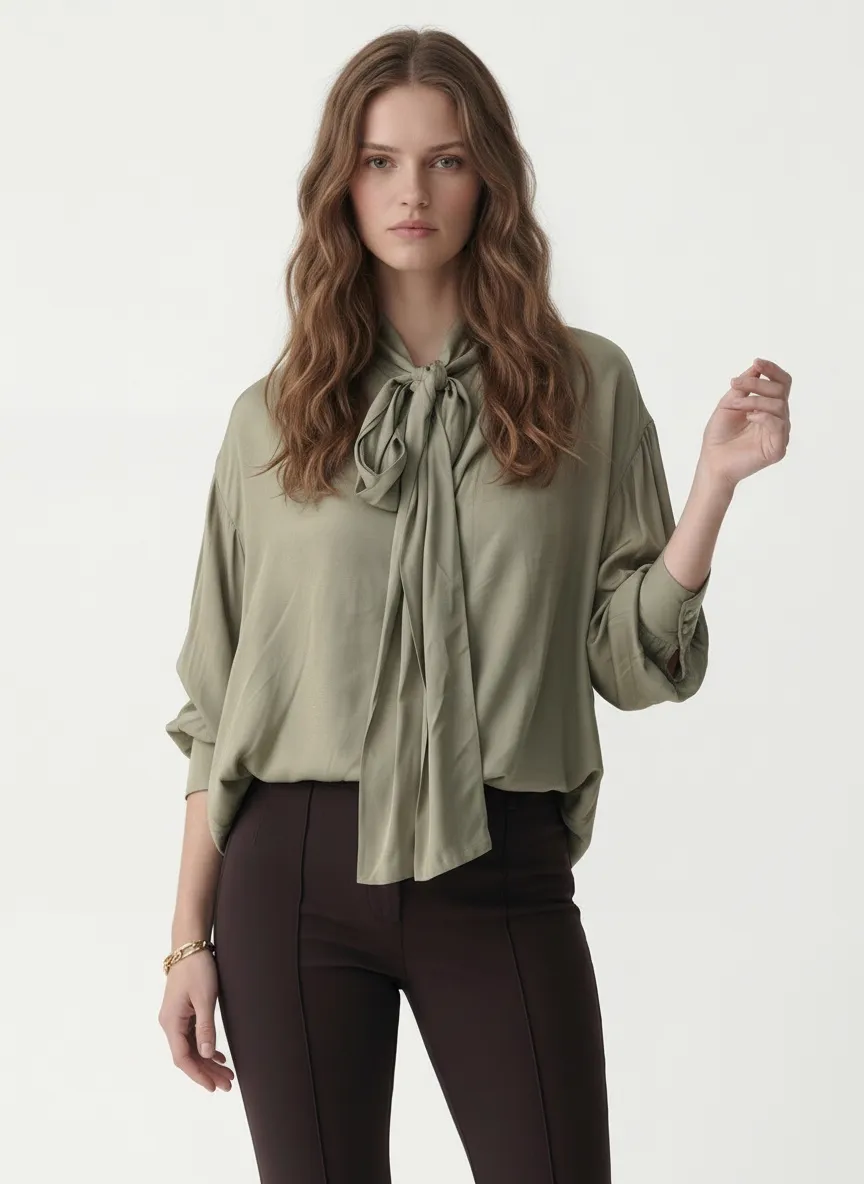
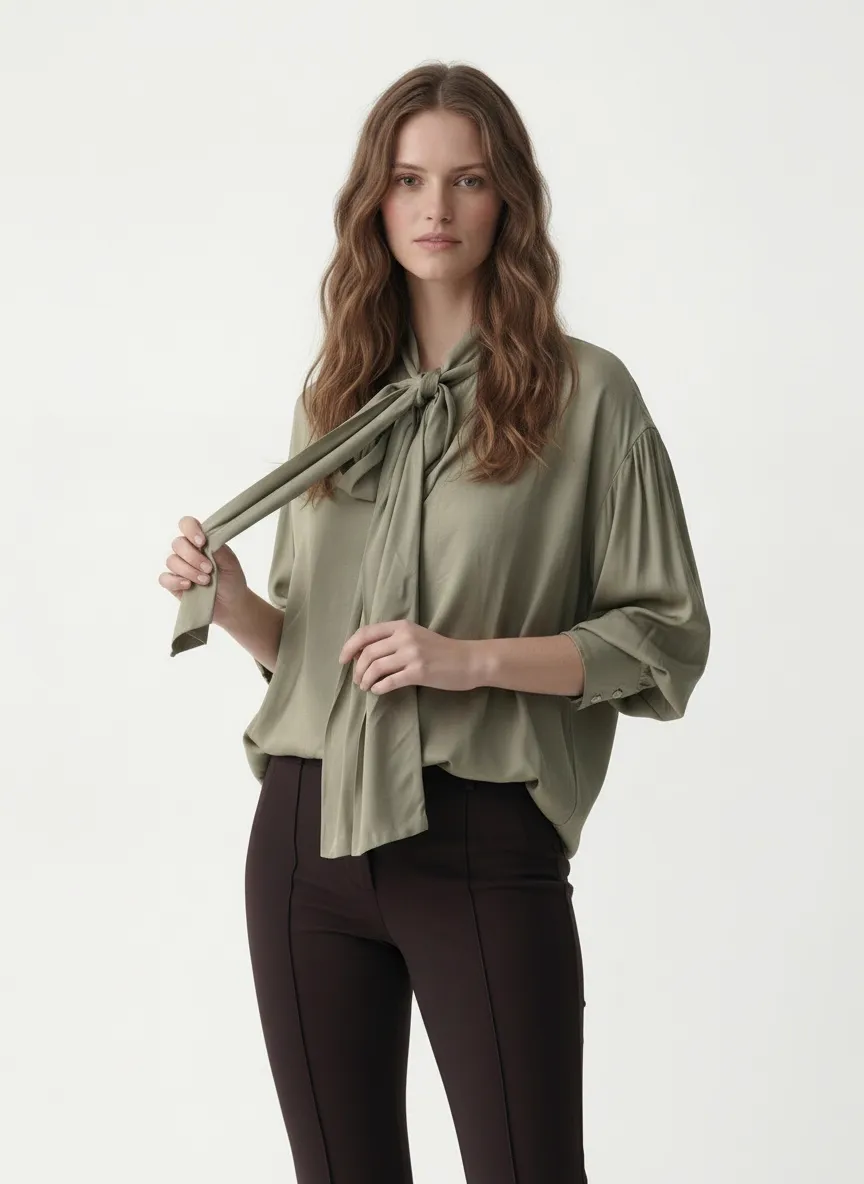
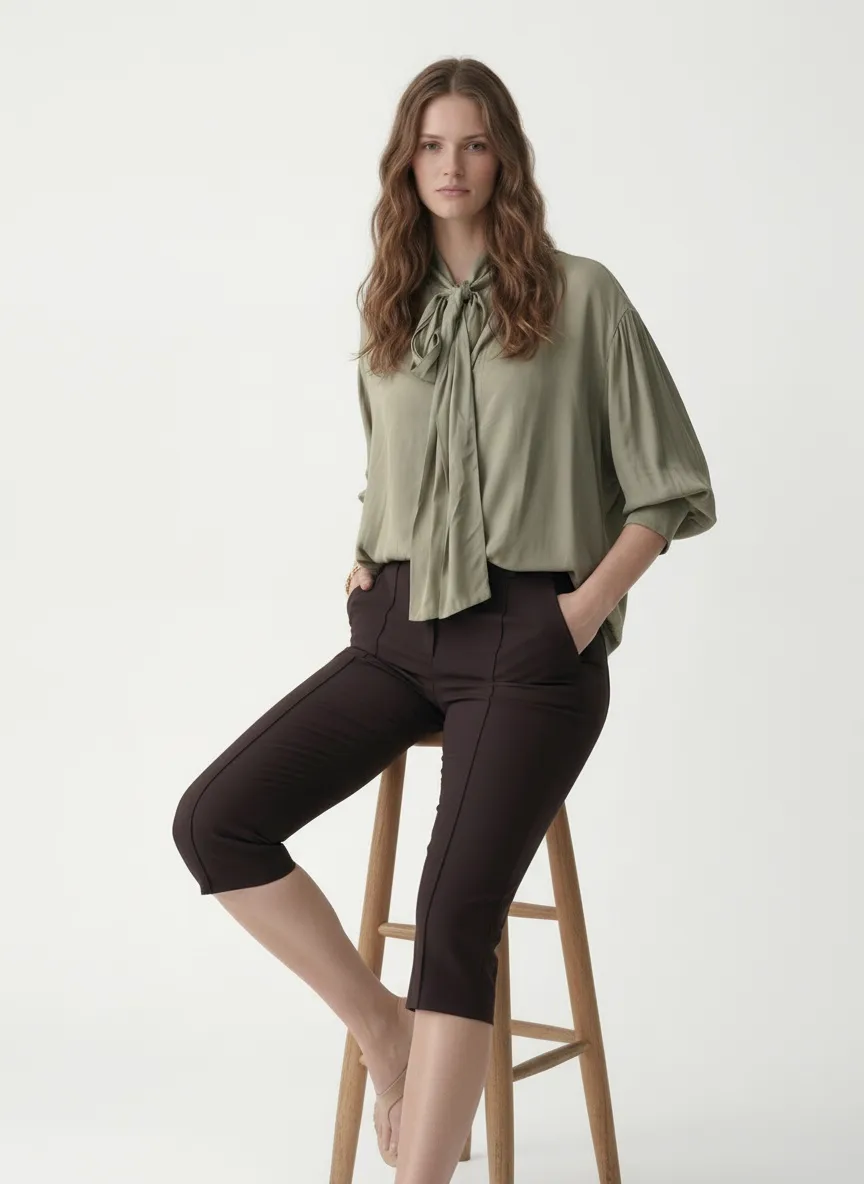
Internal faceless sample becomes a brand-face studio shot. The bow, the blouse drape, the trouser break \u2014 all carried.
Cataloger’s takeaway: for high-accuracy production, MODA AI does true model-to-model swaps. The fit data from your internal sample shot stays locked while the cast updates to your brand-face. No fit drift, no garment redraw, no need for a second shoot day.
What MODA AI Reads from On-Body Inputs
When you give MODA AI a body-based reference — mannequin, model, partial crop, full-body — here’s the stack of fit information it carries forward into your output frame:
How to Shoot a Good On-Body Reference
The bar is much lower than catalog teams expect. You’re not creating final imagery — you’re giving MODA AI a fit reference. A few quick rules:
- Shoot front-facing or near-front. Side and back views are useful as additional inputs but the front carries the most fit information.
- Even, soft light is plenty. Window light works. Fluorescent shop lighting works. Phone flash also works in a pinch.
- Body should be in a relaxed, neutral pose. No slouching, no twisted torso, no fabric bunched in a hand — the AI will read the bunch as part of the garment.
- The whole garment should be in the frame. If part is cut off, MODA AI will infer it — usually well, but exact garment hem behavior is more accurate when fully visible.
- Background clutter is fine — it gets replaced. Other garments overlapping yours is the only thing to avoid.
Why On-Body Inputs Are the Catalog Team’s Unfair Advantage
Traditional catalog production assumes you have a model, a studio, a photographer, and a stylist for every garment that needs PDP-ready imagery. That assumption is the entire reason small brands and dropshippers historically had worse-looking storefronts than the big retailers — not because the garments were worse, but because the production budget wasn’t there.
On-body and mannequin inputs flip that. The reference doesn’t need to be polished. It needs to be honest about the fit. Your mannequin in your shop, lit by your fluorescent ceiling, surrounded by your other product — that frame carries enough fit information to produce a studio-ready output. The polish layer is what MODA AI handles. The fit is what you bring.
For dropshippers, this means accepting any reference photo format and standardizing it into one storefront language. For independent boutiques, it means the dress on the shop floor can be on the website by the end of the day. For larger catalog teams, it means a single internal sample shoot generates the entire on-storefront catalog — across colorways, across model casts, and across lighting moods.
Frequently Asked Questions
Can I use a phone photo of someone wearing the garment as my reference?
Yes. A phone snapshot of the garment on a real body works as a perfect MODA AI input — even if the lighting is uneven, the background is messy, or the model is partly cropped. MODA AI carries the fit and drape from the body in the photo into a clean studio output. The polish you want comes back automatically.
Does the original model or face from my reference photo show up in the output?
No. MODA AI uses the on-body reference for fit and drape only. The cast in your output comes from the default model bank, or from a face reference if you supply one separately. A reference shot of someone else won’t carry that person into your storefront output.
Will prints, graphics, and trims scale correctly on the new model?
Yes. MODA AI carries the print scale, placement, and trim positioning from the on-body input. A bunny graphic at the chest stays at the chest. A belt at the waist stays at the waist. Floral panels keep their proportions on the new body.
What if I only have a flat lay of the garment?
Flat lays work for clean studio outputs but they leave fit and drape decisions to default behavior. For garments where fit, fall, and styling are the selling point — sundresses, blouses with belts or ties, tailored shirts, anything with body-dependent silhouette — an on-body or mannequin reference will produce noticeably more accurate results.
Bring the fit. We bring the polish.
Upload your on-model or mannequin shot. Get studio-ready catalog frames in minutes — with the cut, drape, and styling carried cleanly through.
Get Started Free