
How-To Guide
How to Control Your Catalog Narrative
Face refs and background refs — the two levers behind every intentional AI shoot. One t-shirt, four scenarios.
April 25, 2026 · 9 min read

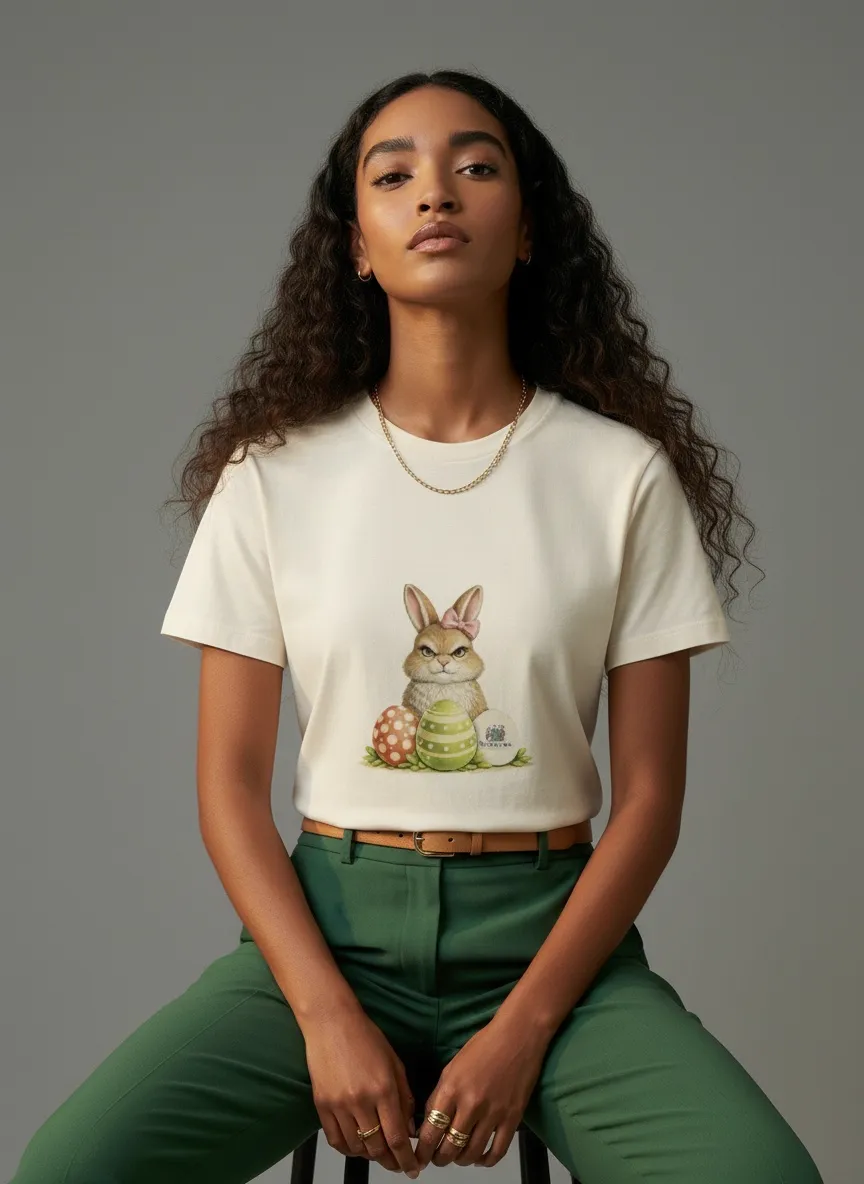


Same t-shirt. Four directions. One workflow.
30%
average conversion lift from product pages with rich lifestyle imagery vs. plain shots
eMarketer
78%
of shoppers say product images are very or extremely important when buying online
Salsify, 2024 Consumer Research
Two Dials, One Shot
Every catalog has a narrative. Who wears the clothes, where they live, what kind of day they’re having — the photo carries all of that before a customer reads a single word. Catalog teams have always known this. The question was just whether you had the budget to do it on purpose.
With MODA AI, the narrative comes down to two dials. The face reference sets your model. The background reference sets your vibe. Use one, the other, or both — and you go from generating “a model in front of something” to producing the exact catalog frame you had in your head.
Below: one cream graphic t-shirt, four shoot scenarios. The garment doesn’t change. The dials do.
The Garment That Doesn’t Change
For the rest of this post, this is the t-shirt. A cream cotton tee with a printed bunny graphic on the front, plain back. Through every example below, the cut, the print placement, the trims, and the color stay locked. What changes is who’s wearing it and where.

Front input
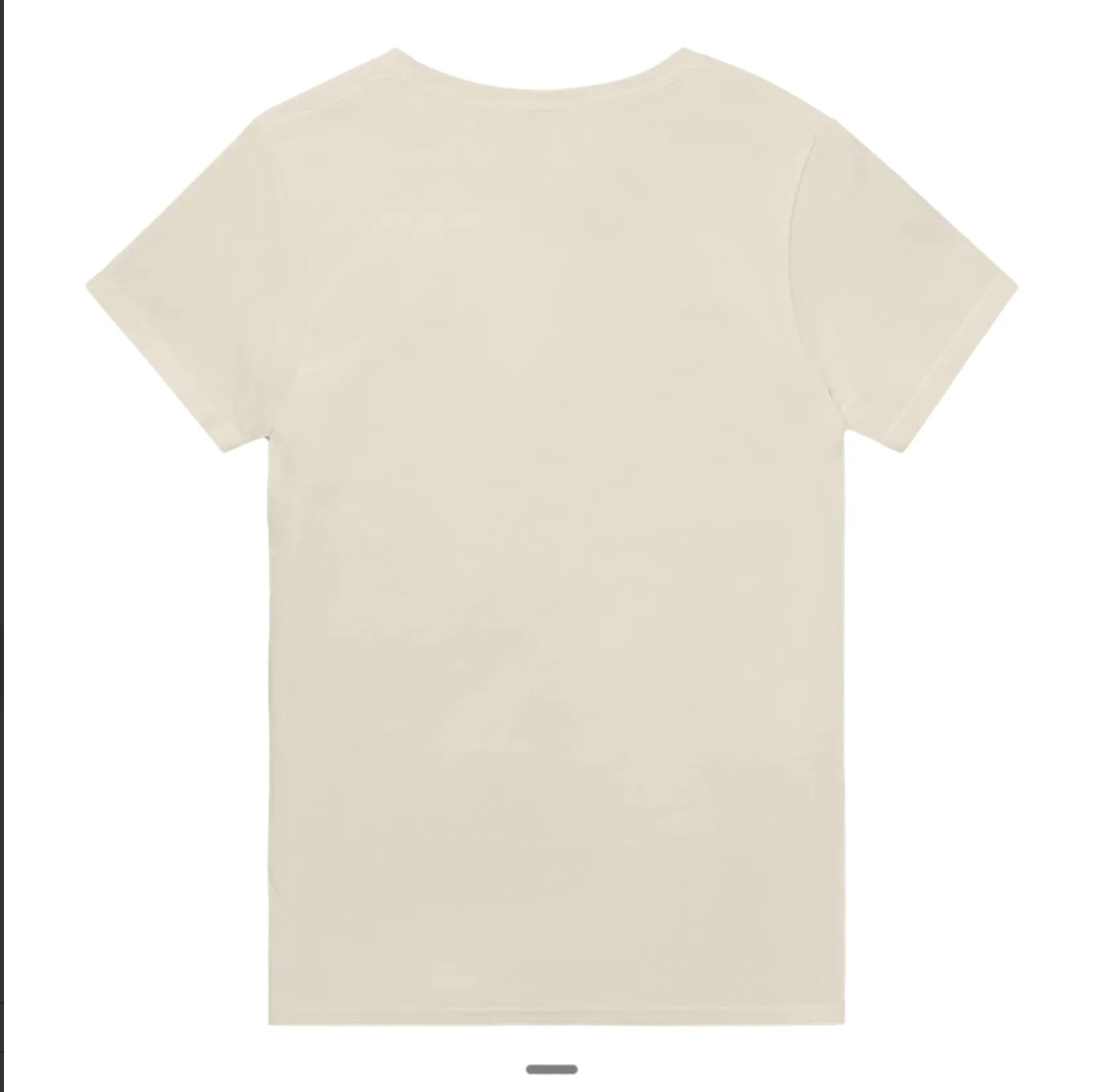
Back input
Lever 1
The Face Reference — Sets Your Model
A face reference locks who’s wearing your garment. MODA AI carries the face, hair, skin tone, build, and features into every output. Use it when the cast is the point: a brand-face lookbook, a multi-model catalog where every SKU needs the same model, a demographic A/B test, or a recasting of an existing campaign.
With just a face ref — no background ref — the styling and setting come back as defaults. Studio-clean, neutral palette, casual styling. That’s often exactly what a catalog needs.
Demo A — Casting a younger model
Face Reference
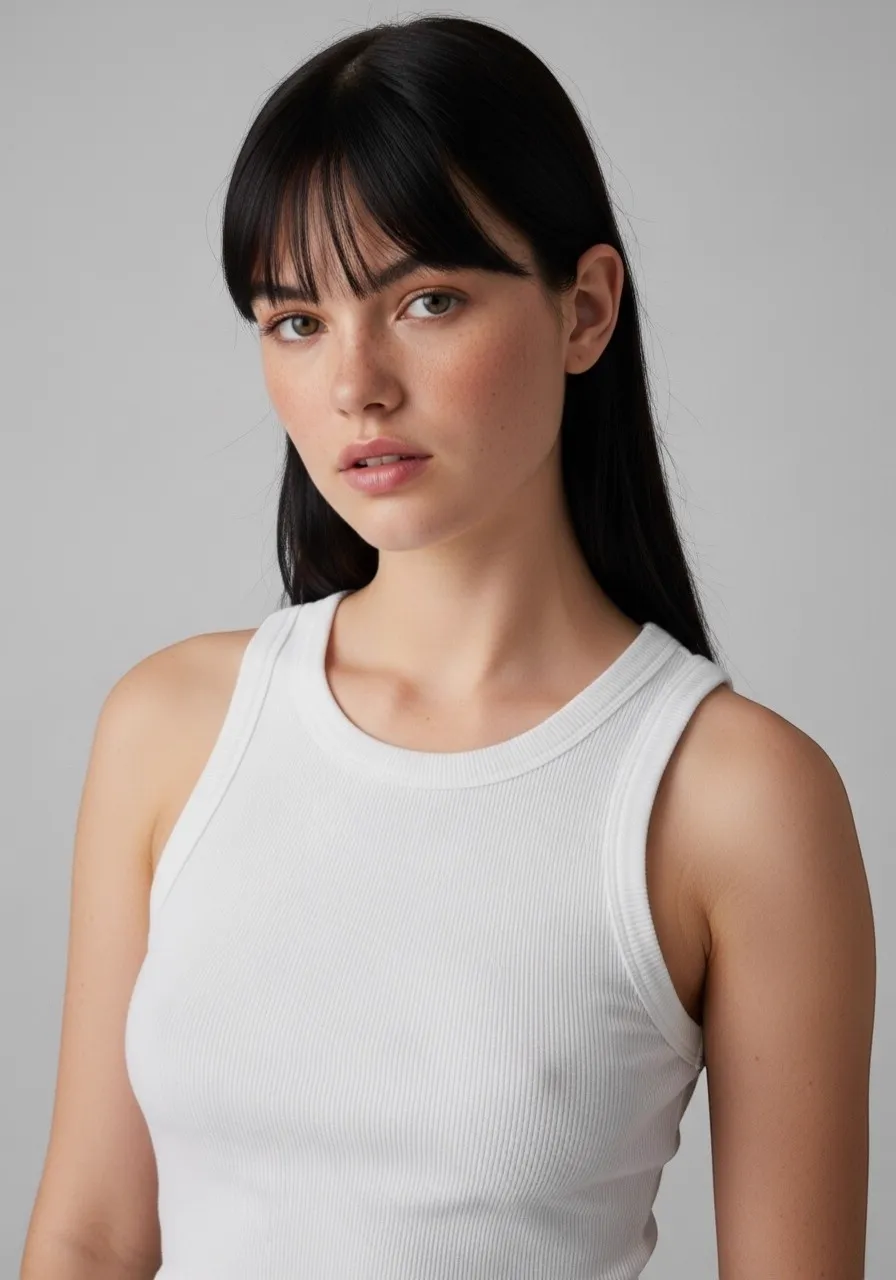
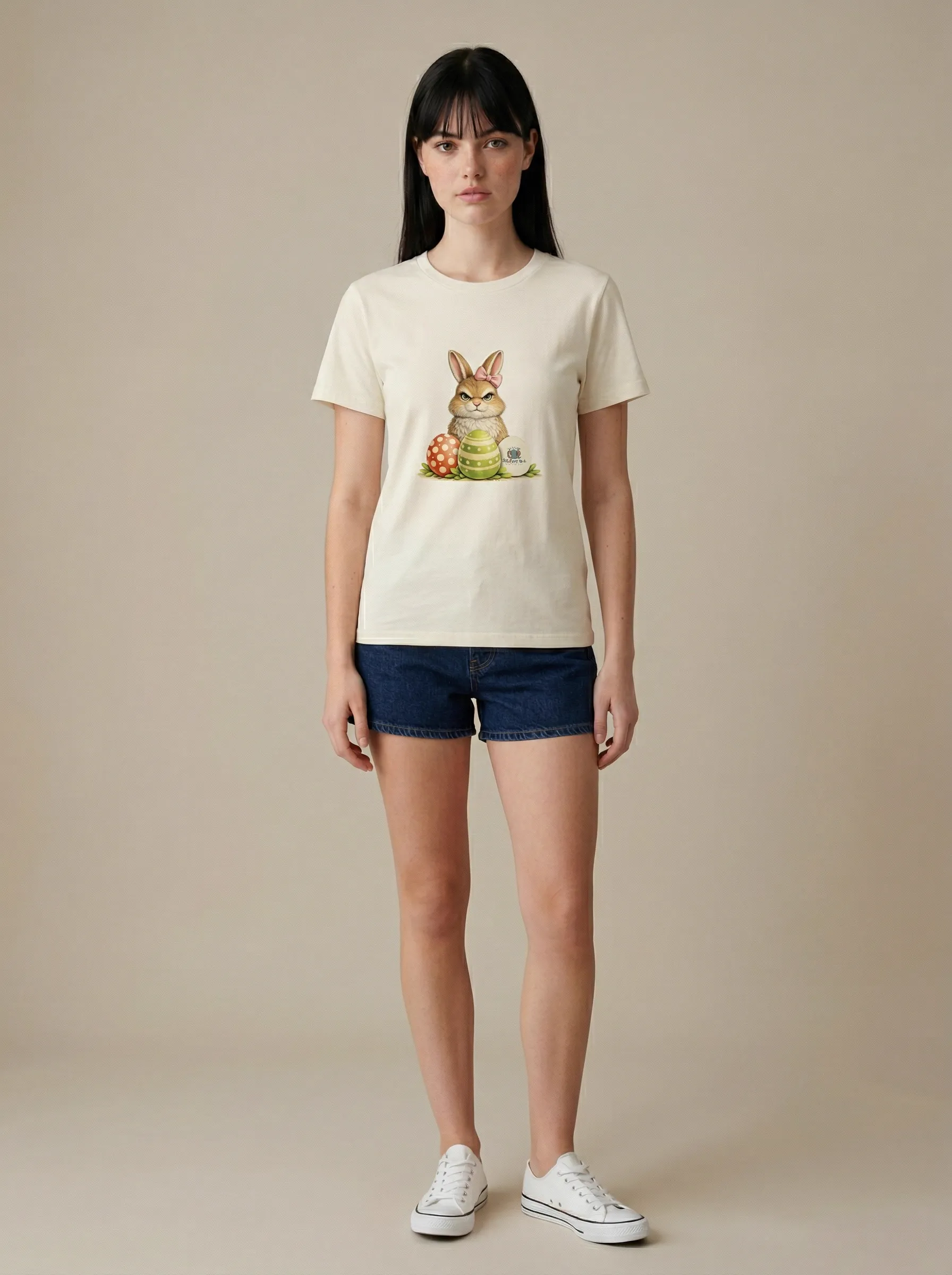
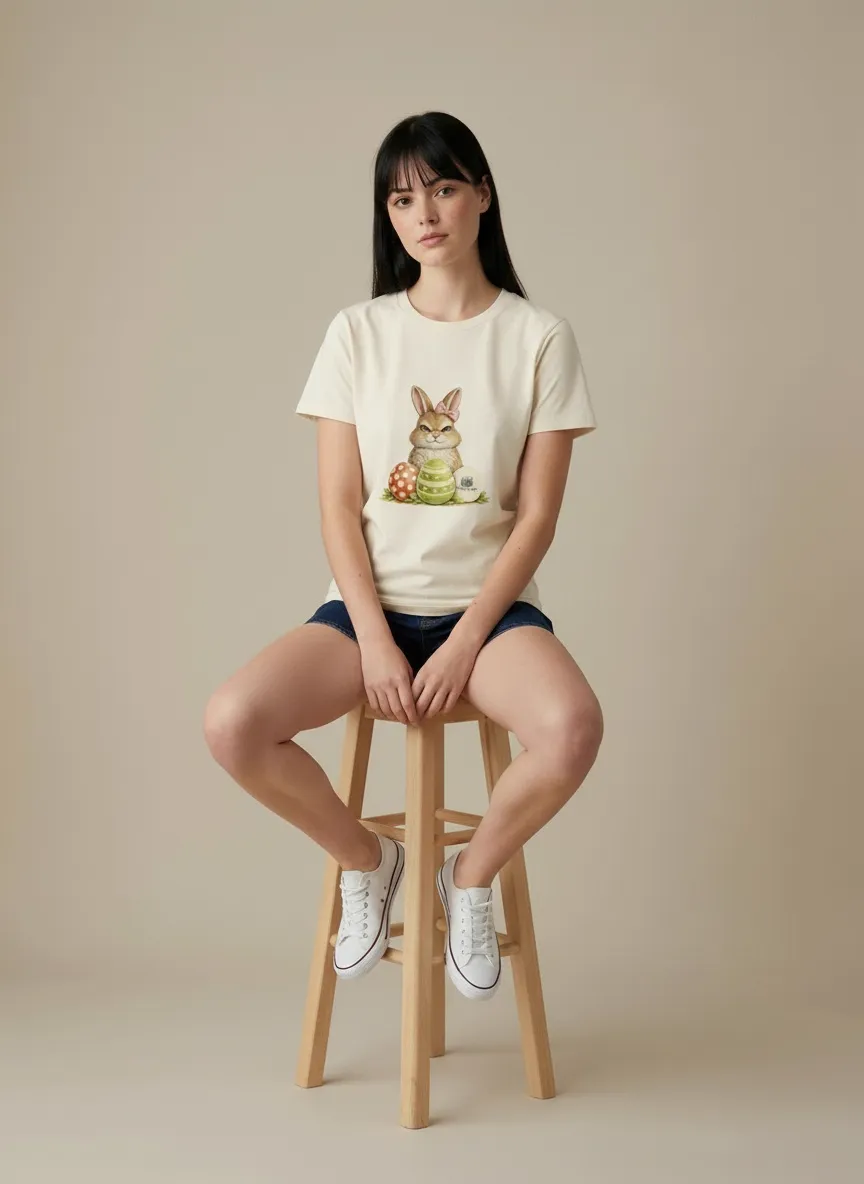

Face ref locked the model. Styling and setting defaulted to clean studio.
Demo B — Casting a different demographic
Face Reference
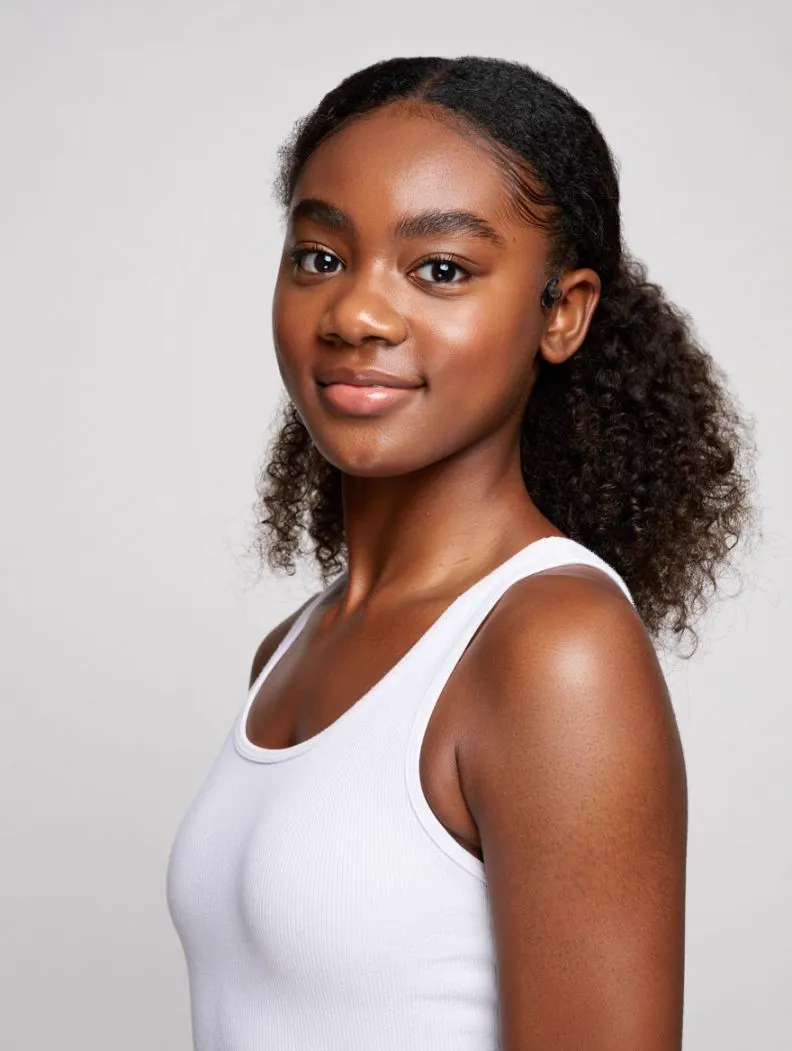
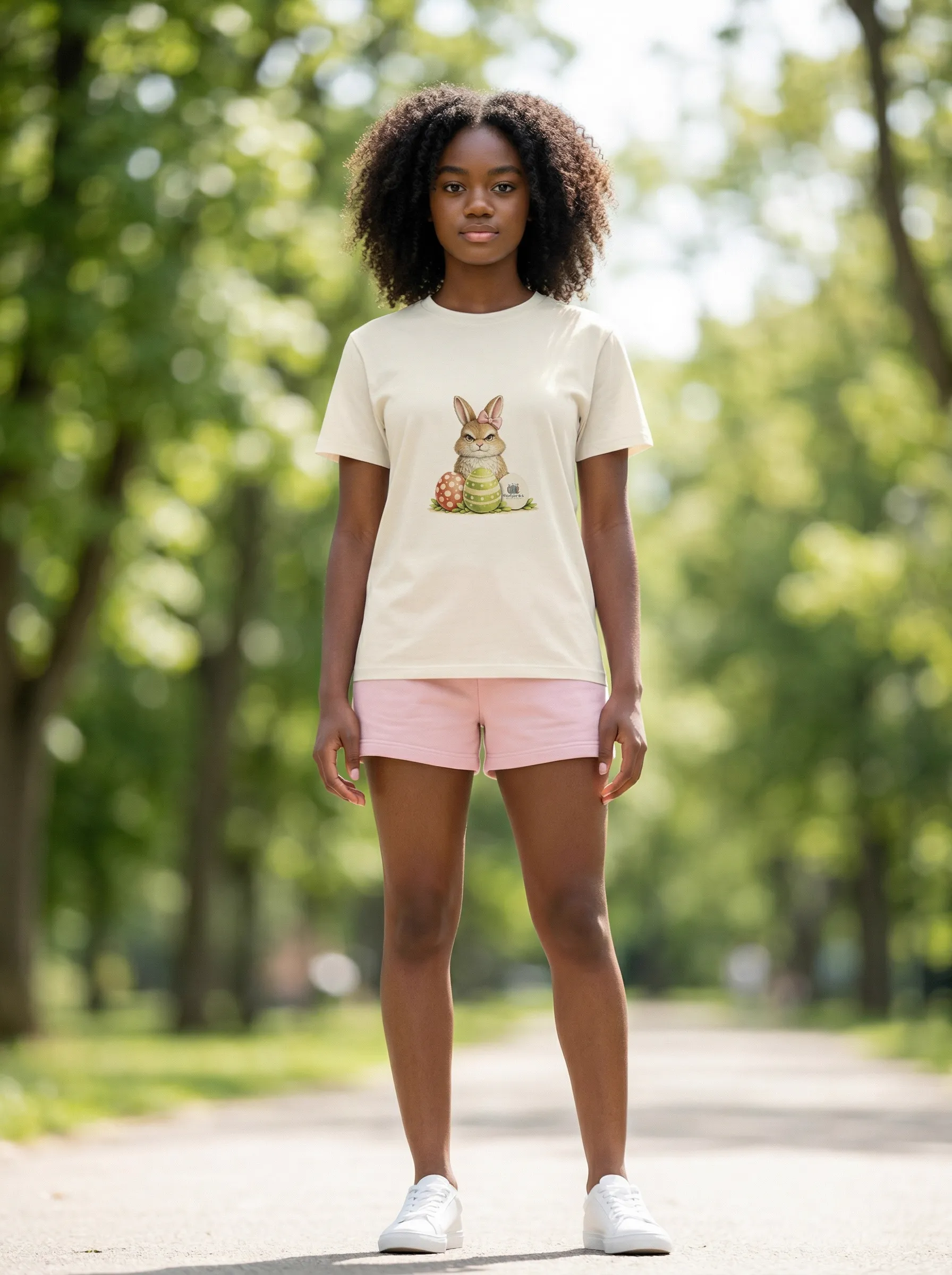
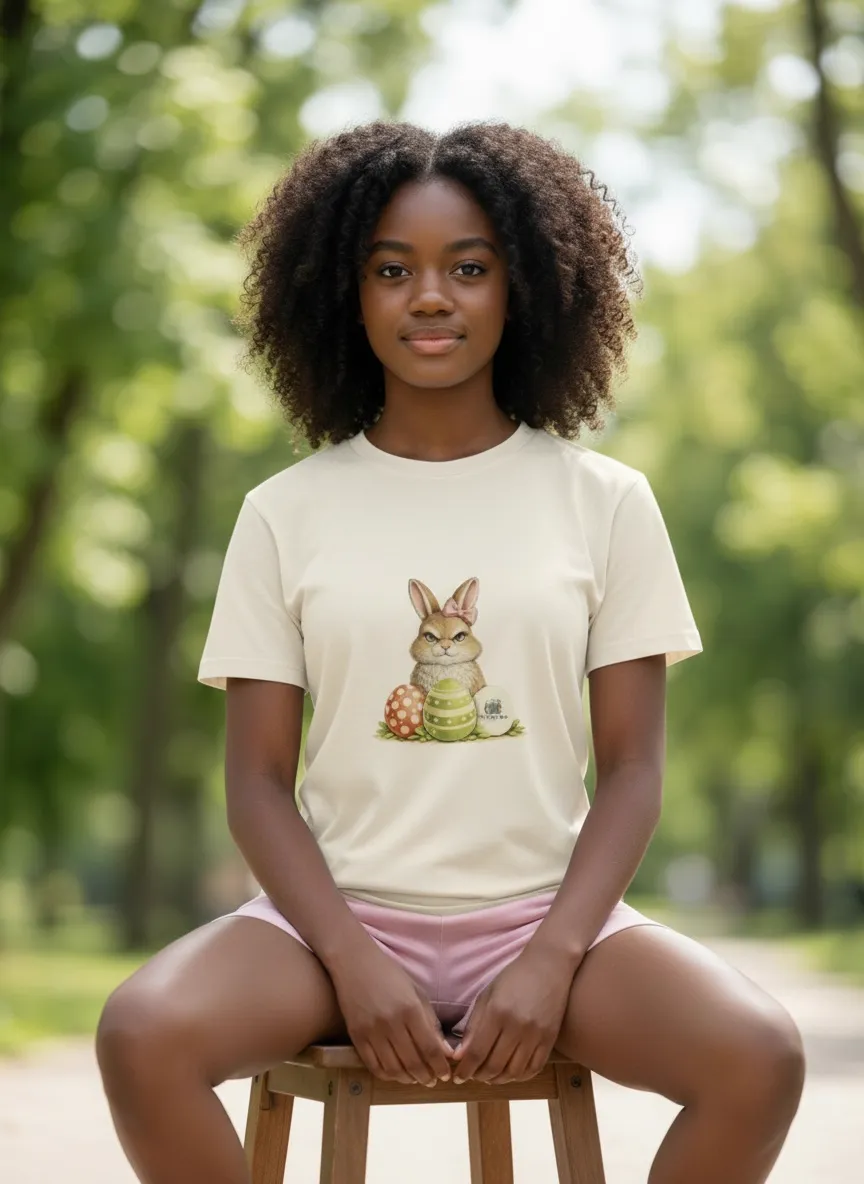
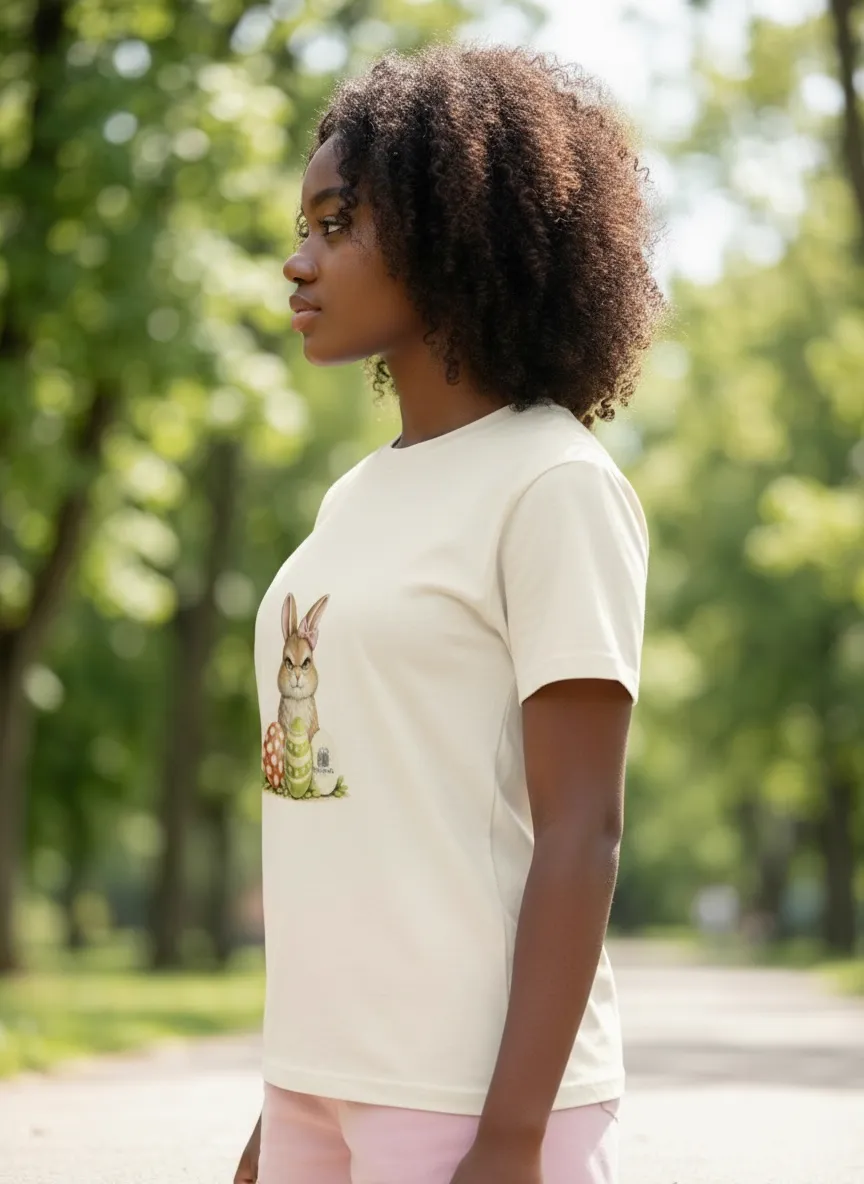
Same garment, different cast. Same face ref workflow, different person locked.
Cataloger’s takeaway: the face ref is your casting tool. Switch faces, switch the audience your catalog speaks to — without a single new shoot booking. For a multi-SKU catalog, swap the face ref between drops and you instantly recast the entire collection.
Lever 2
The Background Reference — Sets Your Vibe
A background reference locks where the shoot happens and what it feels like. MODA AI captures the location, the lighting mood, the color grade, the surface texture, the atmosphere. Use it when the world is the point: seasonal mood shifts, on-location previews without travel, campaign aesthetic drafts, anything where the setting is doing emotional work.
With just a background ref — no face ref — the model comes back as a default cast. The setting carries the brief.
Demo — Pulling a moody highland mood
Background Reference




Background ref carried the mountain location, the overcast sky, the muted palette. Cast came in as default.
Cataloger’s takeaway: the background ref is your scouting and mood tool. Want to know what your spring drop looks like at golden hour on a pier? Drop in the ref. Want to test a winter campaign in a Nordic forest? Drop in the ref. You can preview the world your catalog lives in before you commit a single dollar to travel.
Both Dials
Both Together — The Deliberate Frame
When you know exactly who and exactly where, lock both. The face ref + background ref combo is the final-shot setting: hero PDP shots, campaign launches, editorial features, anything you’d put on a billboard. Nothing is left to defaults.
Demo — Editorial: curly-hair model, grey studio
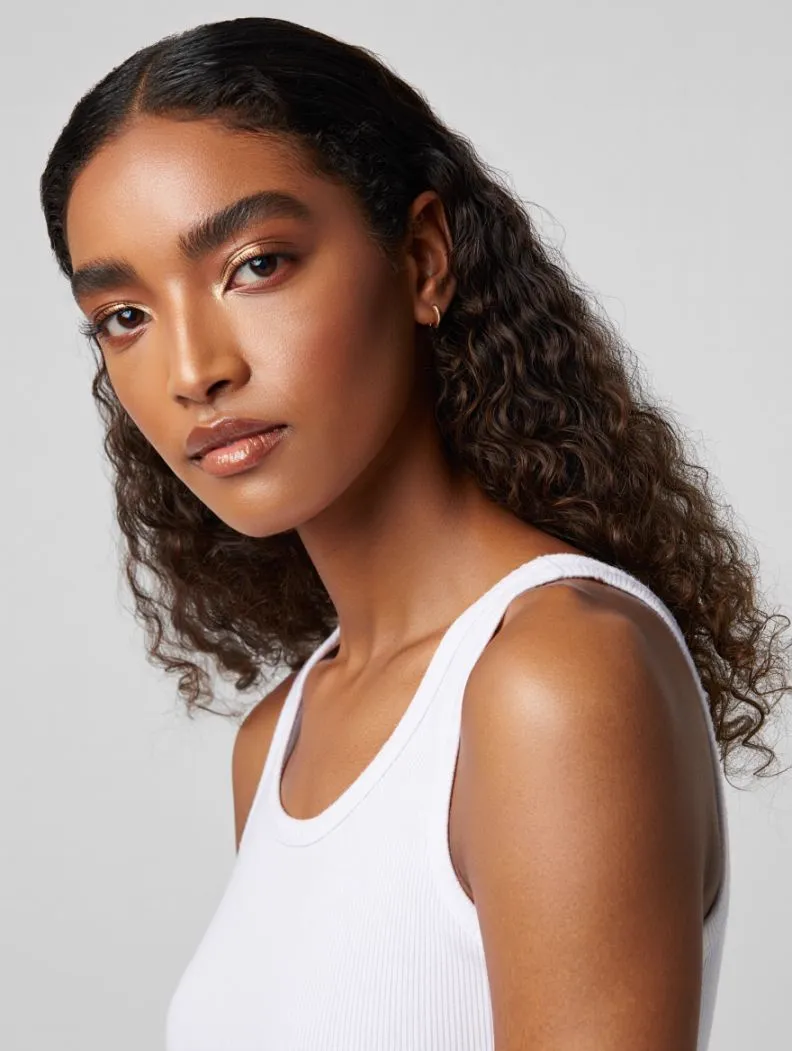
Face ref
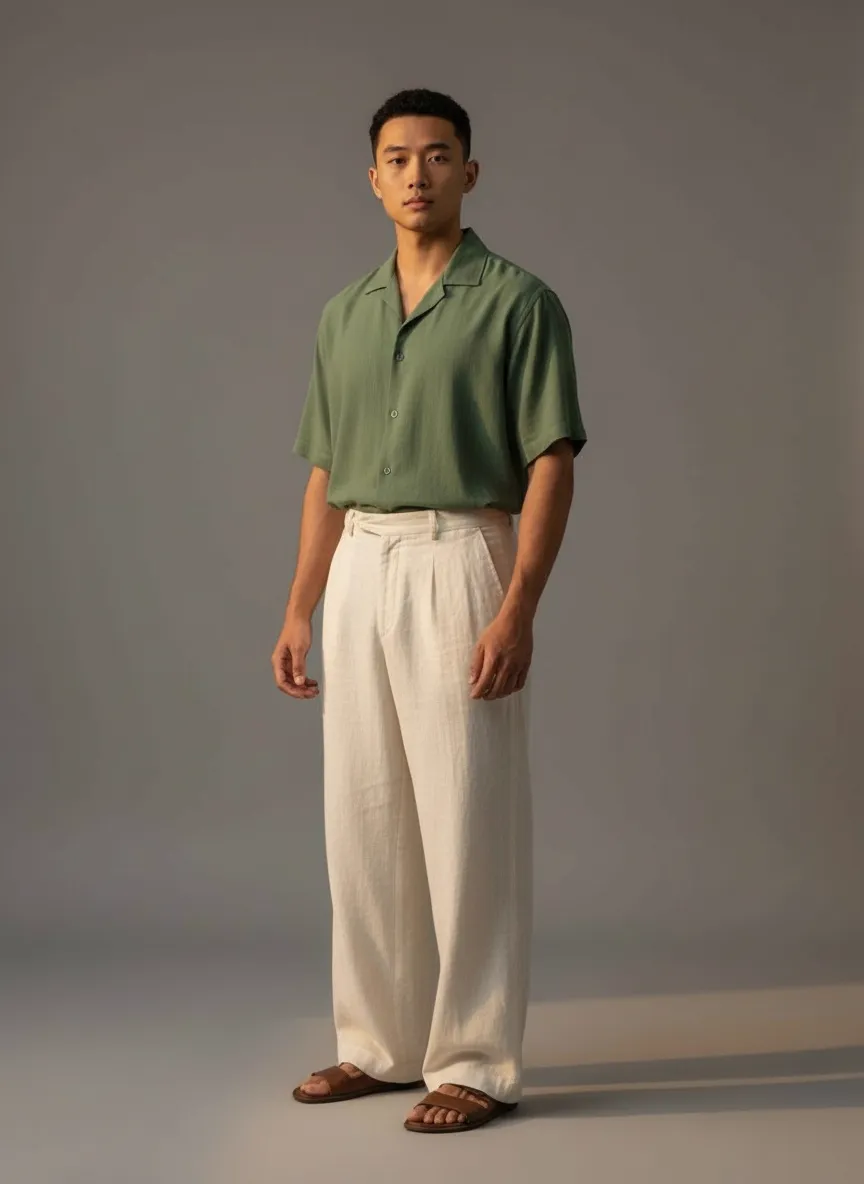
Bg ref
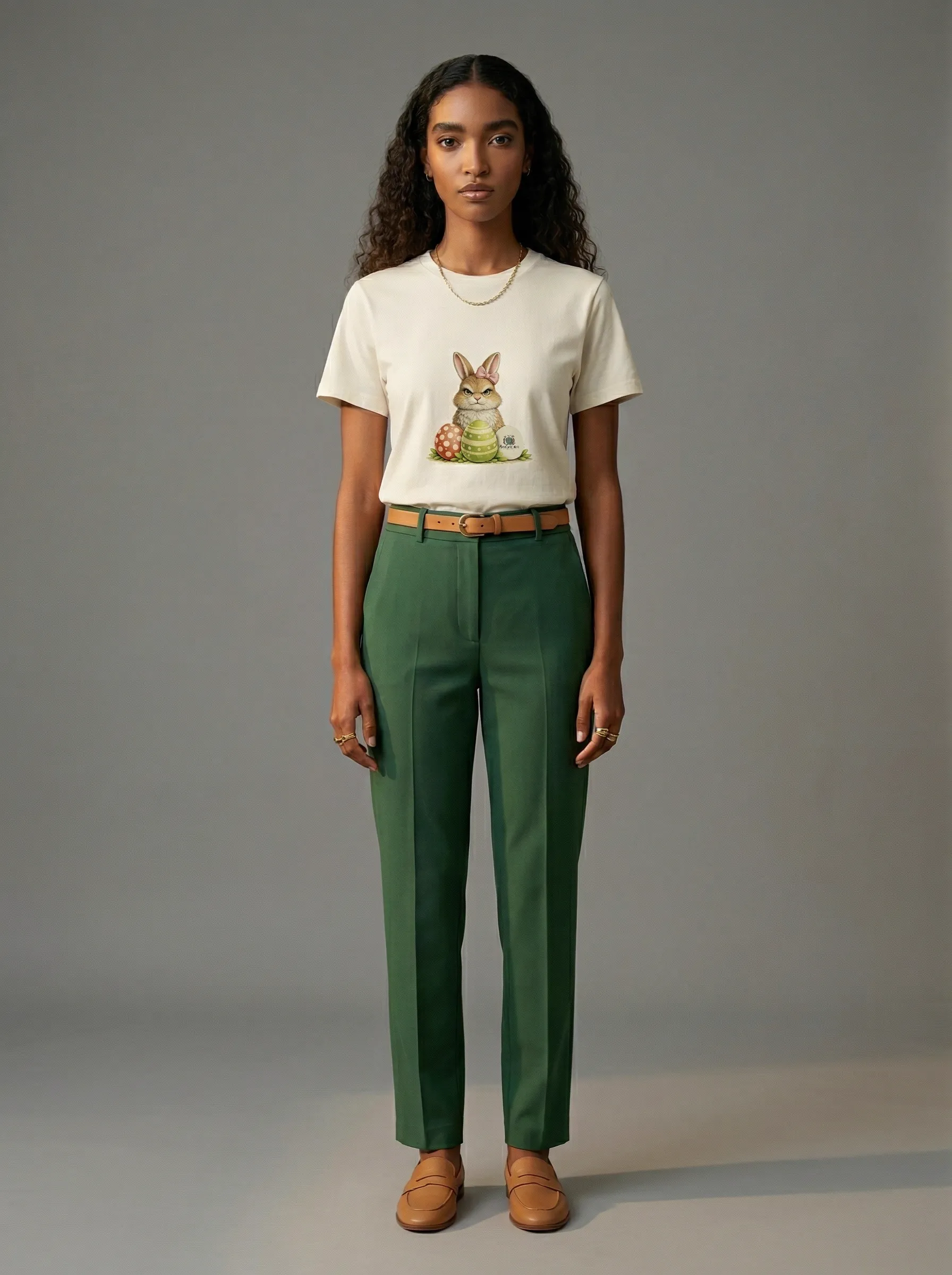
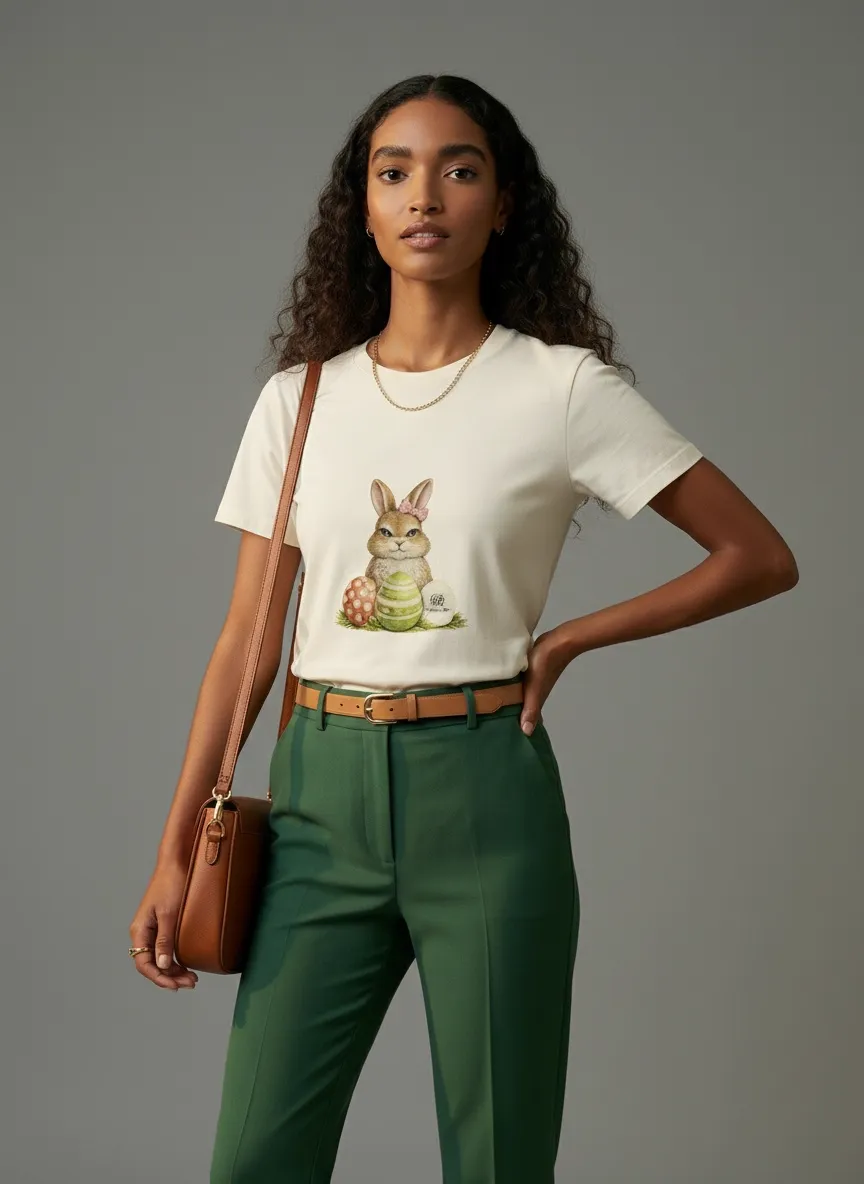
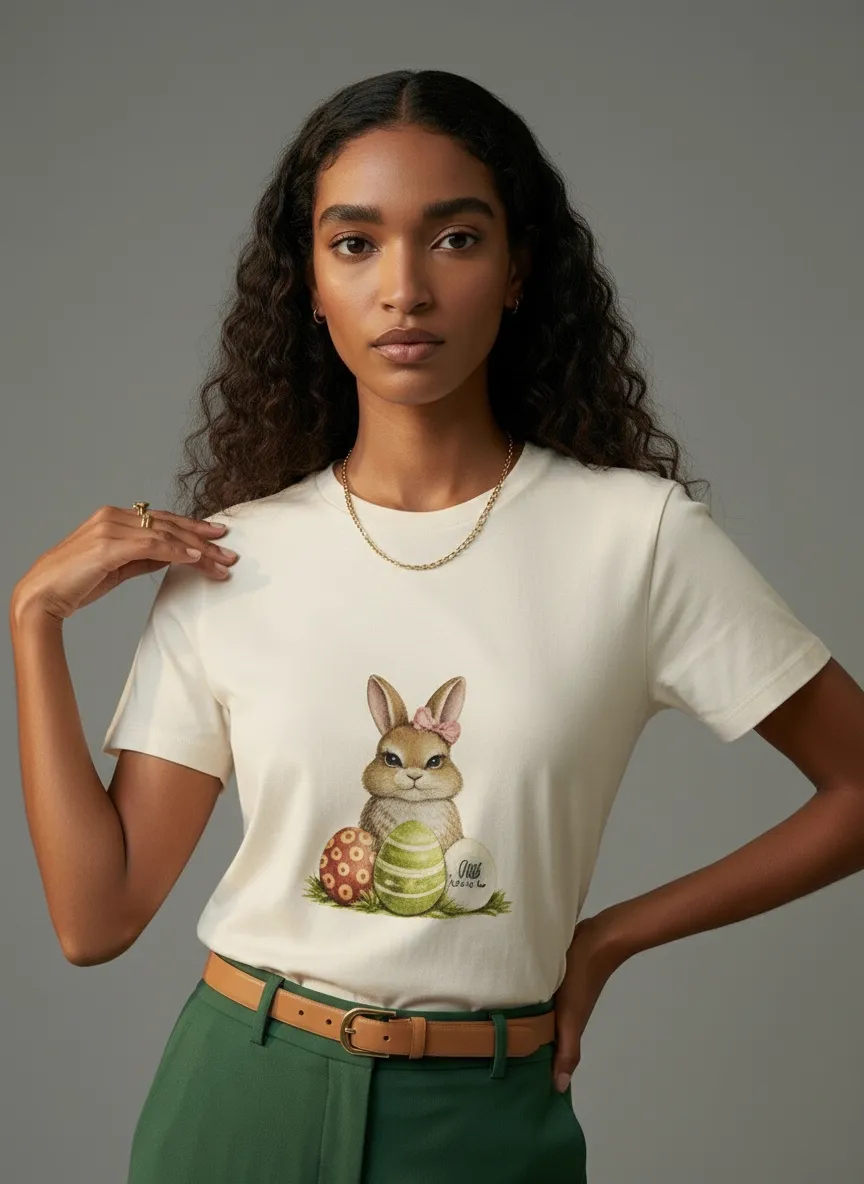
Face ref + bg ref. Exact model in exact setting. Editorial composition, locked.
Cataloger’s takeaway: when you’re shipping the final frame, both dials matter. The face you cast carries the brand voice, the setting you scouted carries the campaign mood, and the t-shirt sits in the middle of both decisions instead of underneath whatever came back from the system. This is the frame you sign off on.
The Cataloger’s Cheat Sheet
A quick way to think about which dial to reach for, depending on the stage of your catalog production:
Face ref only
When you’re casting
Brand-face lookbooks, multi-model catalogs, demographic A/B tests, lookbook continuity across colorways. Lock the cast, keep the setting flexible.
Background ref only
When you’re scouting
Seasonal aesthetic tests, campaign mood drafts, on-location previews without travel. Lock the world, keep the cast flexible.
Both refs
When you’re shooting final
Hero PDP shots, campaign launches, editorial features, anything you’d put on a billboard. Lock both, ship the frame.
What Makes a Good Reference
The quality of your reference image directly shapes what you get back. The good news: neither type needs to be a polished pro shoot. The bar is lower than catalog teams usually expect.
Good face refs
- Front-facing or near-front, clear head-and-shoulders crop
- Neutral expression and even, soft light
- Hair visible — pulled back or down, both are fine
- No heavy filters, color grades, or makeup overlays that distort skin
- Phone snapshots work; agency comp cards work better
Good background refs
- Wide enough to read the setting — not just a tight crop on one corner
- The original subject in the photo doesn’t matter — it’s ignored
- Recognizable environment, not an empty featureless backdrop (unless that’s the point)
- Lighting and color you actually want to keep
- Stock catalog frames, location scouts, even moodboard screenshots all work
Why This Workflow Changes Catalog Production
In a traditional catalog shoot, every cast and every location is a separate budget line. Want to test the same drop with two model casts? That’s two booking days. Want to see it in three different settings? Three location permits, three travel calls, three weather backup days. Catalog teams have spent decades choosing what they could afford to test, not what they actually wanted to test.
The two-dial workflow flips that. A summer drop with 12 SKUs becomes 12 SKUs × 4 lifestyle settings × 3 model casts in one afternoon — from the same upload session. You stop choosing between options and start producing all of them, then picking what works for the merchandising calendar.
The compounding lift is real: lifestyle and editorial imagery drives roughly a 30% conversion uplift over plain product shots, per eMarketer. With two dials and one upload, you can produce both versions for every SKU and use whichever the data picks.
Frequently Asked Questions
When should I use a face reference vs. a background reference?
Use a face reference when the cast is the point — brand-face lookbooks, demographic targeting, or keeping the same model across a multi-SKU catalog. Use a background reference when the world is the point — seasonal mood shifts, on-location vibes, campaign aesthetic tests. Use both when you’re shooting final hero, PDP, or campaign images that need exact intent on both dials.
Can I lock the same model across an entire catalog?
Yes. Drop in a single face reference and re-use it across every garment in your catalog. MODA AI keeps the face, hair, build, and skin tone consistent shoot after shoot — no reshoots, no re-castings.
Does the background reference need to be a professional photo?
No. Background references are about the setting, not the subject in it. A stock catalog frame, a phone snapshot of a location, or a screenshot from a moodboard all work — MODA AI captures the location, lighting mood, and color palette from the reference. The original subject in the photo is ignored.
How does the garment stay consistent across all four scenarios?
Your garment input is the constant. MODA AI carries the cut, color, print, and trims through every shoot regardless of which face or background reference you pair it with. The graphic, the placement, the fabric all reproduce cleanly across casts and locations.
Build your next catalog with intent
Upload your garment. Pick your face ref. Pick your background ref. Run the catalog — in minutes, not days.
Get Started Free