AI Fashion Image Generators
The Logo Test: Why Most AI Fashion Image Generators Fail Branded Apparel
Small chest badges. Complex eagle crests. Tiny text in a circle. Logo reproduction is the make-or-break of AI fashion photography — and the test most tools quietly fail.
June 3, 2026 · 11 min read
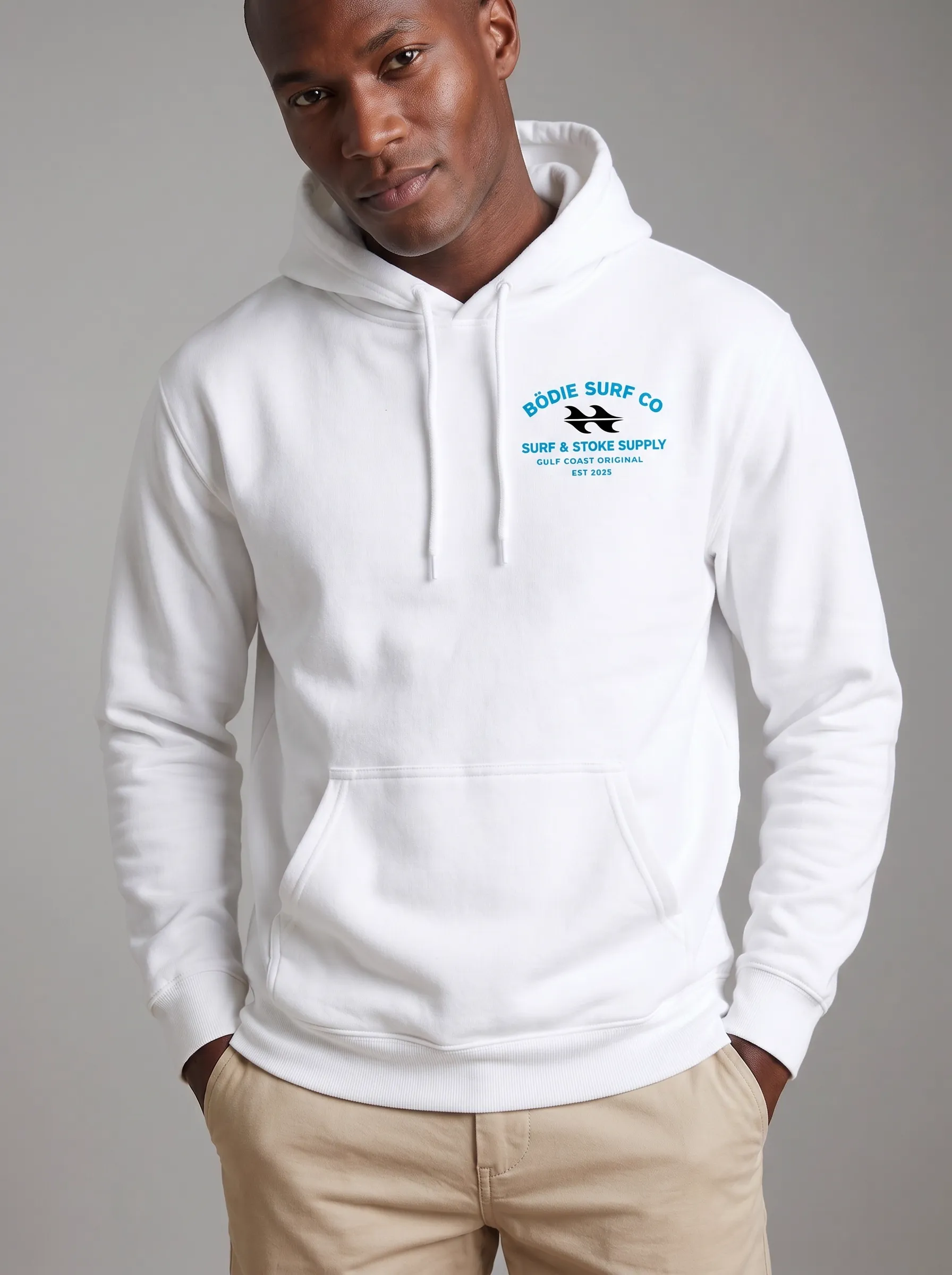
Small chest badge. Four lines of curved typography — “Bōdie Surf Co,” “Surf & Stoke Supply,” “Gulf Coast Original,” “Est 2025.” Every word legible. Skin tone, hair, and posture read as a real shoot. This is the bar.
75%
of consumers recognize a brand by its logo — the single most loaded asset on a branded garment
Linearity logo research
23%
revenue lift from consistent logo presentation across a catalog — consistency is the multiplier
Linearity brand research
~200
characters — the limit above which AI text rendering collapses across all major diffusion models
STRICT benchmark, 2025
Logo Reproduction Is Where AI Fashion Photography Wins or Loses
For branded apparel — surf shirts, streetwear hoodies, college merch, embroidered polos, screen-printed tees — the logo isn’t a decoration on the garment. The logo is the garment. It’s what the customer is buying. It’s what they verify before they hit purchase. And it’s the single hardest thing for an AI image generator to render accurately.
The technical reason is well-documented. Diffusion models — the architecture behind almost every consumer-grade AI image tool — have a known weakness with text. The STRICT benchmark research published in 2025 tested every major model and concluded that “diffusion models often fail to maintain global coherence, leading to text that is jumbled, misspelled, or visually fragmented.” The same paper found text accuracy collapses across all models beyond roughly 200 characters of content.
That’s the entire branded apparel category, summarized. A “Bödie Surf Company / Saltwater Original / Gulf Coast / Since 2025” crest is the kind of thing diffusion models smear. A “Surf & Stoke Supply / Gulf Coast Original / Est 2025” circular badge on a hoodie chest is the kind of thing generic AI tools render as decorative blur. A 2025 fashion-AI assessment put it plainly: “small text logos and intricate print details remain areas requiring quality control and human review.”
For Shopify brands whose entire identity sits on a chest logo, that’s not a quality-control problem — it’s a category disqualification. This post walks through what passing the logo test actually looks like, with real outputs from MODA AI across multiple garments, multiple logo styles, and multiple models.
Where Most AI Image Generators Break
The failure modes are predictable. Four specific things tend to go wrong when generic AI fashion image generators meet branded apparel:
Tiny circular text turns into noise.
A crest logo with 'Est 2025,' 'Gulf Coast,' or 'Original' in small caps wrapping a central illustration is exactly what diffusion models drop. The text becomes a smudge. The customer reading your product page sees a generic blob where your brand mark should be.
Logos shift size and position between angles.
The chest logo is at one height in the front shot, a different height in the three-quarter, and rotated wrong in the side. The customer reads that as 'different garment in each frame' — which is the opposite of what a catalog needs to do.
Complex multi-color logos lose their palette.
A pink-and-teal quilt-block mark drifts to muted pastels. A bright orange sun in the wave logo becomes muddy peach. The brand's most recognizable color reads wrong on the most important asset.
The back logo and the chest logo don't match.
Most AI tools generate each shot independently. The chest badge in shot 1 doesn't match the back graphic in shot 3. The side view in shot 5 splits the difference. Catalog cohesion breaks at the logo level.
Walkthrough 1 — The Complex Crest
The Eagle Test
The Bödie Surf Company eagle hoodie is the hardest single logo test in this set. The chest carries a small circular crest with curved typography reading “Bödie Surf Company” top, “Saltwater Original” bottom, with the inline annotations “Gulf Coast,” “Since 2025,” and “FL Surf Apparel” nested around a detailed eagle illustration. The back carries the same crest at scale. Three text fonts, two levels of detail, and a complex illustration — all of it has to survive the AI generation.
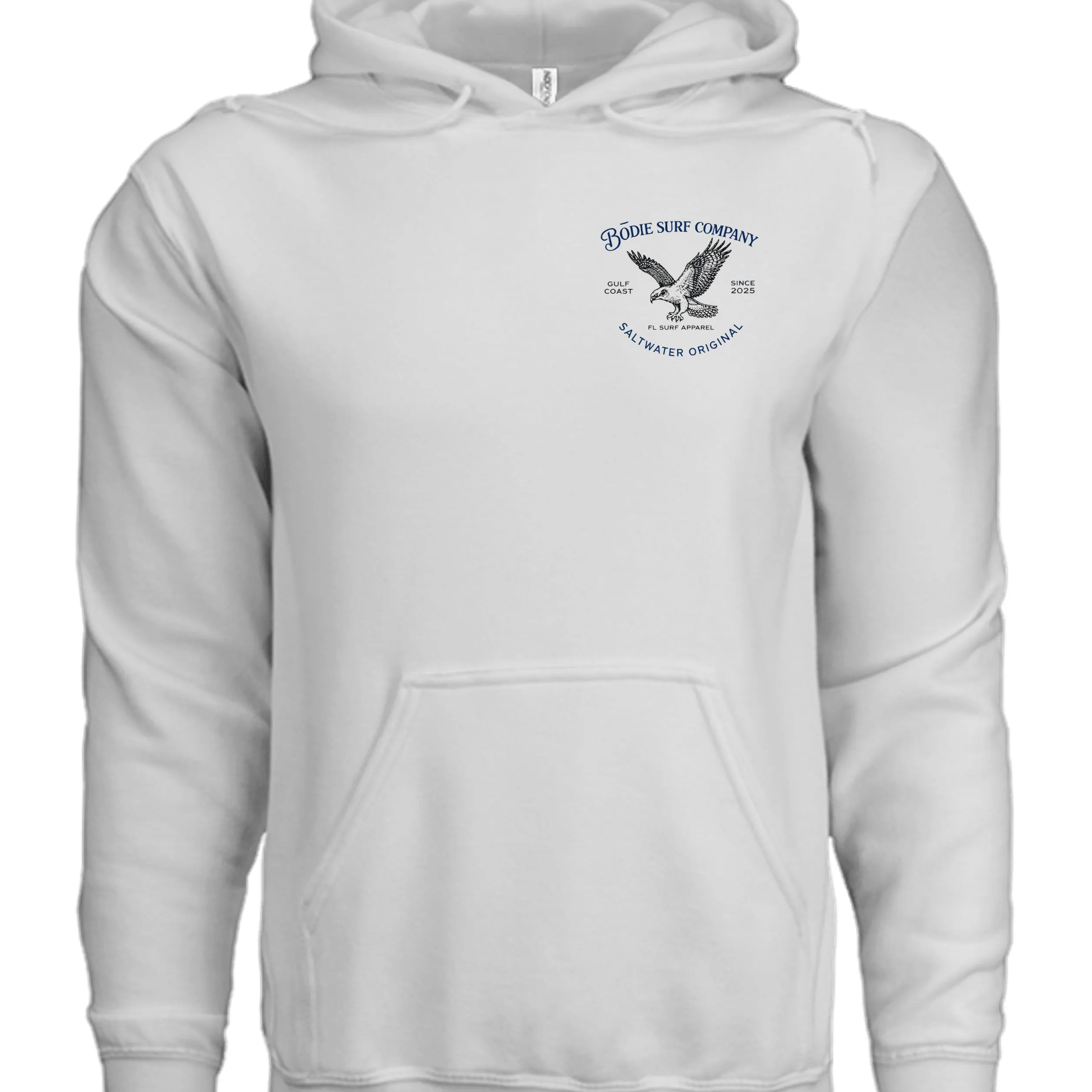
Input — flat lay, front (chest crest)
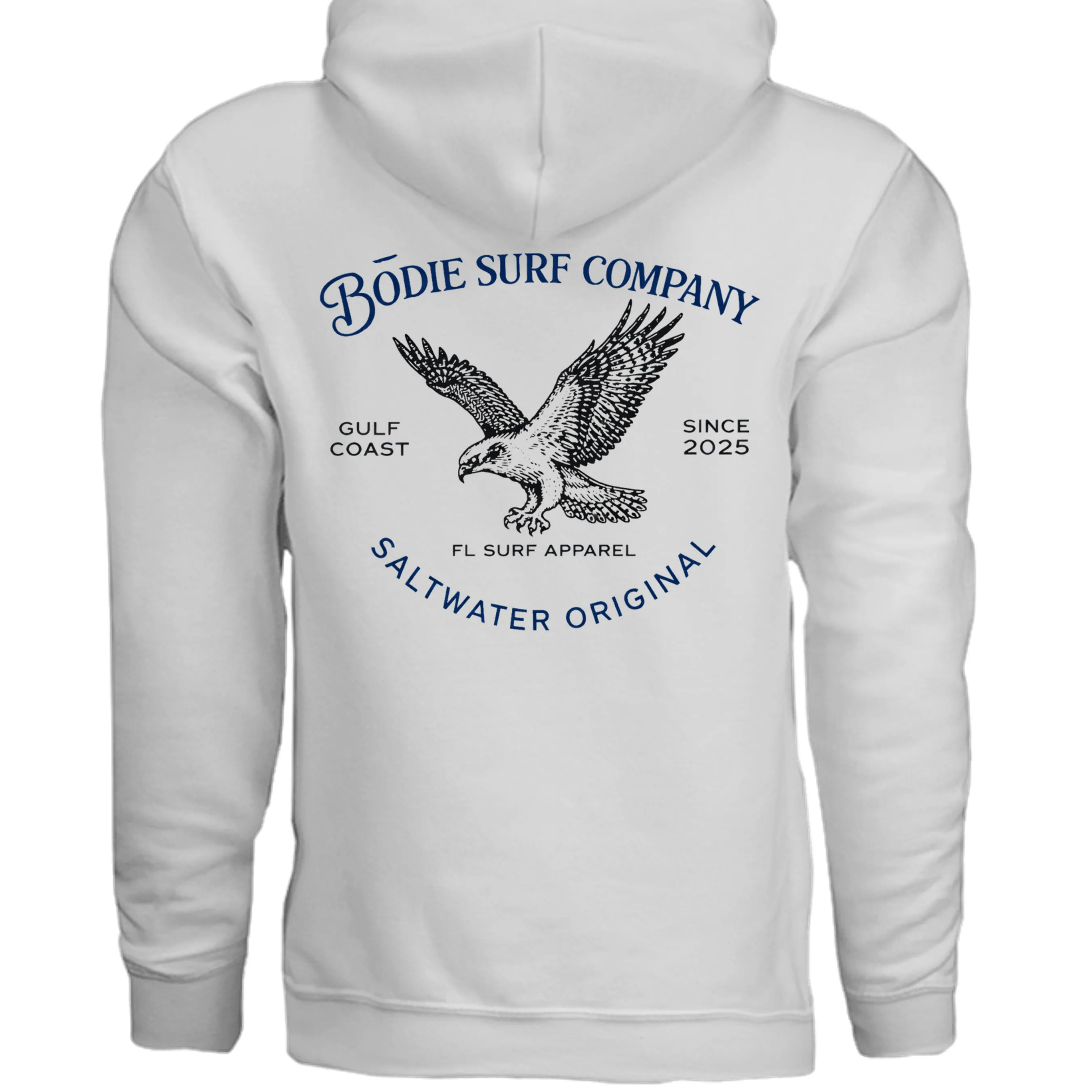
Input — flat lay, back (full crest)
Two flat lays go in. The outputs below carry every line of text through to the model.
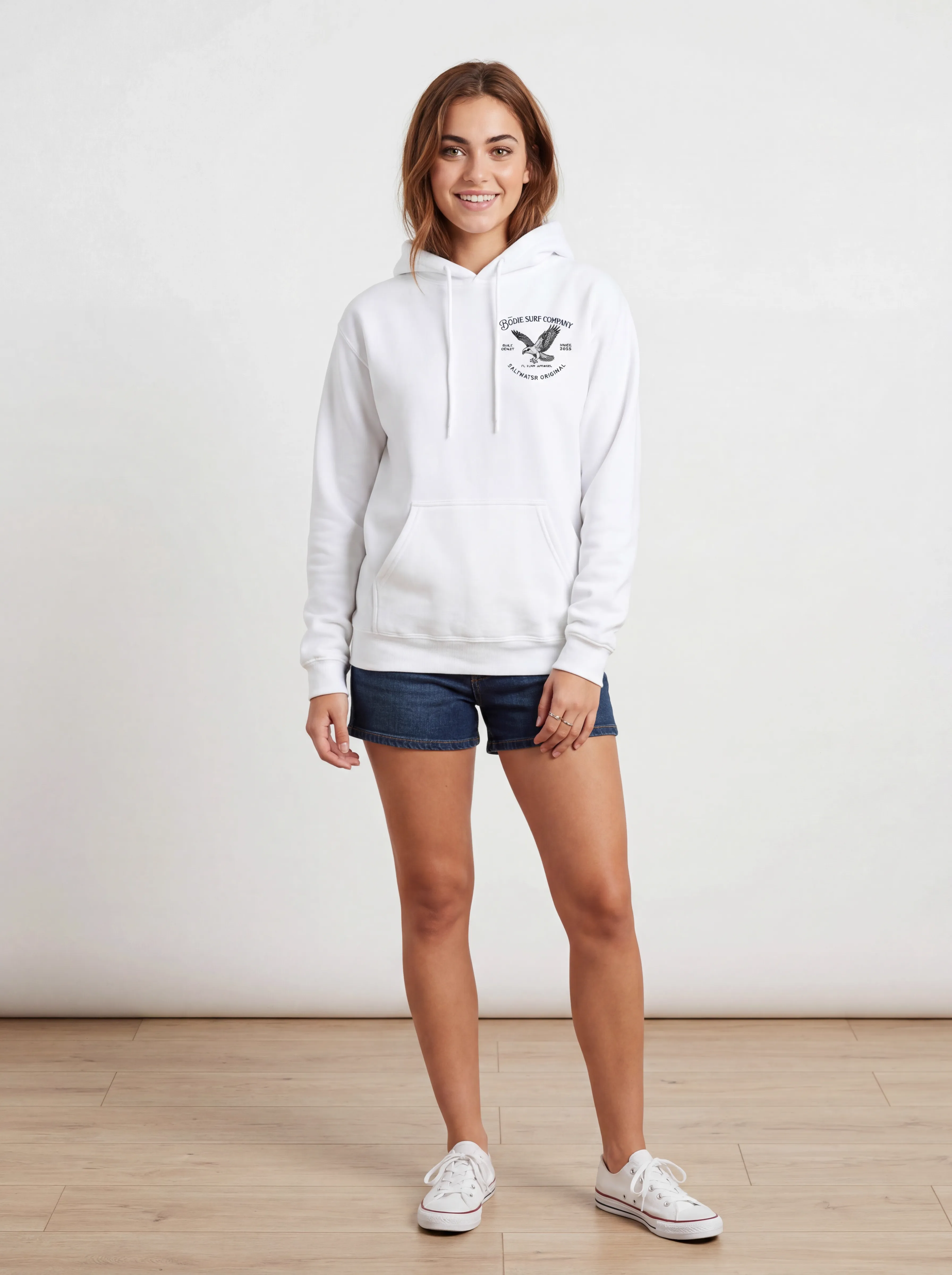
Front three-quarter — small crest, text holds
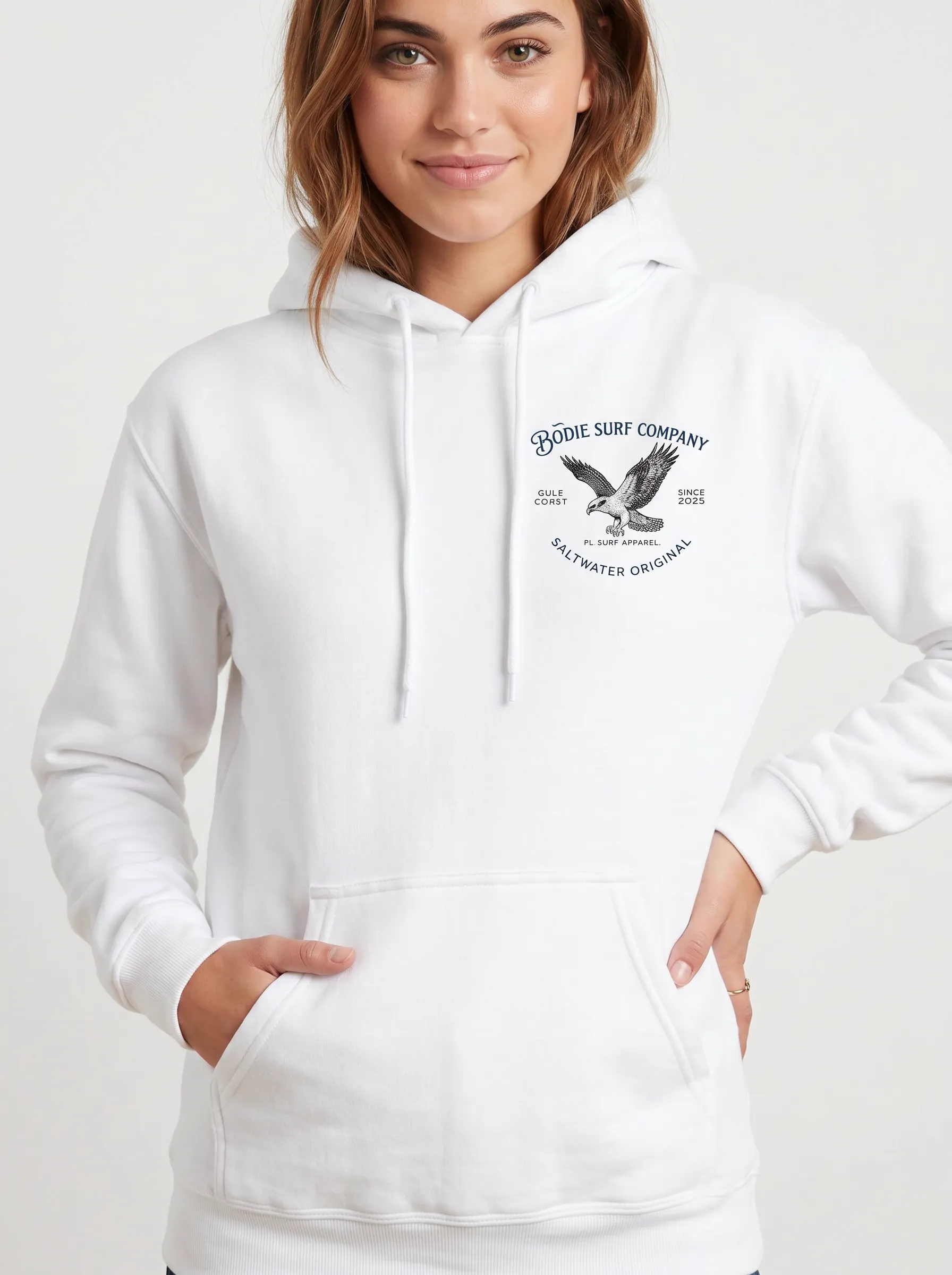
Close-up — the typography test
The chest crest from the front three-quarter and a close-up — both carry the same curved “Bōdie Surf Company” / “Saltwater Original” text at different scales without drift.
Walkthrough 2 — The 10-Shot Set
What 10 Catalog Angles Looks Like in Practice
Every MODA AI upload produces ten catalog-ready images across 16+ pose angles. For branded apparel that matters more than for other categories, because the customer needs to verify the logo placement, the print quality, the back graphic, and how it sits on a real body before they hit purchase. SellHound’s conversion analysis found multi-angle model imagery lifts add-to-cart up to 73% versus flat lays alone — and 60% of US shoppers require at least 3-4 product images before buying (CXL).
Below is one complete MODA AI output set — a Bödie Surf Co. white hoodie with the “Surf & Stoke Supply” circular badge on the chest, generated from a single flat-lay upload. The model carries one identity across all ten frames. The chest badge stays consistent in size, position, and color across every angle. The same skin tone, same hair, same posture intention. This is what one upload produces:
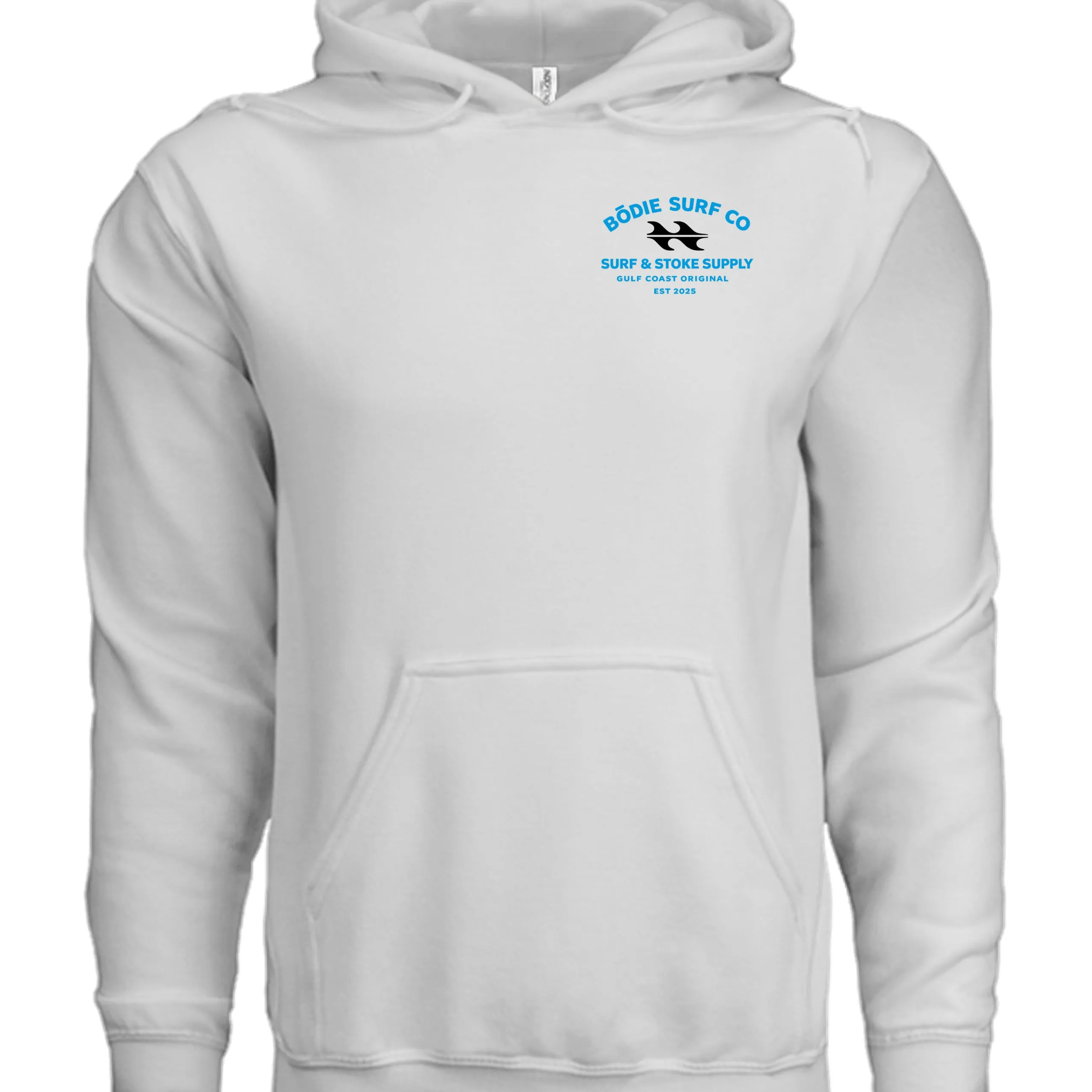
Input — flat lay, front
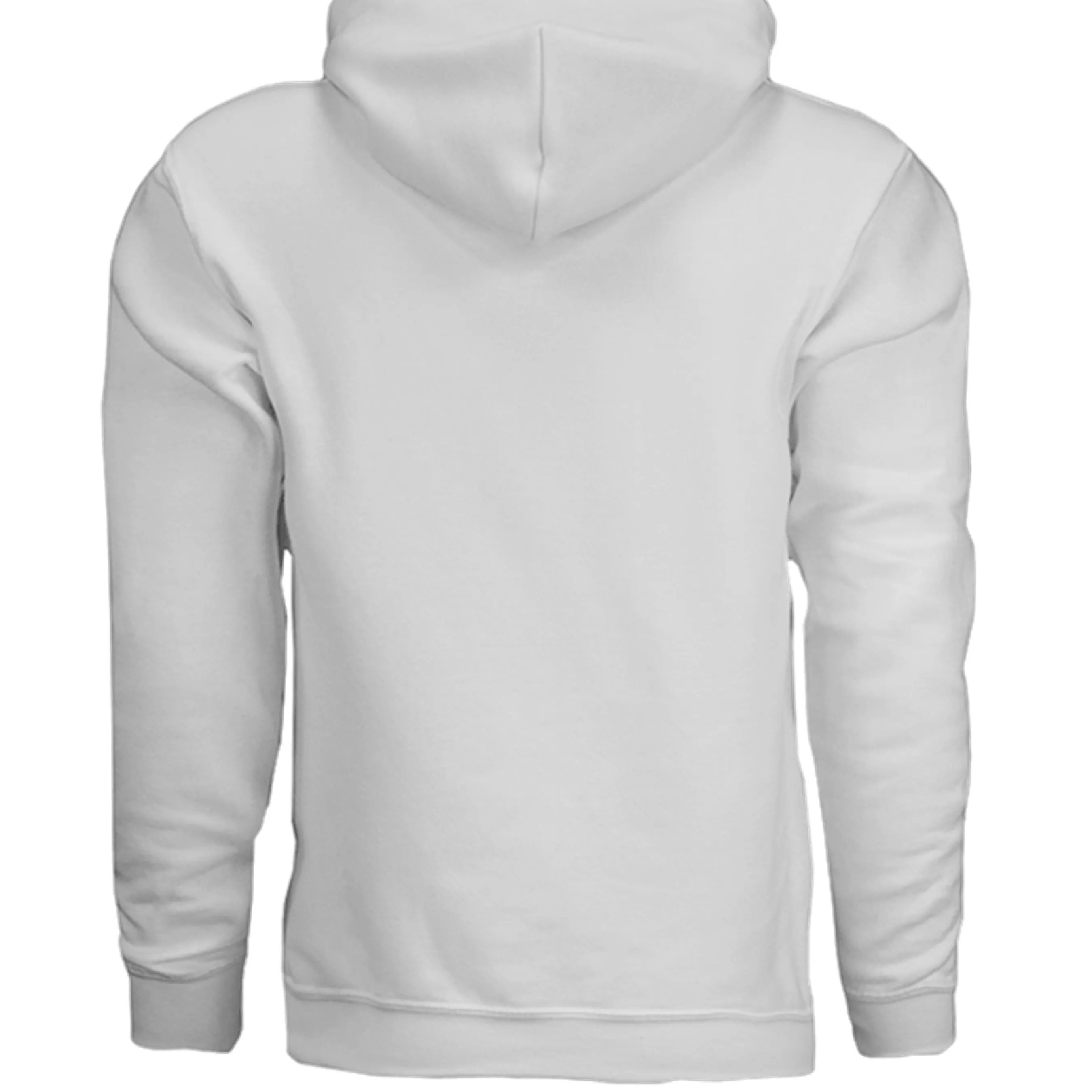
Input — flat lay, back (plain)
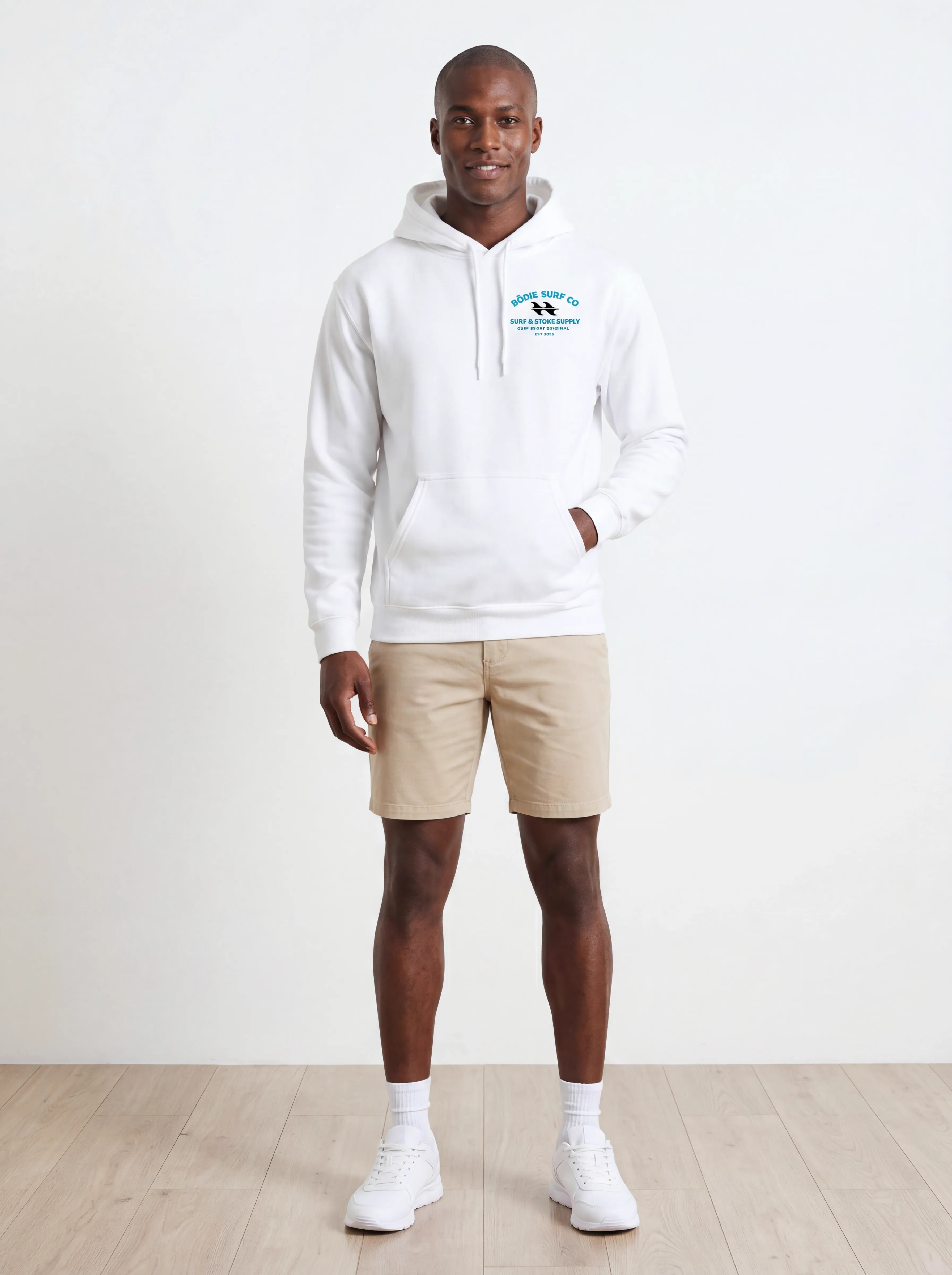
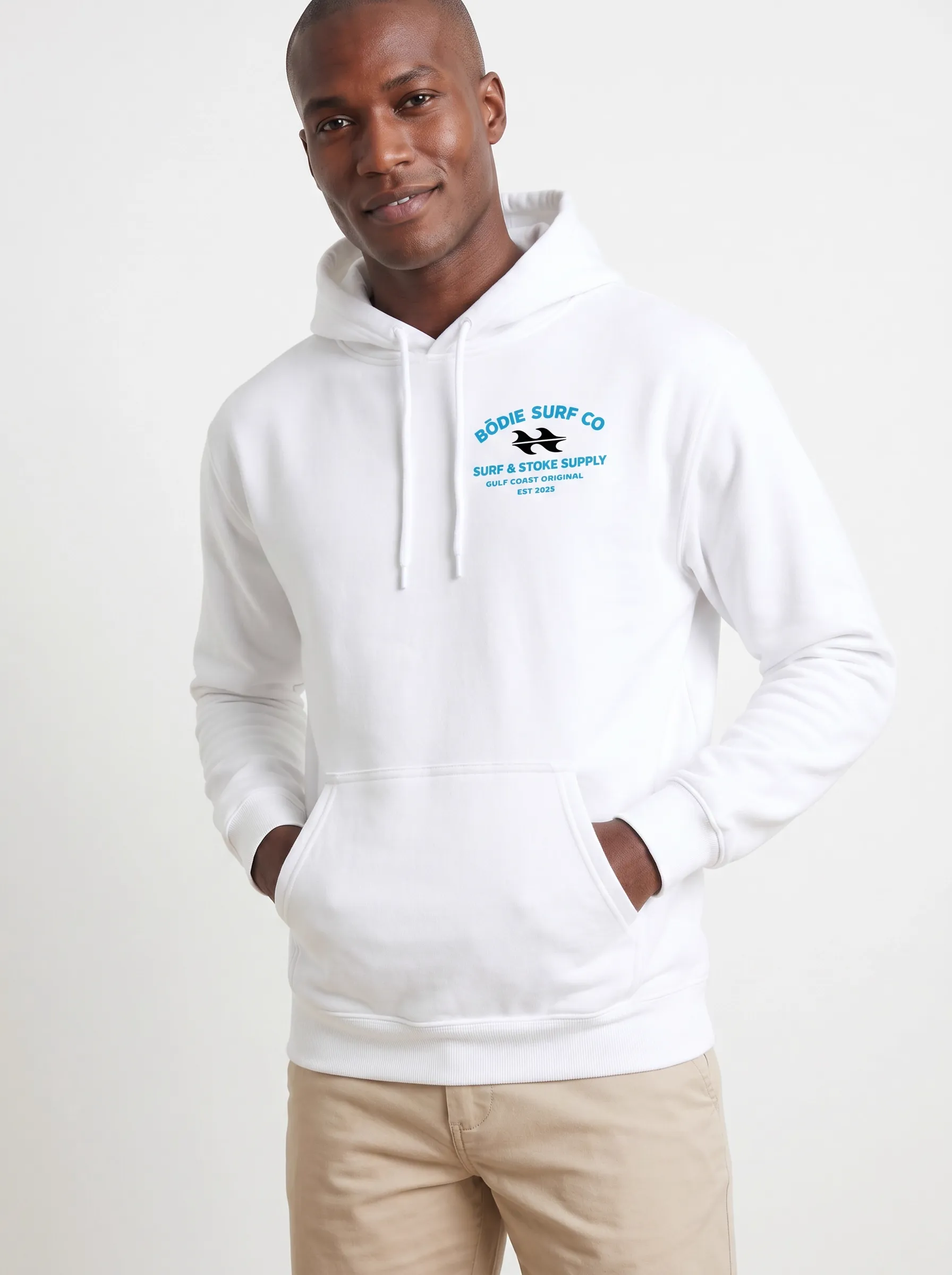
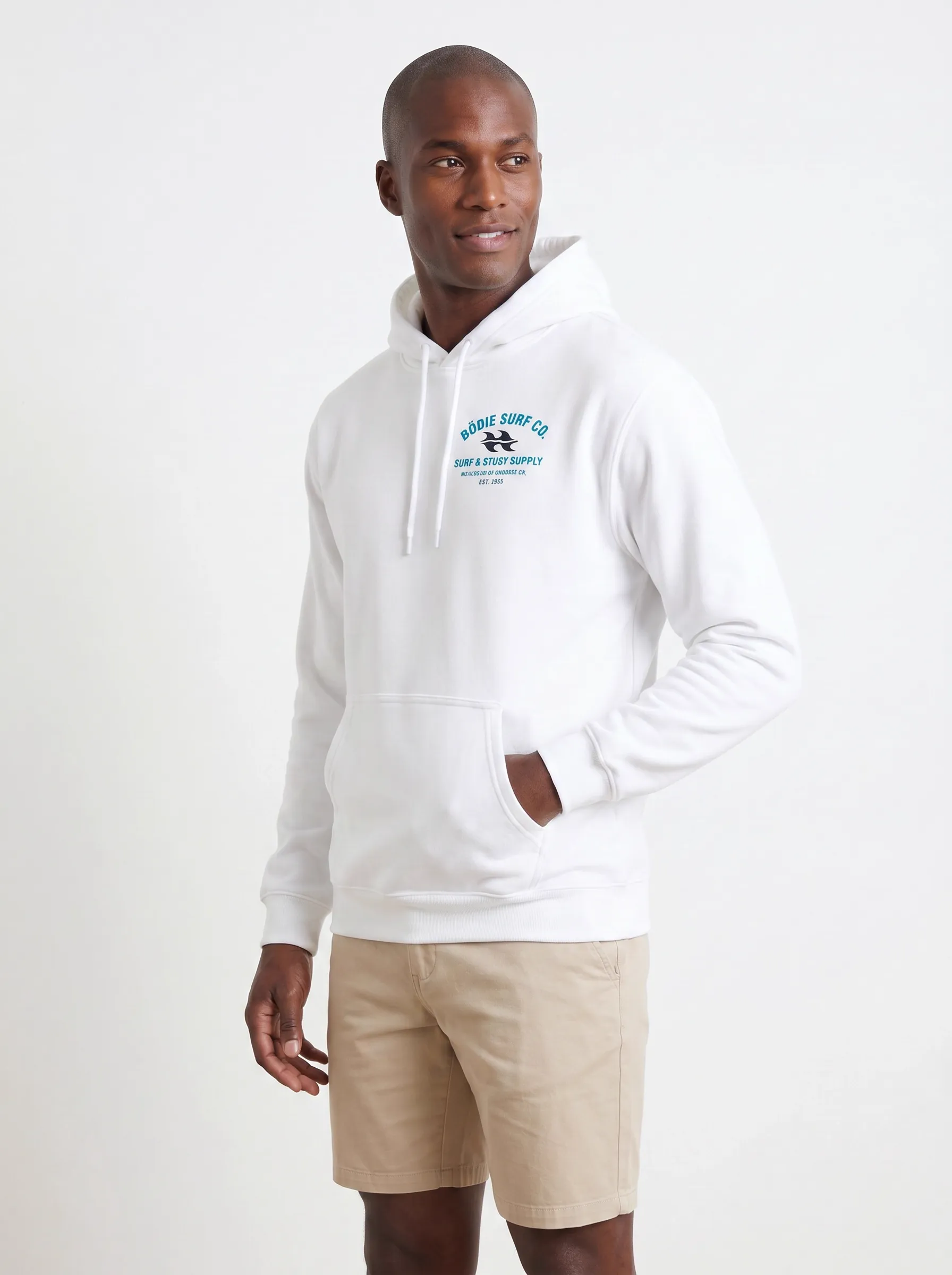
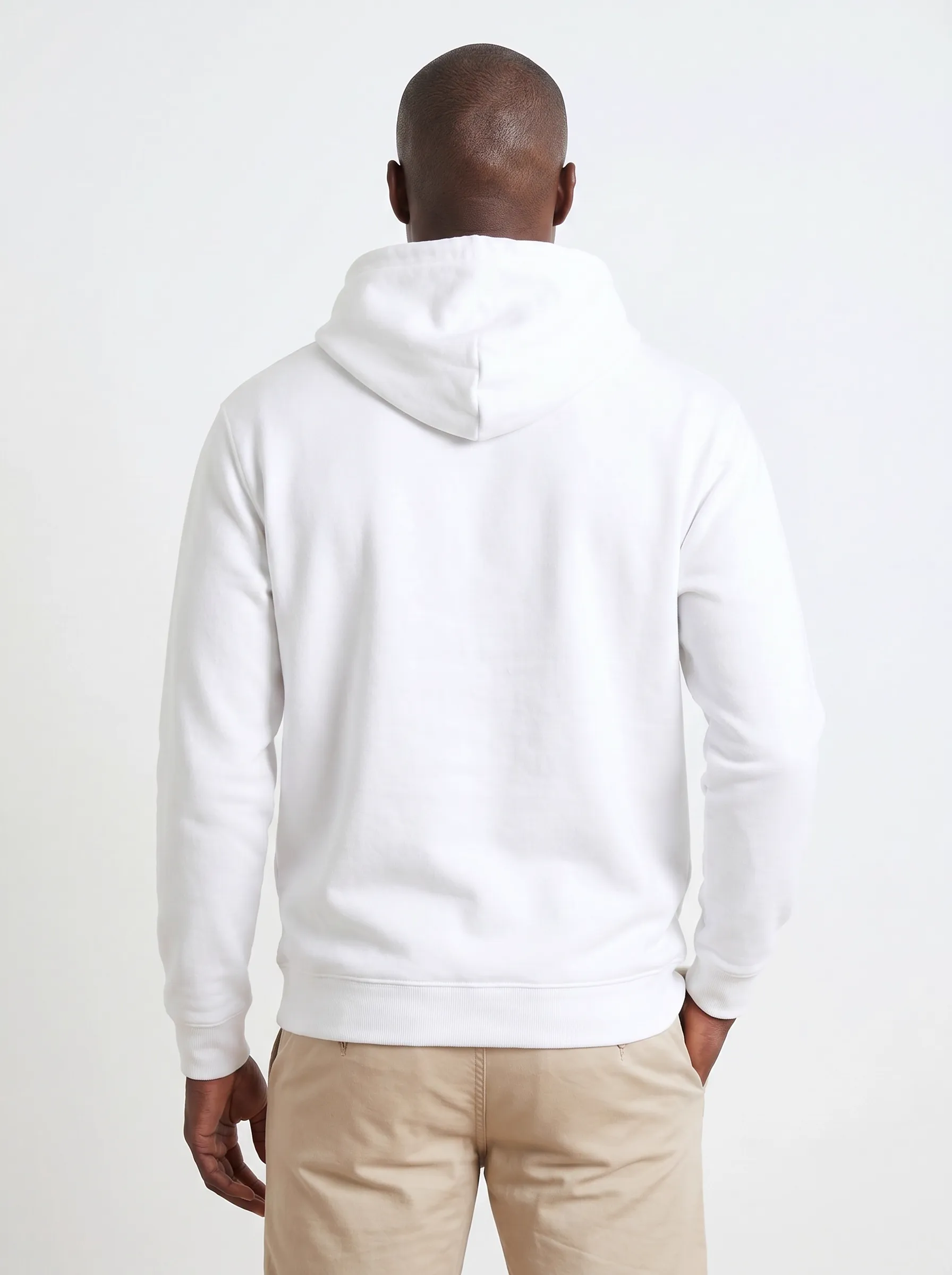
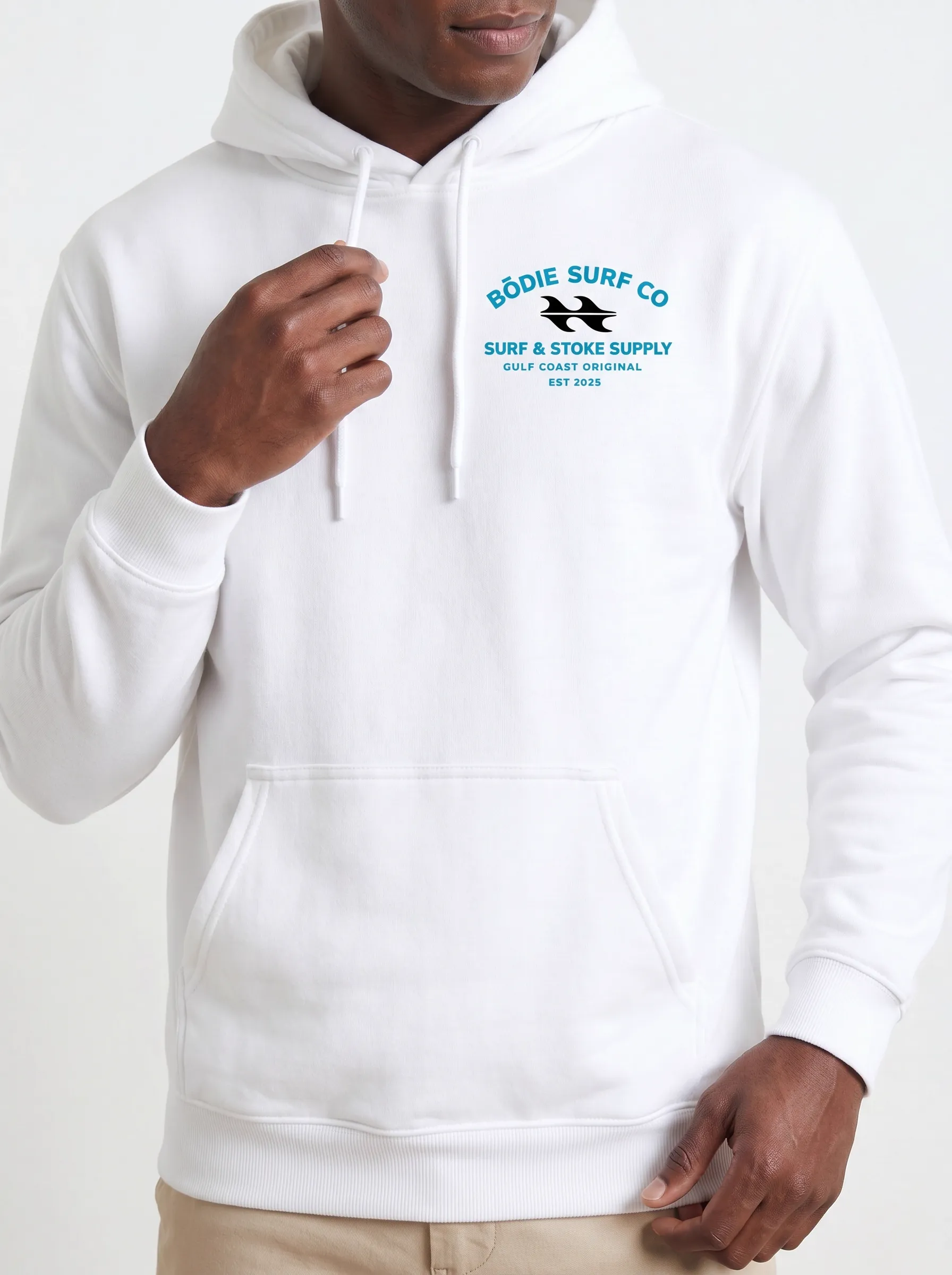
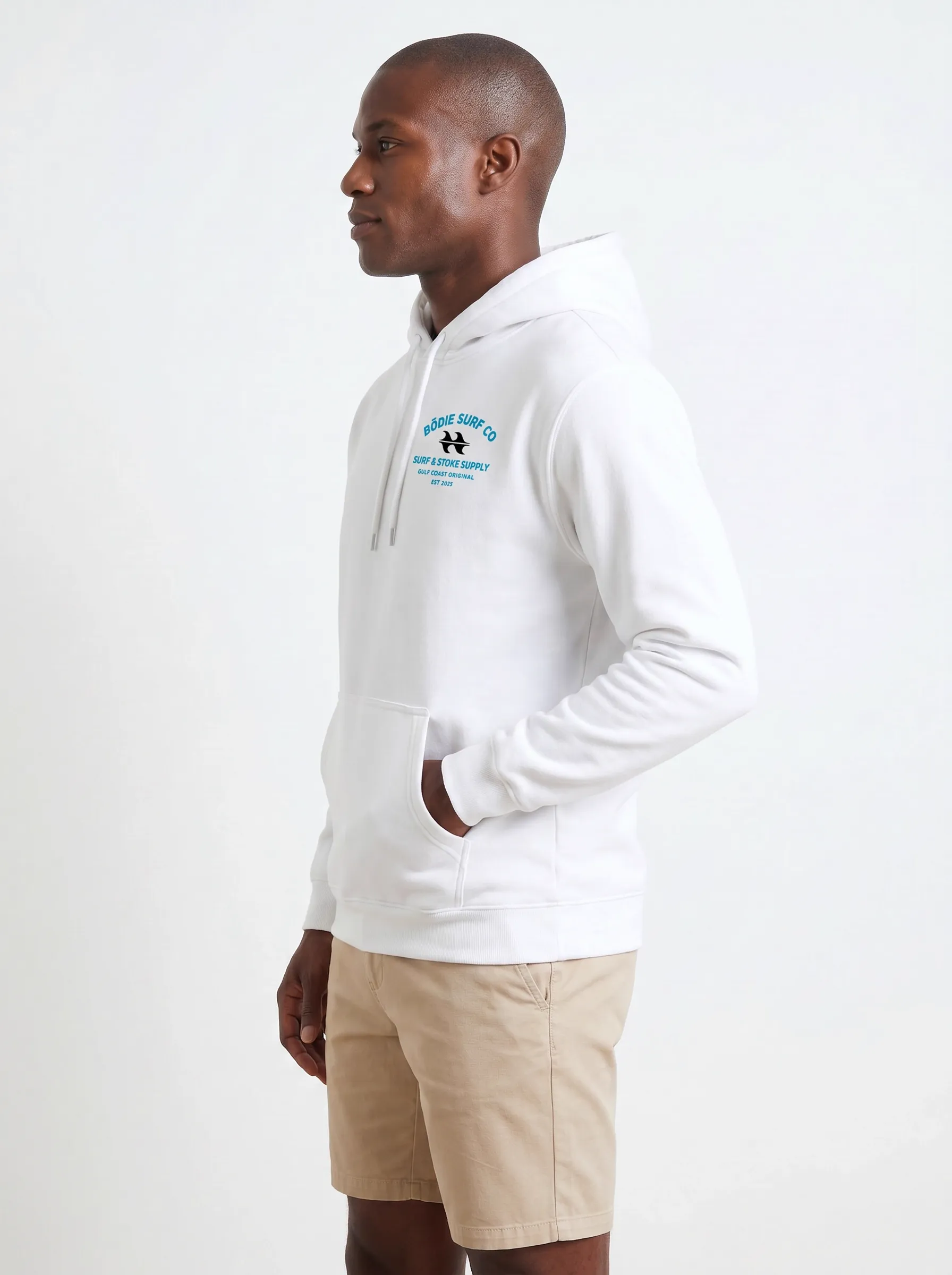
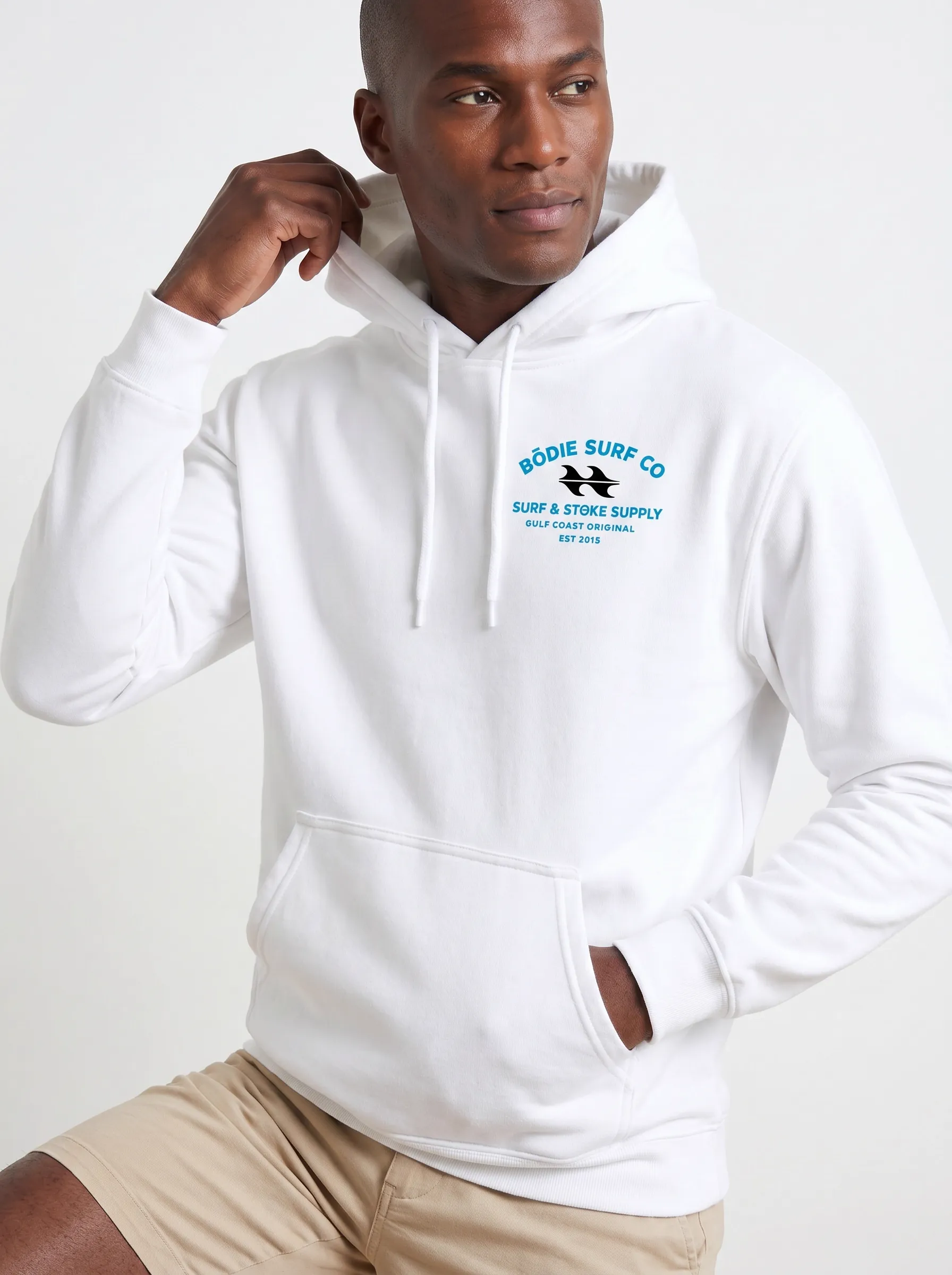
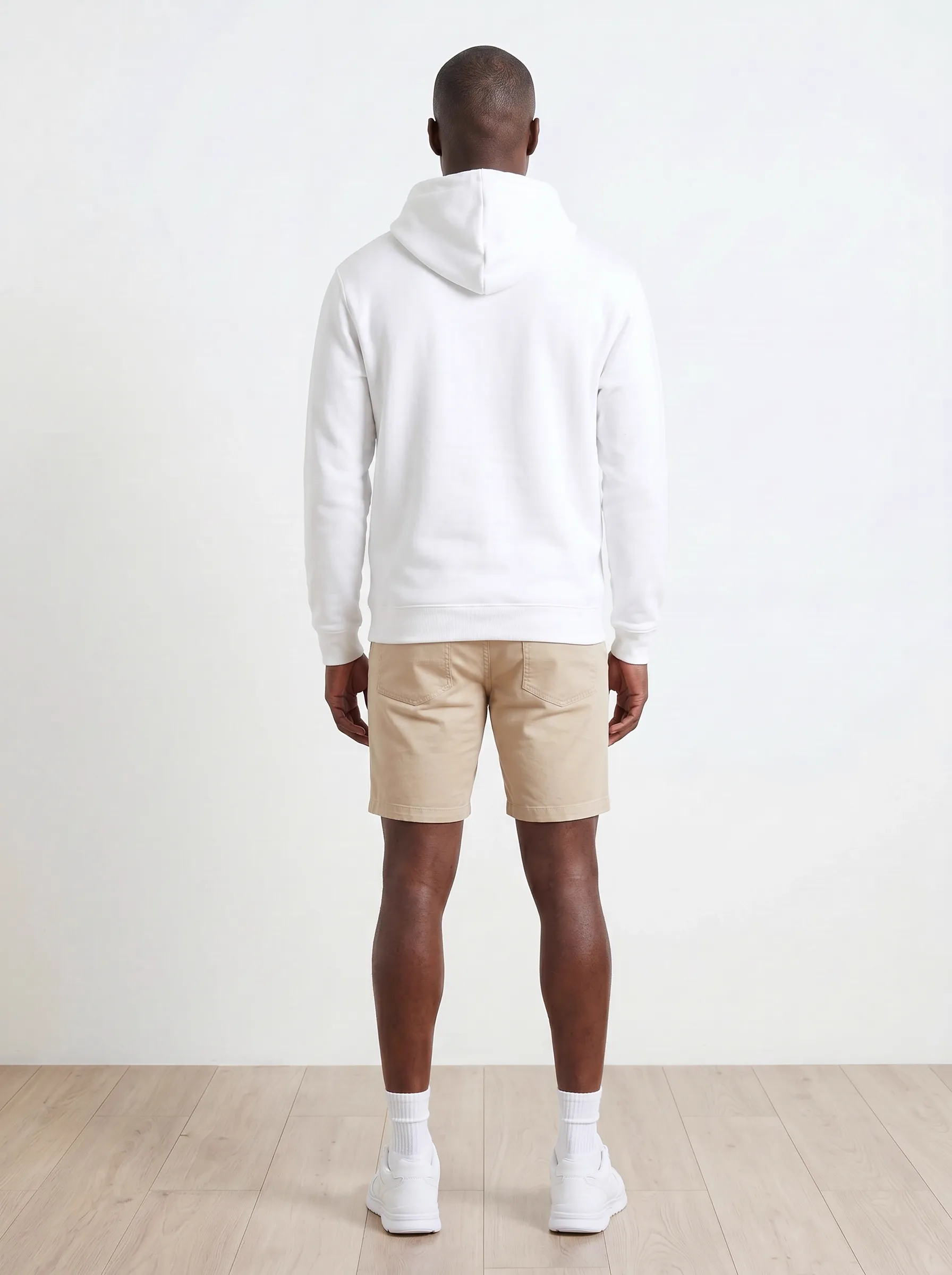
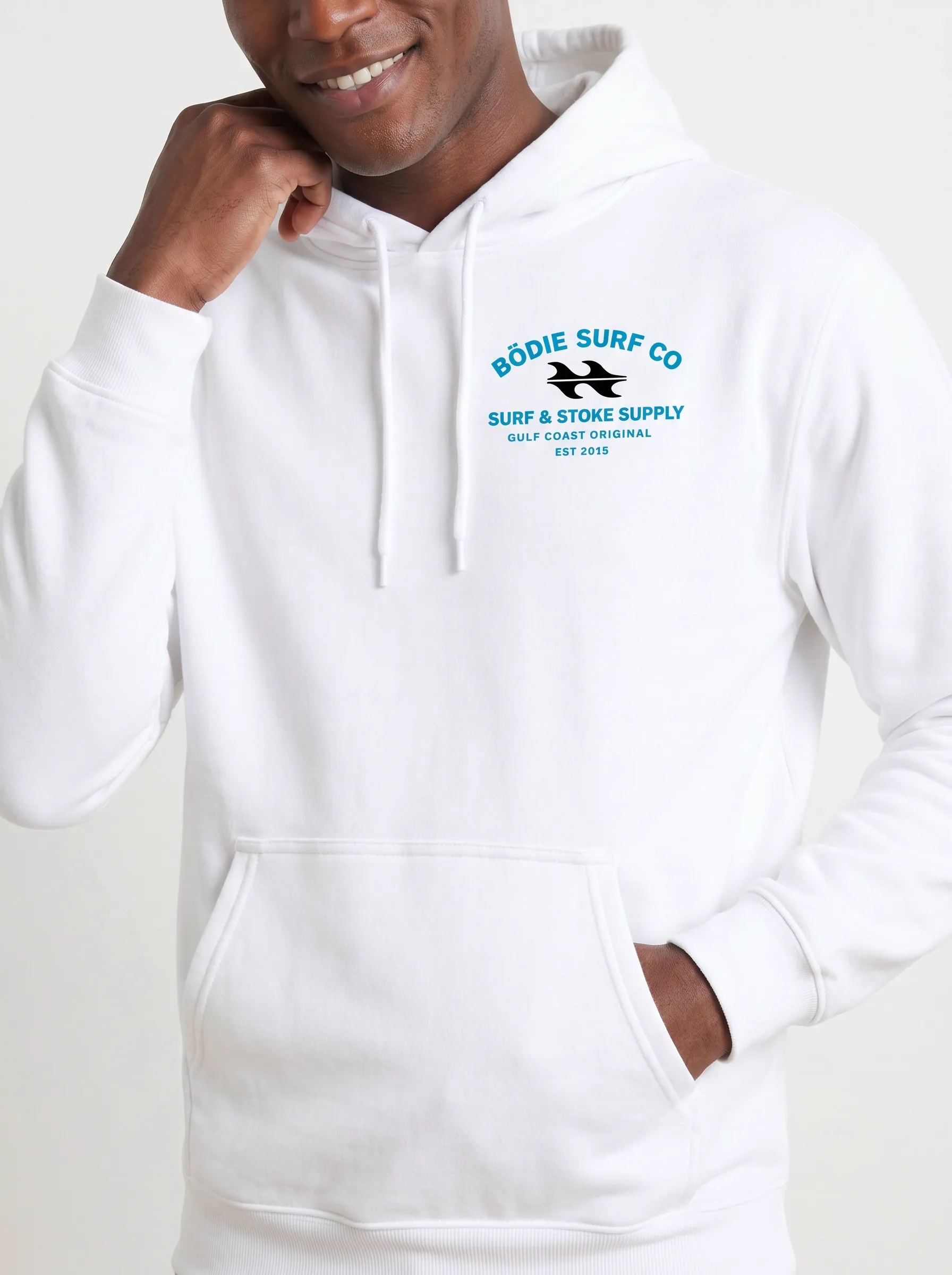
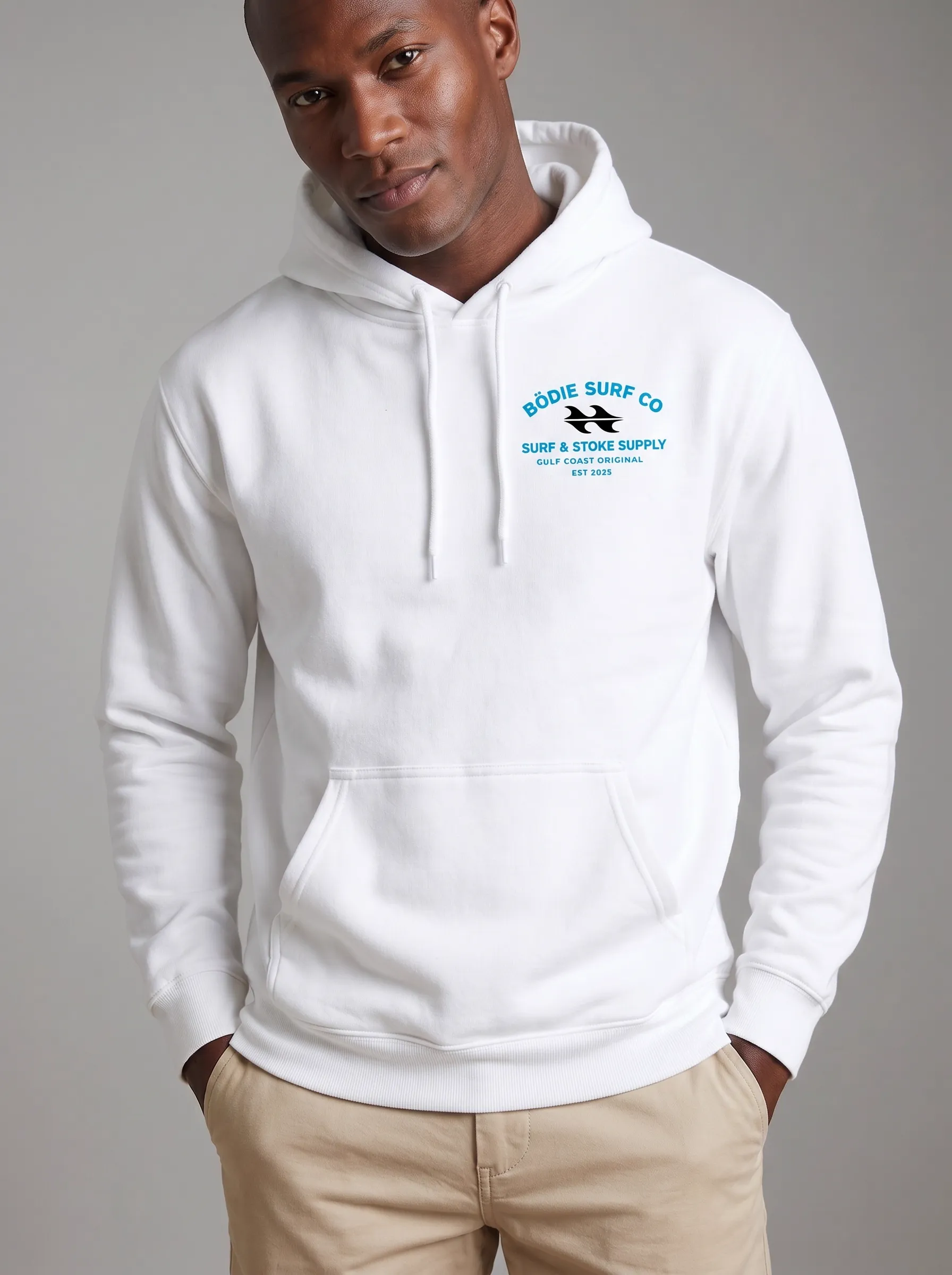
Ten frames. One model. One garment. The chest badge consistent across every angle. Skin texture, lighting, and posture variation read as a real shoot day.
Why this matters for representation
MODA AI’s base models include the full range of skin tones, hair textures, and body types Shopify customers actually have. The Black male model above carries the same garment, the same logo, the same lighting standard as every other model in the test set. No drift on darker skin. No drift on natural hair. Logo readability is the same. Representation isn’t a setting — it’s the default.
Same Workflow, Different Garment, Different Model
One walkthrough is a demo. Two is a pattern. The set below is the same workflow applied to a different garment — a women’s white tee with the Bödie Surf Co wave logo — on a different model, with a face reference uploaded to lock the model identity. Same ten-shot output, same chest-logo consistency across every angle, same lighting standard. The variety isn’t in the workflow; it’s in what you upload.
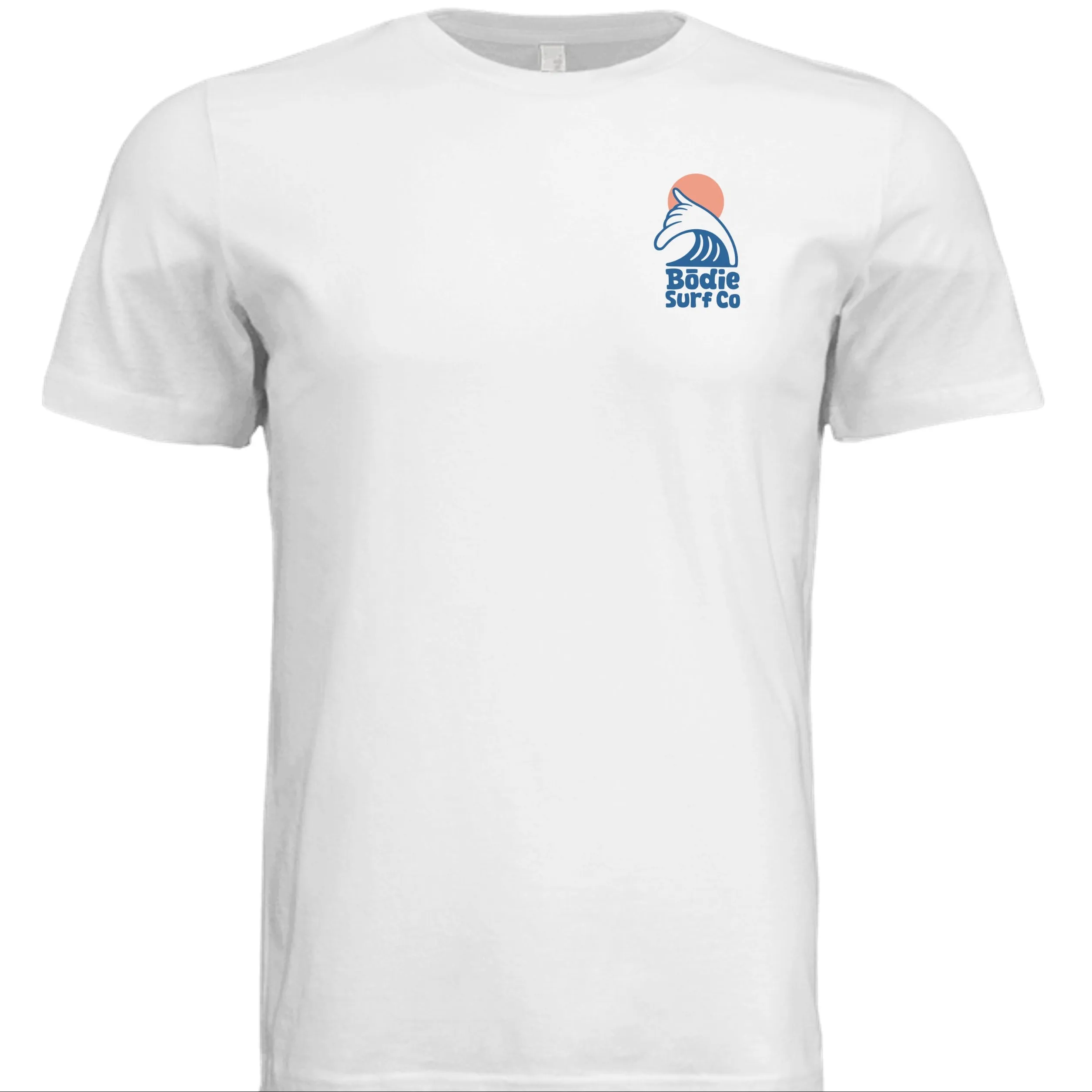
Input — flat lay, front
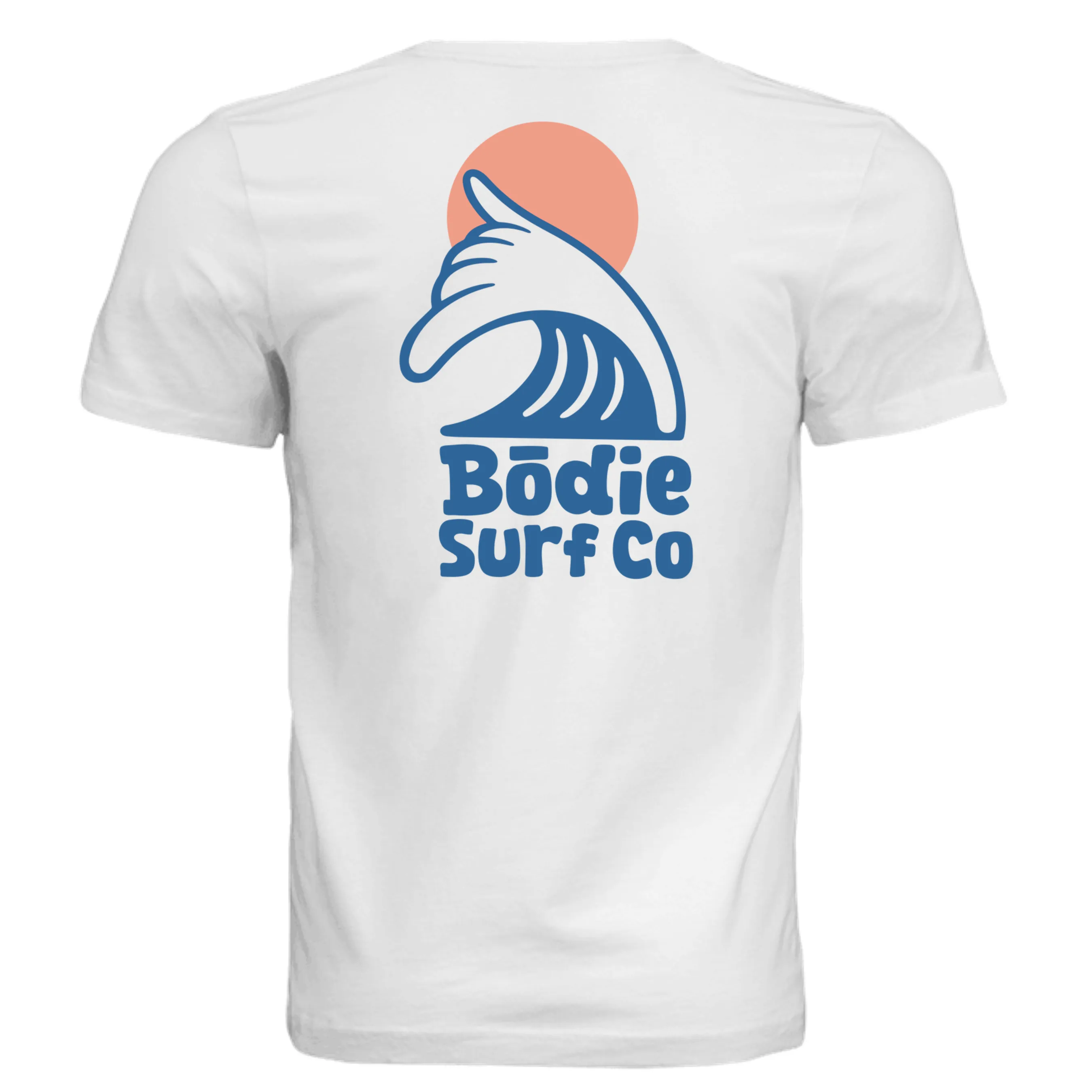
Input — flat lay, back
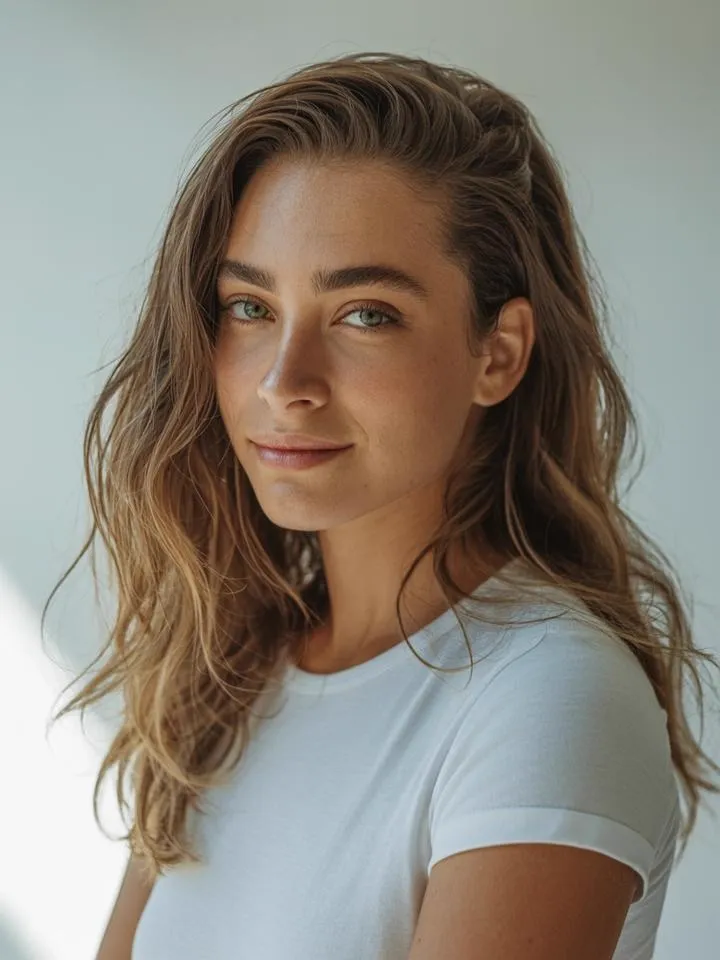
Input — face reference
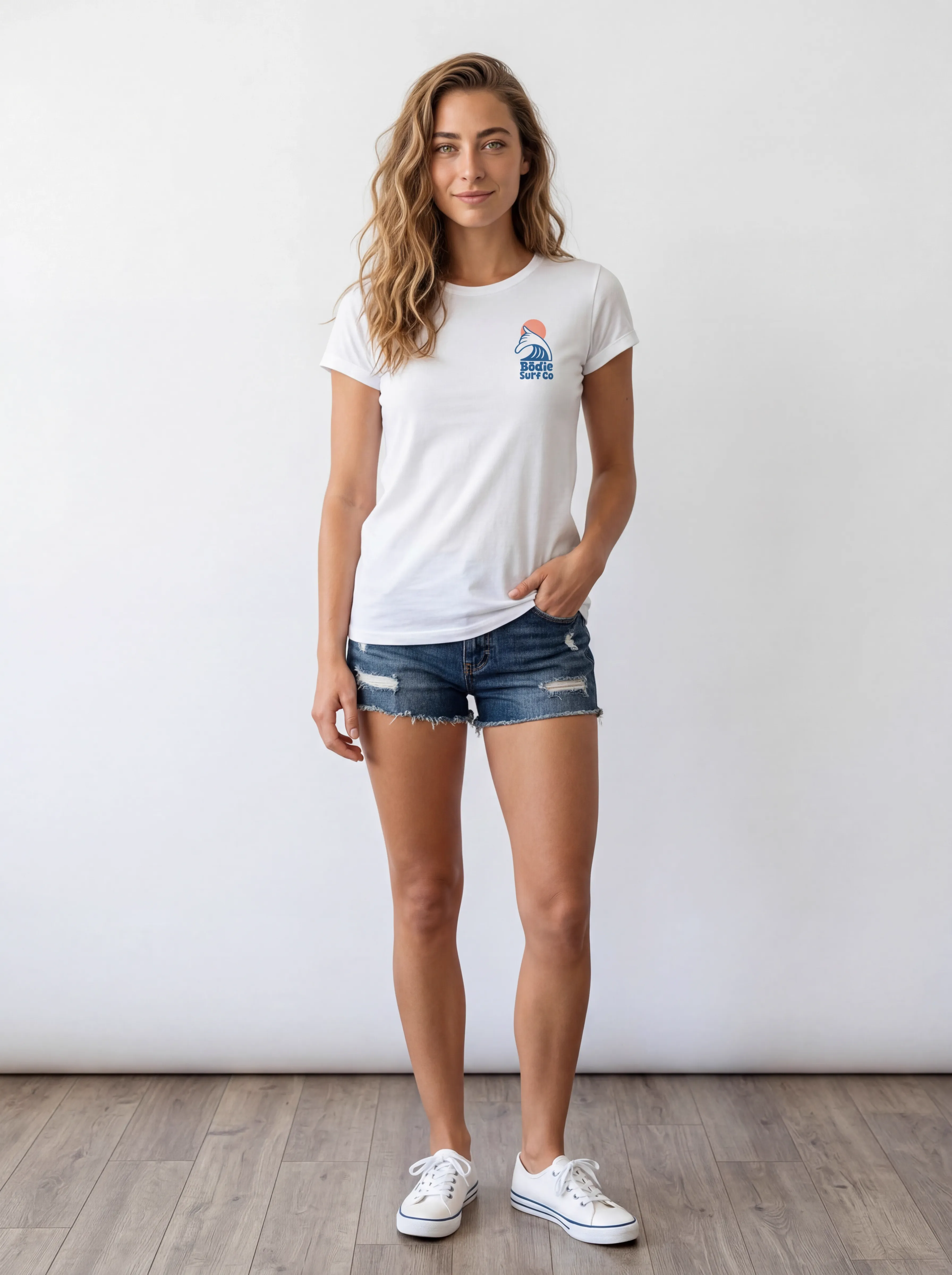
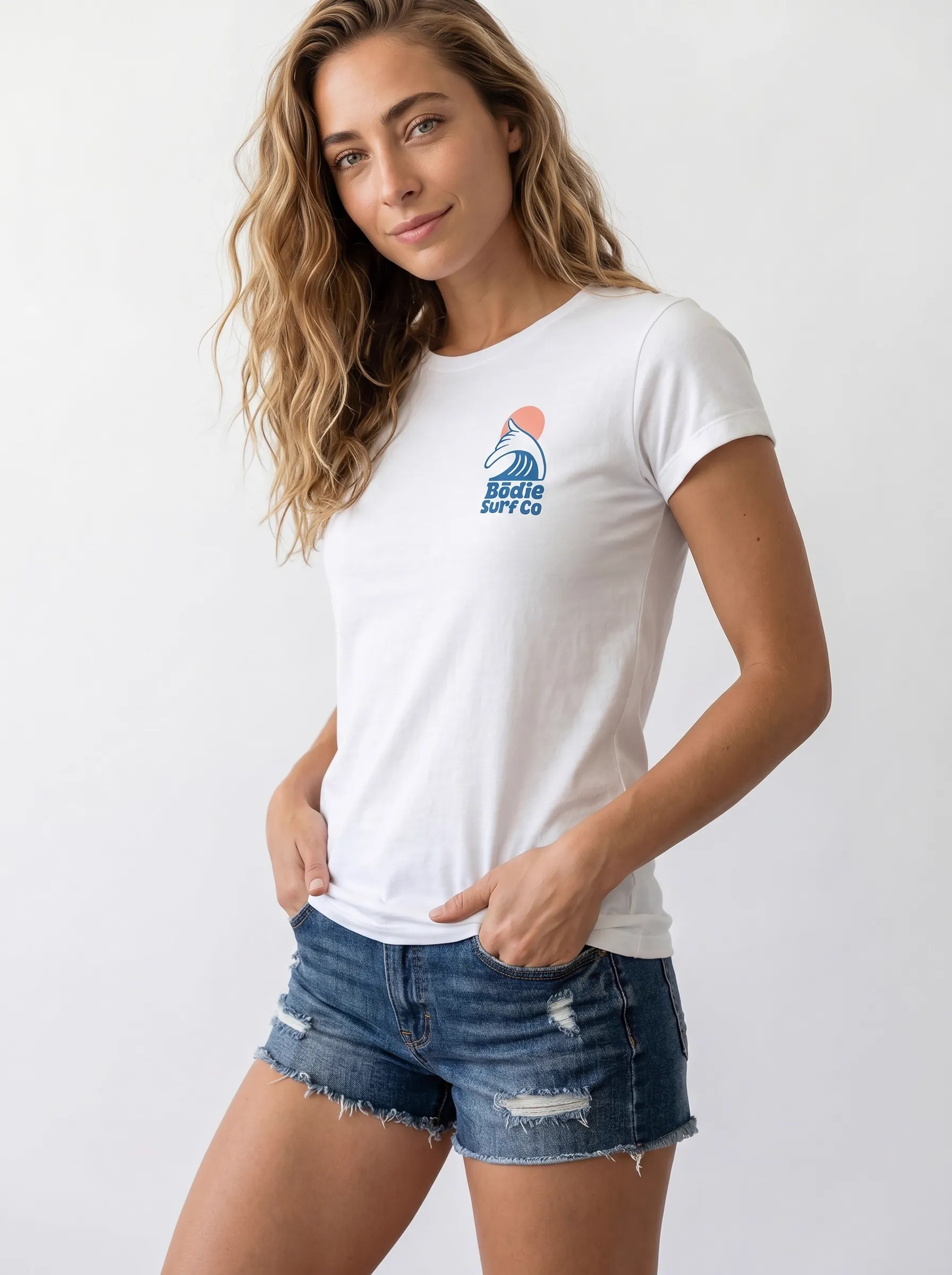
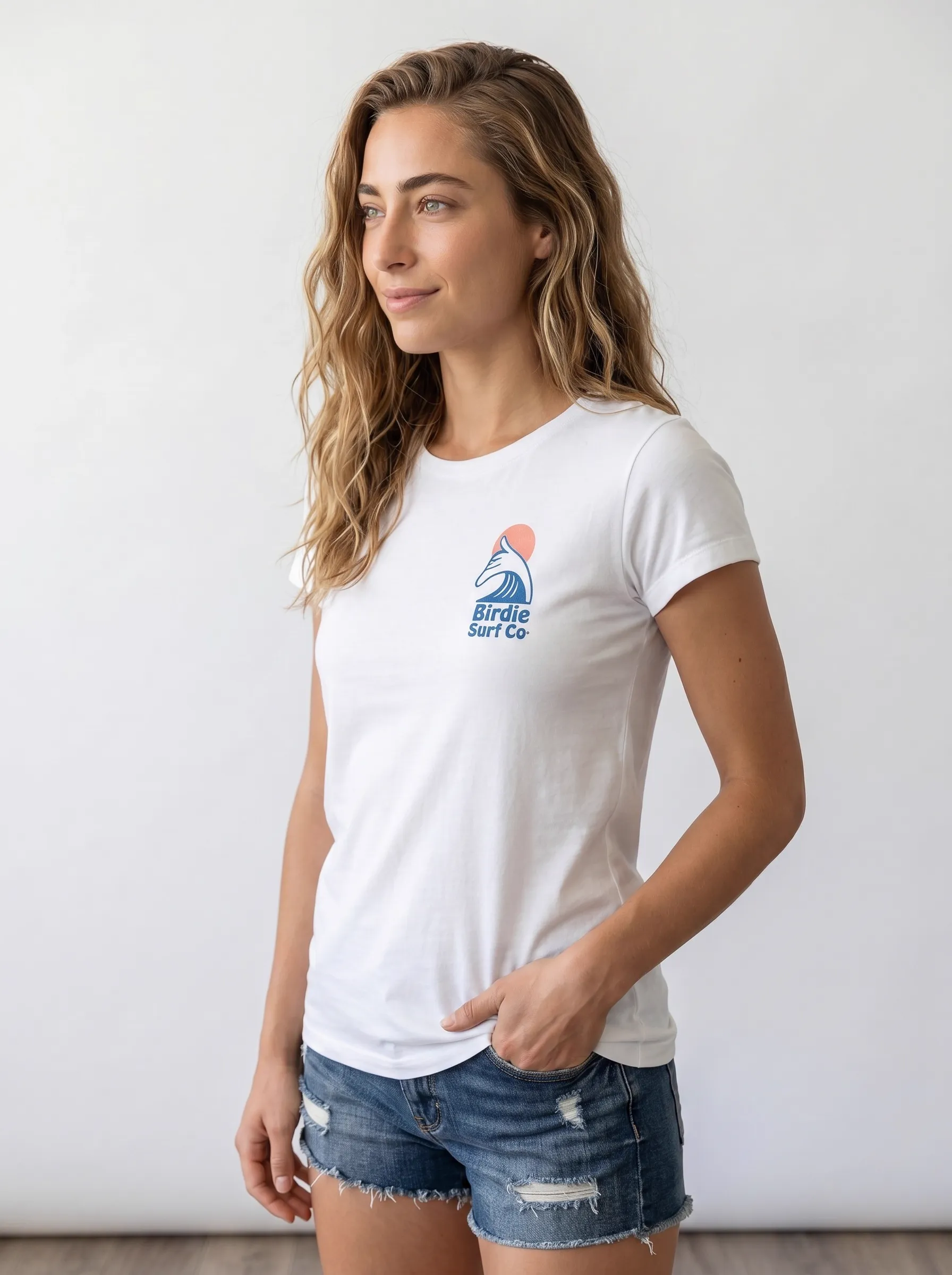
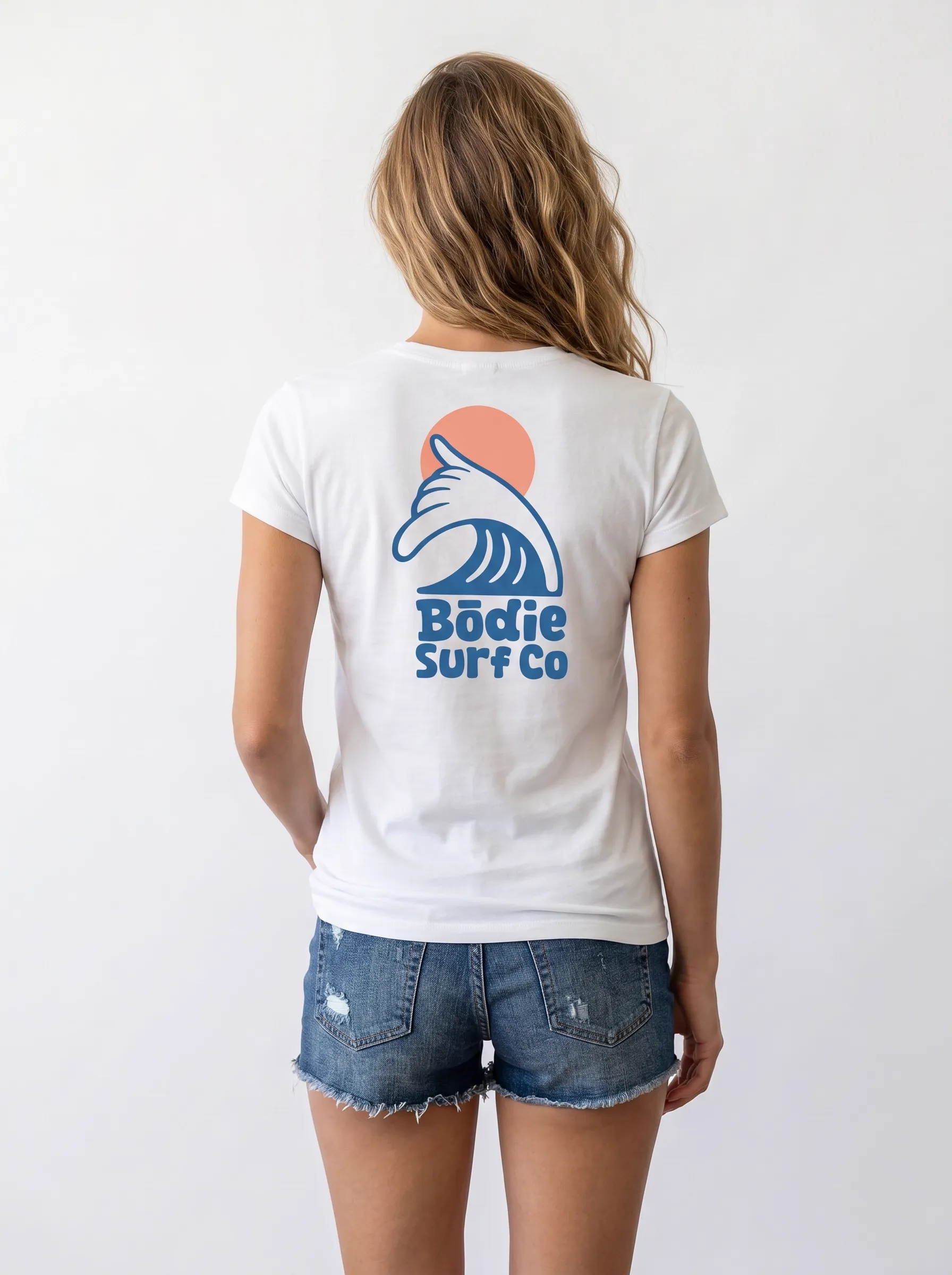
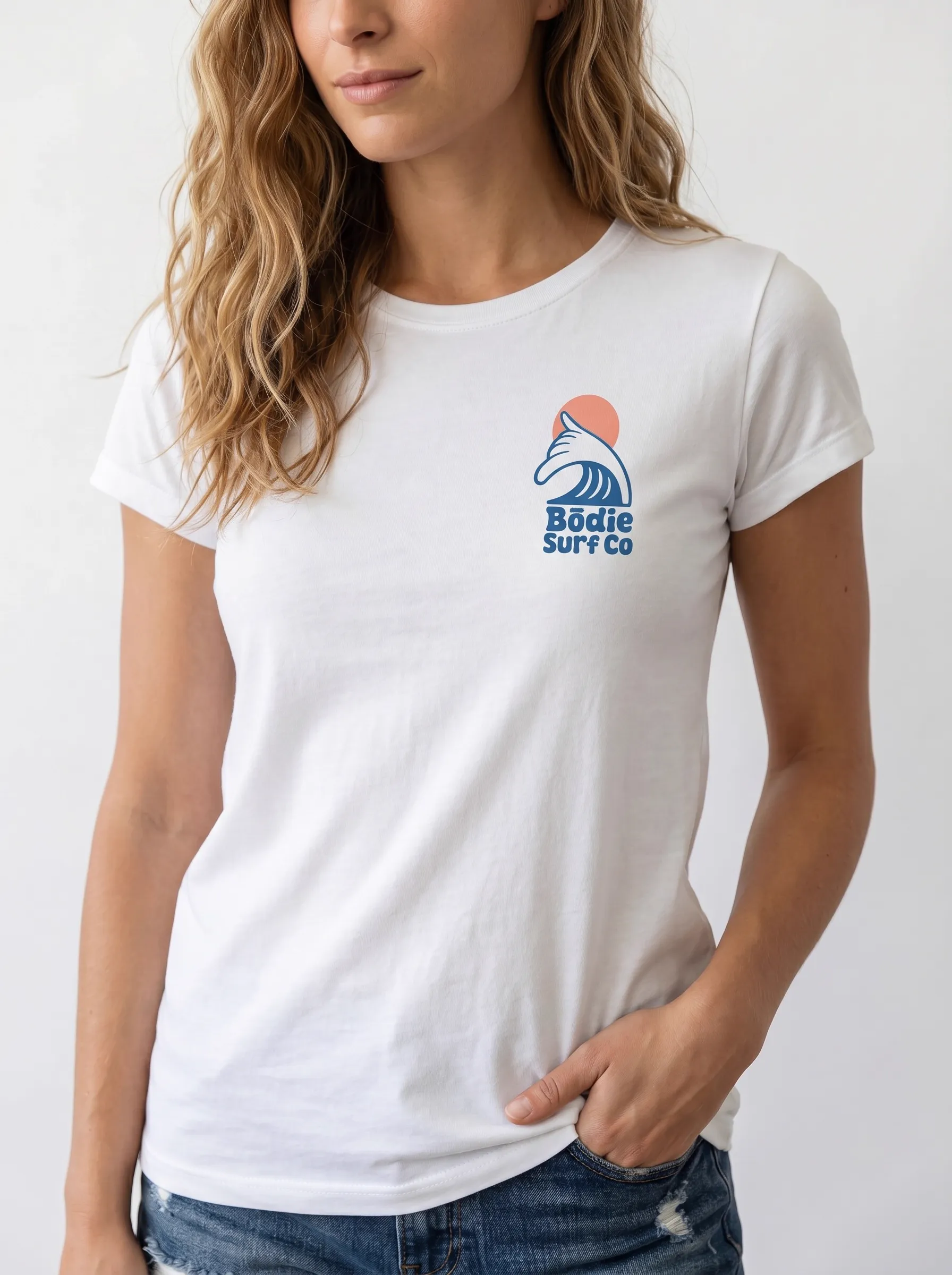
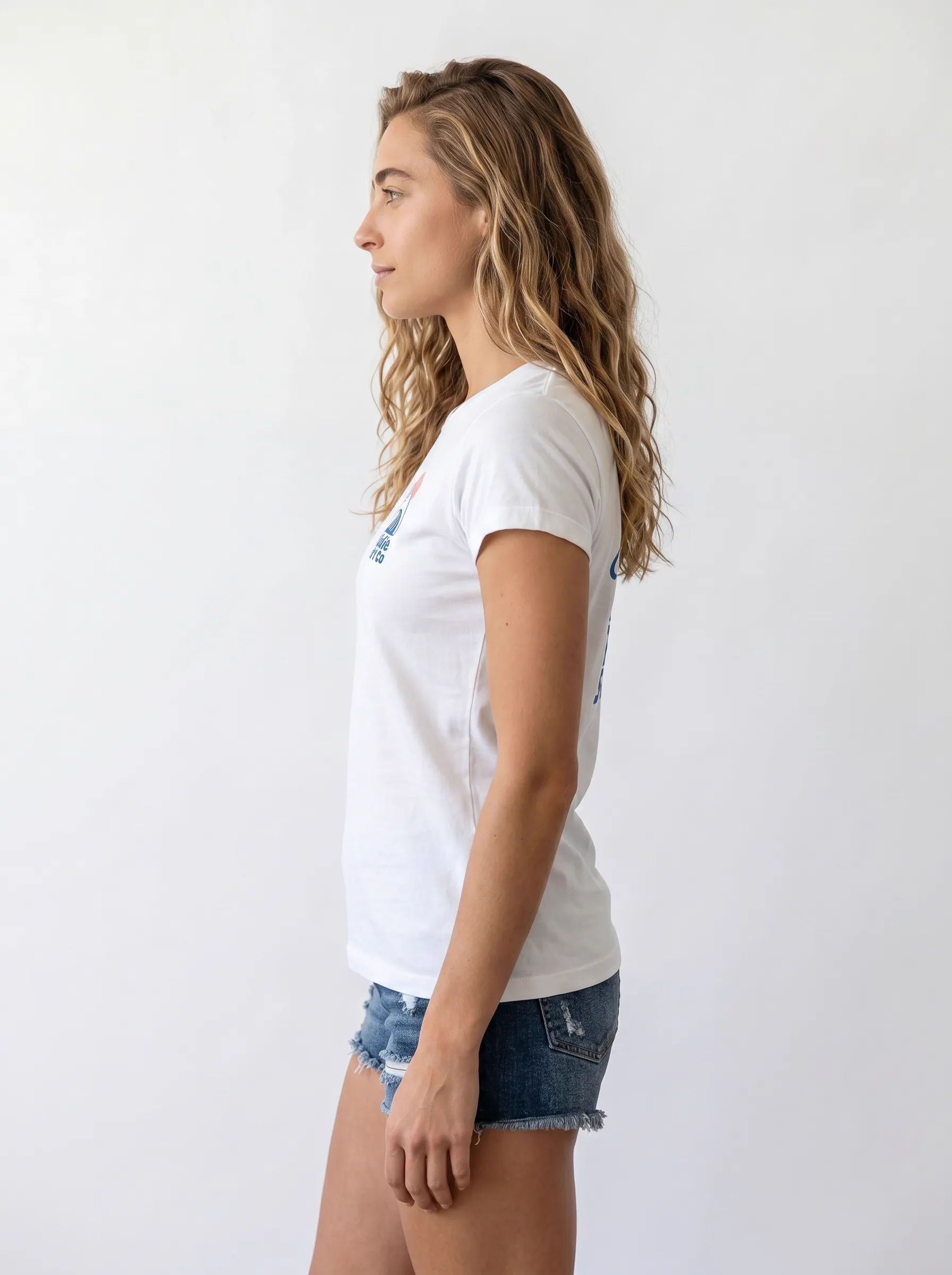
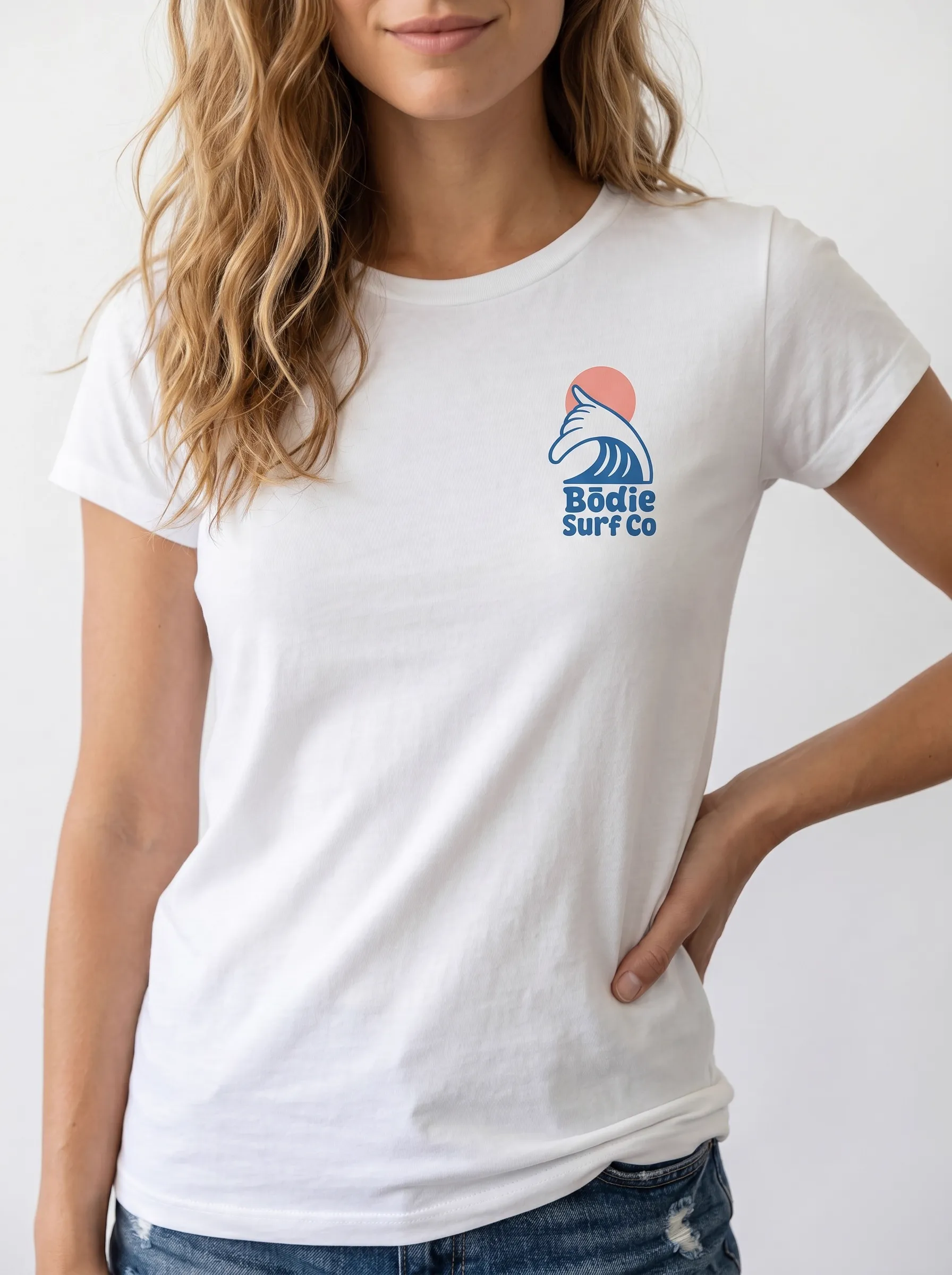
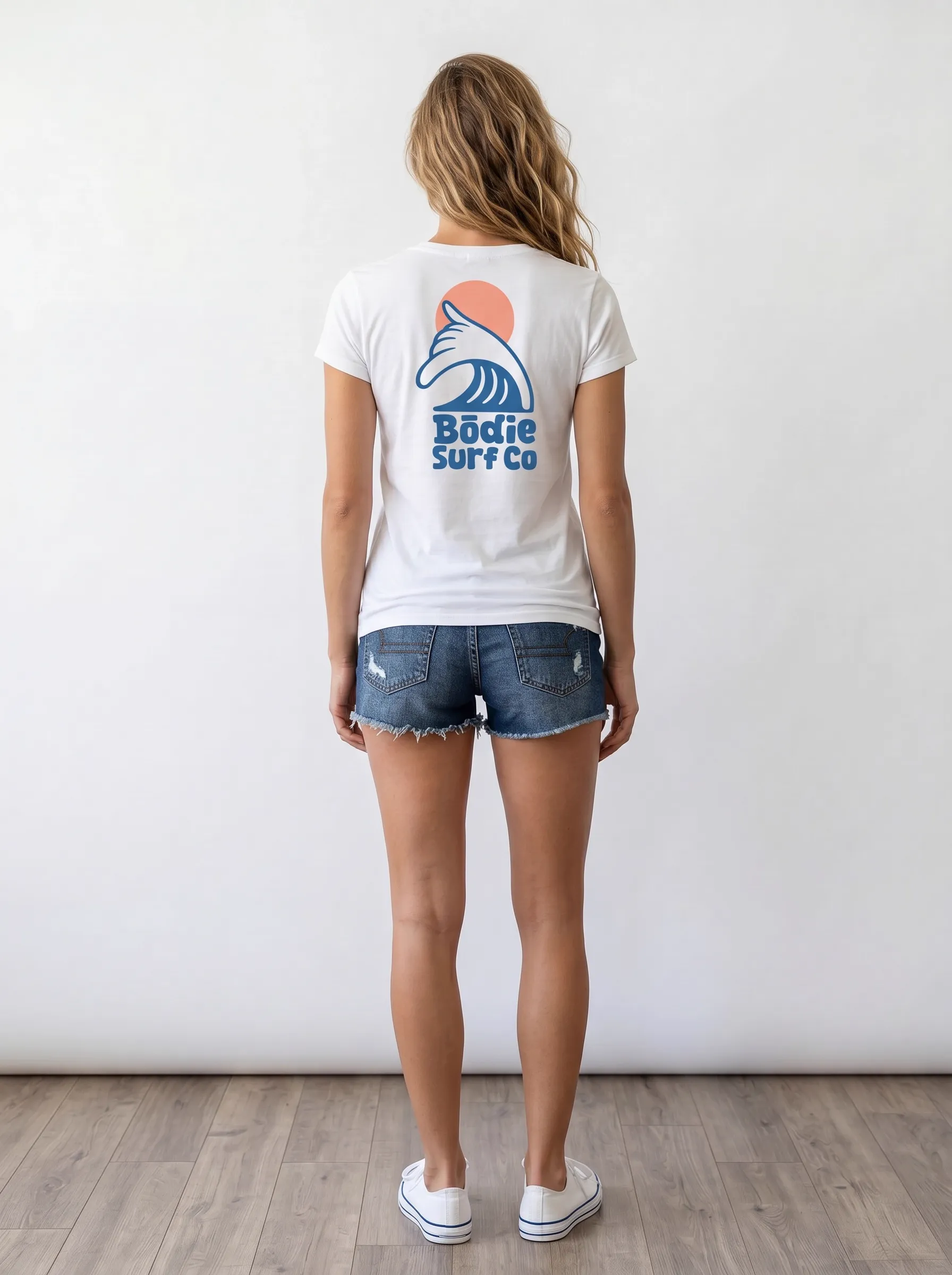
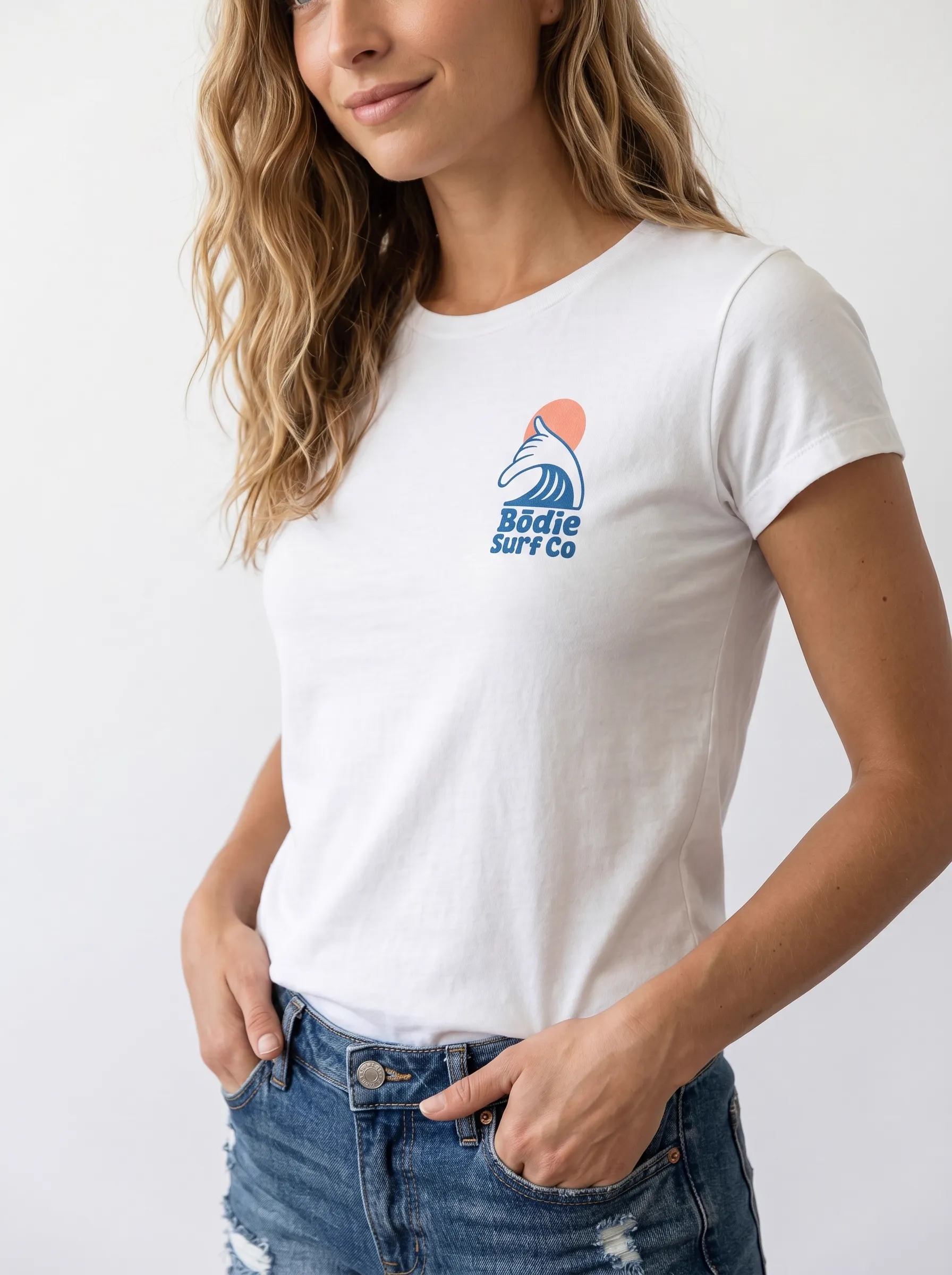
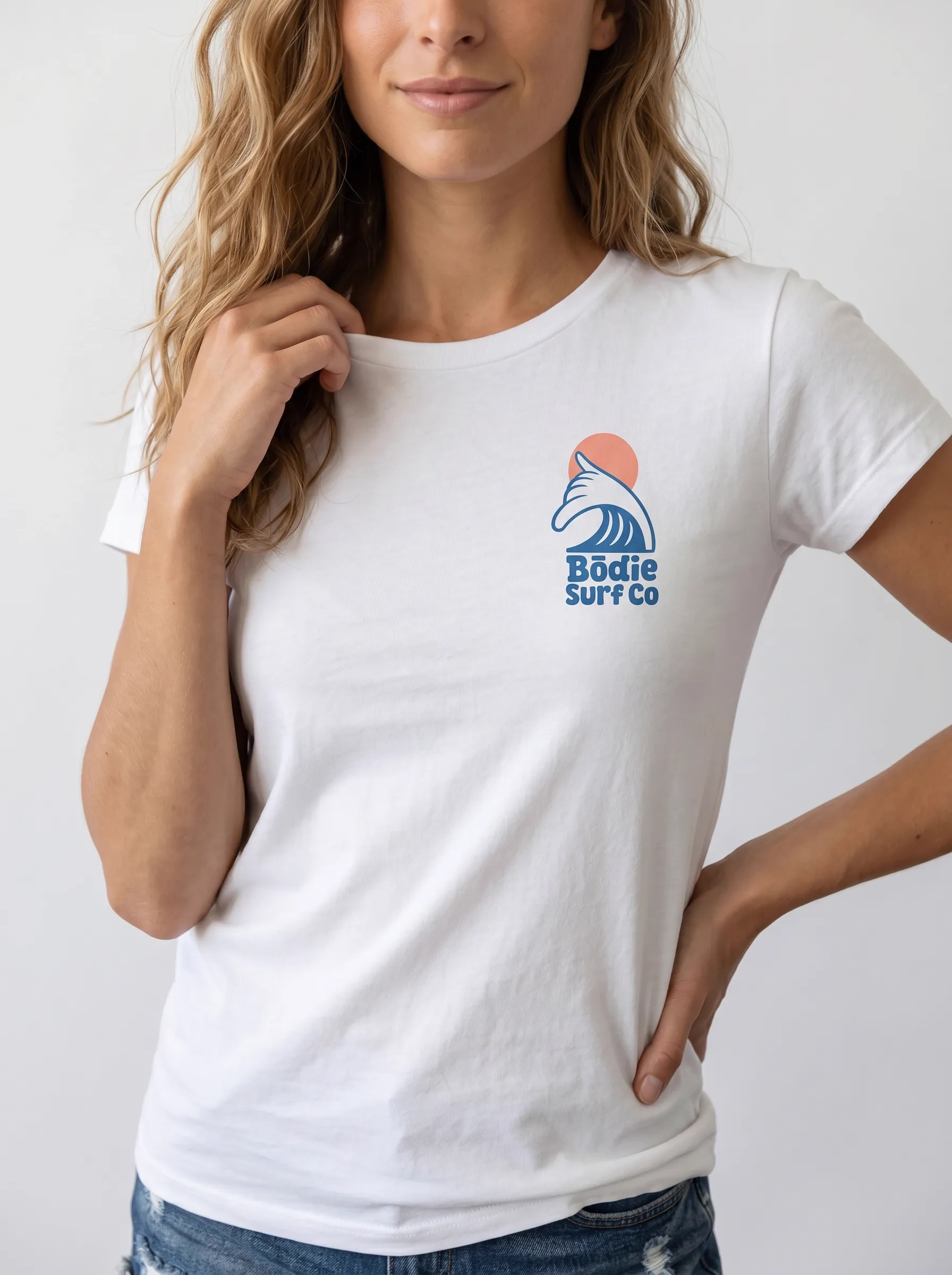
Ten frames. One face reference. One wave logo. The model identity locks across the catalog, the chest mark stays consistent at every angle, and the side view at position six carries both the front and back prints into one frame.
Walkthrough 3 — The Side Angle
The Frame Most AI Tools Skip — Both Logos Visible at Once
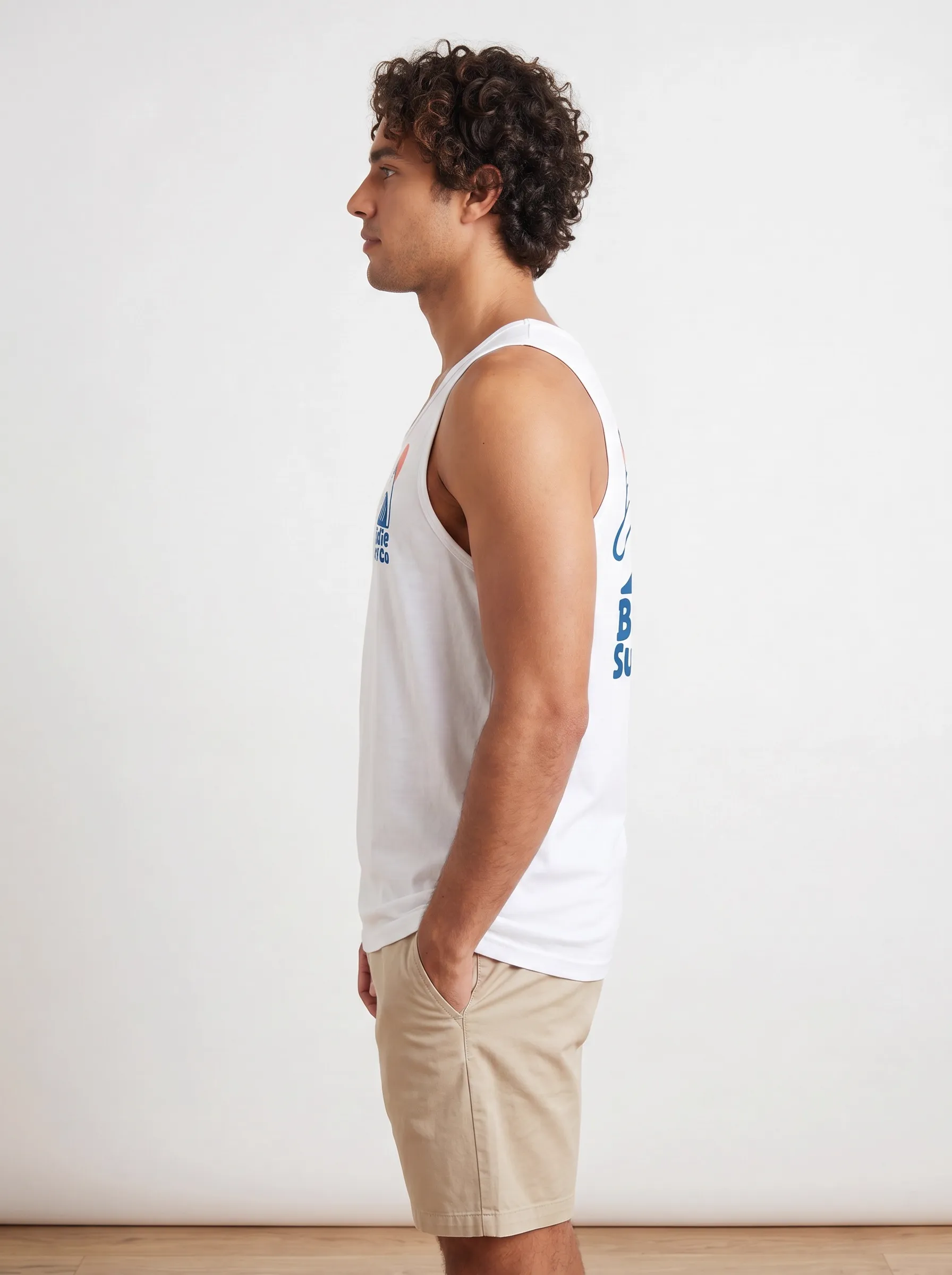
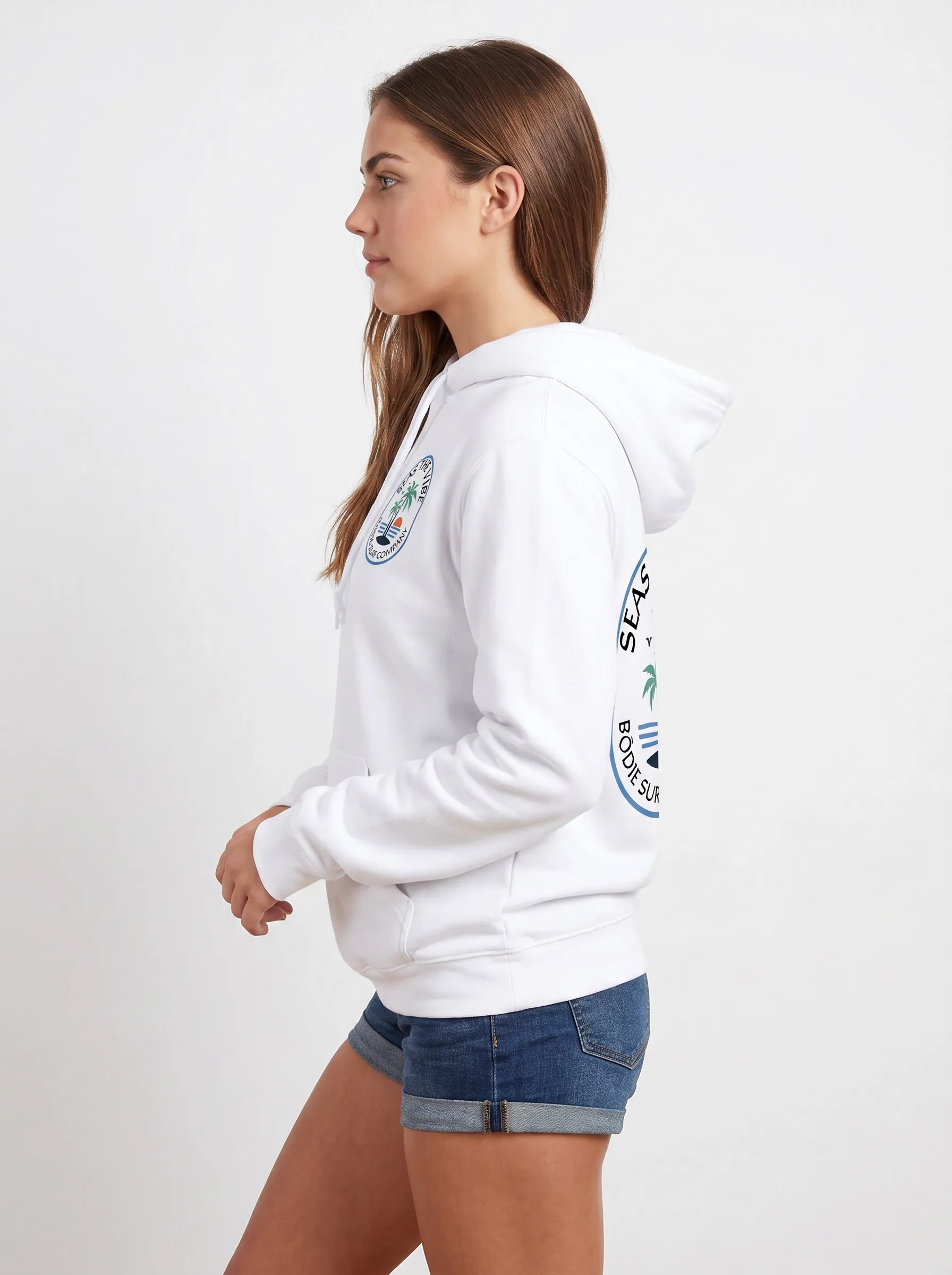
This is the angle the customer never explicitly asks for. It’s also the angle the catalog absolutely needs. A full side profile of a printed garment shows the chest logo on one side of the torso and the back logo on the other — both visible in the same frame, both readable, both matching the front and back shots. Most AI tools either skip this angle entirely or render it as an independent generation where the chest mark and the back mark don’t reconcile with each other.
MODA AI generates this side view automatically. Below are three examples across three different garments — a tank, a hoodie, and a women’s tee — each showing the chest logo and the back logo simultaneously, each visibly the same garment from the same shoot:
Tank — chest + back logo, one frame
Hoodie — oval badge front + back aligned
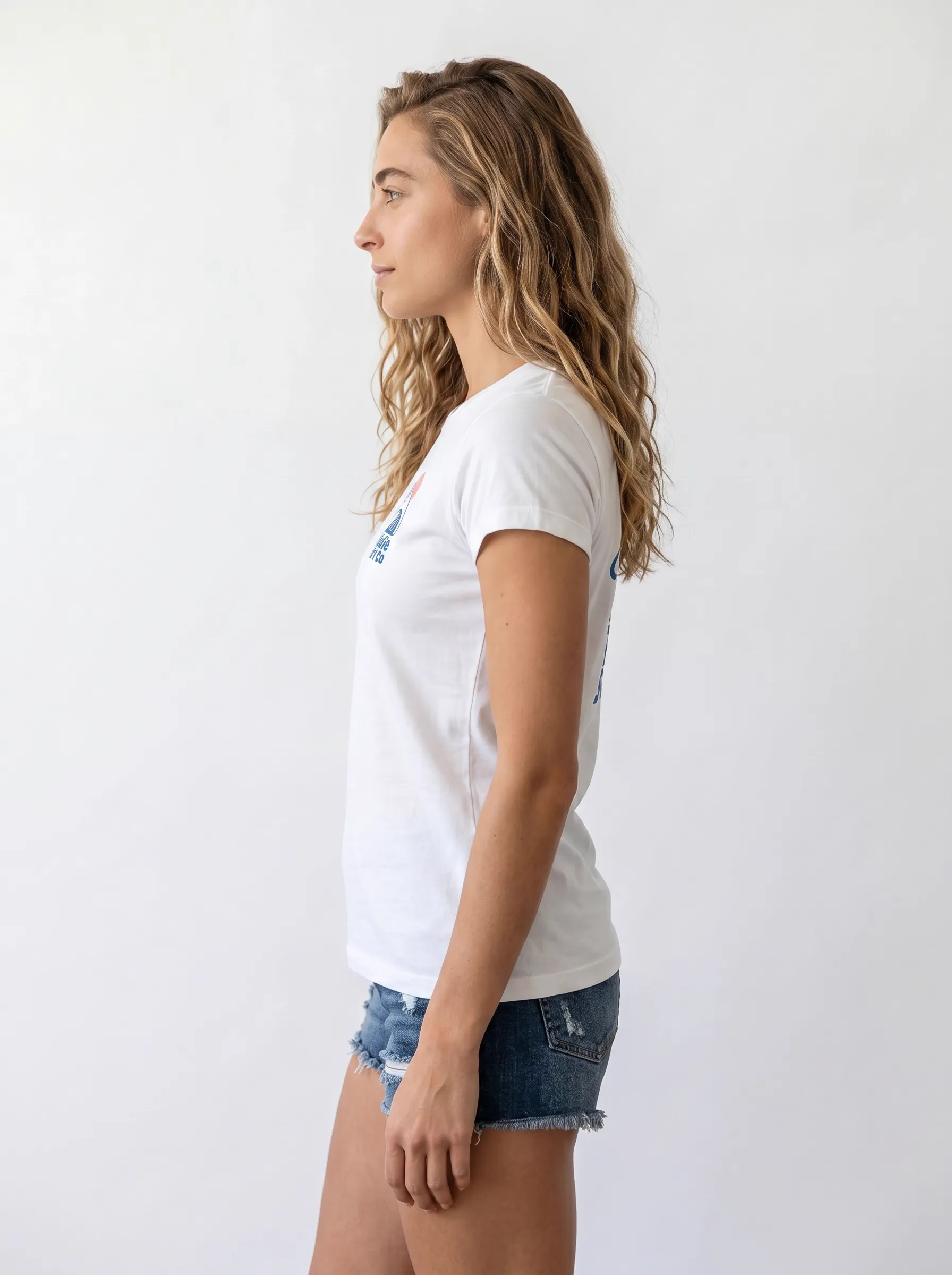
Tee — both prints, same garment
One side. Two logos. Same color, same position, same garment. The catalog reads as a real shoot, not a generation pipeline.
Walkthrough 4 — The Logo Range
Four Logo Styles, Four Different Tests
Branded apparel doesn’t come in one logo style. A boutique brand might run a vintage badge on one drop, a bold text logo on the next, a quilt-block multi-color graphic on a third. Each style stresses a different part of the AI’s reproduction stack. Below are four back-view outputs across four different test garments, showing how the same workflow handles four different logo families:
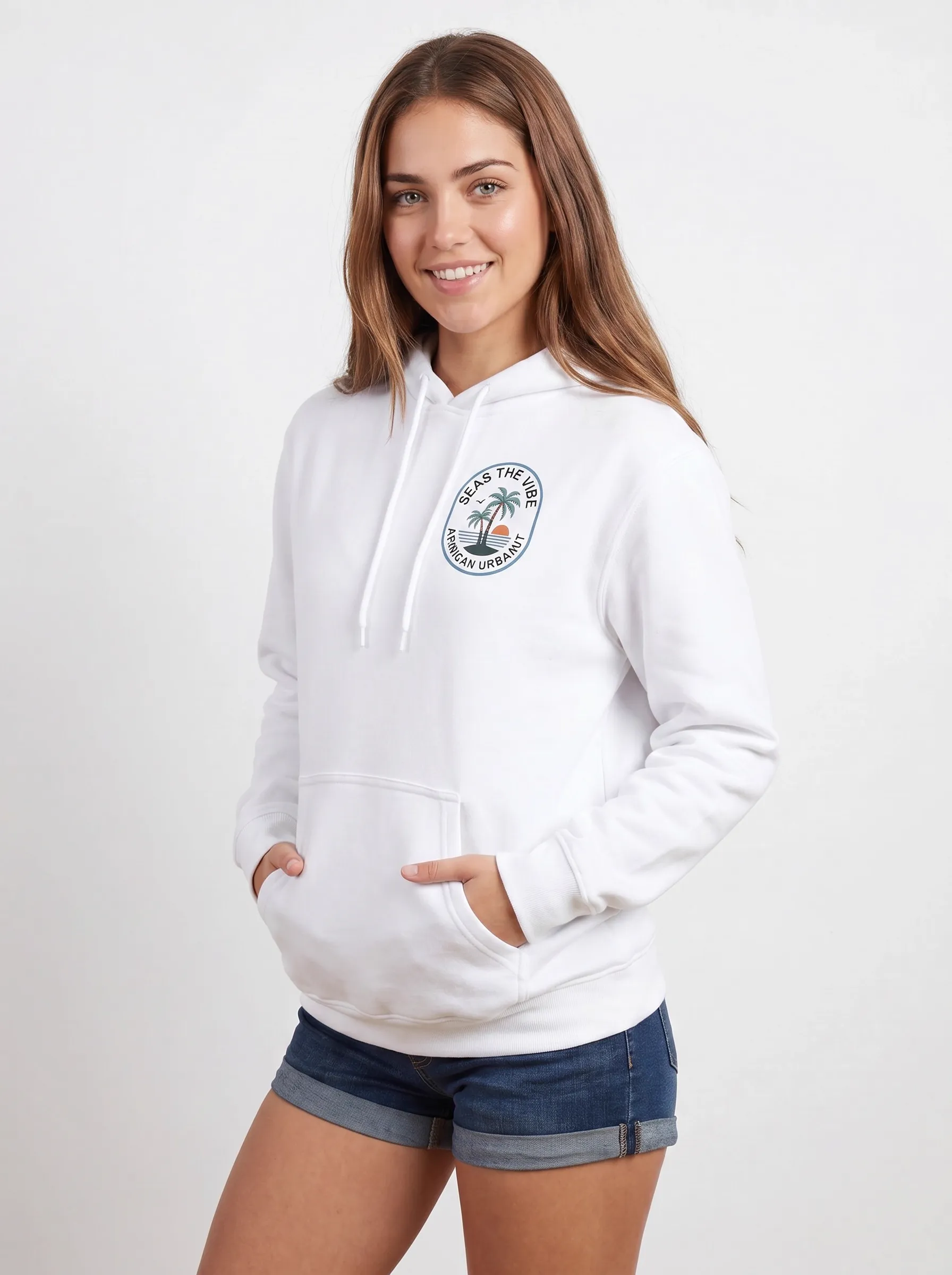
Vintage oval badge
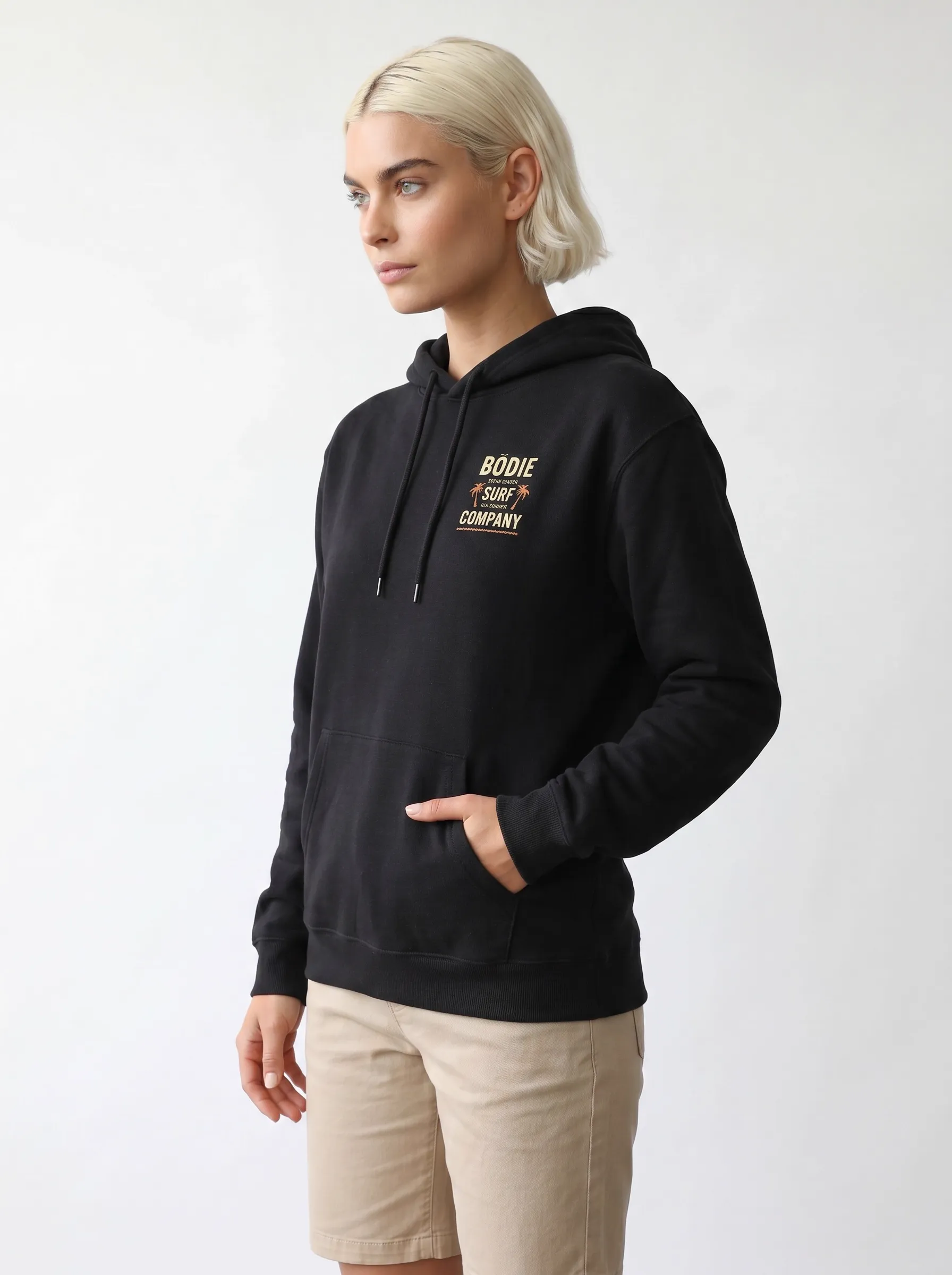
Bold block text
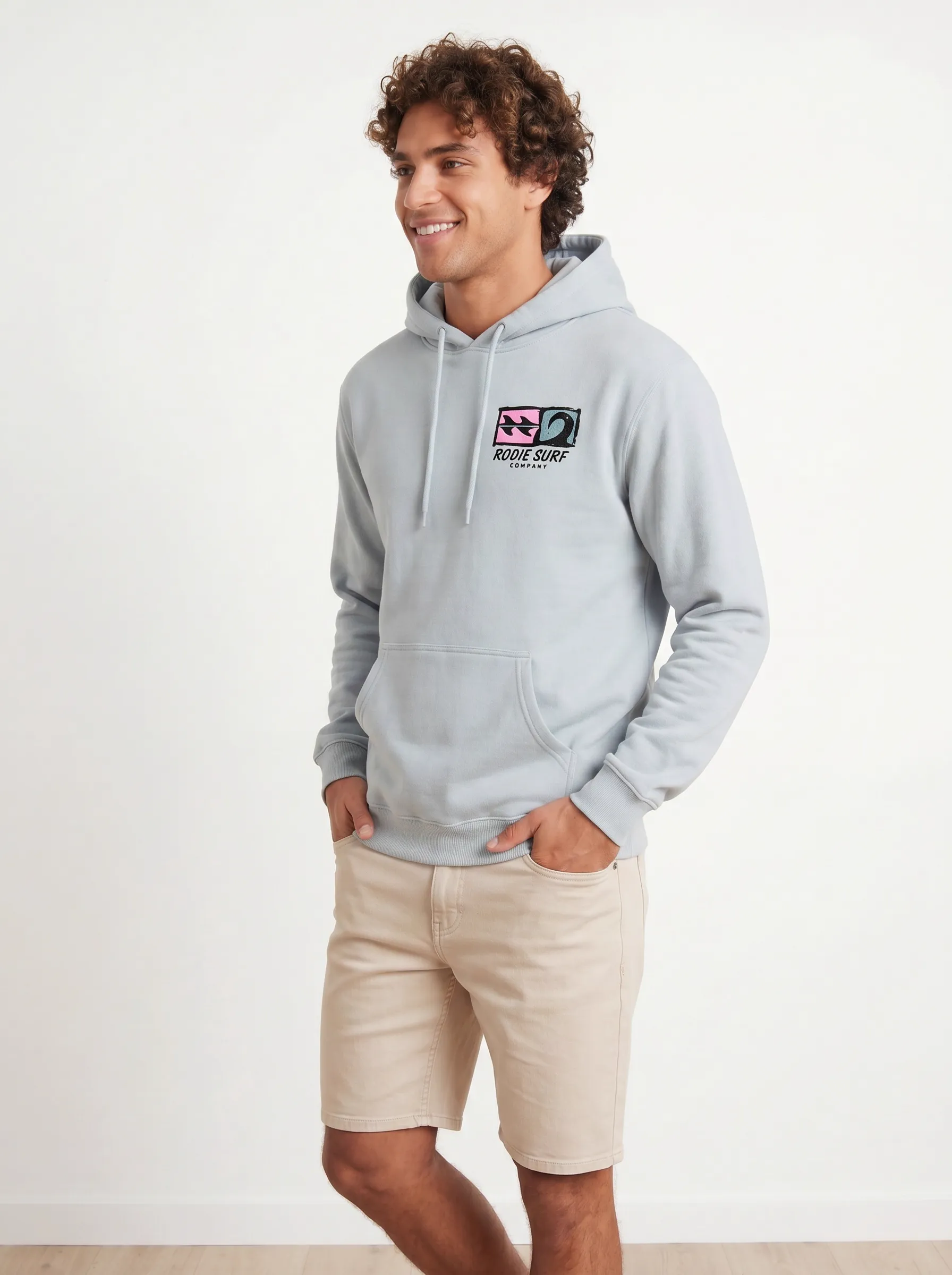
Multi-color quilt
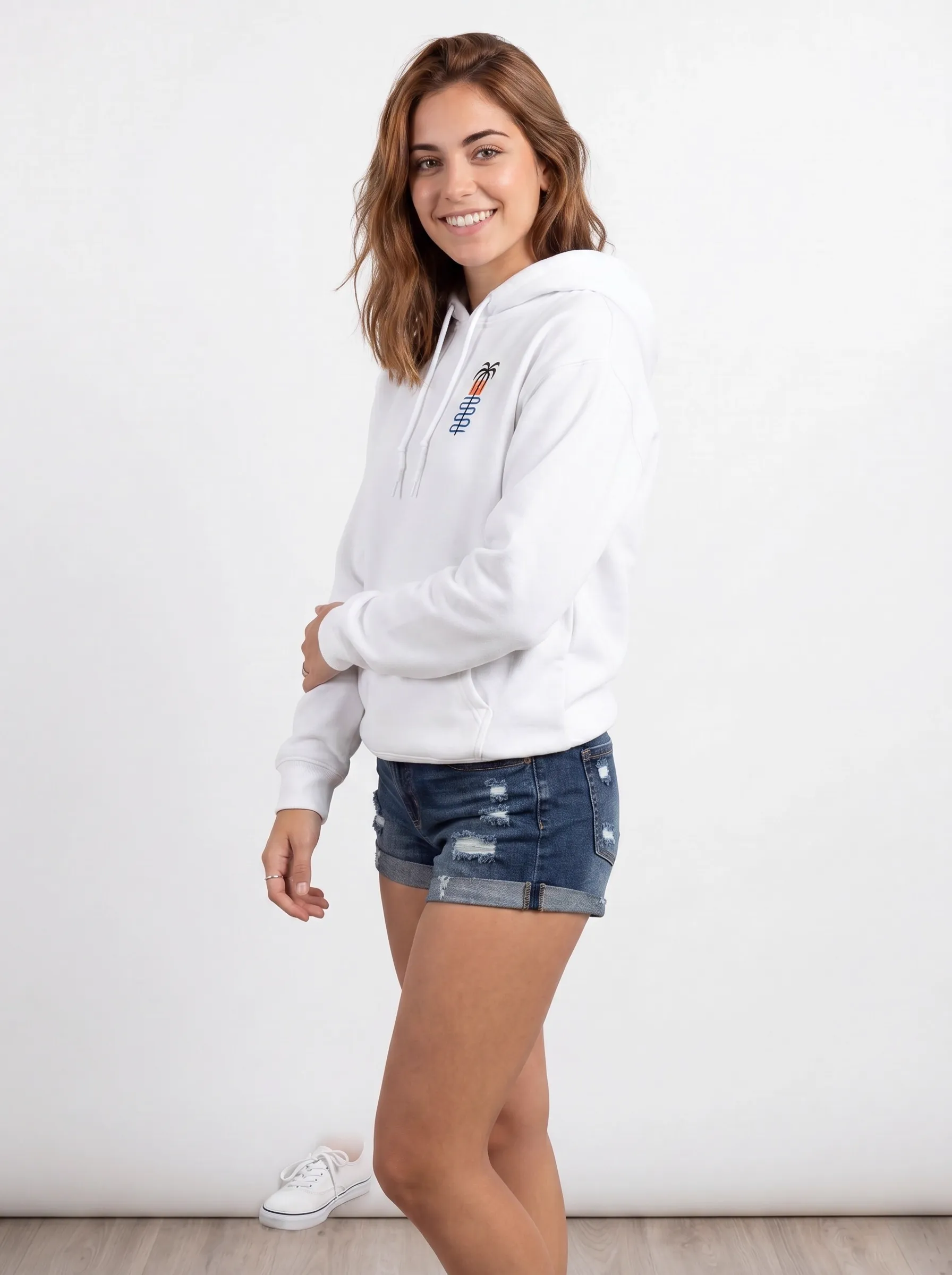
Vertical graphic
Different garment, different model, different logo family. Same workflow, same fidelity standard.
Postures That Showcase the Brand, Not the Brand Manager
One of the underappreciated parts of branded apparel photography is posture. A model standing rigidly with chest pushed out toward the camera turns a hoodie into a billboard. A model who’s slightly turned, hand in pocket, weight on one hip — that’s the customer at a coffee shop, not a brand ambassador. MODA AI’s base poses are tuned for the second register: the logo is visible without being shouted.
Across the ten-shot Black model set above — hand on chin, weight shift, three-quarter turn, hand on collar, half-smile — the logo is always readable but never the subject. The model is the subject. The brand is the world they’re in. That register matters for everything from streetwear to college merch to surf brands. People don’t want to look like they’re modeling for the brand; they want to look like they belong to it. That distinction is built into the pose library.
The Conversion Math for Branded Apparel
For branded apparel specifically, the logo isn’t a decoration on a product page — it’s the trust signal. Customers verify three things before purchase: the logo placement, the print quality, and how it looks on a real body. If any of those reads wrong, the sale doesn’t happen. Branded merch is also a uniquely memorable category — Linearity’s research found 90% of people remember the brand name on a promotional item, and Gen Z reports that branded merch directly drives purchase decisions 63% of the time. Get the logo right on the catalog page and the brand memory does the rest of the work.
That’s the math on why this category is worth getting right. AI fashion image generators that smear chest text, drift logo colors, or skip the side angle aren’t saving merchants time — they’re costing them the trust signal that closes the sale. MODA AI is built specifically for the brands whose entire identity is on the front of the garment.
Who This Is For
MODA AI’s logo-fidelity workflow is built for Shopify branded apparel brands across the full category map:
- Surf, skate, and outdoor labels — the test category in this post, where vintage crests and bold typography do the brand work
- Streetwear and graphic tee brands — bold front graphics, back prints, complex multi-color logos
- College and team merch — embroidered crests, screen-printed text, tight color matching to brand palette
- Print-on-demand and custom dropshipping — the entire business model is logo-on-blank, where reproduction fidelity is the only differentiator
- Charity, event, and tour merch — one-off logos on a tight launch deadline that can’t afford a reshoot
- Embroidered polos, branded uniforms, corporate merch — where stitched logos and chest crests are the entire trust signal
Frequently Asked Questions
Why do most AI image generators fail at logos and printed text?
Diffusion models — the architecture behind almost every generative image tool — are known to struggle with text rendering. The 2025 STRICT benchmark found text accuracy collapses across all major models beyond roughly 200 characters, and that diffusion models 'often fail to maintain global coherence, leading to text that is jumbled, misspelled, or visually fragmented.' For branded apparel where the logo is the product, that's a category-killing failure mode.
How does MODA AI handle complex logos like detailed crest or eagle marks?
MODA AI preserves the original garment's logo geometry, text, and color from the flat lay or mannequin input. Upload a hoodie with a detailed eagle crest containing tiny text — 'Gulf Coast,' 'Since 2025,' 'FL Surf Apparel,' 'Saltwater Original' — and MODA AI carries that exact mark into the catalog frame at scale. The text stays legible at close range. The illustration stays in proportion. We don't regenerate a 'similar' logo; we render your logo onto a real model.
What about the side angle where both the chest logo and back logo are visible?
That three-quarter angle is the hardest test in branded apparel photography — and the one most AI tools skip entirely. MODA AI generates side and three-quarter frames where the small chest badge stays consistent with the front shot while the back logo emerges into view. The two logos read as the same garment, not two stitched-together attempts. It's a shot most customers never explicitly request from us, but every catalog needs it to look professional.
Can MODA AI handle representation — different skin tones, body types, and hair?
Yes. The walkthroughs in this post include a Black male model, blonde and brunette women, and a curly-haired olive-skinned model — every output preserves natural skin texture, real hair detail, and accurate skin tone alongside accurate logo placement. MODA AI's face reference system lets you lock any model identity across your catalog, and the diverse base models give you the representation range Gen Z customers expect.
How many images does MODA AI generate per upload, and why does that matter for branded apparel?
Ten catalog-ready images per upload, across 16+ pose angles — front, back, profile, three-quarter, close-ups, lifestyle. For branded apparel that matters more than other categories: customers buying a printed shirt or branded hoodie need to verify the logo placement, the print quality, the back graphic, and how it sits on a real body. SellHound found multi-angle imagery lifts add-to-cart up to 73% versus flat lays. The 10-shot set delivers that out of one upload.
Is this only for surf brands, or any branded apparel category?
The test garments in this post are from a surf-coded test brand, but the workflow works for any printed or embroidered apparel category — streetwear labels, college merch, band tees, screen-printed boutiques, embroidered polos, charity merch, gym apparel, custom dropshipping stores. If your product has a logo on the chest, the back, or both, MODA AI is built to carry that mark through every angle of your catalog.
Your logo. Front, back, and every angle in between.
Install MODA AI from the Shopify App Store. Upload your branded garments. Ten catalog-ready images per upload, with the logo carried through every frame. From $1 per batch.
Get Started Free