Shopify App
Botika Alternatives 2026: Why Shopify Brands Switch to MODA AI
10 catalog images per credit in under 2 minutes. Video for one more. Shopify-native. From $1 per batch.
May 8, 2026 · 8 min read
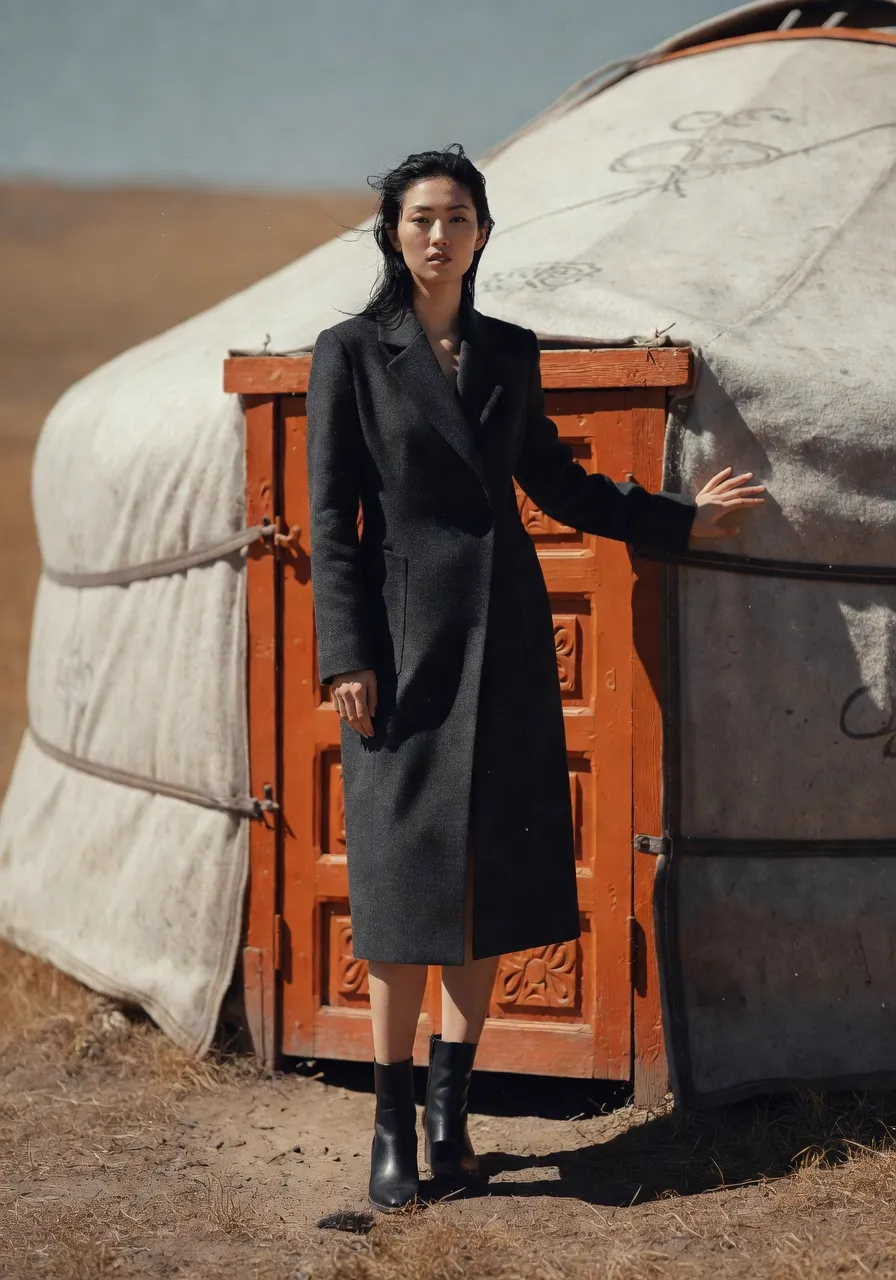
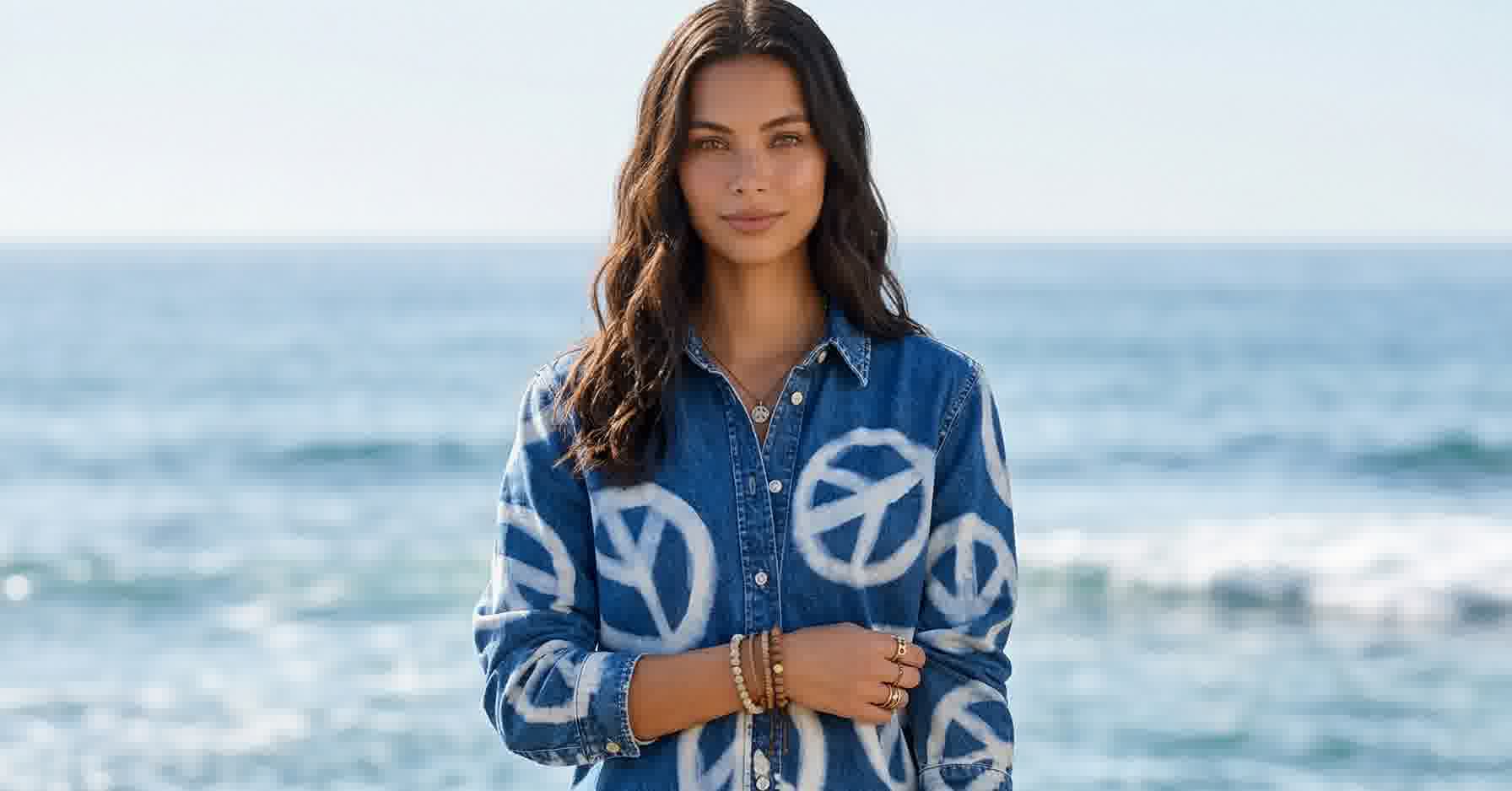
This location didn’t require a permit, a flight, or a scout. One background reference. MODA AI carried the rest.
500x
cost savings vs. traditional photoshoots — $1 per batch of 10 vs. $100–$500 per SKU
78%
of shoppers say product images are very or extremely important when buying online
Salsify, 2024 Consumer Research
One Good Hero Isn’t a Catalog
Botika earned its name on Shopify. Its connector app swaps the model in an existing photo — dozens of AI models across sizes, styles, and looks — and the results read as premium. Forever 21, Perry Ellis, and Jordache use it. For upgrading a single on-model photo, it’s a credible tool.
The gap shows up when the job is a catalog set. One photo goes in, one photo comes out. A product page needs the front, the back, the profile, the detail crop — and that’s true whether you’re a Zalando-scale operation or a 40-SKU boutique. Botika upgrades the hero shot. The rest of the page is still on you.
MODA AI starts from the other end: the set is the unit. One credit turns a garment photo — flat lay, mannequin, hanger, or on-model — into ten catalog shots on one consistent model, with face and background references to lock the brand look. Botika upgrades your photo. MODA produces your catalog.
Head-to-Head
Same Dress. One Upload. Which Would You Ship?
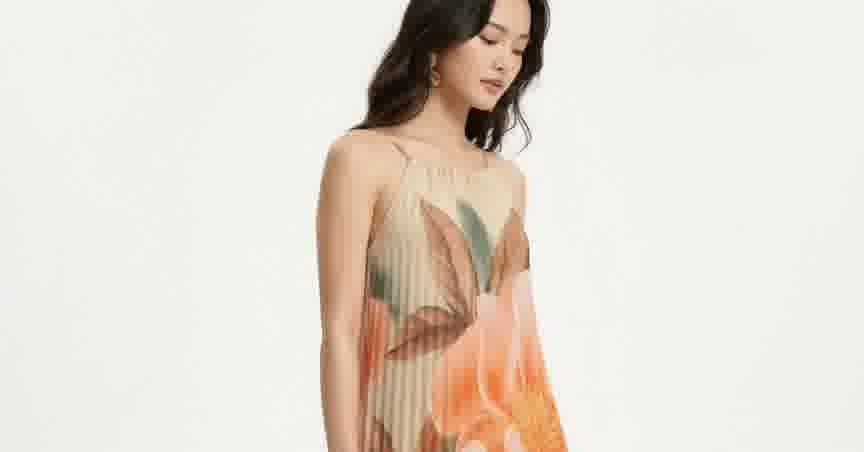
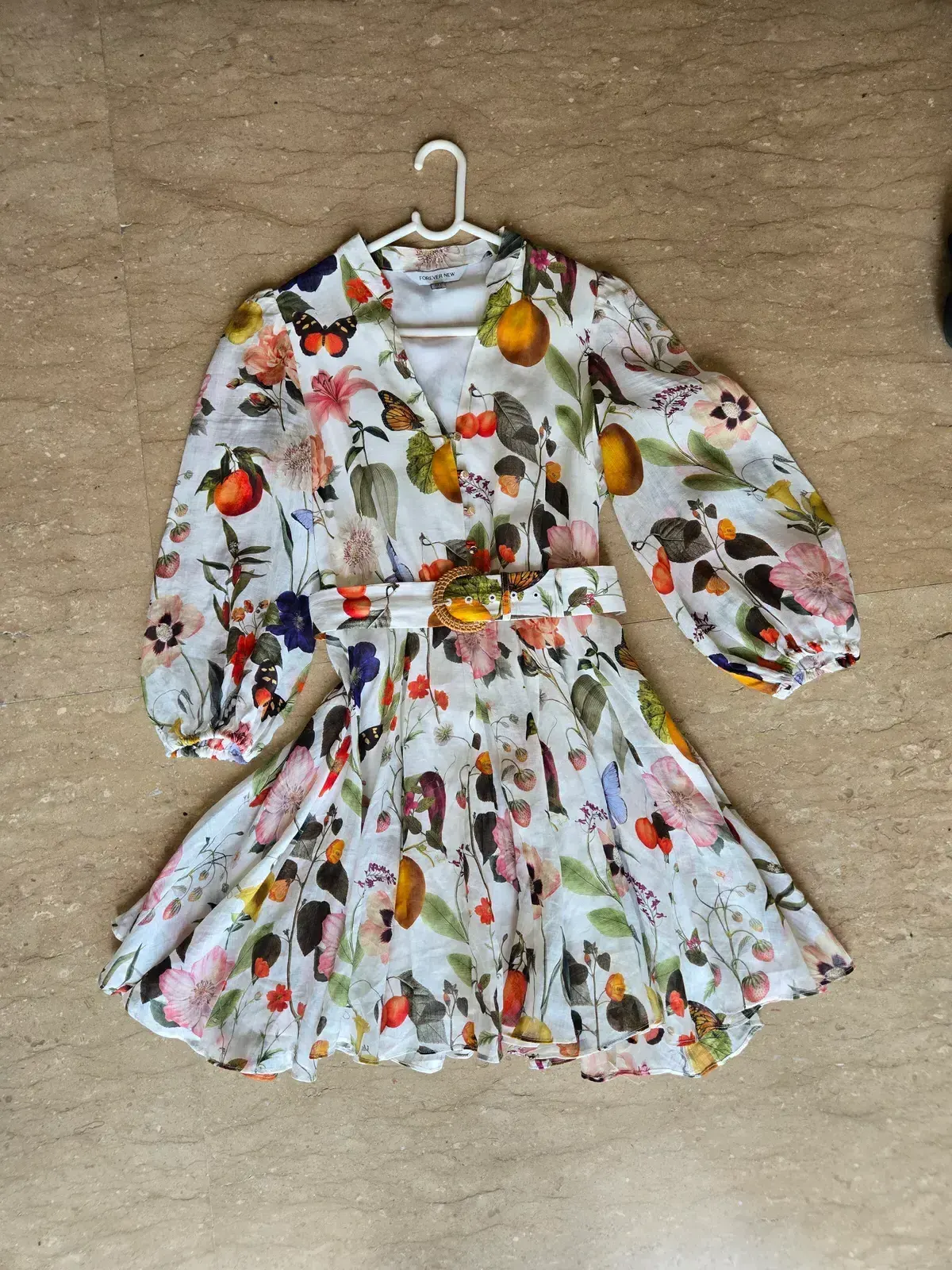
We ran the same input — a Forever New floral mini dress, shot as a flat lay — through both tools. Below: the input, then Botika’s output, then the MODA AI output set. No cherry-picking. Both are the first-pass generations both platforms returned.
Input — the same flat lay for both tools
Botika
1 editorial hero
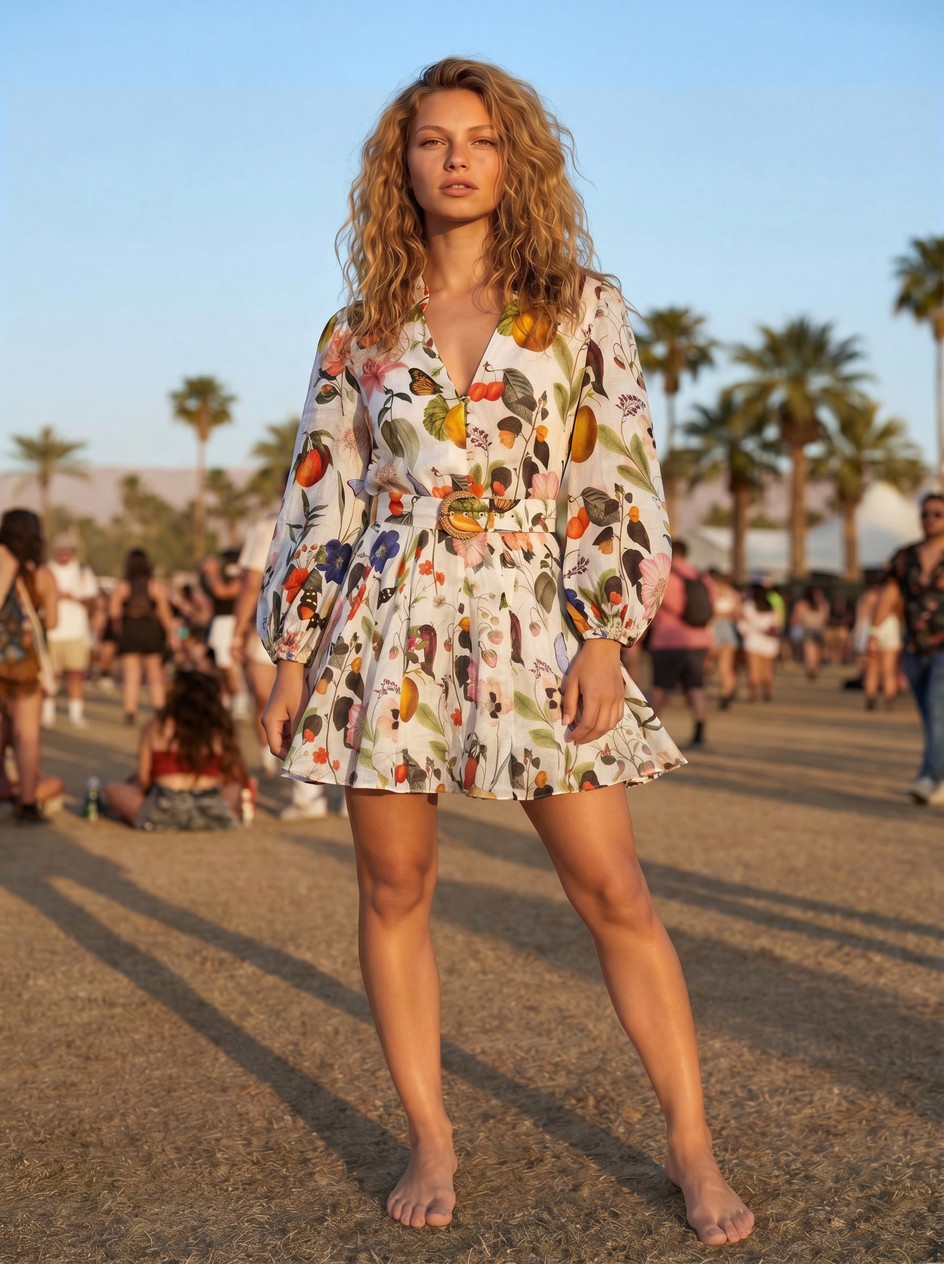
Botika output generated Jul 2026 via app.botika.com. Reproduced for comparison.
MODA AI
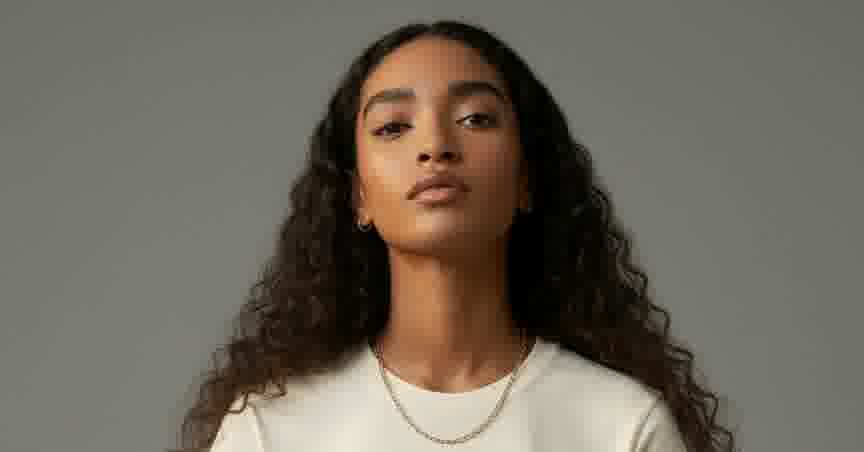
4 of the 10 catalog angles from one credit
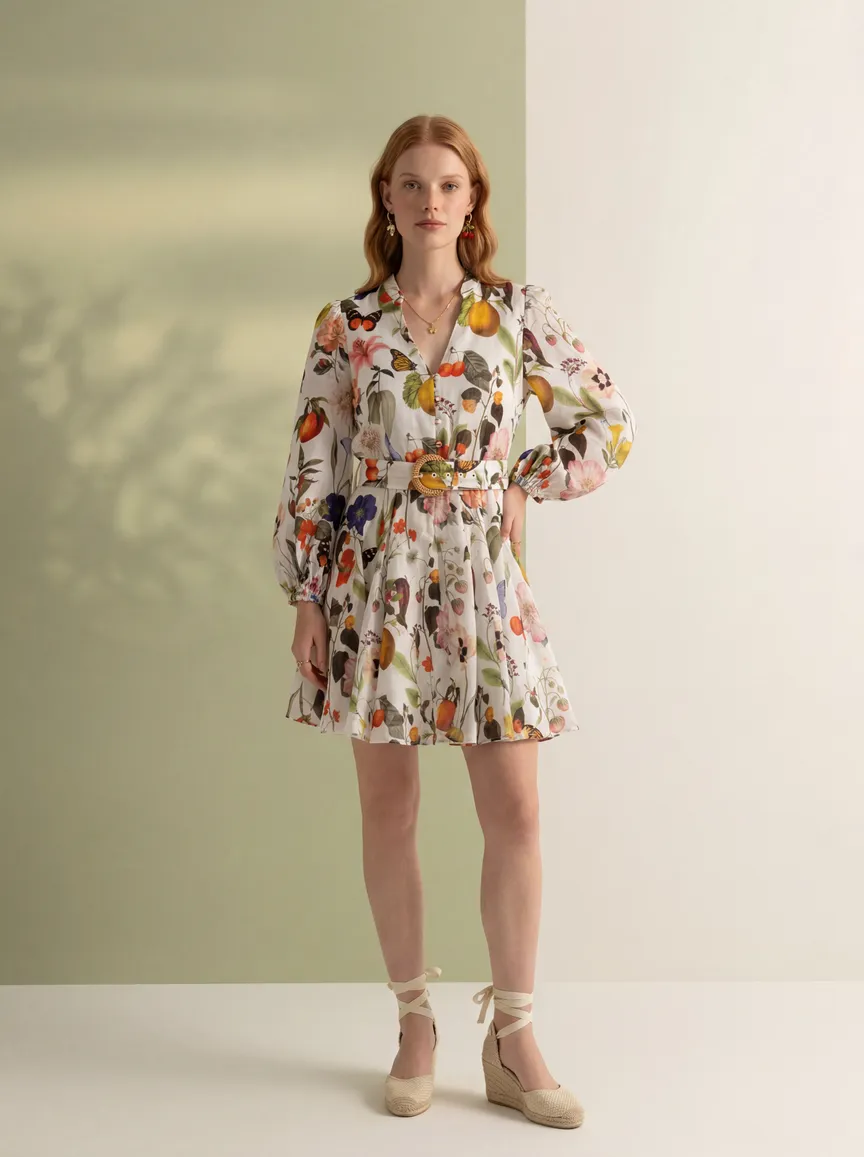
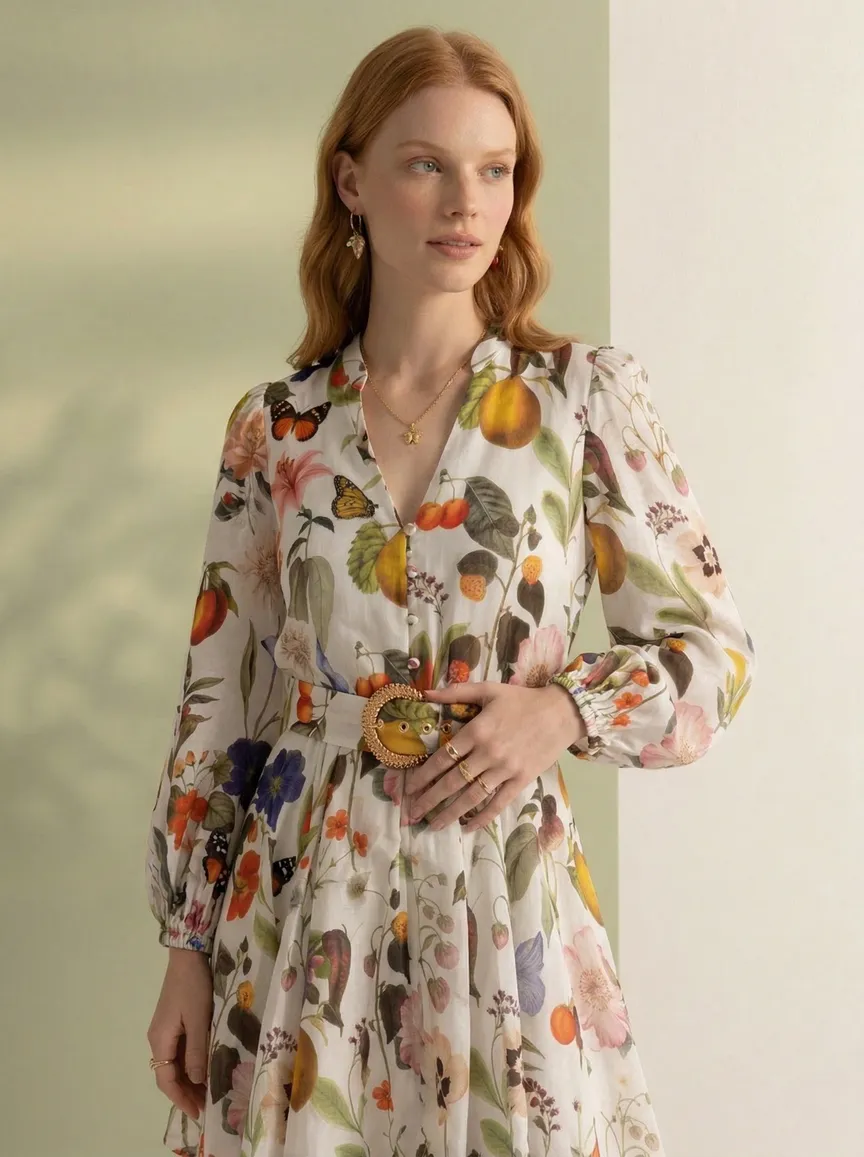
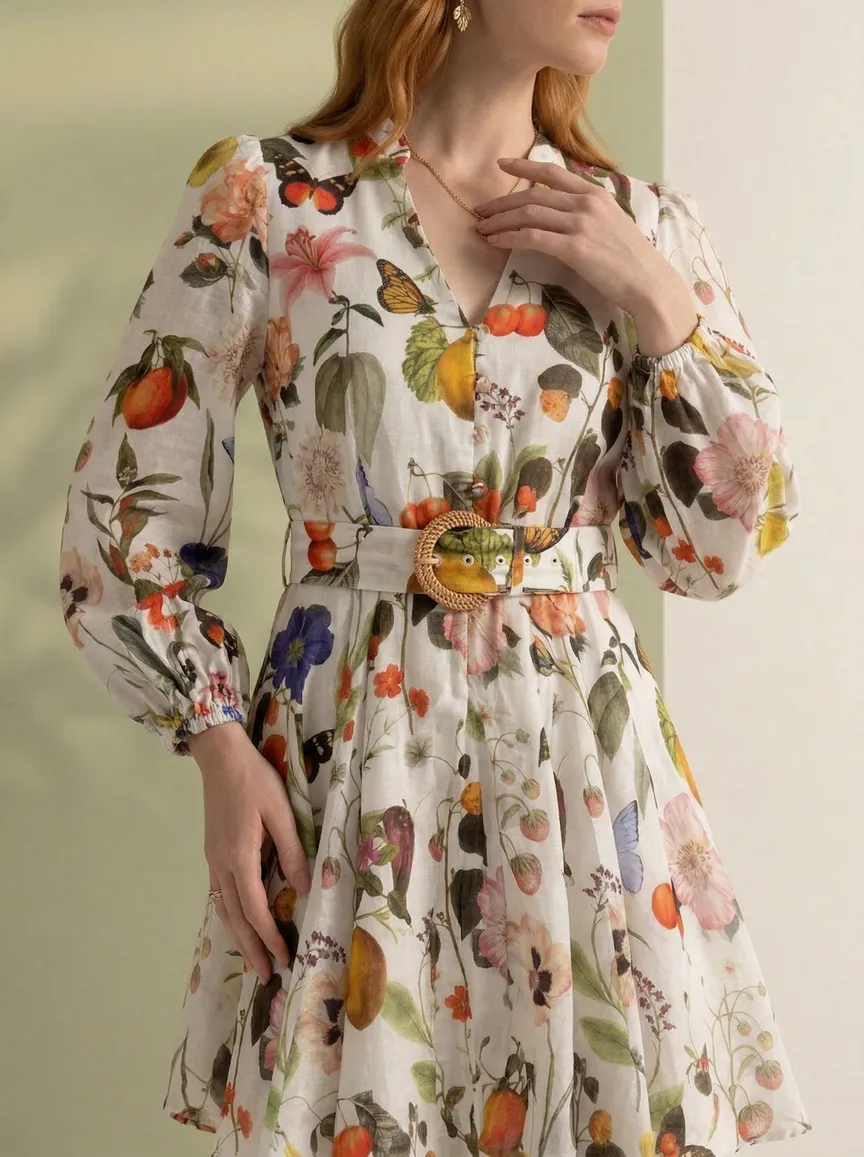
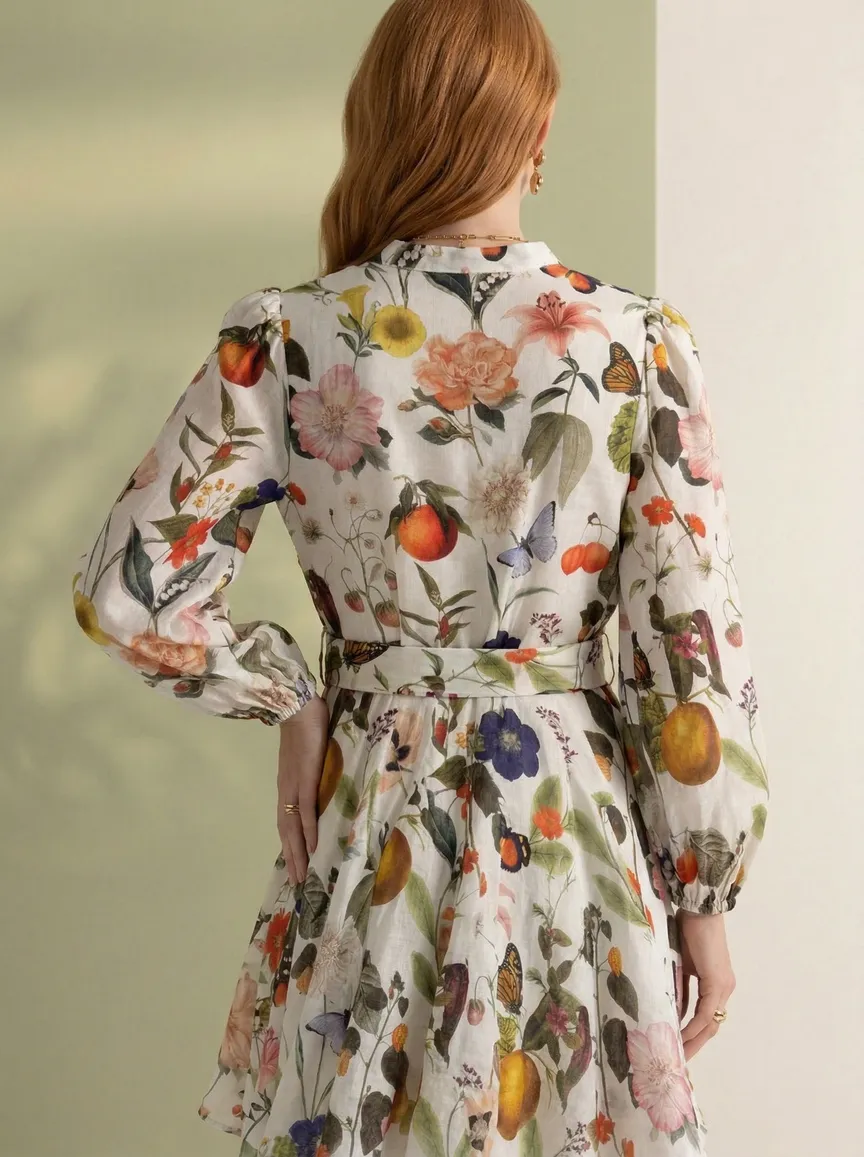
Front full body, side print detail, belt-hardware close-up, back print.
Style aside, the shipping unit is the difference. Botika returned one editorial hero. MODA returned a spread that fills a product page: front full body, side print detail, belt-buckle close-up, back print. Both looks are adjustable with scene and model choices; the shot count is structural.
One note in both directions: MODA added light jewelry across the set, and the Botika render came out barefoot on festival ground. Catalog buyers notice both. Both are fixable with a re-generate.
Why Shopify Brands Look for Botika Alternatives
The friction shows up in the same places. Six of them:
One photo in, one photo out.
Botika's engine swaps the model in an existing photo. That upgrades the hero shot — it doesn't produce the front, back, profile, and detail shots a product page needs. Filling a product page still means sourcing or generating every other angle separately.
No background reference system.
Botika offers a preset library of background options. You pick from what's available. MODA AI's background reference system is different — upload any photo as your scene, and MODA AI captures the location, lighting mood, color palette, and atmosphere from it. Any harbor, any rooftop, any terrain. Not a preset menu.
Subscription pricing, not pay-as-you-go.
Botika runs on subscriptions — their Shopify Connector listing runs from $33/month (Lite) to $230/month (Advanced), billed whether you generate or not. MODA AI charges per batch through Shopify, with no subscription and credits that never expire. For brands with variable catalog output, the difference compounds quickly.
Limited editorial range.
The outputs look like model swaps. MODA AI produces genuine editorial photography — with full location control, time-of-day lighting, and atmospheric quality driven by your background reference. The difference is visible.
Even flagship brands need full sets.
Botika's customer list — Forever 21, Perry Ellis, Jordache — shows the swap quality is real. But a catalog team's daily job is sets: every angle, every colorway, every season. A one-in-one-out pipeline leaves that work on the table, whatever the company size.
Video is a premium feature, gated behind a plan upgrade.
Botika does offer video, but on its Shopify Connector app it's a premium feature — the tool marks it 'upgrade to access' rather than including it. MODA AI prices video at one credit per 10-second video, the same as a full 10-image set, on any pack, with no plan gate.
MODA AI vs. Botika: Feature Comparison
The table below covers the decisions that actually matter for a Shopify catalog team:
| Feature | MODA AI | Botika |
|---|---|---|
| Where the workflow lives | Fully inside Shopify Admin | Connector app links your store to the Botika platform |
| Billed through Shopify | Yes — pay via Shopify | App plans via Shopify; platform pricing on botika.com |
| Input types | Flat lay, mannequin, hanger, ghost mannequin, on-model | Flat lay, mannequin, on-model |
| Background control | Upload any location photo (background ref) | Preset background library only |
| Face reference (model lock) | Full control across catalog | Limited |
| Social video assets | 1 credit per 10-second video, any pack | Premium feature — requires a plan upgrade to access |
| Outputs per credit | 10 images, 16+ poses (video: 1 more credit) | Limited outputs |
| Processing time | Under 2 minutes | Minutes to hours |
| Output quality control | Managed — MODA reviews outputs and emails corrections | Self-serve — merchant flags issues via in-app "Photo Issue" button |
| Pricing | From $1 per 10 images, no subscription | Subscriptions from $33/month (Lite) to $230/month (Advanced) |
| Credits expiry | Never expire | Not stated |
| Built for independent Shopify brands | Yes | Serves both; flagship clients are enterprise |
Differentiator 1
It Lives Inside Your Store
The biggest difference is architecture. MODA AI runs fully inside Shopify — it installs from the App Store, appears in your Admin sidebar, and bills through Shopify’s standard payment system. The whole workflow, from upload to product page, happens in one place. Botika’s connector links your store to its platform; the generation work lives on botika.com.
For independent Shopify brands running lean teams, this matters more than any feature table. Platform switching costs time. Managing separate tools costs mental overhead. When catalog photography lives inside your store, you use it — consistently, across every product, every season, because the friction of switching tools is zero.
Shopify brand takeaway
Install MODA AI once from the Shopify App Store. Every product in your catalog gets catalog photography from the same place you manage orders, inventory, and customers. No external accounts, no additional subscriptions, no round-trip file management.
Differentiator 2
Every Input You Actually Have
Botika accepts flat lays, mannequins, and on-model shots — so input type is not the differentiator. What matters is what you can do with those inputs after you upload them. Botika standardizes the output into on-model frames from a preset background library. MODA AI carries the garment into any scene you specify, with full location, lighting, and model control.
The input flexibility difference that does matter: MODA AI also accepts hanger images and ghost mannequin shots with the fit-preservation logic described in our on-model inputs guide. But the bigger gap is what you can control downstream — not what you can upload.

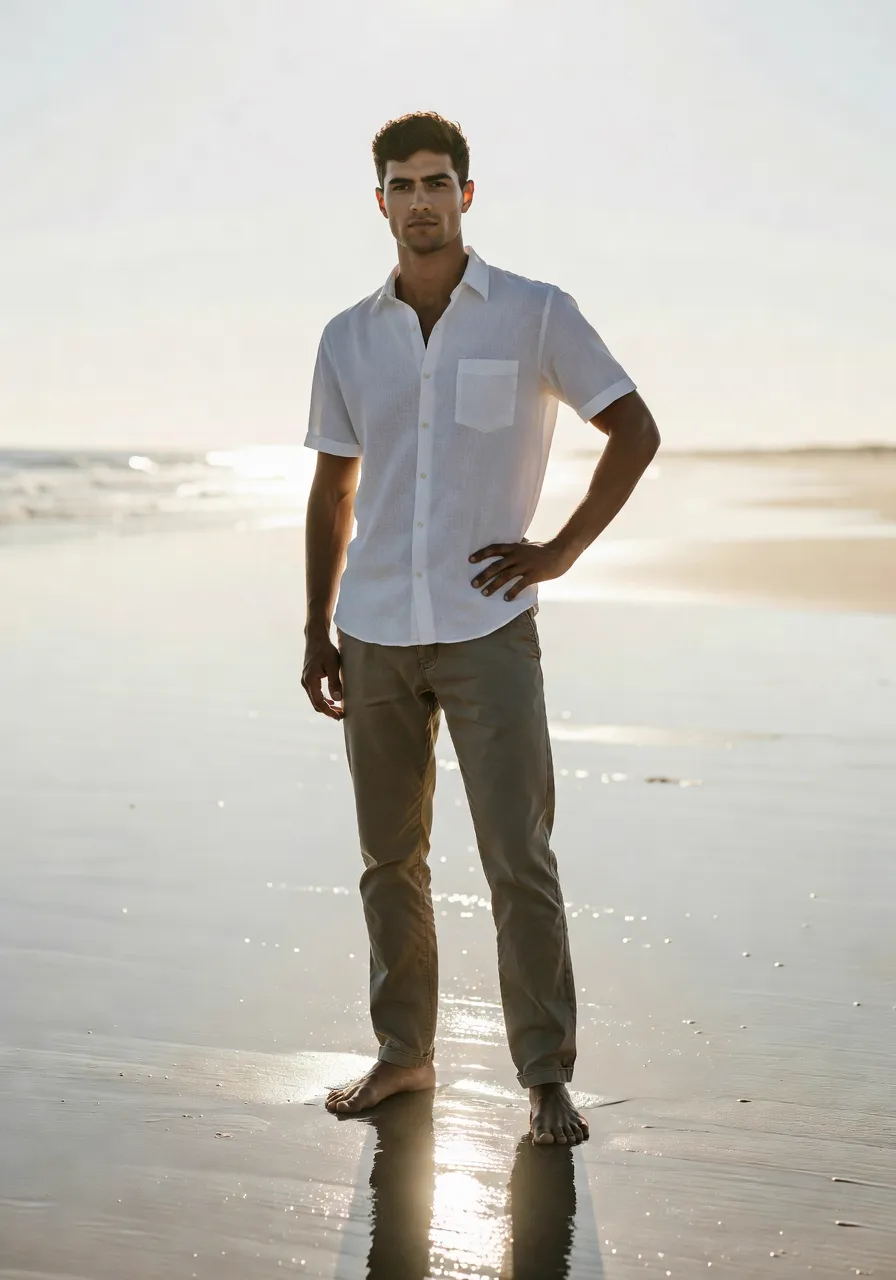
Two outputs from the same catalog workflow — the input type doesn’t dictate the quality of the result.
The input flexibility also matters for fit accuracy. A mannequin shot carries the real drape and fall of the fabric into the output. A flat lay gives a clean starting point. An on-model reference carries the fit data from a real body. MODA AI reads whichever you provide and carries that information into a catalog-ready frame.
Differentiator 3
Borrow Any Location. Control Every Scene.
This is the capability that has no equivalent in Botika. MODA AI’s background reference system lets you upload any photo as the scene for your shoot. One image gives the system the location, the lighting mood, the color palette, and the atmosphere — and your model and garment step into it.
An Iznik-tiled Ottoman courtyard. The French Riviera at golden hour. A rain-wet Manhattan street at dusk. A Mongolian steppe at daybreak. You don’t scout these locations. You don’t fly to them. You don’t permit them. You drop in a reference image and MODA AI carries the light.
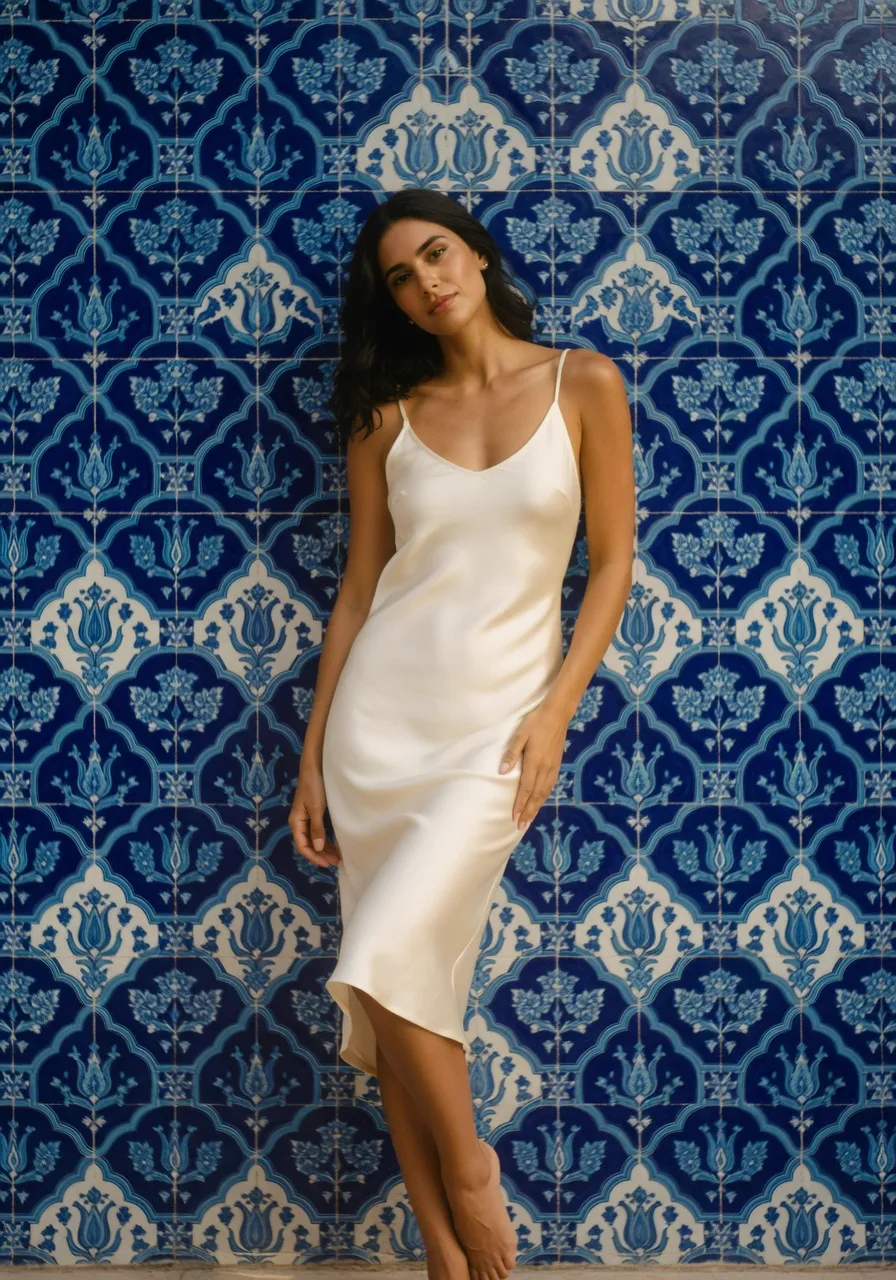
Istanbul, Turkey — Iznik ceramic architecture
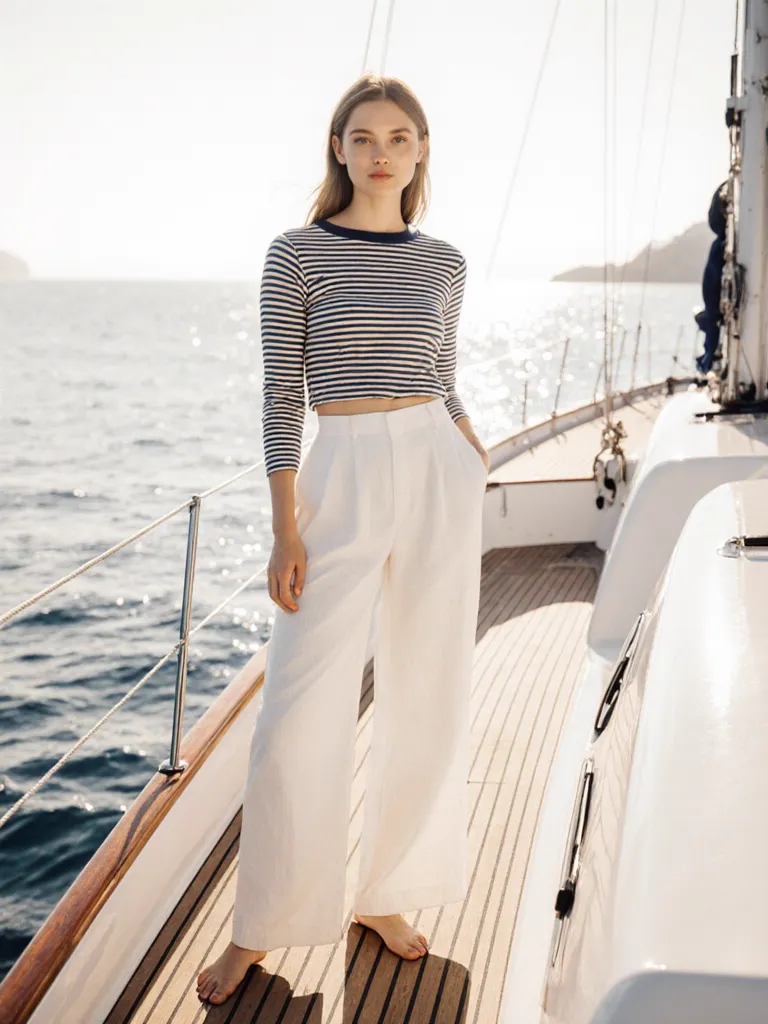
Saint-Tropez — French Riviera waterfront
What background refs actually control
For Shopify brands building seasonal catalogs, this is the feature that makes editorial photography affordable. A summer campaign with three different locations and lighting moods doesn’t need three location days. It needs three reference images and one upload session.
Differentiator 4
10 Angles From One Upload
Every MODA AI upload produces ten catalog-ready outputs across 16+ pose angles — front, back, profile, seated, lifestyle, detail close-ups — in under two minutes, from a single garment photo. A 10-second social video for Instagram, TikTok, and Reels costs one more credit, on any pack.
The ten images cover what a real shoot day would need three to four setups to produce. The video feeds your social channels without a separate content shoot. The whole batch goes directly into your Shopify product pages from the same Admin session where you generated them.
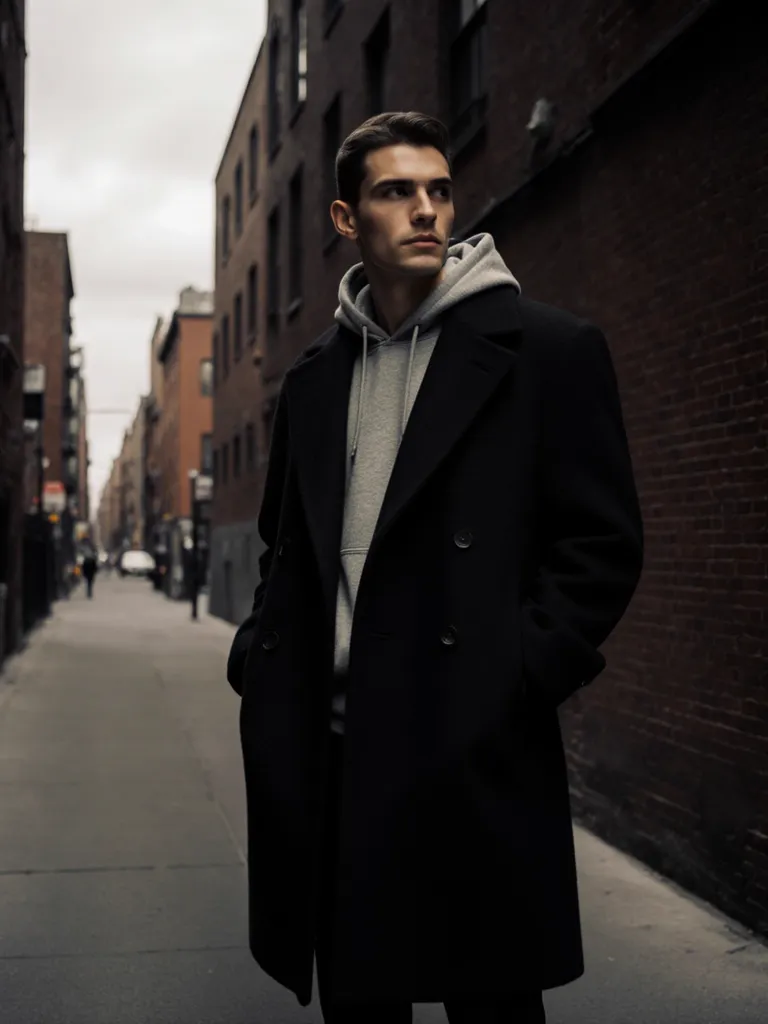
New York City — urban edge editorial
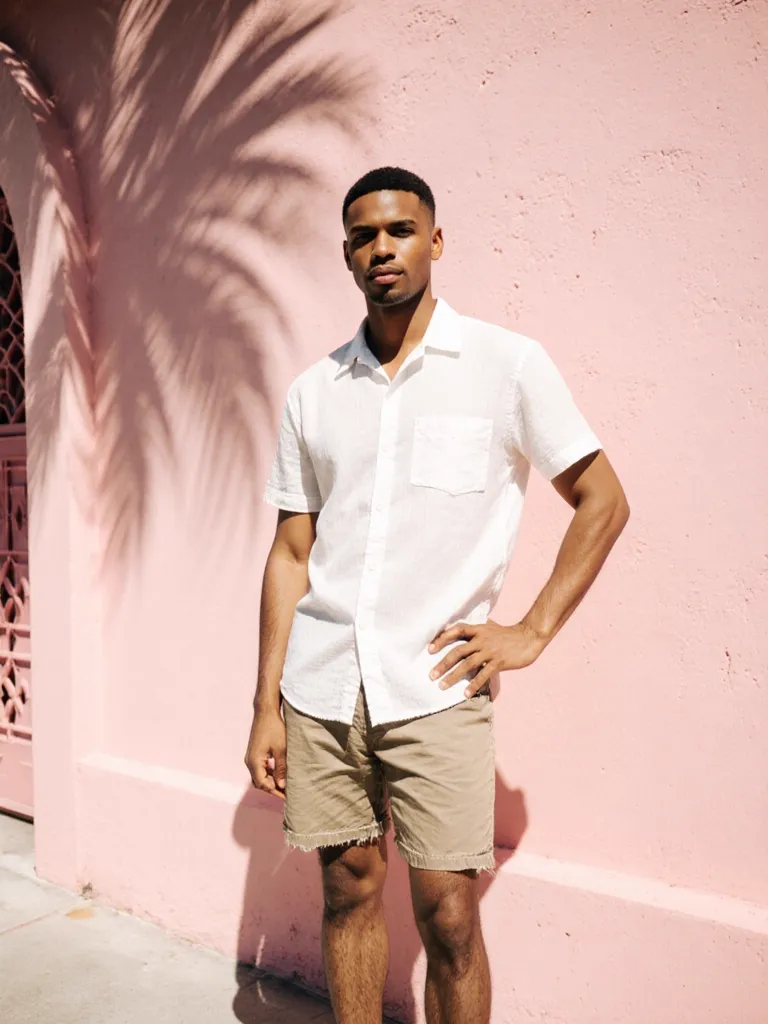
Miami Beach — Art Deco architecture
Differentiator 5
Lock Your Model Across Every SKU
Upload a face reference — any clear photo of the model look you want — and MODA AI carries that face, build, and skin tone through every product in your catalog. Same model, every color, every garment, every season. A consistent brand face is one of the clearest signals of a professional storefront.
The face reference pairs with the background reference: face sets who’s wearing the garment, background sets where they’re standing. Together, they give catalog teams the same two levers that traditional creative direction required an entire production team to execute — from inside Shopify Admin, in under two minutes per product.
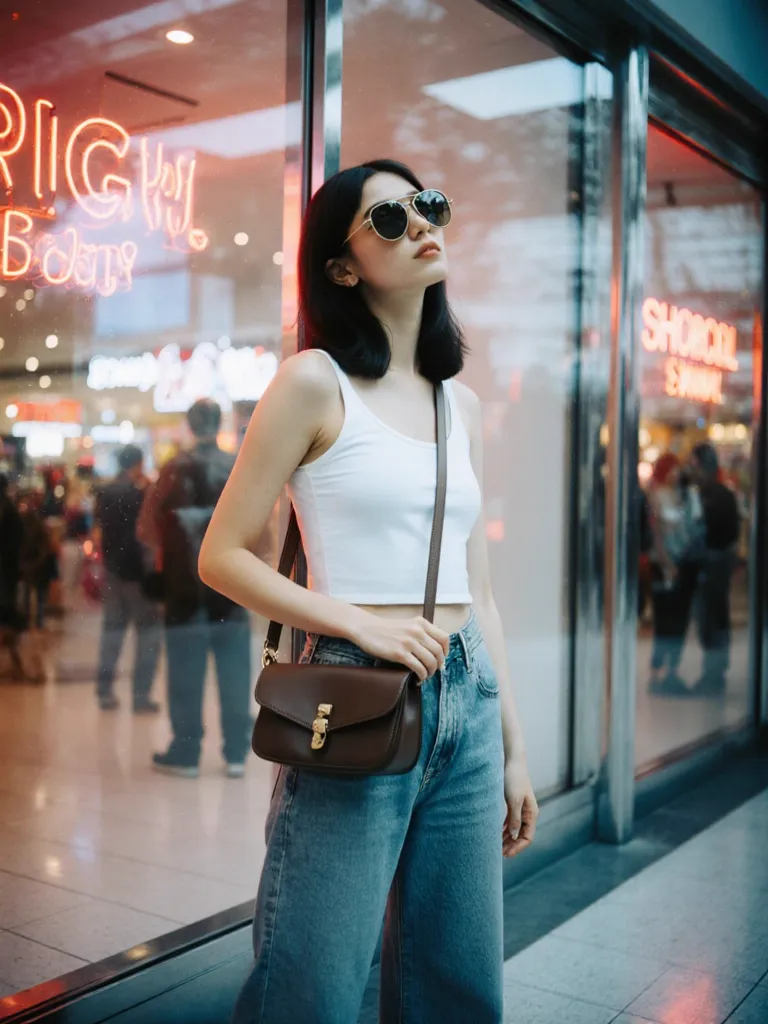
Different garment. Same face reference. One consistent brand model across every product.
The Range That Your Catalog Actually Needs
Fashion catalog photography is not a single aesthetic. A summer resort drop needs different light than an urban streetwear campaign. A menswear editorial needs different framing than a women’s lookbook. MODA AI carries the full range — any location, any gender, any styling direction, any season — from the same workflow. The scope of what you can produce isn’t determined by your shoot budget. It’s determined by the reference images you choose.
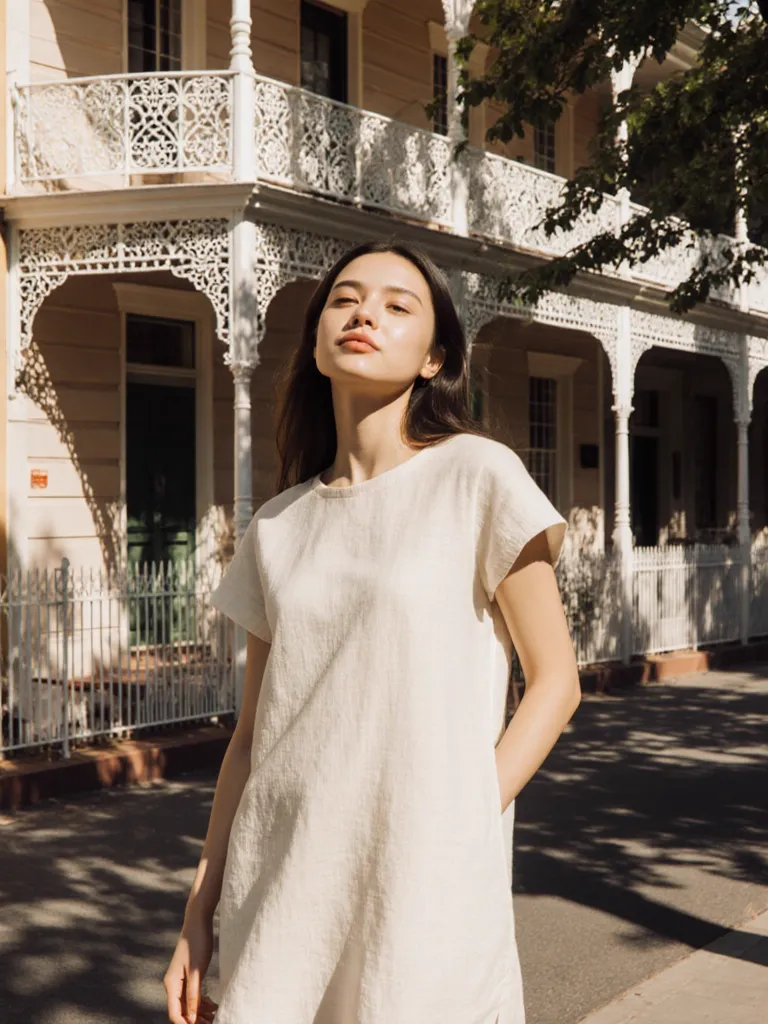
Sydney, Australia
New York City
Istanbul, Turkey
Miami Beach
Four locations. Four garments. One Shopify app. No travel.
Pricing Built for Shopify Brands
Botika’s pricing is a monthly subscription — $33 to $230 a month on its Shopify Connector listing, billed whether you generate that month or not. MODA AI’s pricing is designed for how many Shopify brands actually work: pay when you need it, stop when you don’t, and never lose credits you’ve already paid for.
Free trial
2 credits
Try before you buy — via Shopify App Store
Starter
$1.25 / credit
10 generated images per credit
Growing
$0.91 / credit
$20 for 22 credits — 10% volume bonus
Scaling
$0.83 / credit
$50 for 60 credits — 20% volume bonus
No subscription. No expiry. Billed through Shopify. Cancel anytime.
The Shopify Catalog Team’s Unfair Advantage
Traditional catalog production assumes a model, a studio, a photographer, a stylist, and a post-production team for every product that needs web-ready imagery. That assumption is the entire reason independent Shopify brands have historically underinvested in product photography — not because the garments were worse, but because the production infrastructure wasn’t there.
Botika shifts some of that cost, and its Shopify connector brings the model swap within reach of smaller stores. What it doesn’t change is the unit of work: one photo upgraded per generation, with the rest of the product page still to fill. For a lean team running a growing store, that gap compounds quickly.
MODA AI removes the infrastructure assumption entirely. The photo shoot happens inside Shopify. The bill goes through Shopify. The output goes directly onto the product page. A boutique with 200 SKUs gets the same catalog quality as a brand running a full creative team — from a single Shopify app, at $1 per product batch. That’s not a marginal improvement. That’s a different category of access.
Frequently Asked Questions
Is MODA AI actually inside Shopify, or is it a separate platform?
MODA AI is a native Shopify app — it installs from the Shopify App Store and lives inside your Shopify Admin. You never leave your store to generate catalog photos. Billing goes through Shopify's standard payment system. No separate logins, no external subscriptions.
What input types does MODA AI accept — how does that compare to Botika?
MODA AI works with flat lays, mannequins, ghost mannequins, hanger images, and on-model shots. Botika also accepts flat lays, mannequins, and on-model. The key difference is not input type — it's what you can control downstream: MODA AI lets you set the scene with any background reference photo and lock your model with a face reference. Botika works from a preset background library with limited scene control.
What is a background reference and how does it work in MODA AI?
A background reference is any photo you upload to set the scene for your shoot. MODA AI captures the location, lighting mood, color palette, and atmosphere from that single reference image — and places your model and garment into it. A harbor photo becomes your Mediterranean shoot. A New York rooftop becomes your urban editorial. No travel, no permits, no studio booking.
Can I keep the same model face across my entire catalog?
Yes. Upload a face reference — any clear photo of the model look you want — and MODA AI carries that face, build, and skin tone through every upload in your catalog. Every SKU gets the same model. No recasting, no booking multiple sessions.
Does MODA AI generate video as well as photos?
Yes. MODA AI generates 10-second social video assets ready for Instagram, TikTok, and Reels. A video costs one credit — the same price as a full 10-image catalog set, on any pack. Botika does offer video, but on its Shopify Connector app it is a premium feature that requires a plan upgrade to access.
How does MODA AI pricing compare to Botika?
MODA AI is pay-as-you-go with no subscription required. Credits start at $1.25 per credit (10 generated images) and drop to effectively $0.83 per credit with the $50 pack. Credits never expire. You pay through Shopify. Botika's Shopify Connector app is subscription-based, with public self-serve plans from about $33/month (Lite) to $230/month (Advanced).
“Great app, handled our embroidered Indian outfits well, I was impressed. Service is great, and the team has been quick to answer all my questions.”
Bubber Couture
India · 3 months on MODA AI · Feb 23, 2026
Read all reviews on the Shopify App Store →Your Shopify store deserves a catalog tool that lives in it.
Install MODA AI from the Shopify App Store. Every input type. Background refs. Face refs. Video. 10 images in under 2 minutes. From $1 per batch.
Get Started FreeOr read what Shopify merchants say — reviews on the Shopify App Store →