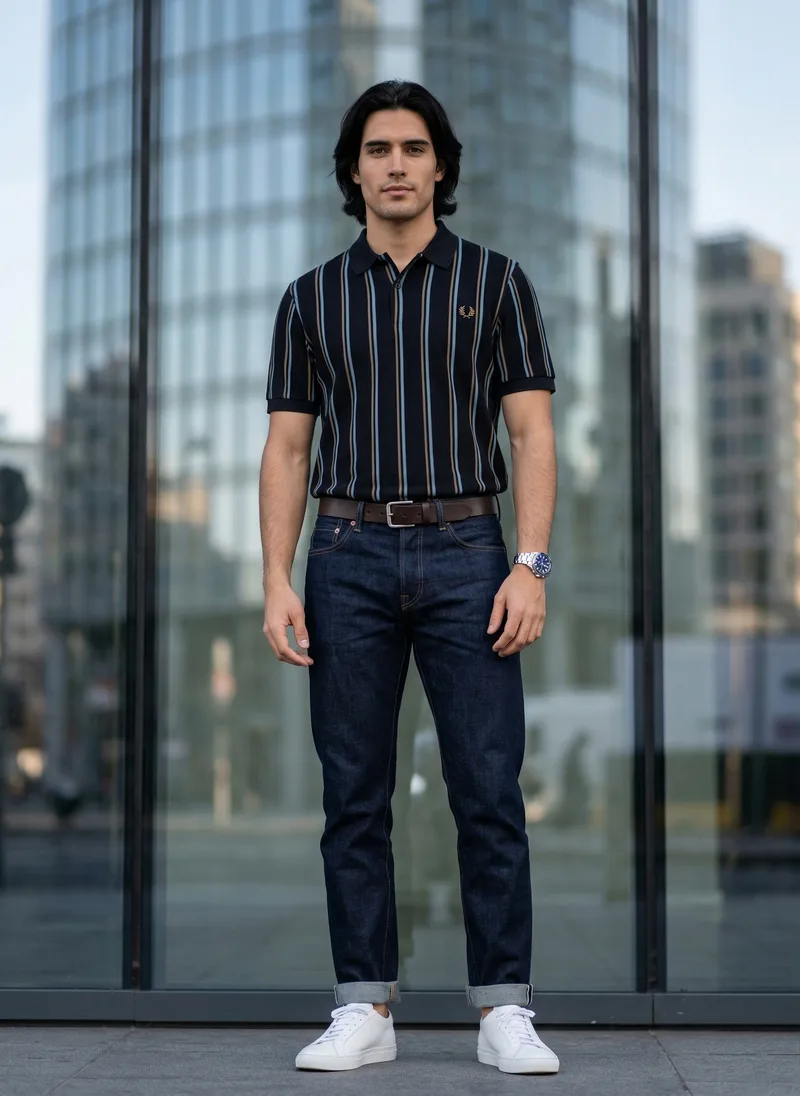
Compare
Modelia vs MODA AI for Shopify Fashion Catalogs
A toolbox of single-image generators, or a catalog set per product. We ran the same dress through both.
Updated July 7, 2026 · Verified against Modelia’s Starter-plan UI · 8 min read
The Toolbox and the Production Line
Modelia gives you a lot of tools. AI Fashion Lab, Pose Changer, Flatlay to Model, Virtual Try-On, Outfit Generator, an AI Video Generator, even hats and bags and glasses on a model — roughly fifteen of them, driven by text prompts, with a free tier generous enough to spend a weekend in. For trying ideas and making a one-off hero shot, that breadth is a real strength.
A Shopify catalog is a narrower, more repetitive job. Every product needs the same model and the same scene across a front, a back, a detail, a few angles — then the next product, then the next. Modelia does that one image at a time: pick a tool, write a prompt, spend the credits, repeat. MODA is built around the product instead of the image: one credit turns a garment into a full portrait set with the model and location held steady.
We ran the same floral dress through both in July 2026. The outputs and screenshots below come from that run.
Same dress, both tools
One square image vs. a portrait set
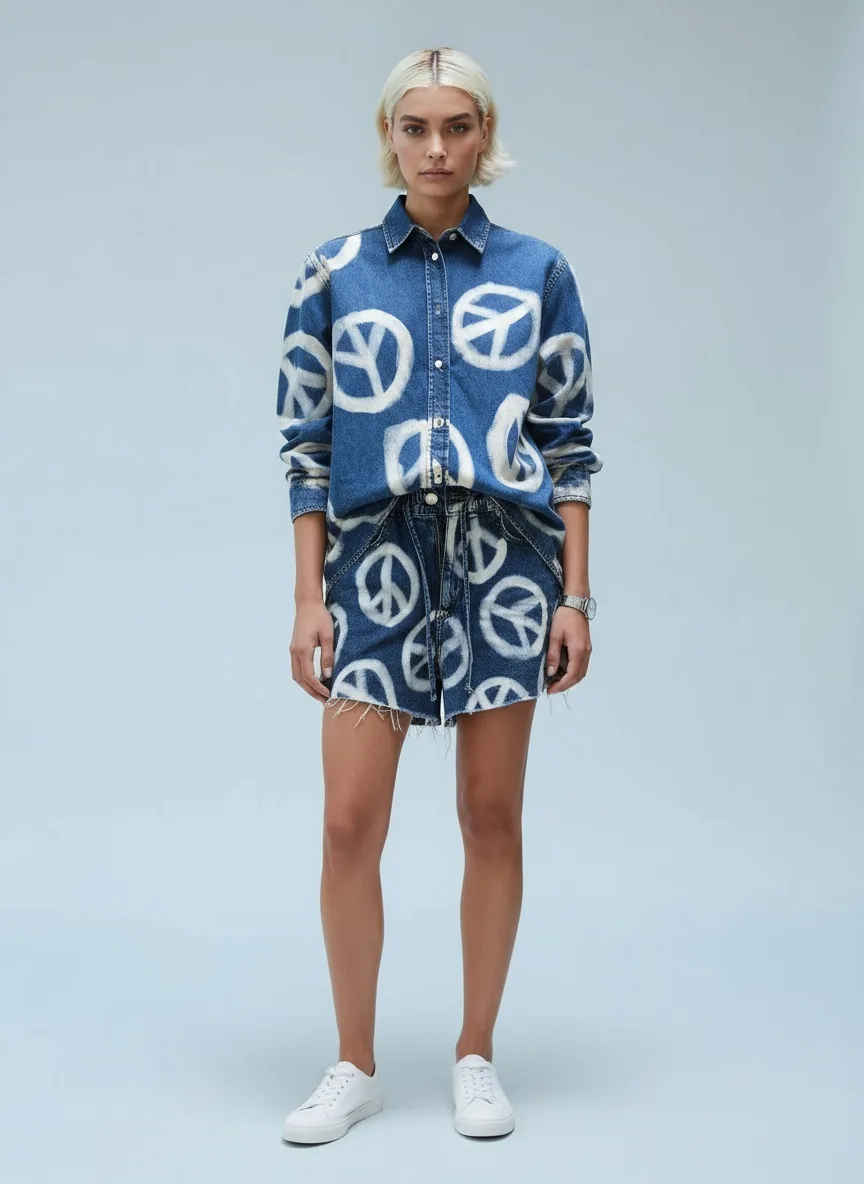
Modelia
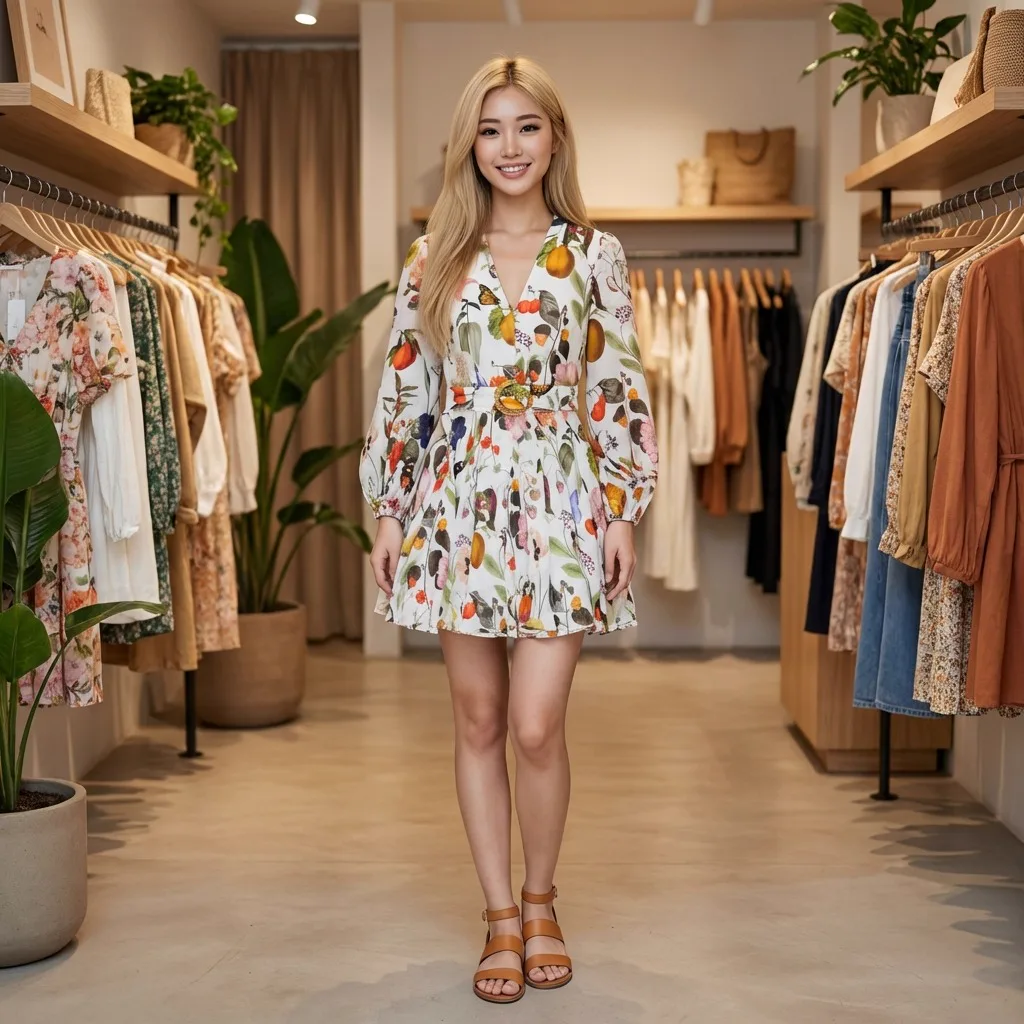
Modelia output generated Jul 2026 via modelia.ai, Starter plan. Reproduced for comparison. Came out 1:1 square.
MODA AI
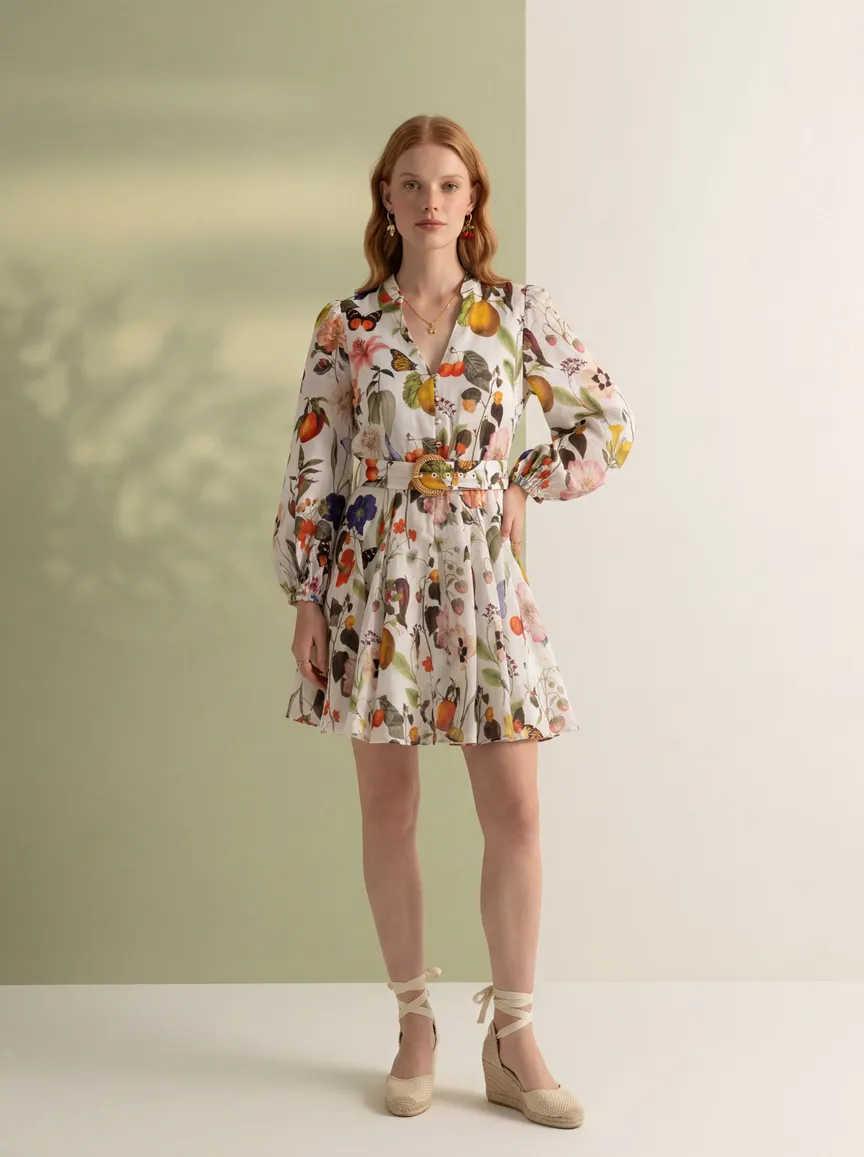
MODA output, shot 1 of a 10-shot set from one credit. 3:4 portrait, model and scene held by reference.
Both are usable images. The difference is what you get for the work: Modelia returns one square frame per generation; MODA returns a portrait set built to drop straight onto a product page. Here are four more from the same MODA credit.
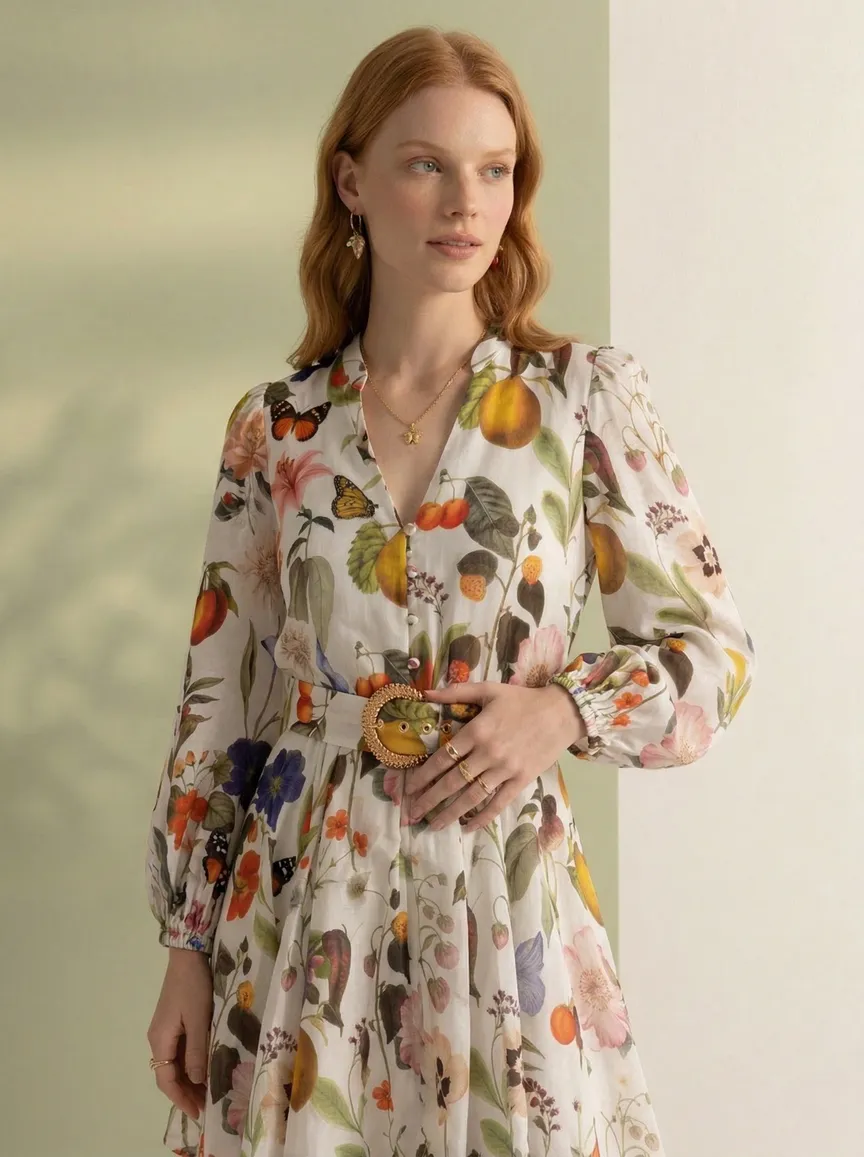
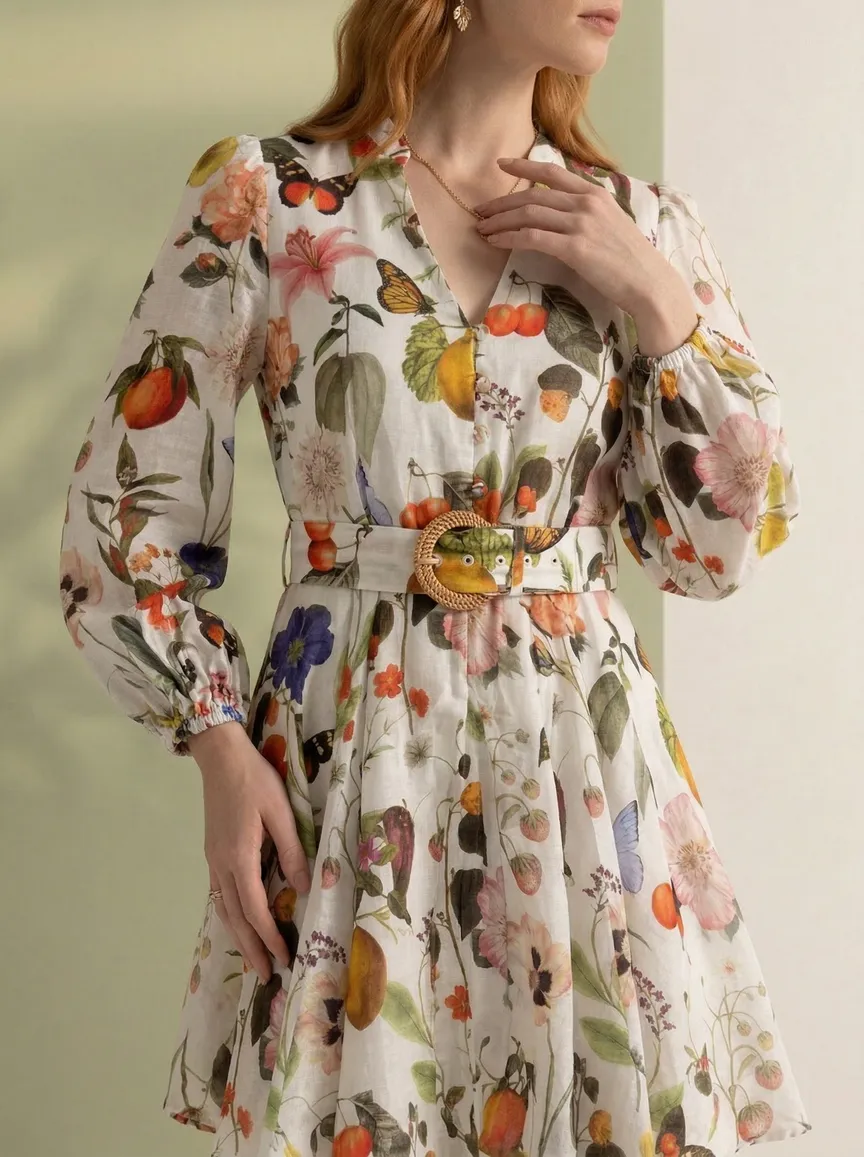
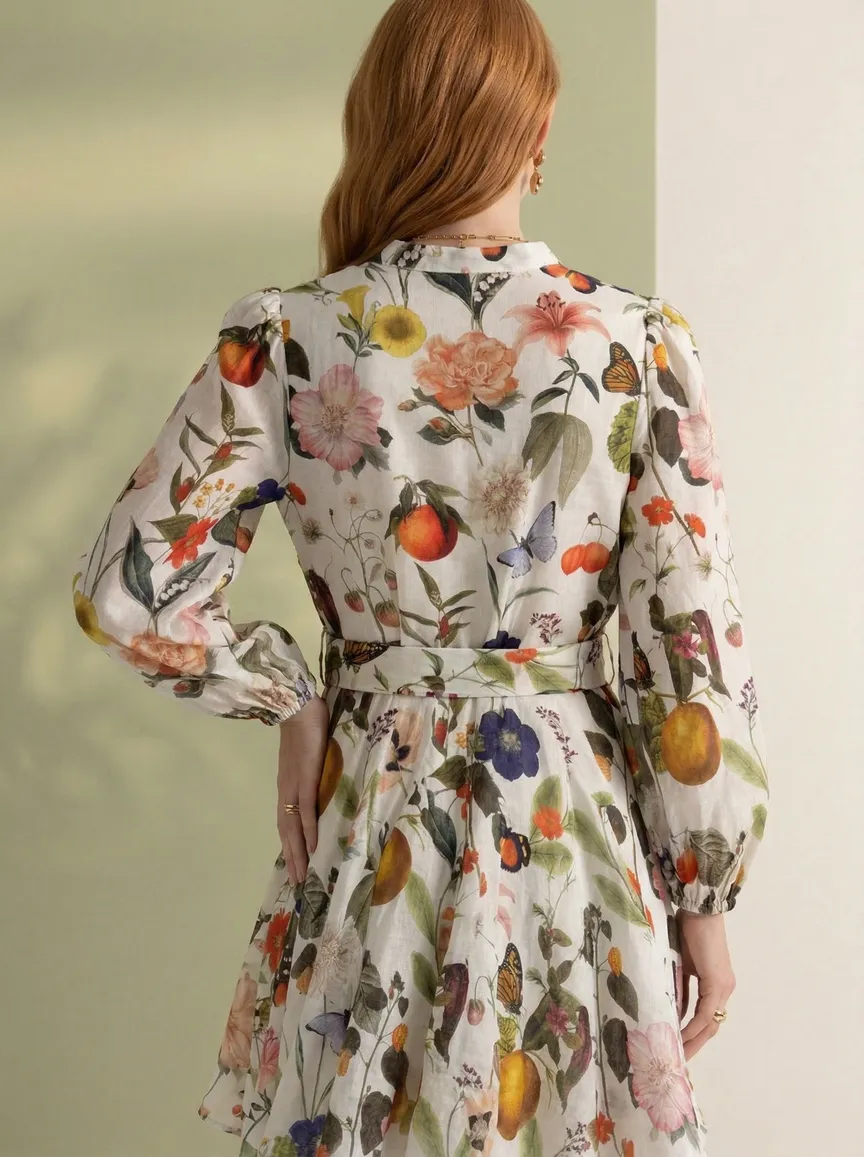
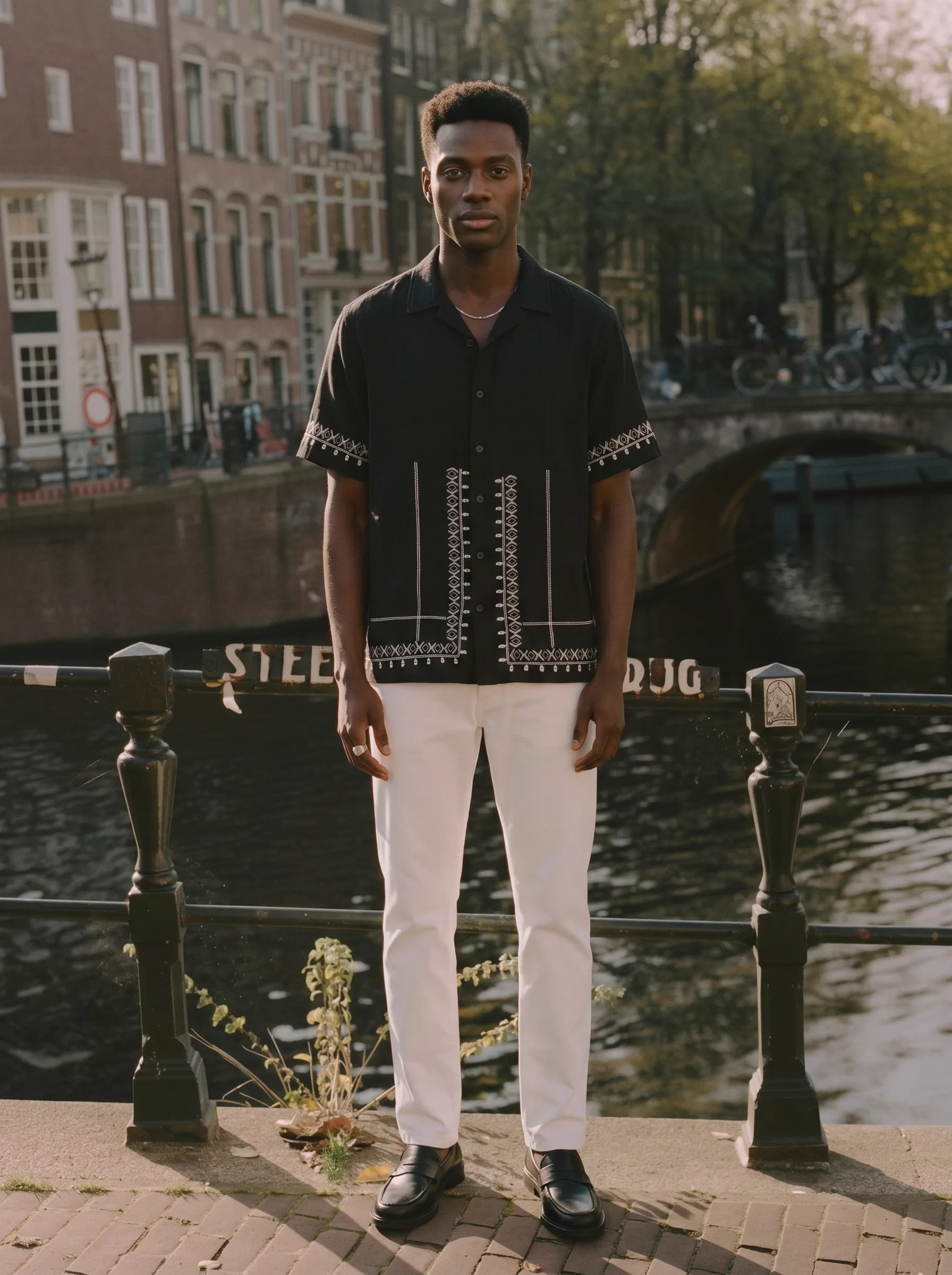
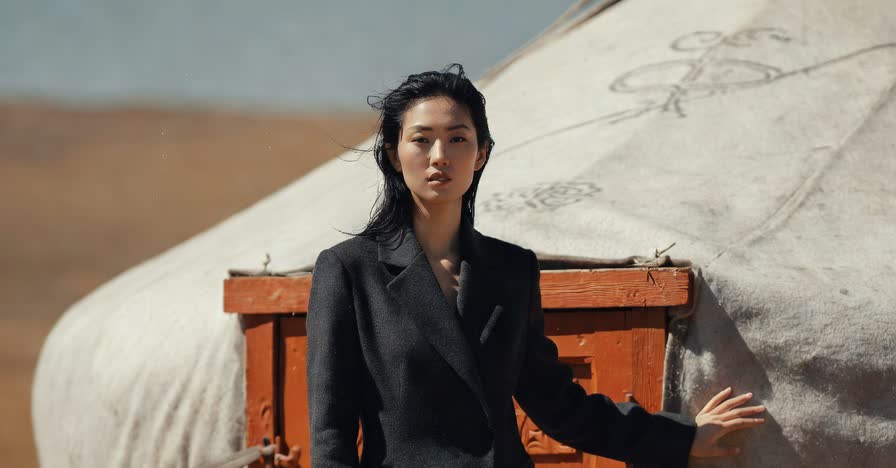
Four of the ten shots from one MODA credit. Front, side, detail, back — one model, one scene.
How you drive it
Type a prompt, or hand it a reference
Modelia styles from text. You upload the garment and describe the look — “make it look like it’s being worn by a model at a beach.” That’s flexible and fun, and it’s why the toolbox is so wide. It also means the model, the framing, and the light are re-rolled from words on every generation, so holding them steady across a product’s shots takes care.
MODA styles from references. Upload a face and it becomes the model across the set; upload a location photo and it becomes the scene. The look is fixed by the images you hand it, not re-described each time — which is what keeps ten shots of one product looking like one shoot.
Modelia editor, Starter plan, Jul 2026. Click to expand.
Which tool
Choose Modelia if / Choose MODA if
Choose Modelia if
- You want to experiment for free first — the free tier is the most generous in the category.
- You want a wide creative toolbox: pose changer, sketch to image, virtual try-on, accessories on model.
- You prefer driving styling with text prompts over reference images.
- You make one-off hero or campaign shots more than repeatable per-product catalogs.
Choose MODA if
- Your job is a Shopify catalog: the same model and scene across every product.
- You want a full 10-shot portrait set from one credit, not one image at a time.
- You want commercial-ready output from the first free credit — no watermark.
- You want cost you can predict: one credit, one product, credits never expire.
Real-World Scenario
Shipping a 40-SKU Summer Drop
Forty products, and you want the same model and the same coastal scene across all of them, front and back, ready for the product page. Here’s how the work lands on each tool.
| Step | MODA AI | Modelia |
|---|---|---|
| Lock the model + scene | Upload a face ref + background ref. Reused on every product. | Re-describe the look in a prompt per generation; consistency capped by plan. |
| Produce a product’s shots | 1 credit → a 10-shot portrait set, front through back | Several generations across tools; credit cost varies per tool |
| Aspect ratio for the PDP | 3:4 portrait by default | Set the shape each time; default "Original" gave us 1:1 |
| Ship it commercially | Commercial-ready from the first free credit | Free tier is watermarked + non-commercial; paid to ship |
| Cost you can forecast | 40 credits for 40 products, credits never expire | Per-image credits + plan ranges make per-product cost hard to predict |
Modelia can absolutely make forty good images. The friction is coherence and forecasting: many tools, many prompts, many credit rates, versus one credit per product on MODA.
The Seven Differences That Matter for a Shopify Catalog
Each row comes from Modelia’s in-product UI or pricing screen, verified in July 2026. A grey dash means Modelia does it, but differently or with a limit — not that it can’t.
| Factor | MODA AI | Modelia |
|---|---|---|
| Unit of work | Per product — 1 credit = a 10-shot set | Per image — one generation at a time |
| Styling control | Reference-driven: upload a face + a background | Prompt-driven: describe the look in text |
| Model consistency | Face reference holds across the set by default | "Consistent characters" capped by plan (1 / 3 / 6 / unlimited) |
| Aspect ratio | 3:4 portrait, sized for product pages | "Original" default; our test came out 1:1 square |
| Free tier output | 2 free credits, commercial-ready | Generous, but watermarked + non-commercial |
| Resolution | 2K hero by default; all-4K available | 2K free; "4K not available for starter plans" |
| Billing | Pay-as-you-go via Shopify, credits never expire | Free tier + $12 packs + $35 / $85 / $300 subscriptions |
Aspect ratio
Product pages want portrait. Our Modelia run came out square.
Shopify product galleries are built for tall, 3:4 portrait images. Modelia’s editor has an “Image Shape / Size” control that defaults to “Original”, and in our test the output came back 1:1 square — usable, but it leaves the model floating in a wide frame that a PDP will letterbox or crop. MODA outputs 3:4 portrait by default, framed for the product page.
Modelia output, 1:1 square. Click to expand.
Free tier & gating
Free to experiment, paid to ship
Modelia’s free Starter plan is genuinely generous — 20 credits a month, 5 a day — and it’s the best way in the category to try AI fashion for nothing. The line to read on the pricing screen: free-tier images carry a watermark and are marked non-commercial usage, capped at 2K. Commercial rights, watermark-free output, and 4K start on the $12 Project Packs and the subscriptions. The editor confirms it in place: “4K not available for starter plans.”
MODA’s two free credits are commercial-ready and watermark-free from the first shot — because the whole tool exists to put images on a live store.
Modelia pricing, Jul 2026. Click to expand.
What a product’s catalog set costs on each
Credits don’t map cleanly between the two, because Modelia prices per image and per tool while MODA prices per product. Here’s the shape of it.
Modelia — per image, per tool
What a full product set involves
- Separate generations for front, back, detail, angles
- Credit cost varies by tool (AI Fashion Lab: 3 credits/run)
- Plans quote ranges: “generate 6 to 20 images”
- Consistency capped by plan (1 / 3 / 6 / unlimited)
- Free tier watermarked + non-commercial; 2K cap
- Free / $12 packs / $35 / $85 / $300 per month
MODA AI — per product
One credit, one product’s set
- 1 credit → a 10-shot portrait set
- Flat rate: $0.83 to $1.25 depending on pack size
- 2K hero shot; all-2K / all-4K available
- Face reference locks the model across all ten
- Commercial-ready, watermark-free from credit one
- No subscription; credits never expire
MODA pricing at a glance
Free trial
2 credits
via the Shopify App Store
Starter
$1.25 / credit
10 shots per credit
Small pack
$1.00 / credit
$10 for 10 credits
Growing
$0.91 / credit
$20 for 22 credits
Scaling
$0.83 / credit
$50 for 60 credits
A ten second video is one extra credit. No subscription, no expiry, billed through Shopify.
For Modelia’s current pricing (free Starter, Project Packs, Basic / Pro / Business), see modelia.ai. The tiers and gates described here are what the Starter-plan UI showed in July 2026.
Credit where it’s due
Where Modelia is the better pick
- The free tier. 20 credits a month, no card. If you want to see what AI fashion imagery can do before spending a cent, Modelia is the easiest place to start.
- Breadth of tools. Pose changer, sketch to image, virtual try-on, outfit generator, accessories on model. If you want a wide creative playground, Modelia has far more surface area than MODA.
- Prompt-driven styling. Describe any scene or mood in words. For one-off editorial or campaign shots where you’re exploring, that flexibility is the point.
- Video and try-on in the same place. Modelia bundles an AI video generator and virtual try-on alongside the image tools, under one login.
“Great app, handled our embroidered Indian outfits well, I was impressed. Service is great, and the team has been quick to answer all my questions.”
Bubber Couture
India · 3 months on MODA AI · Feb 23, 2026
Read all reviews on the Shopify App Store →Frequently Asked Questions
Is Modelia good for Shopify fashion catalog photography?
Modelia is a broad, prompt-driven toolbox — around 15 single-purpose tools with a generous free tier, great for experimenting. For a Shopify catalog specifically, each tool makes one image per generation from a text prompt, so a full product page means several separate, separately-styled, separately-priced generations. MODA is built around the product: one credit turns a garment into a 10-shot portrait set with the model and scene held steady.
Is Modelia’s free plan enough to launch a store?
The free Starter plan gives 20 credits a month (5/day), which is genuinely generous for testing. But free-tier images include a watermark and are marked non-commercial usage, capped at 2K — so you can experiment free, but you can't ship free-tier output. Commercial rights, watermark-free output, and 4K start on the paid packs and subscriptions.
Does Modelia export portrait (3:4) images for ecommerce?
In our July 2026 test the output came back square (1:1). Modelia's 'Image Shape / Size' control defaults to 'Original', so the ratio follows your settings rather than locking to the 3:4 portrait product pages expect. MODA outputs 3:4 portrait by default.
How does Modelia pricing compare to MODA?
Modelia is credit-based across a free tier, one-time Project Packs (from $12/50 credits), and subscriptions ($35 / $85 / $300 per month). Credit cost is per generation and varies by tool, and plans quote image ranges, so per-product cost is hard to predict. MODA is one credit per product's 10-shot set, $0.83–$1.25 by pack size, no subscription, credits never expire.
Does Modelia keep the same model across a catalog?
Modelia offers 'consistent characters', capped by plan (1 / 3 / 6 / unlimited). MODA uses a face reference by default — upload one clear model photo and MODA holds that face across every shot, so brand-model consistency isn't a plan-gated feature.
When is Modelia the better choice than MODA?
For free experimentation — the most generous free tier in the category. For a wide creative toolbox — pose changer, sketch to image, try-on, accessories on model. For prompt-driven styling. MODA is narrower and built specifically for a consistent, commercial Shopify catalog, per product.
The verdict
Modelia is a creative playground. MODA is a catalog production line.
Same dress, both tools. Modelia gave us one square image from a prompt, out of a toolbox worth exploring on a free tier. MODA gave us a 3:4 portrait set from one credit, on a model and scene we locked with references, commercial-ready. Reach for Modelia to experiment and to make one-off shots across a wide toolset. Reach for MODA when the job is a consistent Shopify catalog, product after product.
Where MODA wins
Where Modelia wins
One credit. One product’s catalog set.
Install MODA AI from the Shopify App Store. Two free credits, commercial-ready, no watermark. Face reference. Background reference. From $1 per batch.
Get Started FreeOr read what Shopify merchants say — reviews on the Shopify App Store →